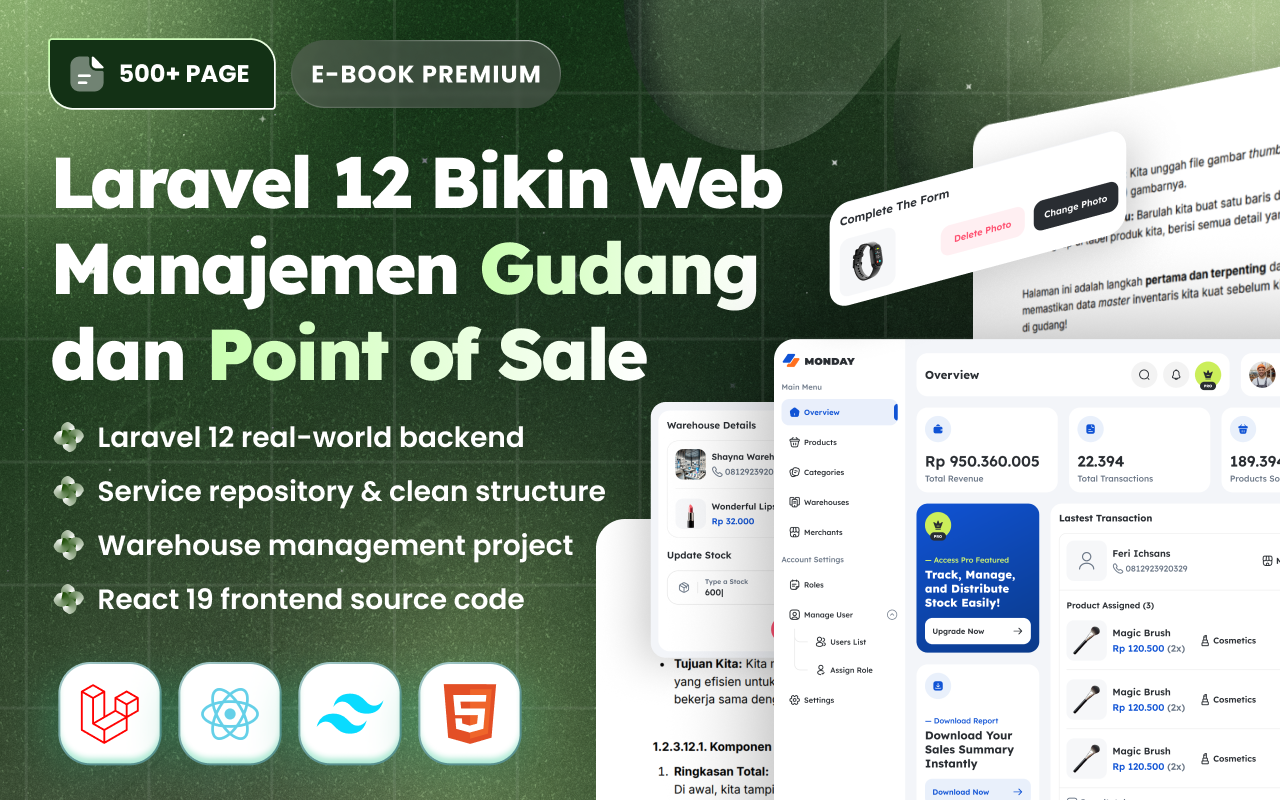
Membangun aplikasi Point of Sale (PoS) adalah salah satu cara terbaik untuk belajar Laravel secara menyeluruh. Dalam tutorial ini, kita akan membangun sistem kasir lengkap menggunakan pendekatan vibe coding — memanfaatkan AI sebagai partner development untuk mempercepat proses tanpa mengorbankan pemahaman. Mulai dari planning database, CRUD products, interface kasir real-time, hingga deploy ke Railway untuk production. Semua akan kita kerjakan step-by-step dengan prompt examples yang bisa langsung kamu praktikkan.
Bagian 1: Introduction & Planning
Apa yang Akan Kita Build?
Di tutorial ini, kita akan membangun Point of Sale (PoS) Web Application — sistem kasir berbasis web yang bisa digunakan untuk toko retail, cafe, atau bisnis lainnya.
Ini bukan tutorial CRUD sederhana. Kita akan build sistem yang production-ready dengan fitur-fitur real:
FITUR YANG AKAN KITA BANGUN:

📦 PRODUCT MANAGEMENT
├── Categories dengan CRUD lengkap
├── Products dengan image upload
├── Stock tracking
└── Search dan filter

🛒 POS / CASHIER INTERFACE
├── Interface kasir yang intuitive
├── Real-time cart dengan Alpine.js
├── Multiple payment methods (Cash, Card, QRIS)
├── Discount support
├── Receipt generation
└── Automatic stock reduction

📊 REPORTING & DASHBOARD
├── Daily dan monthly sales report
├── Best selling products
├── Revenue charts
├── Payment method breakdown
└── Low stock alerts

🔐 AUTHENTICATION & ROLES
├── Admin: Full access ke semua fitur
├── Cashier: Hanya POS dan view transactions
└── Protected routes berdasarkan role
Preview Hasil Akhir
Setelah menyelesaikan tutorial ini, kamu akan punya:
┌─────────────────────────────────────────────────────────────────┐
│                     POS SYSTEM - DASHBOARD                       │
├─────────────────────────────────────────────────────────────────┤
│                                                                  │
│  ┌──────────┐ ┌──────────┐ ┌──────────┐ ┌──────────┐           │
│  │ Rp 2.5M  │ │    45    │ │   120    │ │    5     │           │
│  │ Today's  │ │  Trans   │ │ Products │ │Low Stock │           │
│  │ Revenue  │ │  Today   │ │  Active  │ │  Alert   │           │
│  └──────────┘ └──────────┘ └──────────┘ └──────────┘           │
│                                                                  │
│  ┌─────────────────────────┐ ┌─────────────────────────────┐   │
│  │   Weekly Sales Chart    │ │    Payment Methods Today    │   │
│  │   📈 Line Chart         │ │    🥧 Pie Chart             │   │
│  └─────────────────────────┘ └─────────────────────────────┘   │
│                                                                  │
│  Recent Transactions:                                           │
│  INV-20250128-0001 | Rp 150.000 | Cash   | Budi (Cashier)      │
│  INV-20250128-0002 | Rp 275.000 | QRIS   | Budi (Cashier)      │
│  INV-20250128-0003 | Rp 89.000  | Card   | Siti (Cashier)      │
│                                                                  │
└─────────────────────────────────────────────────────────────────┘
Dan yang paling penting: deployed dan accessible secara online di Railway.
Kenapa PoS Bagus untuk Belajar?
Point of Sale system adalah projek yang sempurna untuk portfolio karena:
- Real-world application — Banyak bisnis butuh sistem kasir
- Feature-rich — Cover banyak konsep: CRUD, auth, sessions, AJAX, charts
- Complexity yang tepat — Tidak terlalu simple, tidak overwhelming
- Demonstrable — Bisa di-demo ke potential clients atau employers
- Extendable — Bisa ditambah fitur: inventory, multi-outlet, loyalty program
Tech Stack Overview
TECHNOLOGY STACK:
═════════════════

BACKEND:
├── Laravel 11 (latest stable)
├── PHP 8.2+
├── MySQL 8.0
├── Laravel Breeze (authentication)
└── Eloquent ORM

FRONTEND:
├── Blade Templates
├── Tailwind CSS (styling)
├── Alpine.js (reactivity)
└── Chart.js (dashboard charts)

DEPLOYMENT:
├── Railway (hosting platform)
├── Railway MySQL (managed database)
├── GitHub (version control)
└── Automatic deployments

VIBE CODING TOOLS:
├── Cursor (primary code editor)
├── Claude.ai (planning & complex tasks)
└── GitHub Copilot (optional, inline completion)
Kenapa stack ini?
- Laravel 11: Framework PHP paling populer, excellent untuk web apps
- Tailwind CSS: Rapid styling, consistent design, no custom CSS needed
- Alpine.js: Lightweight reactivity untuk POS cart, no build step
- Railway: Modern deployment, free tier generous, Laravel-friendly
Prerequisites
Sebelum mulai, pastikan kamu sudah punya:
REQUIREMENTS:

✅ PHP 8.2+ terinstall
   → Check: php -v

✅ Composer terinstall
   → Check: composer -v

✅ Node.js 18+ dan NPM
   → Check: node -v && npm -v

✅ MySQL atau bisa pakai SQLite untuk development
   → Atau langsung pakai Railway MySQL

✅ Code editor (Cursor recommended)
   → Download: cursor.com

✅ Git terinstall
   → Check: git --version

✅ GitHub account
   → Untuk deployment ke Railway

✅ Basic Laravel knowledge
   → Familiar dengan MVC, routing, Eloquent
Jika belum familiar dengan Laravel basics, tidak masalah — kita akan explain setiap langkah. Tapi basic understanding akan membantu kamu follow lebih smooth.
Vibe Coding Approach
Tutorial ini menggunakan vibe coding approach — kita akan memanfaatkan AI sebagai coding partner. Tapi bukan berarti kita blindly copy-paste.
Ini workflow yang akan kita pakai:
VIBE CODING WORKFLOW:
═════════════════════

1. PLAN FIRST
   ├── Discuss architecture dengan AI
   ├── Design database schema
   ├── Tentukan development phases
   └── BEFORE any coding

2. PROMPT STRATEGICALLY
   ├── Specific, detailed prompts
   ├── Include context dan constraints
   ├── One task per prompt
   └── Review output before accept

3. UNDERSTAND THE CODE
   ├── Baca dan pahami generated code
   ├── Minta explanation kalau unclear
   ├── Modify sesuai kebutuhan
   └── Don't blindly copy-paste

4. ITERATE
   ├── Test setiap fitur
   ├── Fix issues yang muncul
   ├── Improve incrementally
   └── Commit regularly

5. HUMAN-IN-THE-LOOP
   ├── Kamu yang decide architecture
   ├── Kamu yang review code quality
   ├── Kamu yang test functionality
   └── AI assists, kamu lead
Planning dengan Claude
Sebelum menulis satu baris code pun, kita mulai dengan planning. Ini adalah langkah yang sering di-skip oleh beginners, padahal ini yang membedakan projek yang sukses dan yang berantakan.
Buka Claude.ai dan gunakan prompt berikut untuk planning:
Prompt: Initial Planning
Saya mau build Point of Sale (PoS) web application untuk retail store.

TECH STACK:
- Laravel 11
- MySQL
- Tailwind CSS
- Alpine.js untuk reactivity
- Chart.js untuk dashboard

FEATURES YANG DIBUTUHKAN:

1. Authentication
   - Login/Register
   - 2 roles: Admin dan Cashier
   - Admin: full access
   - Cashier: hanya POS dan view transactions

2. Product Management (Admin only)
   - Categories CRUD
   - Products CRUD dengan image upload
   - Stock tracking

3. POS Interface
   - Product grid dengan search dan category filter
   - Add to cart functionality
   - Cart dengan quantity adjustment
   - Discount (percentage)
   - Tax calculation (11%)
   - Multiple payment methods: Cash, Card, QRIS
   - Generate receipt

4. Transactions
   - Transaction history dengan filters
   - Transaction detail view
   - Print receipt

5. Reports & Dashboard
   - Today's sales summary
   - Weekly/Monthly revenue chart
   - Top selling products
   - Payment method breakdown

Bantu saya dengan:
1. Database schema design (semua tables dan relationships)
2. List lengkap migrations yang dibutuhkan
3. Models dan relationships antar model
4. Recommended folder structure
5. Development phases (urutan development yang optimal)

Output dalam format yang terstruktur dan mudah di-follow.
Response yang Kita Harapkan
Claude akan memberikan detailed plan. Ini yang akan kita gunakan sebagai blueprint:
Database Schema Design
Berdasarkan planning, ini database schema yang akan kita bangun:
DATABASE SCHEMA:
════════════════

┌─────────────────────────────────────────────────────────────────┐
│                         USERS TABLE                              │
├─────────────────────────────────────────────────────────────────┤
│ id              │ bigint, primary key, auto increment           │
│ name            │ varchar(255)                                  │
│ email           │ varchar(255), unique                          │
│ email_verified  │ timestamp, nullable                           │
│ password        │ varchar(255)                                  │
│ role            │ enum('admin', 'cashier'), default 'cashier'   │
│ remember_token  │ varchar(100), nullable                        │
│ timestamps      │ created_at, updated_at                        │
└─────────────────────────────────────────────────────────────────┘
                                │
                                │ hasMany
                                ▼
┌─────────────────────────────────────────────────────────────────┐
│                      TRANSACTIONS TABLE                          │
├─────────────────────────────────────────────────────────────────┤
│ id              │ bigint, primary key                           │
│ invoice_number  │ varchar(50), unique (INV-YYYYMMDD-XXXX)       │
│ user_id         │ bigint, foreign key → users                   │
│ subtotal        │ decimal(12,2)                                 │
│ discount_percent│ decimal(5,2), default 0                       │
│ discount_amount │ decimal(12,2), default 0                      │
│ tax_percent     │ decimal(5,2), default 11                      │
│ tax_amount      │ decimal(12,2)                                 │
│ grand_total     │ decimal(12,2)                                 │
│ payment_method  │ enum('cash', 'card', 'qris')                  │
│ paid_amount     │ decimal(12,2)                                 │
│ change_amount   │ decimal(12,2)                                 │
│ notes           │ text, nullable                                │
│ timestamps      │ created_at, updated_at                        │
└─────────────────────────────────────────────────────────────────┘
                                │
                                │ hasMany
                                ▼
┌─────────────────────────────────────────────────────────────────┐
│                   TRANSACTION_ITEMS TABLE                        │
├─────────────────────────────────────────────────────────────────┤
│ id              │ bigint, primary key                           │
│ transaction_id  │ bigint, foreign key → transactions            │
│ product_id      │ bigint, foreign key → products                │
│ product_name    │ varchar(255) [snapshot]                       │
│ product_price   │ decimal(12,2) [snapshot]                      │
│ quantity        │ integer                                       │
│ subtotal        │ decimal(12,2)                                 │
│ timestamps      │ created_at, updated_at                        │
└─────────────────────────────────────────────────────────────────┘
                                ▲
                                │ belongsTo
                                │
┌─────────────────────────────────────────────────────────────────┐
│                        PRODUCTS TABLE                            │
├─────────────────────────────────────────────────────────────────┤
│ id              │ bigint, primary key                           │
│ category_id     │ bigint, foreign key → categories              │
│ name            │ varchar(255)                                  │
│ sku             │ varchar(50), unique                           │
│ description     │ text, nullable                                │
│ price           │ decimal(12,2)                                 │
│ stock           │ integer, default 0                            │
│ image           │ varchar(255), nullable                        │
│ is_active       │ boolean, default true                         │
│ timestamps      │ created_at, updated_at                        │
└─────────────────────────────────────────────────────────────────┘
                                ▲
                                │ belongsTo
                                │
┌─────────────────────────────────────────────────────────────────┐
│                       CATEGORIES TABLE                           │
├─────────────────────────────────────────────────────────────────┤
│ id              │ bigint, primary key                           │
│ name            │ varchar(255)                                  │
│ slug            │ varchar(255), unique                          │
│ description     │ text, nullable                                │
│ timestamps      │ created_at, updated_at                        │
└─────────────────────────────────────────────────────────────────┘
Entity Relationship Diagram (ERD)
┌────────────┐       ┌──────────────┐       ┌───────────────────┐
│ categories │       │   products   │       │ transaction_items │
├────────────┤       ├──────────────┤       ├───────────────────┤
│ id (PK)    │───┐   │ id (PK)      │───┐   │ id (PK)           │
│ name       │   │   │ category_id  │←──┘   │ transaction_id    │←──┐
│ slug       │   └──→│ name         │       │ product_id        │←──│───┐
│ description│       │ sku          │       │ product_name      │   │   │
└────────────┘       │ price        │───────│ product_price     │   │   │
                     │ stock        │       │ quantity          │   │   │
                     │ image        │       │ subtotal          │   │   │
                     │ is_active    │       └───────────────────┘   │   │
                     └──────────────┘                               │   │
                                                                    │   │
┌────────────┐       ┌──────────────────────────────────────────┐  │   │
│   users    │       │              transactions                 │  │   │
├────────────┤       ├──────────────────────────────────────────┤  │   │
│ id (PK)    │───┐   │ id (PK)                                  │──┘   │
│ name       │   │   │ invoice_number                           │      │
│ email      │   └──→│ user_id (FK)                             │      │
│ password   │       │ subtotal, discount, tax, grand_total     │      │
│ role       │       │ payment_method, paid_amount, change      │      │
└────────────┘       └──────────────────────────────────────────┘      │
                                                                       │
                     ┌─────────────────────────────────────────────────┘
                     │
              Product reference (for data integrity)
Catatan Penting tentang Snapshots:
Perhatikan product_name dan product_price di transaction_items — ini adalah snapshots. Kenapa?
- Kalau product diedit atau dihapus setelah transaksi, history tetap akurat
- Harga saat transaksi tercatat, bukan harga current
- Ini best practice untuk financial/transaction data
Migrations yang Dibutuhkan
Berdasarkan schema, ini list migrations yang akan kita buat:
MIGRATIONS LIST:
════════════════

Existing (dari Laravel):
├── 0001_01_01_000000_create_users_table.php
├── 0001_01_01_000001_create_cache_table.php
└── 0001_01_01_000002_create_jobs_table.php

Yang akan kita buat:
├── 2025_01_28_000001_add_role_to_users_table.php
├── 2025_01_28_000002_create_categories_table.php
├── 2025_01_28_000003_create_products_table.php
├── 2025_01_28_000004_create_transactions_table.php
└── 2025_01_28_000005_create_transaction_items_table.php
Models dan Relationships
MODELS & RELATIONSHIPS:
═══════════════════════

User
├── Attributes: name, email, password, role
├── Constants: ROLE_ADMIN, ROLE_CASHIER
├── Relationships:
│   └── hasMany(Transaction::class)
└── Methods: isAdmin(), isCashier()

Category
├── Attributes: name, slug, description
├── Relationships:
│   └── hasMany(Product::class)
└── Scopes: search()

Product
├── Attributes: category_id, name, sku, description, price, stock, image, is_active
├── Relationships:
│   ├── belongsTo(Category::class)
│   └── hasMany(TransactionItem::class)
├── Accessors: formatted_price, image_url
├── Scopes: active(), lowStock(), search()
└── Methods: decreaseStock(), increaseStock()

Transaction
├── Attributes: invoice_number, user_id, subtotal, discount_*, tax_*, grand_total, payment_method, paid_amount, change_amount, notes
├── Relationships:
│   ├── belongsTo(User::class)
│   └── hasMany(TransactionItem::class)
└── Static Methods: generateInvoiceNumber()

TransactionItem
├── Attributes: transaction_id, product_id, product_name, product_price, quantity, subtotal
└── Relationships:
    ├── belongsTo(Transaction::class)
    └── belongsTo(Product::class)
Folder Structure
RECOMMENDED FOLDER STRUCTURE:
═════════════════════════════

app/
├── Http/
│   ├── Controllers/
│   │   ├── Admin/
│   │   │   ├── CategoryController.php
│   │   │   ├── ProductController.php
│   │   │   ├── ReportController.php
│   │   │   └── UserController.php
│   │   ├── Cashier/
│   │   │   └── PosController.php
│   │   ├── TransactionController.php
│   │   └── DashboardController.php
│   ├── Middleware/
│   │   └── CheckRole.php
│   └── Requests/
│       ├── StoreCategoryRequest.php
│       ├── StoreProductRequest.php
│       └── ProcessPaymentRequest.php
├── Models/
│   ├── Category.php
│   ├── Product.php
│   ├── Transaction.php
│   └── TransactionItem.php
└── View/
    └── Components/
        ├── AppLayout.php
        └── ...

resources/views/
├── layouts/
│   └── app.blade.php
├── components/
│   ├── nav-link.blade.php
│   ├── toast.blade.php
│   └── modal.blade.php
├── admin/
│   ├── categories/
│   │   ├── index.blade.php
│   │   ├── create.blade.php
│   │   └── edit.blade.php
│   ├── products/
│   │   ├── index.blade.php
│   │   ├── create.blade.php
│   │   └── edit.blade.php
│   └── reports/
│       ├── daily.blade.php
│       └── monthly.blade.php
├── cashier/
│   └── pos.blade.php
├── transactions/
│   ├── index.blade.php
│   ├── show.blade.php
│   └── receipt.blade.php
└── dashboard.blade.php

routes/
└── web.php (semua routes di sini)
Kenapa struktur ini?
- Admin/ dan Cashier/ folders — separation by role
- Requests/ untuk form validation — clean controllers
- Components/ untuk reusable UI — DRY principle
- Flat routes di web.php — Laravel 11 style, simple dan clear
Development Roadmap
Ini urutan development yang akan kita ikuti:
DEVELOPMENT PHASES:
═══════════════════

╔═══════════════════════════════════════════════════════════════════╗
║ PHASE 1: FOUNDATION (Bagian 2)                                    ║
╠═══════════════════════════════════════════════════════════════════╣
║ □ Laravel installation                                            ║
║ □ Breeze setup untuk auth                                         ║
║ □ Add role column ke users                                        ║
║ □ Create CheckRole middleware                                     ║
║ □ Setup base layout dengan sidebar                                ║
║ □ Create admin user seeder                                        ║
╚═══════════════════════════════════════════════════════════════════╝
                              ↓
╔═══════════════════════════════════════════════════════════════════╗
║ PHASE 2: CATEGORIES (Bagian 3)                                    ║
╠═══════════════════════════════════════════════════════════════════╣
║ □ Categories migration & model                                    ║
║ □ CategoryController dengan CRUD                                  ║
║ □ Category views (index, create, edit)                           ║
║ □ Routes setup                                                    ║
║ □ Test CRUD functionality                                         ║
╚═══════════════════════════════════════════════════════════════════╝
                              ↓
╔═══════════════════════════════════════════════════════════════════╗
║ PHASE 3: PRODUCTS (Bagian 4)                                      ║
╠═══════════════════════════════════════════════════════════════════╣
║ □ Products migration & model                                      ║
║ □ ProductController dengan image upload                           ║
║ □ Product views dengan filters                                    ║
║ □ Storage link untuk images                                       ║
║ □ Test CRUD dengan images                                         ║
╚═══════════════════════════════════════════════════════════════════╝
                              ↓
╔═══════════════════════════════════════════════════════════════════╗
║ PHASE 4: POS INTERFACE (Bagian 5)                                 ║
╠═══════════════════════════════════════════════════════════════════╣
║ □ POS layout design                                               ║
║ □ Cart session management                                         ║
║ □ AJAX endpoints (add, update, remove)                           ║
║ □ Alpine.js cart reactivity                                       ║
║ □ Real-time total calculations                                    ║
╚═══════════════════════════════════════════════════════════════════╝
                              ↓
╔═══════════════════════════════════════════════════════════════════╗
║ PHASE 5: TRANSACTIONS (Bagian 6)                                  ║
╠═══════════════════════════════════════════════════════════════════╣
║ □ Transaction & TransactionItem models                            ║
║ □ Payment processing logic                                        ║
║ □ Stock reduction                                                 ║
║ □ Invoice number generation                                       ║
║ □ Receipt view                                                    ║
╚═══════════════════════════════════════════════════════════════════╝
                              ↓
╔═══════════════════════════════════════════════════════════════════╗
║ PHASE 6: HISTORY & REPORTS (Bagian 7)                            ║
╠═══════════════════════════════════════════════════════════════════╣
║ □ Transaction history views                                       ║
║ □ Filters (date, payment method, etc)                            ║
║ □ Reports controller                                              ║
║ □ Dashboard dengan Chart.js                                       ║
╚═══════════════════════════════════════════════════════════════════╝
                              ↓
╔═══════════════════════════════════════════════════════════════════╗
║ PHASE 7: POLISH (Bagian 8)                                       ║
╠═══════════════════════════════════════════════════════════════════╣
║ □ UI/UX improvements                                              ║
║ □ Loading states                                                  ║
║ □ Error handling                                                  ║
║ □ Seeders untuk testing                                           ║
║ □ Final testing                                                   ║
╚═══════════════════════════════════════════════════════════════════╝
                              ↓
╔═══════════════════════════════════════════════════════════════════╗
║ PHASE 8: DEPLOYMENT (Bagian 9)                                    ║
╠═══════════════════════════════════════════════════════════════════╣
║ □ Prepare untuk production                                        ║
║ □ GitHub repository                                               ║
║ □ Railway setup                                                   ║
║ □ Environment configuration                                       ║
║ □ Deploy dan verify                                               ║
╚═══════════════════════════════════════════════════════════════════╝
Quick Summary Bagian 1
Sebelum lanjut ke coding, pastikan kamu sudah:
CHECKLIST BAGIAN 1:
═══════════════════

✅ Understand apa yang akan kita build
   └── PoS system dengan auth, products, POS, transactions, reports

✅ Tech stack clear
   └── Laravel 11, Tailwind, Alpine.js, Chart.js, Railway

✅ Database schema designed
   └── 5 tables: users, categories, products, transactions, transaction_items

✅ Relationships understood
   └── User → Transactions → TransactionItems ← Products ← Categories

✅ Development roadmap clear
   └── 8 phases dari setup sampai deployment

✅ Vibe coding approach understood
   └── Plan first, prompt strategically, understand code, iterate
Apa Selanjutnya?
Di Bagian 2, kita akan:
- Create Laravel project baru
- Install dan setup Laravel Breeze
- Implement user roles (Admin/Cashier)
- Create base layout dengan navigation
- Setup routing structure
Kita akan mulai coding dengan actual prompts yang bisa langsung kamu praktikkan di Cursor.
Let's build! 🚀
Bagian 2: Project Setup & Authentication
Di bagian ini, kita akan setup foundation project — dari instalasi Laravel sampai authentication dengan role-based access. Ini adalah fondasi yang akan kita bangun di atas untuk semua fitur selanjutnya.
Step 1: Create Laravel Project
Buka terminal dan jalankan commands berikut:
# Create new Laravel project
composer create-project laravel/laravel pos-system

# Masuk ke folder project
cd pos-system

# Verify installation
php artisan --version
# Output: Laravel Framework 11.x.x
Verify struktur folder:
pos-system/
├── app/
├── bootstrap/
├── config/
├── database/
├── public/
├── resources/
├── routes/
├── storage/
├── tests/
├── vendor/
├── .env
├── artisan
├── composer.json
└── package.json
Step 2: Install Laravel Breeze
Laravel Breeze memberikan authentication scaffolding yang simple dan clean. Kita akan pakai Blade stack (bukan Livewire atau Inertia) untuk keep things straightforward.
# Install Breeze
composer require laravel/breeze --dev

# Install Breeze dengan Blade stack
php artisan breeze:install blade

# Install NPM dependencies
npm install

# Build assets
npm run build

# Atau untuk development dengan hot reload
npm run dev
Apa yang Breeze install?
BREEZE SCAFFOLDING:
═══════════════════

Controllers:
├── Auth/AuthenticatedSessionController.php
├── Auth/ConfirmablePasswordController.php
├── Auth/EmailVerificationController.php
├── Auth/NewPasswordController.php
├── Auth/PasswordController.php
├── Auth/PasswordResetLinkController.php
├── Auth/RegisteredUserController.php
└── ProfileController.php

Views:
├── auth/
│   ├── confirm-password.blade.php
│   ├── forgot-password.blade.php
│   ├── login.blade.php
│   ├── register.blade.php
│   └── reset-password.blade.php
├── profile/
│   ├── edit.blade.php
│   └── partials/
├── layouts/
│   ├── app.blade.php
│   ├── guest.blade.php
│   └── navigation.blade.php
└── dashboard.blade.php

Routes:
└── auth.php (included in web.php)
Step 3: Database Configuration
Edit file .env untuk database connection:
# .env

APP_NAME="POS System"
APP_ENV=local
APP_DEBUG=true
APP_URL=http://localhost:8000

DB_CONNECTION=mysql
DB_HOST=127.0.0.1
DB_PORT=3306
DB_DATABASE=pos_system
DB_USERNAME=root
DB_PASSWORD=

# Atau kalau mau pakai SQLite untuk simplicity:
# DB_CONNECTION=sqlite
# (hapus DB_HOST, DB_PORT, DB_DATABASE, DB_USERNAME, DB_PASSWORD)
Untuk MySQL, create database dulu:
-- Di MySQL client
CREATE DATABASE pos_system;
Untuk SQLite (lebih simple untuk development):
# Create SQLite database file
touch database/database.sqlite
Dan update .env:
DB_CONNECTION=sqlite
# Hapus atau comment out DB_HOST, DB_PORT, dll
Run migrations:
php artisan migrate
Output yang expected:
INFO  Running migrations.

2024_01_01_000000_create_users_table .............. 15ms DONE
2024_01_01_000001_create_cache_table .............. 8ms DONE
2024_01_01_000002_create_jobs_table ............... 12ms DONE
Step 4: Add Role to Users
Sekarang kita akan menambahkan role system. Buka Cursor dan gunakan vibe coding untuk generate migration dan update model.
Prompt: Add Role Column
Laravel 11 project dengan Breeze sudah terinstall.

Saya butuh menambahkan role system ke users:
- Admin: full access ke semua fitur
- Cashier: hanya bisa akses POS dan lihat transactions

Buatkan:

1. Migration untuk add 'role' column ke users table
   - Type: enum dengan values 'admin' dan 'cashier'
   - Default: 'cashier'

2. Update User model dengan:
   - Role constants (ROLE_ADMIN, ROLE_CASHIER)
   - Helper methods: isAdmin(), isCashier()
   - Cast role sebagai string

Keep it simple, tanpa package tambahan seperti Spatie Permission.
Migration: Add Role to Users
php artisan make:migration add_role_to_users_table
Edit file migration yang baru dibuat:
<?php

// database/migrations/2025_01_28_000001_add_role_to_users_table.php

use Illuminate\\Database\\Migrations\\Migration;
use Illuminate\\Database\\Schema\\Blueprint;
use Illuminate\\Support\\Facades\\Schema;

return new class extends Migration
{
    public function up(): void
    {
        Schema::table('users', function (Blueprint $table) {
            $table->enum('role', ['admin', 'cashier'])
                  ->default('cashier')
                  ->after('email');
        });
    }

    public function down(): void
    {
        Schema::table('users', function (Blueprint $table) {
            $table->dropColumn('role');
        });
    }
};
Run migration:
php artisan migrate
Update User Model
<?php

// app/Models/User.php

namespace App\\Models;

use Illuminate\\Database\\Eloquent\\Factories\\HasFactory;
use Illuminate\\Foundation\\Auth\\User as Authenticatable;
use Illuminate\\Notifications\\Notifiable;

class User extends Authenticatable
{
    use HasFactory, Notifiable;

    // Role constants
    public const ROLE_ADMIN = 'admin';
    public const ROLE_CASHIER = 'cashier';

    protected $fillable = [
        'name',
        'email',
        'password',
        'role',
    ];

    protected $hidden = [
        'password',
        'remember_token',
    ];

    protected function casts(): array
    {
        return [
            'email_verified_at' => 'datetime',
            'password' => 'hashed',
        ];
    }

    // Helper methods
    public function isAdmin(): bool
    {
        return $this->role === self::ROLE_ADMIN;
    }

    public function isCashier(): bool
    {
        return $this->role === self::ROLE_CASHIER;
    }

    // Relationship untuk transactions (akan dipakai nanti)
    public function transactions()
    {
        return $this->hasMany(Transaction::class);
    }
}
Step 5: Create Role Middleware
Kita butuh middleware untuk protect routes berdasarkan role.
php artisan make:middleware CheckRole
Edit middleware:
<?php

// app/Http/Middleware/CheckRole.php

namespace App\\Http\\Middleware;

use Closure;
use Illuminate\\Http\\Request;
use Symfony\\Component\\HttpFoundation\\Response;

class CheckRole
{
    /**
     * Handle an incoming request.
     *
     * @param  \\Closure(\\Illuminate\\Http\\Request): (\\Symfony\\Component\\HttpFoundation\\Response)  $next
     * @param  string  $role
     */
    public function handle(Request $request, Closure $next, string $role): Response
    {
        // Check if user is authenticated
        if (!$request->user()) {
            return redirect()->route('login');
        }

        // Check if user has required role
        if ($request->user()->role !== $role) {
            // Option 1: Abort dengan 403
            abort(403, 'Unauthorized. You do not have permission to access this page.');

            // Option 2: Redirect dengan message (uncomment jika prefer ini)
            // return redirect()->route('dashboard')
            //     ->with('error', 'You do not have permission to access that page.');
        }

        return $next($request);
    }
}
Register middleware di bootstrap/app.php:
<?php

// bootstrap/app.php

use Illuminate\\Foundation\\Application;
use Illuminate\\Foundation\\Configuration\\Exceptions;
use Illuminate\\Foundation\\Configuration\\Middleware;

return Application::configure(basePath: dirname(__DIR__))
    ->withRouting(
        web: __DIR__.'/../routes/web.php',
        commands: __DIR__.'/../routes/console.php',
        health: '/up',
    )
    ->withMiddleware(function (Middleware $middleware) {
        // Register alias untuk middleware
        $middleware->alias([
            'role' => \\App\\Http\\Middleware\\CheckRole::class,
        ]);
    })
    ->withExceptions(function (Exceptions $exceptions) {
        //
    })->create();
Cara pakai middleware:
// Single role
Route::get('/admin/dashboard', ...)->middleware('role:admin');

// Di route group
Route::middleware(['auth', 'role:admin'])->group(function () {
    // Admin only routes
});
Step 6: Create Admin Seeder
Buat seeder untuk default admin user:
php artisan make:seeder AdminUserSeeder
<?php

// database/seeders/AdminUserSeeder.php

namespace Database\\Seeders;

use App\\Models\\User;
use Illuminate\\Database\\Seeder;
use Illuminate\\Support\\Facades\\Hash;

class AdminUserSeeder extends Seeder
{
    public function run(): void
    {
        // Create admin user
        User::create([
            'name' => 'Administrator',
            'email' => '[email protected]',
            'password' => Hash::make('password'),
            'role' => User::ROLE_ADMIN,
            'email_verified_at' => now(),
        ]);

        // Create sample cashier user
        User::create([
            'name' => 'Cashier 1',
            'email' => '[email protected]',
            'password' => Hash::make('password'),
            'role' => User::ROLE_CASHIER,
            'email_verified_at' => now(),
        ]);

        $this->command->info('Admin and Cashier users created successfully!');
        $this->command->info('Admin: [email protected] / password');
        $this->command->info('Cashier: [email protected] / password');
    }
}
Update DatabaseSeeder.php:
<?php

// database/seeders/DatabaseSeeder.php

namespace Database\\Seeders;

use Illuminate\\Database\\Seeder;

class DatabaseSeeder extends Seeder
{
    public function run(): void
    {
        $this->call([
            AdminUserSeeder::class,
        ]);
    }
}
Run seeder:
php artisan db:seed
Step 7: Setup Base Layout
Sekarang kita akan customize layout untuk PoS system. Gunakan prompt berikut di Cursor:
Prompt: Base Layout
Buatkan base layout untuk Laravel PoS system.

Requirements:
- Sidebar navigation di kiri (collapsible di mobile)
- Top navbar dengan: store name, user dropdown (profile, logout)
- Main content area di kanan
- Tailwind CSS styling
- Alpine.js untuk toggle sidebar di mobile
- Clean, professional look

Navigation items:
- Dashboard (semua role)
- Categories (admin only)
- Products (admin only)
- POS / Cashier (semua role)
- Transactions (semua role)
- Reports (admin only)
- Users (admin only)

Show/hide menu items based on user role menggunakan @if directives.
Highlight active menu item.

File: resources/views/layouts/app.blade.php
Layout Implementation
{{-- resources/views/layouts/app.blade.php --}}
<!DOCTYPE html>
<html lang="{{ str_replace('_', '-', app()->getLocale()) }}">
<head>
<meta charset="utf-8">
<meta name="viewport" content="width=device-width, initial-scale=1">
<meta name="csrf-token" content="{{ csrf_token() }}">
<title>{{ config('app.name', 'POS System') }} - @yield('title', 'Dashboard')</title>
<!-- Fonts -->
<link rel="preconnect" href="<https://fonts.bunny.net>">
<link href="<https://fonts.bunny.net/css?family=figtree:400,500,600&display=swap>" rel="stylesheet" />
<!-- Scripts -->
@vite(['resources/css/app.css', 'resources/js/app.js'])
<!-- Alpine.js -->
<script defer src="<https://cdn.jsdelivr.net/npm/[email protected]/dist/cdn.min.js>"></script>
@stack('styles')
</head>
<body class="font-sans antialiased bg-gray-100">
<div x-data="{ sidebarOpen: false }" class="min-h-screen flex">
{{-- Mobile sidebar overlay --}}
<div
x-show="sidebarOpen"
x-transition:enter="transition-opacity ease-linear duration-300"
x-transition:enter-start="opacity-0"
x-transition:enter-end="opacity-100"
x-transition:leave="transition-opacity ease-linear duration-300"
x-transition:leave-start="opacity-100"
x-transition:leave-end="opacity-0"
class="fixed inset-0 bg-gray-600 bg-opacity-75 z-20 lg:hidden"
@click="sidebarOpen = false"
></div>
{{-- Sidebar --}}
<aside
:class="sidebarOpen ? 'translate-x-0' : '-translate-x-full'"
class="fixed inset-y-0 left-0 z-30 w-64 bg-gray-900 transform transition-transform duration-300 ease-in-out lg:translate-x-0 lg:static lg:inset-0"
>
{{-- Logo --}}
<div class="flex items-center justify-center h-16 bg-gray-800">
<span class="text-white text-xl font-bold">📦 POS System</span>
</div>
{{-- Navigation --}}
<nav class="mt-6 px-3">
<div class="space-y-1">
{{-- Dashboard - All roles --}}
<a href="{{ route('dashboard') }}"
class="flex items-center px-4 py-3 text-gray-300 rounded-lg hover:bg-gray-800 hover:text-white transition-colors {{ request()->routeIs('dashboard') ? 'bg-gray-800 text-white' : '' }}">
<svg class="w-5 h-5 mr-3" fill="none" stroke="currentColor" viewBox="0 0 24 24">
<path stroke-linecap="round" stroke-linejoin="round" stroke-width="2" d="M3 12l2-2m0 0l7-7 7 7M5 10v10a1 1 0 001 1h3m10-11l2 2m-2-2v10a1 1 0 01-1 1h-3m-6 0a1 1 0 001-1v-4a1 1 0 011-1h2a1 1 0 011 1v4a1 1 0 001 1m-6 0h6"/>
</svg>
Dashboard
</a>
{{-- POS - All roles --}}
<a href="{{ route('pos.index') }}"
class="flex items-center px-4 py-3 text-gray-300 rounded-lg hover:bg-gray-800 hover:text-white transition-colors {{ request()->routeIs('pos.*') ? 'bg-gray-800 text-white' : '' }}">
<svg class="w-5 h-5 mr-3" fill="none" stroke="currentColor" viewBox="0 0 24 24">
<path stroke-linecap="round" stroke-linejoin="round" stroke-width="2" d="M9 7h6m0 10v-3m-3 3h.01M9 17h.01M9 14h.01M12 14h.01M15 11h.01M12 11h.01M9 11h.01M7 21h10a2 2 0 002-2V5a2 2 0 00-2-2H7a2 2 0 00-2 2v14a2 2 0 002 2z"/>
</svg>
POS / Cashier
</a>
{{-- Transactions - All roles --}}
<a href="{{ route('transactions.index') }}"
class="flex items-center px-4 py-3 text-gray-300 rounded-lg hover:bg-gray-800 hover:text-white transition-colors {{ request()->routeIs('transactions.*') ? 'bg-gray-800 text-white' : '' }}">
<svg class="w-5 h-5 mr-3" fill="none" stroke="currentColor" viewBox="0 0 24 24">
<path stroke-linecap="round" stroke-linejoin="round" stroke-width="2" d="M9 5H7a2 2 0 00-2 2v12a2 2 0 002 2h10a2 2 0 002-2V7a2 2 0 00-2-2h-2M9 5a2 2 0 002 2h2a2 2 0 002-2M9 5a2 2 0 012-2h2a2 2 0 012 2m-3 7h3m-3 4h3m-6-4h.01M9 16h.01"/>
</svg>
Transactions
</a>
{{-- Admin Only Section --}}
@if(auth()->user()->isAdmin())
<div class="pt-4 mt-4 border-t border-gray-700">
<p class="px-4 text-xs font-semibold text-gray-500 uppercase tracking-wider">
Admin Menu
</p>
</div>
{{-- Categories --}}
<a href="{{ route('admin.categories.index') }}"
class="flex items-center px-4 py-3 text-gray-300 rounded-lg hover:bg-gray-800 hover:text-white transition-colors {{ request()->routeIs('admin.categories.*') ? 'bg-gray-800 text-white' : '' }}">
<svg class="w-5 h-5 mr-3" fill="none" stroke="currentColor" viewBox="0 0 24 24">
<path stroke-linecap="round" stroke-linejoin="round" stroke-width="2" d="M7 7h.01M7 3h5c.512 0 1.024.195 1.414.586l7 7a2 2 0 010 2.828l-7 7a2 2 0 01-2.828 0l-7-7A1.994 1.994 0 013 12V7a4 4 0 014-4z"/>
</svg>
Categories
</a>
{{-- Products --}}
<a href="{{ route('admin.products.index') }}"
class="flex items-center px-4 py-3 text-gray-300 rounded-lg hover:bg-gray-800 hover:text-white transition-colors {{ request()->routeIs('admin.products.*') ? 'bg-gray-800 text-white' : '' }}">
<svg class="w-5 h-5 mr-3" fill="none" stroke="currentColor" viewBox="0 0 24 24">
<path stroke-linecap="round" stroke-linejoin="round" stroke-width="2" d="M20 7l-8-4-8 4m16 0l-8 4m8-4v10l-8 4m0-10L4 7m8 4v10M4 7v10l8 4"/>
</svg>
Products
</a>
{{-- Reports --}}
<a href="{{ route('admin.reports.index') }}"
class="flex items-center px-4 py-3 text-gray-300 rounded-lg hover:bg-gray-800 hover:text-white transition-colors {{ request()->routeIs('admin.reports.*') ? 'bg-gray-800 text-white' : '' }}">
<svg class="w-5 h-5 mr-3" fill="none" stroke="currentColor" viewBox="0 0 24 24">
<path stroke-linecap="round" stroke-linejoin="round" stroke-width="2" d="M9 19v-6a2 2 0 00-2-2H5a2 2 0 00-2 2v6a2 2 0 002 2h2a2 2 0 002-2zm0 0V9a2 2 0 012-2h2a2 2 0 012 2v10m-6 0a2 2 0 002 2h2a2 2 0 002-2m0 0V5a2 2 0 012-2h2a2 2 0 012 2v14a2 2 0 01-2 2h-2a2 2 0 01-2-2z"/>
</svg>
Reports
</a>
{{-- Users --}}
<a href="{{ route('admin.users.index') }}"
class="flex items-center px-4 py-3 text-gray-300 rounded-lg hover:bg-gray-800 hover:text-white transition-colors {{ request()->routeIs('admin.users.*') ? 'bg-gray-800 text-white' : '' }}">
<svg class="w-5 h-5 mr-3" fill="none" stroke="currentColor" viewBox="0 0 24 24">
<path stroke-linecap="round" stroke-linejoin="round" stroke-width="2" d="M12 4.354a4 4 0 110 5.292M15 21H3v-1a6 6 0 0112 0v1zm0 0h6v-1a6 6 0 00-9-5.197M13 7a4 4 0 11-8 0 4 4 0 018 0z"/>
</svg>
Users
</a>
@endif
</div>
</nav>
{{-- User info at bottom --}}
<div class="absolute bottom-0 left-0 right-0 p-4 border-t border-gray-700">
<div class="flex items-center">
<div class="w-10 h-10 rounded-full bg-gray-700 flex items-center justify-center">
<span class="text-white font-medium">{{ substr(auth()->user()->name, 0, 1) }}</span>
</div>
<div class="ml-3">
<p class="text-sm font-medium text-white">{{ auth()->user()->name }}</p>
<p class="text-xs text-gray-400 capitalize">{{ auth()->user()->role }}</p>
</div>
</div>
</div>
</aside>
{{-- Main Content --}}
<div class="flex-1 flex flex-col min-w-0">
{{-- Top Navbar --}}
<header class="bg-white shadow-sm border-b border-gray-200">
<div class="flex items-center justify-between h-16 px-4 sm:px-6 lg:px-8">
{{-- Mobile menu button --}}
<button
@click="sidebarOpen = true"
class="lg:hidden text-gray-500 hover:text-gray-700 focus:outline-none"
>
<svg class="w-6 h-6" fill="none" stroke="currentColor" viewBox="0 0 24 24">
<path stroke-linecap="round" stroke-linejoin="round" stroke-width="2" d="M4 6h16M4 12h16M4 18h16"/>
</svg>
</button>
{{-- Page title --}}
<h1 class="text-lg font-semibold text-gray-800">
@yield('title', 'Dashboard')
</h1>
{{-- Right side --}}
<div class="flex items-center gap-4">
{{-- Current time --}}
<span class="hidden sm:block text-sm text-gray-500" x-data x-text="new Date().toLocaleDateString('id-ID', { weekday: 'long', year: 'numeric', month: 'long', day: 'numeric' })"></span>
{{-- User dropdown --}}
<div x-data="{ open: false }" class="relative">
<button @click="open = !open" class="flex items-center gap-2 text-sm text-gray-700 hover:text-gray-900">
<span class="hidden sm:block">{{ auth()->user()->name }}</span>
<svg class="w-4 h-4" fill="none" stroke="currentColor" viewBox="0 0 24 24">
<path stroke-linecap="round" stroke-linejoin="round" stroke-width="2" d="M19 9l-7 7-7-7"/>
</svg>
</button>
<div
x-show="open"
@click.away="open = false"
x-transition
class="absolute right-0 mt-2 w-48 bg-white rounded-lg shadow-lg border border-gray-200 py-1 z-50"
>
<a href="{{ route('profile.edit') }}" class="block px-4 py-2 text-sm text-gray-700 hover:bg-gray-100">
Profile
</a>
<form method="POST" action="{{ route('logout') }}">
@csrf
<button type="submit" class="block w-full text-left px-4 py-2 text-sm text-gray-700 hover:bg-gray-100">
Logout
</button>
</form>
</div>
</div>
</div>
</div>
</header>
{{-- Flash Messages --}}
@if(session('success'))
<div class="mx-4 sm:mx-6 lg:mx-8 mt-4">
<div class="bg-green-50 border border-green-200 text-green-800 px-4 py-3 rounded-lg flex items-center justify-between" x-data="{ show: true }" x-show="show">
<span>{{ session('success') }}</span>
<button @click="show = false" class="text-green-600 hover:text-green-800">×</button>
</div>
</div>
@endif
@if(session('error'))
<div class="mx-4 sm:mx-6 lg:mx-8 mt-4">
<div class="bg-red-50 border border-red-200 text-red-800 px-4 py-3 rounded-lg flex items-center justify-between" x-data="{ show: true }" x-show="show">
<span>{{ session('error') }}</span>
<button @click="show = false" class="text-red-600 hover:text-red-800">×</button>
</div>
</div>
@endif
{{-- Main Content Area --}}
<main class="flex-1 overflow-y-auto p-4 sm:p-6 lg:p-8">
@yield('content')
</main>
</div>
</div>
@stack('scripts')
</body>
</html>
Step 8: Setup Routes Structure
Sekarang setup routes di routes/web.php:
<?php

// routes/web.php

use App\\Http\\Controllers\\ProfileController;
use App\\Http\\Controllers\\DashboardController;
use App\\Http\\Controllers\\TransactionController;
use App\\Http\\Controllers\\Cashier\\PosController;
use App\\Http\\Controllers\\Admin\\CategoryController;
use App\\Http\\Controllers\\Admin\\ProductController;
use App\\Http\\Controllers\\Admin\\ReportController;
use App\\Http\\Controllers\\Admin\\UserController;
use Illuminate\\Support\\Facades\\Route;

// Public routes
Route::get('/', function () {
    return redirect()->route('login');
});

// Authenticated routes
Route::middleware(['auth', 'verified'])->group(function () {

    // Dashboard - All roles
    Route::get('/dashboard', [DashboardController::class, 'index'])->name('dashboard');

    // POS - All roles
    Route::prefix('pos')->name('pos.')->group(function () {
        Route::get('/', [PosController::class, 'index'])->name('index');
        Route::post('/cart/add', [PosController::class, 'addToCart'])->name('cart.add');
        Route::patch('/cart/update', [PosController::class, 'updateCart'])->name('cart.update');
        Route::delete('/cart/remove', [PosController::class, 'removeFromCart'])->name('cart.remove');
        Route::delete('/cart/clear', [PosController::class, 'clearCart'])->name('cart.clear');
        Route::post('/checkout', [PosController::class, 'checkout'])->name('checkout');
    });

    // Transactions - All roles (filtered by role in controller)
    Route::resource('transactions', TransactionController::class)->only(['index', 'show']);
    Route::get('/transactions/{transaction}/receipt', [TransactionController::class, 'receipt'])->name('transactions.receipt');

    // Profile
    Route::get('/profile', [ProfileController::class, 'edit'])->name('profile.edit');
    Route::patch('/profile', [ProfileController::class, 'update'])->name('profile.update');
    Route::delete('/profile', [ProfileController::class, 'destroy'])->name('profile.destroy');

    // Admin only routes
    Route::middleware(['role:admin'])->prefix('admin')->name('admin.')->group(function () {

        // Categories
        Route::resource('categories', CategoryController::class);

        // Products
        Route::resource('products', ProductController::class);

        // Reports
        Route::get('/reports', [ReportController::class, 'index'])->name('reports.index');
        Route::get('/reports/daily', [ReportController::class, 'daily'])->name('reports.daily');
        Route::get('/reports/monthly', [ReportController::class, 'monthly'])->name('reports.monthly');

        // Users
        Route::resource('users', UserController::class);
    });
});

require __DIR__.'/auth.php';
Step 9: Create Placeholder Controllers
Untuk sementara, buat placeholder controllers agar routes tidak error:
# Create controllers
php artisan make:controller DashboardController
php artisan make:controller TransactionController
php artisan make:controller Cashier/PosController
php artisan make:controller Admin/CategoryController --resource
php artisan make:controller Admin/ProductController --resource
php artisan make:controller Admin/ReportController
php artisan make:controller Admin/UserController --resource
DashboardController (placeholder):
<?php

// app/Http/Controllers/DashboardController.php

namespace App\\Http\\Controllers;

use Illuminate\\Http\\Request;

class DashboardController extends Controller
{
    public function index()
    {
        return view('dashboard');
    }
}
Update dashboard view untuk sementara:
{{-- resources/views/dashboard.blade.php --}}

@extends('layouts.app')

@section('title', 'Dashboard')

@section('content')
    <div class="grid grid-cols-1 md:grid-cols-2 lg:grid-cols-4 gap-6">
        {{-- Stat Cards --}}
        <div class="bg-white rounded-lg shadow p-6">
            <div class="flex items-center">
                <div class="p-3 rounded-full bg-blue-100 text-blue-600">
                    <svg class="w-8 h-8" fill="none" stroke="currentColor" viewBox="0 0 24 24">
                        <path stroke-linecap="round" stroke-linejoin="round" stroke-width="2" d="M12 8c-1.657 0-3 .895-3 2s1.343 2 3 2 3 .895 3 2-1.343 2-3 2m0-8c1.11 0 2.08.402 2.599 1M12 8V7m0 1v8m0 0v1m0-1c-1.11 0-2.08-.402-2.599-1M21 12a9 9 0 11-18 0 9 9 0 0118 0z"/>
                    </svg>
                </div>
                <div class="ml-4">
                    <p class="text-sm font-medium text-gray-500">Today's Revenue</p>
                    <p class="text-2xl font-bold text-gray-900">Rp 0</p>
                </div>
            </div>
        </div>

        <div class="bg-white rounded-lg shadow p-6">
            <div class="flex items-center">
                <div class="p-3 rounded-full bg-green-100 text-green-600">
                    <svg class="w-8 h-8" fill="none" stroke="currentColor" viewBox="0 0 24 24">
                        <path stroke-linecap="round" stroke-linejoin="round" stroke-width="2" d="M9 5H7a2 2 0 00-2 2v12a2 2 0 002 2h10a2 2 0 002-2V7a2 2 0 00-2-2h-2M9 5a2 2 0 002 2h2a2 2 0 002-2M9 5a2 2 0 012-2h2a2 2 0 012 2m-3 7h3m-3 4h3m-6-4h.01M9 16h.01"/>
                    </svg>
                </div>
                <div class="ml-4">
                    <p class="text-sm font-medium text-gray-500">Transactions Today</p>
                    <p class="text-2xl font-bold text-gray-900">0</p>
                </div>
            </div>
        </div>

        <div class="bg-white rounded-lg shadow p-6">
            <div class="flex items-center">
                <div class="p-3 rounded-full bg-yellow-100 text-yellow-600">
                    <svg class="w-8 h-8" fill="none" stroke="currentColor" viewBox="0 0 24 24">
                        <path stroke-linecap="round" stroke-linejoin="round" stroke-width="2" d="M20 7l-8-4-8 4m16 0l-8 4m8-4v10l-8 4m0-10L4 7m8 4v10M4 7v10l8 4"/>
                    </svg>
                </div>
                <div class="ml-4">
                    <p class="text-sm font-medium text-gray-500">Total Products</p>
                    <p class="text-2xl font-bold text-gray-900">0</p>
                </div>
            </div>
        </div>

        <div class="bg-white rounded-lg shadow p-6">
            <div class="flex items-center">
                <div class="p-3 rounded-full bg-red-100 text-red-600">
                    <svg class="w-8 h-8" fill="none" stroke="currentColor" viewBox="0 0 24 24">
                        <path stroke-linecap="round" stroke-linejoin="round" stroke-width="2" d="M12 9v2m0 4h.01m-6.938 4h13.856c1.54 0 2.502-1.667 1.732-3L13.732 4c-.77-1.333-2.694-1.333-3.464 0L3.34 16c-.77 1.333.192 3 1.732 3z"/>
                    </svg>
                </div>
                <div class="ml-4">
                    <p class="text-sm font-medium text-gray-500">Low Stock Alert</p>
                    <p class="text-2xl font-bold text-gray-900">0</p>
                </div>
            </div>
        </div>
    </div>

    {{-- Placeholder for charts --}}
    <div class="mt-8 grid grid-cols-1 lg:grid-cols-2 gap-6">
        <div class="bg-white rounded-lg shadow p-6">
            <h3 class="text-lg font-semibold text-gray-800 mb-4">Weekly Sales</h3>
            <div class="h-64 flex items-center justify-center text-gray-400">
                Chart will be here
            </div>
        </div>
        <div class="bg-white rounded-lg shadow p-6">
            <h3 class="text-lg font-semibold text-gray-800 mb-4">Top Products</h3>
            <div class="h-64 flex items-center justify-center text-gray-400">
                Chart will be here
            </div>
        </div>
    </div>
@endsection
Step 10: Test the Setup
Sekarang let's test everything:
# Start development server
php artisan serve

# Di terminal lain, start Vite untuk asset compilation
npm run dev
Buka browser dan test:
TEST CHECKLIST:
═══════════════

1. Open <http://localhost:8000>
   → Should redirect to login page

2. Login dengan admin
   → Email: [email protected]
   → Password: password
   → Should see Dashboard dengan semua menu

3. Check sidebar navigation
   → Admin should see: Dashboard, POS, Transactions, Categories, Products, Reports, Users

4. Logout dan login dengan cashier
   → Email: [email protected]
   → Password: password
   → Should see Dashboard dengan limited menu

5. Check sidebar navigation untuk cashier
   → Cashier should see: Dashboard, POS, Transactions
   → Should NOT see: Categories, Products, Reports, Users

6. Try access admin route sebagai cashier
   → Go to /admin/categories
   → Should get 403 Forbidden
Troubleshooting
Problem: "Route [pos.index] not defined"
Ini karena controller belum dibuat. Create placeholder:
// app/Http/Controllers/Cashier/PosController.php

namespace App\\Http\\Controllers\\Cashier;

use App\\Http\\Controllers\\Controller;

class PosController extends Controller
{
    public function index()
    {
        return view('cashier.pos');
    }

    // Placeholder methods
    public function addToCart() { }
    public function updateCart() { }
    public function removeFromCart() { }
    public function clearCart() { }
    public function checkout() { }
}
Dan buat placeholder view:
mkdir -p resources/views/cashier
{{-- resources/views/cashier/pos.blade.php --}}
@extends('layouts.app')
@section('title', 'POS')
@section('content')
    <p>POS interface will be here</p>
@endsection
Lakukan hal yang sama untuk routes lain yang belum ada view-nya.
Problem: Styles not loading
npm run build
# atau
npm run dev
Problem: 403 but should have access
Check role di database:
php artisan tinker
>>> User::where('email', '[email protected]')->first()->role
# Should return "admin"
Summary Bagian 2
COMPLETED IN THIS SECTION:
══════════════════════════

✅ Laravel project created
✅ Breeze authentication installed
✅ Role column added to users
✅ CheckRole middleware created dan registered
✅ Admin seeder created
✅ Base layout dengan sidebar navigation
✅ Routes structure setup
✅ Placeholder controllers created
✅ Role-based menu visibility
✅ Login/logout tested untuk both roles
Apa Selanjutnya?
Di Bagian 3, kita akan build Categories CRUD:
- Migration dan Model untuk Categories
- CategoryController dengan full CRUD
- Blade views: index, create, edit
- Search dan pagination
- Proper validation
Kita akan mulai membangun fitur actual dengan vibe coding approach — complete dengan prompts yang bisa langsung kamu praktikkan.
Let's continue! 🚀
Bagian 3: Categories CRUD
Sekarang kita mulai membangun fitur pertama yang actual — Categories management. Ini adalah fondasi untuk Products, karena setiap product akan belong to satu category. Kita akan build complete CRUD dengan search, pagination, dan proper validation menggunakan vibe coding approach.
Step 1: Create Migration
php artisan make:migration create_categories_table
Edit migration file:
<?php

// database/migrations/2025_01_28_000002_create_categories_table.php

use Illuminate\\Database\\Migrations\\Migration;
use Illuminate\\Database\\Schema\\Blueprint;
use Illuminate\\Support\\Facades\\Schema;

return new class extends Migration
{
    public function up(): void
    {
        Schema::create('categories', function (Blueprint $table) {
            $table->id();
            $table->string('name');
            $table->string('slug')->unique();
            $table->text('description')->nullable();
            $table->timestamps();

            // Index untuk search performance
            $table->index('name');
        });
    }

    public function down(): void
    {
        Schema::dropIfExists('categories');
    }
};
Run migration:
php artisan migrate
Step 2: Create Model dengan Vibe Coding
Buka Cursor dan gunakan prompt berikut:
Prompt: Category Model
Buatkan Category Model untuk Laravel 11:

Table: categories
Fields: id, name, slug, description, timestamps

Requirements:
1. Fillable untuk mass assignment
2. Relationship: hasMany ke Product (akan dibuat nanti)
3. Boot method untuk auto-generate slug dari name saat create/update
4. Scope search() untuk filter by name
5. Method getRouteKeyName() return 'slug' untuk route model binding

Use Str::slug() untuk generate slug.
Handle duplicate slug dengan append angka jika sudah exist.
Category Model Implementation
<?php

// app/Models/Category.php

namespace App\\Models;

use Illuminate\\Database\\Eloquent\\Factories\\HasFactory;
use Illuminate\\Database\\Eloquent\\Model;
use Illuminate\\Database\\Eloquent\\Relations\\HasMany;
use Illuminate\\Support\\Str;

class Category extends Model
{
    use HasFactory;

    protected $fillable = [
        'name',
        'slug',
        'description',
    ];

    /**
     * Boot method untuk auto-generate slug
     */
    protected static function boot()
    {
        parent::boot();

        static::creating(function ($category) {
            $category->slug = self::generateUniqueSlug($category->name);
        });

        static::updating(function ($category) {
            // Only regenerate slug if name changed
            if ($category->isDirty('name')) {
                $category->slug = self::generateUniqueSlug($category->name, $category->id);
            }
        });
    }

    /**
     * Generate unique slug
     */
    protected static function generateUniqueSlug(string $name, ?int $excludeId = null): string
    {
        $slug = Str::slug($name);
        $originalSlug = $slug;
        $counter = 1;

        // Check if slug exists
        while (self::where('slug', $slug)
            ->when($excludeId, fn($query) => $query->where('id', '!=', $excludeId))
            ->exists()) {
            $slug = $originalSlug . '-' . $counter;
            $counter++;
        }

        return $slug;
    }

    /**
     * Use slug for route model binding
     */
    public function getRouteKeyName(): string
    {
        return 'slug';
    }

    /**
     * Relationship: Category has many Products
     */
    public function products(): HasMany
    {
        return $this->hasMany(Product::class);
    }

    /**
     * Scope: Search by name
     */
    public function scopeSearch($query, ?string $search)
    {
        return $query->when($search, function ($q) use ($search) {
            $q->where('name', 'like', "%{$search}%");
        });
    }

    /**
     * Get products count (untuk display)
     */
    public function getProductsCountAttribute(): int
    {
        return $this->products()->count();
    }
}
Step 3: Create Controller dengan Vibe Coding
Prompt: Category Controller
Buatkan CategoryController untuk Laravel 11 dengan full CRUD:

Methods needed:
- index(): List categories dengan search dan pagination (10 per page)
- create(): Show create form
- store(): Save new category dengan validation
- edit(): Show edit form
- update(): Update category dengan validation
- destroy(): Delete category (prevent jika ada products)

Validation rules:
- name: required, string, max 255, unique (except on update)
- description: nullable, string, max 1000

Requirements:
- Use Route Model Binding dengan slug
- Flash messages untuk success/error
- Redirect dengan proper route names
- Include products count di index
- Prevent delete kalau category punya products
- Clean dan readable code

Route names: admin.categories.*
CategoryController Implementation
<?php

// app/Http/Controllers/Admin/CategoryController.php

namespace App\\Http\\Controllers\\Admin;

use App\\Http\\Controllers\\Controller;
use App\\Models\\Category;
use Illuminate\\Http\\Request;
use Illuminate\\Http\\RedirectResponse;
use Illuminate\\View\\View;
use Illuminate\\Validation\\Rule;

class CategoryController extends Controller
{
    /**
     * Display a listing of categories.
     */
    public function index(Request $request): View
    {
        $categories = Category::query()
            ->search($request->search)
            ->withCount('products')
            ->latest()
            ->paginate(10)
            ->withQueryString();

        return view('admin.categories.index', compact('categories'));
    }

    /**
     * Show the form for creating a new category.
     */
    public function create(): View
    {
        return view('admin.categories.create');
    }

    /**
     * Store a newly created category.
     */
    public function store(Request $request): RedirectResponse
    {
        $validated = $request->validate([
            'name' => ['required', 'string', 'max:255', 'unique:categories,name'],
            'description' => ['nullable', 'string', 'max:1000'],
        ], [
            'name.required' => 'Nama category wajib diisi.',
            'name.unique' => 'Nama category sudah digunakan.',
            'name.max' => 'Nama category maksimal 255 karakter.',
            'description.max' => 'Deskripsi maksimal 1000 karakter.',
        ]);

        Category::create($validated);

        return redirect()
            ->route('admin.categories.index')
            ->with('success', 'Category berhasil ditambahkan.');
    }

    /**
     * Show the form for editing the specified category.
     */
    public function edit(Category $category): View
    {
        return view('admin.categories.edit', compact('category'));
    }

    /**
     * Update the specified category.
     */
    public function update(Request $request, Category $category): RedirectResponse
    {
        $validated = $request->validate([
            'name' => [
                'required',
                'string',
                'max:255',
                Rule::unique('categories', 'name')->ignore($category->id),
            ],
            'description' => ['nullable', 'string', 'max:1000'],
        ], [
            'name.required' => 'Nama category wajib diisi.',
            'name.unique' => 'Nama category sudah digunakan.',
            'name.max' => 'Nama category maksimal 255 karakter.',
            'description.max' => 'Deskripsi maksimal 1000 karakter.',
        ]);

        $category->update($validated);

        return redirect()
            ->route('admin.categories.index')
            ->with('success', 'Category berhasil diupdate.');
    }

    /**
     * Remove the specified category.
     */
    public function destroy(Category $category): RedirectResponse
    {
        // Check if category has products
        if ($category->products()->exists()) {
            return redirect()
                ->route('admin.categories.index')
                ->with('error', 'Category tidak bisa dihapus karena masih memiliki products.');
        }

        $category->delete();

        return redirect()
            ->route('admin.categories.index')
            ->with('success', 'Category berhasil dihapus.');
    }
}
Step 4: Create Views
Buat folder structure untuk views:
mkdir -p resources/views/admin/categories
Prompt: Category Views
Buatkan Blade views untuk Categories CRUD:

1. index.blade.php
   - Search form
   - Table dengan columns: No, Name, Slug, Products Count, Actions
   - Pagination links
   - Create button
   - Edit dan Delete actions di setiap row
   - Konfirmasi sebelum delete
   - Empty state kalau tidak ada data

2. create.blade.php
   - Form dengan Name dan Description fields
   - Validation error display
   - Cancel dan Save buttons

3. edit.blade.php
   - Same as create tapi pre-filled dengan data existing
   - Show slug (readonly, auto-generated)

Styling: Tailwind CSS
Layout: extends 'layouts.app'
Use Alpine.js untuk delete confirmation modal.
Index View
{{-- resources/views/admin/categories/index.blade.php --}}

@extends('layouts.app')

@section('title', 'Categories')

@section('content')
    {{-- Header --}}
    <div class="flex flex-col sm:flex-row sm:items-center sm:justify-between gap-4 mb-6">
        <div>
            <h2 class="text-2xl font-bold text-gray-800">Categories</h2>
            <p class="text-gray-600 mt-1">Manage product categories</p>
        </div>
        <a href="{{ route('admin.categories.create') }}"
           class="inline-flex items-center justify-center px-4 py-2 bg-blue-600 text-white font-medium rounded-lg hover:bg-blue-700 transition-colors">
            <svg class="w-5 h-5 mr-2" fill="none" stroke="currentColor" viewBox="0 0 24 24">
                <path stroke-linecap="round" stroke-linejoin="round" stroke-width="2" d="M12 4v16m8-8H4"/>
            </svg>
            Add Category
        </a>
    </div>

    {{-- Search --}}
    <div class="bg-white rounded-lg shadow mb-6">
        <div class="p-4">
            <form action="{{ route('admin.categories.index') }}" method="GET">
                <div class="flex gap-4">
                    <div class="flex-1">
                        <input
                            type="text"
                            name="search"
                            value="{{ request('search') }}"
                            placeholder="Search categories..."
                            class="w-full px-4 py-2 border border-gray-300 rounded-lg focus:ring-2 focus:ring-blue-500 focus:border-blue-500"
                        >
                    </div>
                    <button type="submit" class="px-4 py-2 bg-gray-800 text-white rounded-lg hover:bg-gray-900 transition-colors">
                        Search
                    </button>
                    @if(request('search'))
                        <a href="{{ route('admin.categories.index') }}" class="px-4 py-2 bg-gray-200 text-gray-700 rounded-lg hover:bg-gray-300 transition-colors">
                            Clear
                        </a>
                    @endif
                </div>
            </form>
        </div>
    </div>

    {{-- Table --}}
    <div class="bg-white rounded-lg shadow overflow-hidden">
        @if($categories->count() > 0)
            <table class="min-w-full divide-y divide-gray-200">
                <thead class="bg-gray-50">
                    <tr>
                        <th class="px-6 py-3 text-left text-xs font-medium text-gray-500 uppercase tracking-wider w-16">
                            No
                        </th>
                        <th class="px-6 py-3 text-left text-xs font-medium text-gray-500 uppercase tracking-wider">
                            Name
                        </th>
                        <th class="px-6 py-3 text-left text-xs font-medium text-gray-500 uppercase tracking-wider">
                            Slug
                        </th>
                        <th class="px-6 py-3 text-left text-xs font-medium text-gray-500 uppercase tracking-wider w-32">
                            Products
                        </th>
                        <th class="px-6 py-3 text-right text-xs font-medium text-gray-500 uppercase tracking-wider w-40">
                            Actions
                        </th>
                    </tr>
                </thead>
                <tbody class="bg-white divide-y divide-gray-200">
                    @foreach($categories as $index => $category)
                        <tr class="hover:bg-gray-50">
                            <td class="px-6 py-4 whitespace-nowrap text-sm text-gray-500">
                                {{ $categories->firstItem() + $index }}
                            </td>
                            <td class="px-6 py-4 whitespace-nowrap">
                                <div class="text-sm font-medium text-gray-900">{{ $category->name }}</div>
                                @if($category->description)
                                    <div class="text-sm text-gray-500 truncate max-w-xs">{{ $category->description }}</div>
                                @endif
                            </td>
                            <td class="px-6 py-4 whitespace-nowrap">
                                <span class="px-2 py-1 text-xs font-medium bg-gray-100 text-gray-600 rounded">
                                    {{ $category->slug }}
                                </span>
                            </td>
                            <td class="px-6 py-4 whitespace-nowrap">
                                <span class="inline-flex items-center px-2.5 py-0.5 rounded-full text-xs font-medium {{ $category->products_count > 0 ? 'bg-green-100 text-green-800' : 'bg-gray-100 text-gray-600' }}">
                                    {{ $category->products_count }} products
                                </span>
                            </td>
                            <td class="px-6 py-4 whitespace-nowrap text-right text-sm font-medium">
                                <div class="flex items-center justify-end gap-2">
                                    <a href="{{ route('admin.categories.edit', $category) }}"
                                       class="text-blue-600 hover:text-blue-900">
                                        Edit
                                    </a>

                                    {{-- Delete with confirmation --}}
                                    <div x-data="{ showConfirm: false }" class="relative">
                                        <button @click="showConfirm = true" class="text-red-600 hover:text-red-900">
                                            Delete
                                        </button>

                                        {{-- Confirmation Modal --}}
                                        <div x-show="showConfirm"
                                             x-transition
                                             class="fixed inset-0 z-50 flex items-center justify-center"
                                             style="display: none;">
                                            <div class="fixed inset-0 bg-black opacity-50" @click="showConfirm = false"></div>
                                            <div class="bg-white rounded-lg shadow-xl p-6 max-w-sm mx-4 relative z-10">
                                                <h3 class="text-lg font-semibold text-gray-900 mb-2">Delete Category</h3>
                                                <p class="text-gray-600 mb-4">
                                                    Are you sure you want to delete "<strong>{{ $category->name }}</strong>"?
                                                    This action cannot be undone.
                                                </p>
                                                <div class="flex justify-end gap-3">
                                                    <button @click="showConfirm = false"
                                                            class="px-4 py-2 text-gray-700 bg-gray-200 rounded-lg hover:bg-gray-300">
                                                        Cancel
                                                    </button>
                                                    <form action="{{ route('admin.categories.destroy', $category) }}" method="POST">
                                                        @csrf
                                                        @method('DELETE')
                                                        <button type="submit"
                                                                class="px-4 py-2 bg-red-600 text-white rounded-lg hover:bg-red-700">
                                                            Delete
                                                        </button>
                                                    </form>
                                                </div>
                                            </div>
                                        </div>
                                    </div>
                                </div>
                            </td>
                        </tr>
                    @endforeach
                </tbody>
            </table>

            {{-- Pagination --}}
            @if($categories->hasPages())
                <div class="px-6 py-4 border-t border-gray-200">
                    {{ $categories->links() }}
                </div>
            @endif
        @else
            {{-- Empty State --}}
            <div class="px-6 py-12 text-center">
                <svg class="mx-auto h-12 w-12 text-gray-400" fill="none" stroke="currentColor" viewBox="0 0 24 24">
                    <path stroke-linecap="round" stroke-linejoin="round" stroke-width="2" d="M7 7h.01M7 3h5c.512 0 1.024.195 1.414.586l7 7a2 2 0 010 2.828l-7 7a2 2 0 01-2.828 0l-7-7A1.994 1.994 0 013 12V7a4 4 0 014-4z"/>
                </svg>
                <h3 class="mt-4 text-lg font-medium text-gray-900">No categories found</h3>
                <p class="mt-2 text-gray-500">
                    @if(request('search'))
                        No categories match your search. Try different keywords.
                    @else
                        Get started by creating your first category.
                    @endif
                </p>
                @if(!request('search'))
                    <div class="mt-6">
                        <a href="{{ route('admin.categories.create') }}"
                           class="inline-flex items-center px-4 py-2 bg-blue-600 text-white font-medium rounded-lg hover:bg-blue-700">
                            <svg class="w-5 h-5 mr-2" fill="none" stroke="currentColor" viewBox="0 0 24 24">
                                <path stroke-linecap="round" stroke-linejoin="round" stroke-width="2" d="M12 4v16m8-8H4"/>
                            </svg>
                            Add Category
                        </a>
                    </div>
                @endif
            </div>
        @endif
    </div>
@endsection
Create View
{{-- resources/views/admin/categories/create.blade.php --}}

@extends('layouts.app')

@section('title', 'Create Category')

@section('content')
    {{-- Header --}}
    <div class="mb-6">
        <div class="flex items-center gap-2 text-sm text-gray-600 mb-2">
            <a href="{{ route('admin.categories.index') }}" class="hover:text-blue-600">Categories</a>
            <span>/</span>
            <span>Create</span>
        </div>
        <h2 class="text-2xl font-bold text-gray-800">Create New Category</h2>
    </div>

    {{-- Form --}}
    <div class="bg-white rounded-lg shadow">
        <form action="{{ route('admin.categories.store') }}" method="POST">
            @csrf

            <div class="p-6 space-y-6">
                {{-- Name --}}
                <div>
                    <label for="name" class="block text-sm font-medium text-gray-700 mb-2">
                        Name <span class="text-red-500">*</span>
                    </label>
                    <input
                        type="text"
                        name="name"
                        id="name"
                        value="{{ old('name') }}"
                        class="w-full px-4 py-2 border rounded-lg focus:ring-2 focus:ring-blue-500 focus:border-blue-500 @error('name') border-red-500 @enderror"
                        placeholder="Enter category name"
                        required
                        autofocus
                    >
                    @error('name')
                        <p class="mt-1 text-sm text-red-500">{{ $message }}</p>
                    @enderror
                    <p class="mt-1 text-sm text-gray-500">Slug akan di-generate otomatis dari nama.</p>
                </div>

                {{-- Description --}}
                <div>
                    <label for="description" class="block text-sm font-medium text-gray-700 mb-2">
                        Description
                    </label>
                    <textarea
                        name="description"
                        id="description"
                        rows="4"
                        class="w-full px-4 py-2 border rounded-lg focus:ring-2 focus:ring-blue-500 focus:border-blue-500 @error('description') border-red-500 @enderror"
                        placeholder="Enter category description (optional)"
                    >{{ old('description') }}</textarea>
                    @error('description')
                        <p class="mt-1 text-sm text-red-500">{{ $message }}</p>
                    @enderror
                </div>
            </div>

            {{-- Actions --}}
            <div class="px-6 py-4 bg-gray-50 border-t border-gray-200 flex items-center justify-end gap-3 rounded-b-lg">
                <a href="{{ route('admin.categories.index') }}"
                   class="px-4 py-2 text-gray-700 bg-gray-200 rounded-lg hover:bg-gray-300 transition-colors">
                    Cancel
                </a>
                <button type="submit"
                        class="px-4 py-2 bg-blue-600 text-white rounded-lg hover:bg-blue-700 transition-colors">
                    Save Category
                </button>
            </div>
        </form>
    </div>
@endsection
Edit View
{{-- resources/views/admin/categories/edit.blade.php --}}

@extends('layouts.app')

@section('title', 'Edit Category')

@section('content')
    {{-- Header --}}
    <div class="mb-6">
        <div class="flex items-center gap-2 text-sm text-gray-600 mb-2">
            <a href="{{ route('admin.categories.index') }}" class="hover:text-blue-600">Categories</a>
            <span>/</span>
            <span>Edit</span>
        </div>
        <h2 class="text-2xl font-bold text-gray-800">Edit Category</h2>
    </div>

    {{-- Form --}}
    <div class="bg-white rounded-lg shadow">
        <form action="{{ route('admin.categories.update', $category) }}" method="POST">
            @csrf
            @method('PUT')

            <div class="p-6 space-y-6">
                {{-- Name --}}
                <div>
                    <label for="name" class="block text-sm font-medium text-gray-700 mb-2">
                        Name <span class="text-red-500">*</span>
                    </label>
                    <input
                        type="text"
                        name="name"
                        id="name"
                        value="{{ old('name', $category->name) }}"
                        class="w-full px-4 py-2 border rounded-lg focus:ring-2 focus:ring-blue-500 focus:border-blue-500 @error('name') border-red-500 @enderror"
                        placeholder="Enter category name"
                        required
                        autofocus
                    >
                    @error('name')
                        <p class="mt-1 text-sm text-red-500">{{ $message }}</p>
                    @enderror
                </div>

                {{-- Slug (readonly) --}}
                <div>
                    <label for="slug" class="block text-sm font-medium text-gray-700 mb-2">
                        Slug
                    </label>
                    <input
                        type="text"
                        id="slug"
                        value="{{ $category->slug }}"
                        class="w-full px-4 py-2 border rounded-lg bg-gray-100 text-gray-600"
                        readonly
                    >
                    <p class="mt-1 text-sm text-gray-500">Slug akan di-update otomatis jika nama berubah.</p>
                </div>

                {{-- Description --}}
                <div>
                    <label for="description" class="block text-sm font-medium text-gray-700 mb-2">
                        Description
                    </label>
                    <textarea
                        name="description"
                        id="description"
                        rows="4"
                        class="w-full px-4 py-2 border rounded-lg focus:ring-2 focus:ring-blue-500 focus:border-blue-500 @error('description') border-red-500 @enderror"
                        placeholder="Enter category description (optional)"
                    >{{ old('description', $category->description) }}</textarea>
                    @error('description')
                        <p class="mt-1 text-sm text-red-500">{{ $message }}</p>
                    @enderror
                </div>

                {{-- Info --}}
                <div class="bg-gray-50 rounded-lg p-4">
                    <h4 class="text-sm font-medium text-gray-700 mb-2">Category Info</h4>
                    <div class="grid grid-cols-2 gap-4 text-sm">
                        <div>
                            <span class="text-gray-500">Products:</span>
                            <span class="ml-2 font-medium">{{ $category->products()->count() }}</span>
                        </div>
                        <div>
                            <span class="text-gray-500">Created:</span>
                            <span class="ml-2 font-medium">{{ $category->created_at->format('d M Y') }}</span>
                        </div>
                    </div>
                </div>
            </div>

            {{-- Actions --}}
            <div class="px-6 py-4 bg-gray-50 border-t border-gray-200 flex items-center justify-end gap-3 rounded-b-lg">
                <a href="{{ route('admin.categories.index') }}"
                   class="px-4 py-2 text-gray-700 bg-gray-200 rounded-lg hover:bg-gray-300 transition-colors">
                    Cancel
                </a>
                <button type="submit"
                        class="px-4 py-2 bg-blue-600 text-white rounded-lg hover:bg-blue-700 transition-colors">
                    Update Category
                </button>
            </div>
        </form>
    </div>
@endsection
Step 5: Create Category Seeder
Untuk testing, buat seeder dengan sample categories:
php artisan make:seeder CategorySeeder
<?php

// database/seeders/CategorySeeder.php

namespace Database\\Seeders;

use App\\Models\\Category;
use Illuminate\\Database\\Seeder;

class CategorySeeder extends Seeder
{
    public function run(): void
    {
        $categories = [
            [
                'name' => 'Makanan',
                'description' => 'Berbagai jenis makanan siap saji dan kemasan',
            ],
            [
                'name' => 'Minuman',
                'description' => 'Minuman dingin, hangat, dan kemasan',
            ],
            [
                'name' => 'Snack',
                'description' => 'Makanan ringan dan cemilan',
            ],
            [
                'name' => 'Rokok',
                'description' => 'Berbagai merek rokok',
            ],
            [
                'name' => 'Toiletries',
                'description' => 'Perlengkapan mandi dan kebersihan diri',
            ],
            [
                'name' => 'Obat-obatan',
                'description' => 'Obat-obatan bebas dan suplemen',
            ],
            [
                'name' => 'ATK',
                'description' => 'Alat tulis dan perlengkapan kantor',
            ],
            [
                'name' => 'Elektronik',
                'description' => 'Aksesoris elektronik dan gadget',
            ],
        ];

        foreach ($categories as $category) {
            Category::create($category);
        }

        $this->command->info('Categories seeded successfully! (' . count($categories) . ' categories)');
    }
}
Update DatabaseSeeder.php:
<?php

// database/seeders/DatabaseSeeder.php

namespace Database\\Seeders;

use Illuminate\\Database\\Seeder;

class DatabaseSeeder extends Seeder
{
    public function run(): void
    {
        $this->call([
            AdminUserSeeder::class,
            CategorySeeder::class,
        ]);
    }
}
Run seeder:
# Run specific seeder
php artisan db:seed --class=CategorySeeder

# Atau fresh migrate dengan semua seeders
php artisan migrate:fresh --seed
Step 6: Test Categories CRUD
Jalankan development server:
php artisan serve
npm run dev
Buka browser dan test:
TEST CHECKLIST:
═══════════════

1. LOGIN AS ADMIN
   → Email: [email protected]
   → Password: password

2. NAVIGATE TO CATEGORIES
   → Click "Categories" di sidebar
   → Should see list of seeded categories

3. TEST SEARCH
   → Search "makan"
   → Should show "Makanan" dan "Snack" (jika description match)
   → Clear search, semua muncul lagi

4. TEST CREATE
   → Click "Add Category"
   → Fill: Name = "Test Category"
   → Description = "This is a test"
   → Submit
   → Should redirect to index dengan success message
   → New category should appear

5. TEST VALIDATION
   → Create dengan name kosong → Error message
   → Create dengan name yang sudah ada → "Nama category sudah digunakan"

6. TEST EDIT
   → Click "Edit" di salah satu category
   → Change name
   → Submit
   → Should update dan slug ikut berubah

7. TEST DELETE
   → Click "Delete" di category tanpa products
   → Confirm di modal
   → Should delete successfully

8. TEST DELETE PROTECTION
   → Ini akan di-test nanti setelah ada products
   → Category dengan products tidak bisa dihapus

9. TEST PAGINATION
   → Kalau lebih dari 10 categories, pagination muncul
   → Click page 2, URL should have ?page=2

10. TEST AS CASHIER
    → Logout, login sebagai cashier
    → Try access /admin/categories
    → Should get 403 Forbidden
Step 7: Minor Fixes & Improvements
Setelah testing, mungkin ada beberapa improvement yang perlu:
Fix Pagination Styling
Jika pagination tidak styled dengan baik, publish pagination views:
php artisan vendor:publish --tag=laravel-pagination
Atau gunakan simple pagination styling di tailwind.config.js:
// tailwind.config.js
/** @type {import('tailwindcss').Config} */
export default {
    content: [
        "./resources/**/*.blade.php",
        "./resources/**/*.js",
        "./vendor/laravel/framework/src/Illuminate/Pagination/resources/views/*.blade.php",
    ],
    // ...
};
Add Loading State pada Form Submit
Update create dan edit views dengan Alpine.js loading state:
{{-- Di form tag --}}
<form
    action="{{ route('admin.categories.store') }}"
    method="POST"
    x-data="{ submitting: false }"
    @submit="submitting = true"
>
    {{-- ... form content ... --}}

    {{-- Di submit button --}}
    <button
        type="submit"
        class="px-4 py-2 bg-blue-600 text-white rounded-lg hover:bg-blue-700 transition-colors disabled:opacity-50"
        :disabled="submitting"
    >
        <span x-show="!submitting">Save Category</span>
        <span x-show="submitting" class="flex items-center">
            <svg class="animate-spin -ml-1 mr-2 h-4 w-4 text-white" fill="none" viewBox="0 0 24 24">
                <circle class="opacity-25" cx="12" cy="12" r="10" stroke="currentColor" stroke-width="4"></circle>
                <path class="opacity-75" fill="currentColor" d="M4 12a8 8 0 018-8V0C5.373 0 0 5.373 0 12h4zm2 5.291A7.962 7.962 0 014 12H0c0 3.042 1.135 5.824 3 7.938l3-2.647z"></path>
            </svg>
            Saving...
        </span>
    </button>
</form>
Summary Bagian 3
COMPLETED IN THIS SECTION:
══════════════════════════

✅ Categories migration created
   └── Table: id, name, slug, description, timestamps

✅ Category model dengan:
   ├── Auto-generate unique slug
   ├── Route model binding (slug)
   ├── HasMany relationship ke products
   └── Search scope

✅ CategoryController dengan full CRUD:
   ├── index (search, pagination)
   ├── create & store (validation)
   ├── edit & update (validation)
   └── destroy (protection jika ada products)

✅ Blade views:
   ├── index (table, search, pagination, delete modal)
   ├── create (form dengan validation errors)
   └── edit (pre-filled form)

✅ CategorySeeder dengan 8 sample categories

✅ All tested dan working
File Structure After This Section
app/
├── Http/
│   └── Controllers/
│       └── Admin/
│           └── CategoryController.php  ← NEW
├── Models/
│   └── Category.php  ← NEW

database/
├── migrations/
│   └── 2025_01_28_000002_create_categories_table.php  ← NEW
└── seeders/
    ├── CategorySeeder.php  ← NEW
    └── DatabaseSeeder.php  ← UPDATED

resources/views/
└── admin/
    └── categories/
        ├── index.blade.php  ← NEW
        ├── create.blade.php  ← NEW
        └── edit.blade.php  ← NEW
Apa Selanjutnya?
Di Bagian 4, kita akan build Products CRUD dengan:
- Product migration dengan relationship ke Category
- Image upload handling
- Stock tracking
- Filter by category dan search
- Grid dan table view toggle
Products adalah core dari PoS system, jadi ini akan lebih comprehensive dengan image handling dan more complex UI.
Let's continue building! 🚀
Bagian 4: Products CRUD dengan Image Upload
Products adalah core dari sistem PoS. Di bagian ini, kita akan build complete product management dengan image upload, stock tracking, category filtering, dan UI yang lebih rich dibanding categories. Ini adalah bagian yang paling comprehensive sejauh ini.
Step 1: Create Migration
php artisan make:migration create_products_table
<?php

// database/migrations/2025_01_28_000003_create_products_table.php

use Illuminate\\Database\\Migrations\\Migration;
use Illuminate\\Database\\Schema\\Blueprint;
use Illuminate\\Support\\Facades\\Schema;

return new class extends Migration
{
    public function up(): void
    {
        Schema::create('products', function (Blueprint $table) {
            $table->id();
            $table->foreignId('category_id')->constrained()->onDelete('restrict');
            $table->string('name');
            $table->string('sku', 50)->unique();
            $table->text('description')->nullable();
            $table->decimal('price', 12, 2);
            $table->integer('stock')->default(0);
            $table->string('image')->nullable();
            $table->boolean('is_active')->default(true);
            $table->timestamps();

            // Indexes untuk performance
            $table->index('name');
            $table->index('sku');
            $table->index('is_active');
            $table->index(['category_id', 'is_active']);
        });
    }

    public function down(): void
    {
        Schema::dropIfExists('products');
    }
};
Run migration:
php artisan migrate
Step 2: Create Product Model
Prompt: Product Model
Buatkan Product Model untuk Laravel 11:

Table fields: id, category_id, name, sku, description, price, stock, image, is_active, timestamps

Requirements:
1. Fillable untuk mass assignment
2. Casts: price as decimal, is_active as boolean
3. Relationships:
   - belongsTo Category
   - hasMany TransactionItem (untuk nanti)
4. Accessors:
   - formatted_price: format ke Rupiah (Rp 10.000)
   - image_url: return full URL atau default image
5. Scopes:
   - active(): where is_active = true
   - search($term): search by name atau sku
   - lowStock($threshold = 10): stock <= threshold
   - byCategory($categoryId): filter by category
6. Methods:
   - decreaseStock($qty): kurangi stock
   - increaseStock($qty): tambah stock
   - hasEnoughStock($qty): check stock >= qty
Product Model Implementation
<?php

// app/Models/Product.php

namespace App\\Models;

use Illuminate\\Database\\Eloquent\\Factories\\HasFactory;
use Illuminate\\Database\\Eloquent\\Model;
use Illuminate\\Database\\Eloquent\\Relations\\BelongsTo;
use Illuminate\\Database\\Eloquent\\Relations\\HasMany;
use Illuminate\\Support\\Facades\\Storage;

class Product extends Model
{
    use HasFactory;

    protected $fillable = [
        'category_id',
        'name',
        'sku',
        'description',
        'price',
        'stock',
        'image',
        'is_active',
    ];

    protected $casts = [
        'price' => 'decimal:2',
        'stock' => 'integer',
        'is_active' => 'boolean',
    ];

    // ==================== RELATIONSHIPS ====================

    public function category(): BelongsTo
    {
        return $this->belongsTo(Category::class);
    }

    public function transactionItems(): HasMany
    {
        return $this->hasMany(TransactionItem::class);
    }

    // ==================== ACCESSORS ====================

    /**
     * Get formatted price in Rupiah
     */
    public function getFormattedPriceAttribute(): string
    {
        return 'Rp ' . number_format($this->price, 0, ',', '.');
    }

    /**
     * Get image URL or default placeholder
     */
    public function getImageUrlAttribute(): string
    {
        if ($this->image && Storage::disk('public')->exists($this->image)) {
            return Storage::url($this->image);
        }

        // Return placeholder image
        return '<https://via.placeholder.com/200x200?text=No+Image>';
    }

    // ==================== SCOPES ====================

    /**
     * Scope: Only active products
     */
    public function scopeActive($query)
    {
        return $query->where('is_active', true);
    }

    /**
     * Scope: Search by name or SKU
     */
    public function scopeSearch($query, ?string $term)
    {
        return $query->when($term, function ($q) use ($term) {
            $q->where(function ($query) use ($term) {
                $query->where('name', 'like', "%{$term}%")
                      ->orWhere('sku', 'like', "%{$term}%");
            });
        });
    }

    /**
     * Scope: Low stock products
     */
    public function scopeLowStock($query, int $threshold = 10)
    {
        return $query->where('stock', '<=', $threshold);
    }

    /**
     * Scope: Filter by category
     */
    public function scopeByCategory($query, $categoryId)
    {
        return $query->when($categoryId, function ($q) use ($categoryId) {
            $q->where('category_id', $categoryId);
        });
    }

    /**
     * Scope: Available for sale (active AND has stock)
     */
    public function scopeAvailable($query)
    {
        return $query->active()->where('stock', '>', 0);
    }

    // ==================== METHODS ====================

    /**
     * Decrease stock
     */
    public function decreaseStock(int $quantity): bool
    {
        if ($this->stock < $quantity) {
            return false;
        }

        $this->decrement('stock', $quantity);
        return true;
    }

    /**
     * Increase stock
     */
    public function increaseStock(int $quantity): void
    {
        $this->increment('stock', $quantity);
    }

    /**
     * Check if product has enough stock
     */
    public function hasEnoughStock(int $quantity): bool
    {
        return $this->stock >= $quantity;
    }

    /**
     * Check if product is low on stock
     */
    public function isLowStock(int $threshold = 10): bool
    {
        return $this->stock <= $threshold;
    }

    /**
     * Check if product is out of stock
     */
    public function isOutOfStock(): bool
    {
        return $this->stock <= 0;
    }
}
Step 3: Setup Storage for Images
Laravel butuh storage link untuk serve uploaded files:
php artisan storage:link
Ini akan create symbolic link dari public/storage ke storage/app/public.
Buat folder untuk product images:
mkdir -p storage/app/public/products
Step 4: Create Product Controller
Prompt: Product Controller
Buatkan ProductController untuk Laravel 11:

Methods:
- index(): List products dengan search, category filter, pagination 12/page
- create(): Show form dengan categories dropdown
- store(): Save dengan image upload ke storage/app/public/products
- edit(): Show form pre-filled
- update(): Update dengan optional new image (delete old)
- destroy(): Delete product dan image-nya

Validation:
- category_id: required, exists
- name: required, max 255
- sku: required, max 50, unique (except update)
- description: nullable
- price: required, numeric, min 0
- stock: required, integer, min 0
- image: nullable, image, mimes:jpg,jpeg,png,webp, max:2048
- is_active: boolean

Features:
- Flash messages
- Proper redirects
- Image handling (upload, replace, delete)
- Route model binding
ProductController Implementation
<?php

// app/Http/Controllers/Admin/ProductController.php

namespace App\\Http\\Controllers\\Admin;

use App\\Http\\Controllers\\Controller;
use App\\Models\\Category;
use App\\Models\\Product;
use Illuminate\\Http\\Request;
use Illuminate\\Http\\RedirectResponse;
use Illuminate\\Support\\Facades\\Storage;
use Illuminate\\Validation\\Rule;
use Illuminate\\View\\View;

class ProductController extends Controller
{
    /**
     * Display a listing of products.
     */
    public function index(Request $request): View
    {
        $products = Product::query()
            ->with('category')
            ->search($request->search)
            ->byCategory($request->category)
            ->when($request->stock === 'low', fn($q) => $q->lowStock())
            ->when($request->stock === 'out', fn($q) => $q->where('stock', 0))
            ->when($request->status === 'active', fn($q) => $q->active())
            ->when($request->status === 'inactive', fn($q) => $q->where('is_active', false))
            ->latest()
            ->paginate(12)
            ->withQueryString();

        $categories = Category::orderBy('name')->get();

        return view('admin.products.index', compact('products', 'categories'));
    }

    /**
     * Show the form for creating a new product.
     */
    public function create(): View
    {
        $categories = Category::orderBy('name')->get();
        return view('admin.products.create', compact('categories'));
    }

    /**
     * Store a newly created product.
     */
    public function store(Request $request): RedirectResponse
    {
        $validated = $this->validateProduct($request);

        // Handle image upload
        if ($request->hasFile('image')) {
            $validated['image'] = $request->file('image')->store('products', 'public');
        }

        Product::create($validated);

        return redirect()
            ->route('admin.products.index')
            ->with('success', 'Product berhasil ditambahkan.');
    }

    /**
     * Show the form for editing the specified product.
     */
    public function edit(Product $product): View
    {
        $categories = Category::orderBy('name')->get();
        return view('admin.products.edit', compact('product', 'categories'));
    }

    /**
     * Update the specified product.
     */
    public function update(Request $request, Product $product): RedirectResponse
    {
        $validated = $this->validateProduct($request, $product->id);

        // Handle image upload
        if ($request->hasFile('image')) {
            // Delete old image
            if ($product->image) {
                Storage::disk('public')->delete($product->image);
            }
            $validated['image'] = $request->file('image')->store('products', 'public');
        }

        // Handle image removal
        if ($request->boolean('remove_image') && $product->image) {
            Storage::disk('public')->delete($product->image);
            $validated['image'] = null;
        }

        $product->update($validated);

        return redirect()
            ->route('admin.products.index')
            ->with('success', 'Product berhasil diupdate.');
    }

    /**
     * Remove the specified product.
     */
    public function destroy(Product $product): RedirectResponse
    {
        // Delete image if exists
        if ($product->image) {
            Storage::disk('public')->delete($product->image);
        }

        $product->delete();

        return redirect()
            ->route('admin.products.index')
            ->with('success', 'Product berhasil dihapus.');
    }

    /**
     * Validate product data
     */
    private function validateProduct(Request $request, ?int $productId = null): array
    {
        return $request->validate([
            'category_id' => ['required', 'exists:categories,id'],
            'name' => ['required', 'string', 'max:255'],
            'sku' => [
                'required',
                'string',
                'max:50',
                Rule::unique('products', 'sku')->ignore($productId),
            ],
            'description' => ['nullable', 'string', 'max:2000'],
            'price' => ['required', 'numeric', 'min:0', 'max:999999999'],
            'stock' => ['required', 'integer', 'min:0', 'max:999999'],
            'image' => ['nullable', 'image', 'mimes:jpg,jpeg,png,webp', 'max:2048'],
            'is_active' => ['boolean'],
        ], [
            'category_id.required' => 'Category wajib dipilih.',
            'category_id.exists' => 'Category tidak valid.',
            'name.required' => 'Nama product wajib diisi.',
            'sku.required' => 'SKU wajib diisi.',
            'sku.unique' => 'SKU sudah digunakan.',
            'price.required' => 'Harga wajib diisi.',
            'price.numeric' => 'Harga harus berupa angka.',
            'price.min' => 'Harga tidak boleh negatif.',
            'stock.required' => 'Stock wajib diisi.',
            'stock.integer' => 'Stock harus berupa bilangan bulat.',
            'stock.min' => 'Stock tidak boleh negatif.',
            'image.image' => 'File harus berupa gambar.',
            'image.mimes' => 'Format gambar harus jpg, jpeg, png, atau webp.',
            'image.max' => 'Ukuran gambar maksimal 2MB.',
        ]);
    }
}
Step 5: Create Product Views
Index View (dengan Grid Layout)
{{-- resources/views/admin/products/index.blade.php --}}

@extends('layouts.app')

@section('title', 'Products')

@section('content')
    {{-- Header --}}
    <div class="flex flex-col sm:flex-row sm:items-center sm:justify-between gap-4 mb-6">
        <div>
            <h2 class="text-2xl font-bold text-gray-800">Products</h2>
            <p class="text-gray-600 mt-1">Manage your product inventory</p>
        </div>
        <a href="{{ route('admin.products.create') }}"
           class="inline-flex items-center justify-center px-4 py-2 bg-blue-600 text-white font-medium rounded-lg hover:bg-blue-700 transition-colors">
            <svg class="w-5 h-5 mr-2" fill="none" stroke="currentColor" viewBox="0 0 24 24">
                <path stroke-linecap="round" stroke-linejoin="round" stroke-width="2" d="M12 4v16m8-8H4"/>
            </svg>
            Add Product
        </a>
    </div>

    {{-- Filters --}}
    <div class="bg-white rounded-lg shadow mb-6">
        <div class="p-4">
            <form action="{{ route('admin.products.index') }}" method="GET">
                <div class="grid grid-cols-1 md:grid-cols-4 gap-4">
                    {{-- Search --}}
                    <div>
                        <input
                            type="text"
                            name="search"
                            value="{{ request('search') }}"
                            placeholder="Search name or SKU..."
                            class="w-full px-4 py-2 border border-gray-300 rounded-lg focus:ring-2 focus:ring-blue-500 focus:border-blue-500"
                        >
                    </div>

                    {{-- Category Filter --}}
                    <div>
                        <select name="category" class="w-full px-4 py-2 border border-gray-300 rounded-lg focus:ring-2 focus:ring-blue-500 focus:border-blue-500">
                            <option value="">All Categories</option>
                            @foreach($categories as $category)
                                <option value="{{ $category->id }}" {{ request('category') == $category->id ? 'selected' : '' }}>
                                    {{ $category->name }}
                                </option>
                            @endforeach
                        </select>
                    </div>

                    {{-- Stock Filter --}}
                    <div>
                        <select name="stock" class="w-full px-4 py-2 border border-gray-300 rounded-lg focus:ring-2 focus:ring-blue-500 focus:border-blue-500">
                            <option value="">All Stock</option>
                            <option value="low" {{ request('stock') === 'low' ? 'selected' : '' }}>Low Stock (≤10)</option>
                            <option value="out" {{ request('stock') === 'out' ? 'selected' : '' }}>Out of Stock</option>
                        </select>
                    </div>

                    {{-- Buttons --}}
                    <div class="flex gap-2">
                        <button type="submit" class="flex-1 px-4 py-2 bg-gray-800 text-white rounded-lg hover:bg-gray-900 transition-colors">
                            Filter
                        </button>
                        @if(request()->hasAny(['search', 'category', 'stock', 'status']))
                            <a href="{{ route('admin.products.index') }}" class="px-4 py-2 bg-gray-200 text-gray-700 rounded-lg hover:bg-gray-300 transition-colors">
                                Clear
                            </a>
                        @endif
                    </div>
                </div>
            </form>
        </div>
    </div>

    {{-- Stats Bar --}}
    <div class="grid grid-cols-2 md:grid-cols-4 gap-4 mb-6">
        <div class="bg-white rounded-lg shadow p-4">
            <p class="text-sm text-gray-500">Total Products</p>
            <p class="text-2xl font-bold text-gray-800">{{ \\App\\Models\\Product::count() }}</p>
        </div>
        <div class="bg-white rounded-lg shadow p-4">
            <p class="text-sm text-gray-500">Active</p>
            <p class="text-2xl font-bold text-green-600">{{ \\App\\Models\\Product::active()->count() }}</p>
        </div>
        <div class="bg-white rounded-lg shadow p-4">
            <p class="text-sm text-gray-500">Low Stock</p>
            <p class="text-2xl font-bold text-yellow-600">{{ \\App\\Models\\Product::lowStock()->count() }}</p>
        </div>
        <div class="bg-white rounded-lg shadow p-4">
            <p class="text-sm text-gray-500">Out of Stock</p>
            <p class="text-2xl font-bold text-red-600">{{ \\App\\Models\\Product::where('stock', 0)->count() }}</p>
        </div>
    </div>

    {{-- Products Grid --}}
    @if($products->count() > 0)
        <div class="grid grid-cols-1 sm:grid-cols-2 lg:grid-cols-3 xl:grid-cols-4 gap-6">
            @foreach($products as $product)
                <div class="bg-white rounded-lg shadow overflow-hidden hover:shadow-lg transition-shadow">
                    {{-- Image --}}
                    <div class="relative aspect-square bg-gray-100">
                        <img
                            src="{{ $product->image_url }}"
                            alt="{{ $product->name }}"
                            class="w-full h-full object-cover"
                        >

                        {{-- Status Badge --}}
                        @if(!$product->is_active)
                            <span class="absolute top-2 left-2 px-2 py-1 bg-gray-800 text-white text-xs font-medium rounded">
                                Inactive
                            </span>
                        @endif

                        {{-- Stock Badge --}}
                        @if($product->stock <= 0)
                            <span class="absolute top-2 right-2 px-2 py-1 bg-red-600 text-white text-xs font-medium rounded">
                                Out of Stock
                            </span>
                        @elseif($product->isLowStock())
                            <span class="absolute top-2 right-2 px-2 py-1 bg-yellow-500 text-white text-xs font-medium rounded">
                                Low Stock
                            </span>
                        @endif
                    </div>

                    {{-- Content --}}
                    <div class="p-4">
                        <div class="flex items-start justify-between mb-2">
                            <div>
                                <h3 class="font-semibold text-gray-800 line-clamp-1">{{ $product->name }}</h3>
                                <p class="text-sm text-gray-500">{{ $product->sku }}</p>
                            </div>
                        </div>

                        <div class="flex items-center justify-between mb-3">
                            <span class="text-lg font-bold text-blue-600">{{ $product->formatted_price }}</span>
                            <span class="text-sm text-gray-500">Stock: {{ $product->stock }}</span>
                        </div>

                        <div class="flex items-center justify-between text-sm">
                            <span class="px-2 py-1 bg-gray-100 text-gray-600 rounded text-xs">
                                {{ $product->category->name }}
                            </span>

                            <div class="flex items-center gap-2">
                                <a href="{{ route('admin.products.edit', $product) }}"
                                   class="text-blue-600 hover:text-blue-800">
                                    Edit
                                </a>

                                {{-- Delete --}}
                                <div x-data="{ showConfirm: false }">
                                    <button @click="showConfirm = true" class="text-red-600 hover:text-red-800">
                                        Delete
                                    </button>

                                    {{-- Delete Modal --}}
                                    <div x-show="showConfirm"
                                         x-transition
                                         class="fixed inset-0 z-50 flex items-center justify-center"
                                         style="display: none;">
                                        <div class="fixed inset-0 bg-black opacity-50" @click="showConfirm = false"></div>
                                        <div class="bg-white rounded-lg shadow-xl p-6 max-w-sm mx-4 relative z-10">
                                            <h3 class="text-lg font-semibold text-gray-900 mb-2">Delete Product</h3>
                                            <p class="text-gray-600 mb-4">
                                                Delete "<strong>{{ $product->name }}</strong>"? This action cannot be undone.
                                            </p>
                                            <div class="flex justify-end gap-3">
                                                <button @click="showConfirm = false" class="px-4 py-2 text-gray-700 bg-gray-200 rounded-lg hover:bg-gray-300">
                                                    Cancel
                                                </button>
                                                <form action="{{ route('admin.products.destroy', $product) }}" method="POST">
                                                    @csrf
                                                    @method('DELETE')
                                                    <button type="submit" class="px-4 py-2 bg-red-600 text-white rounded-lg hover:bg-red-700">
                                                        Delete
                                                    </button>
                                                </form>
                                            </div>
                                        </div>
                                    </div>
                                </div>
                            </div>
                        </div>
                    </div>
                </div>
            @endforeach
        </div>

        {{-- Pagination --}}
        @if($products->hasPages())
            <div class="mt-6">
                {{ $products->links() }}
            </div>
        @endif
    @else
        {{-- Empty State --}}
        <div class="bg-white rounded-lg shadow px-6 py-12 text-center">
            <svg class="mx-auto h-12 w-12 text-gray-400" fill="none" stroke="currentColor" viewBox="0 0 24 24">
                <path stroke-linecap="round" stroke-linejoin="round" stroke-width="2" d="M20 7l-8-4-8 4m16 0l-8 4m8-4v10l-8 4m0-10L4 7m8 4v10M4 7v10l8 4"/>
            </svg>
            <h3 class="mt-4 text-lg font-medium text-gray-900">No products found</h3>
            <p class="mt-2 text-gray-500">
                @if(request()->hasAny(['search', 'category', 'stock']))
                    No products match your filters. Try adjusting your search.
                @else
                    Get started by adding your first product.
                @endif
            </p>
            @if(!request()->hasAny(['search', 'category', 'stock']))
                <div class="mt-6">
                    <a href="{{ route('admin.products.create') }}" class="inline-flex items-center px-4 py-2 bg-blue-600 text-white font-medium rounded-lg hover:bg-blue-700">
                        <svg class="w-5 h-5 mr-2" fill="none" stroke="currentColor" viewBox="0 0 24 24">
                            <path stroke-linecap="round" stroke-linejoin="round" stroke-width="2" d="M12 4v16m8-8H4"/>
                        </svg>
                        Add Product
                    </a>
                </div>
            @endif
        </div>
    @endif
@endsection
Create View
{{-- resources/views/admin/products/create.blade.php --}}
@extends('layouts.app')
@section('title', 'Create Product')
@section('content')
{{-- Header --}}
<div class="mb-6">
<div class="flex items-center gap-2 text-sm text-gray-600 mb-2">
<a href="{{ route('admin.products.index') }}" class="hover:text-blue-600">Products</a>
<span>/</span>
<span>Create</span>
</div>
<h2 class="text-2xl font-bold text-gray-800">Create New Product</h2>
</div>
{{-- Form --}}
<form action="{{ route('admin.products.store') }}" method="POST" enctype="multipart/form-data" x-data="productForm()">
@csrf
<div class="grid grid-cols-1 lg:grid-cols-3 gap-6">
{{-- Main Content --}}
<div class="lg:col-span-2 space-y-6">
{{-- Basic Info --}}
<div class="bg-white rounded-lg shadow p-6">
<h3 class="text-lg font-semibold text-gray-800 mb-4">Basic Information</h3>
<div class="space-y-4">
{{-- Name --}}
<div>
<label for="name" class="block text-sm font-medium text-gray-700 mb-2">
Product Name <span class="text-red-500">*</span>
</label>
<input
type="text"
name="name"
id="name"
value="{{ old('name') }}"
class="w-full px-4 py-2 border rounded-lg focus:ring-2 focus:ring-blue-500 focus:border-blue-500 @error('name') border-red-500 @enderror"
placeholder="Enter product name"
required
>
@error('name')
<p class="mt-1 text-sm text-red-500">{{ $message }}</p>
@enderror
</div>
{{-- SKU --}}
<div>
<label for="sku" class="block text-sm font-medium text-gray-700 mb-2">
SKU <span class="text-red-500">*</span>
</label>
<input
type="text"
name="sku"
id="sku"
value="{{ old('sku') }}"
class="w-full px-4 py-2 border rounded-lg focus:ring-2 focus:ring-blue-500 focus:border-blue-500 @error('sku') border-red-500 @enderror"
placeholder="e.g., PRD-001"
required
>
@error('sku')
<p class="mt-1 text-sm text-red-500">{{ $message }}</p>
@enderror
</div>
{{-- Description --}}
<div>
<label for="description" class="block text-sm font-medium text-gray-700 mb-2">
Description
</label>
<textarea
name="description"
id="description"
rows="4"
class="w-full px-4 py-2 border rounded-lg focus:ring-2 focus:ring-blue-500 focus:border-blue-500 @error('description') border-red-500 @enderror"
placeholder="Enter product description (optional)"
>{{ old('description') }}</textarea>
@error('description')
<p class="mt-1 text-sm text-red-500">{{ $message }}</p>
@enderror
</div>
</div>
</div>
{{-- Pricing & Stock --}}
<div class="bg-white rounded-lg shadow p-6">
<h3 class="text-lg font-semibold text-gray-800 mb-4">Pricing & Stock</h3>
<div class="grid grid-cols-1 md:grid-cols-2 gap-4">
{{-- Price --}}
<div>
<label for="price" class="block text-sm font-medium text-gray-700 mb-2">
Price (Rp) <span class="text-red-500">*</span>
</label>
<div class="relative">
<span class="absolute left-4 top-1/2 -translate-y-1/2 text-gray-500">Rp</span>
<input
type="number"
name="price"
id="price"
value="{{ old('price') }}"
class="w-full pl-12 pr-4 py-2 border rounded-lg focus:ring-2 focus:ring-blue-500 focus:border-blue-500 @error('price') border-red-500 @enderror"
placeholder="0"
min="0"
step="100"
required
>
</div>
@error('price')
<p class="mt-1 text-sm text-red-500">{{ $message }}</p>
@enderror
</div>
{{-- Stock --}}
<div>
<label for="stock" class="block text-sm font-medium text-gray-700 mb-2">
Stock <span class="text-red-500">*</span>
</label>
<input
type="number"
name="stock"
id="stock"
value="{{ old('stock', 0) }}"
class="w-full px-4 py-2 border rounded-lg focus:ring-2 focus:ring-blue-500 focus:border-blue-500 @error('stock') border-red-500 @enderror"
placeholder="0"
min="0"
required
>
@error('stock')
<p class="mt-1 text-sm text-red-500">{{ $message }}</p>
@enderror
</div>
</div>
</div>
</div>
{{-- Sidebar --}}
<div class="space-y-6">
{{-- Category & Status --}}
<div class="bg-white rounded-lg shadow p-6">
<h3 class="text-lg font-semibold text-gray-800 mb-4">Organization</h3>
<div class="space-y-4">
{{-- Category --}}
<div>
<label for="category_id" class="block text-sm font-medium text-gray-700 mb-2">
Category <span class="text-red-500">*</span>
</label>
<select
name="category_id"
id="category_id"
class="w-full px-4 py-2 border rounded-lg focus:ring-2 focus:ring-blue-500 focus:border-blue-500 @error('category_id') border-red-500 @enderror"
required
>
<option value="">Select category</option>
@foreach($categories as $category)
<option value="{{ $category->id }}" {{ old('category_id') == $category->id ? 'selected' : '' }}>
{{ $category->name }}
</option>
@endforeach
</select>
@error('category_id')
<p class="mt-1 text-sm text-red-500">{{ $message }}</p>
@enderror
</div>
{{-- Status --}}
<div>
<label class="block text-sm font-medium text-gray-700 mb-2">Status</label>
<label class="flex items-center">
<input
type="checkbox"
name="is_active"
value="1"
{{ old('is_active', true) ? 'checked' : '' }}
class="w-4 h-4 text-blue-600 border-gray-300 rounded focus:ring-blue-500"
>
<span class="ml-2 text-sm text-gray-700">Active (visible in POS)</span>
</label>
</div>
</div>
</div>
{{-- Image --}}
<div class="bg-white rounded-lg shadow p-6">
<h3 class="text-lg font-semibold text-gray-800 mb-4">Product Image</h3>
<div>
{{-- Preview --}}
<div class="mb-4">
<div
class="aspect-square bg-gray-100 rounded-lg overflow-hidden flex items-center justify-center"
x-show="!imagePreview"
>
<svg class="w-16 h-16 text-gray-400" fill="none" stroke="currentColor" viewBox="0 0 24 24">
<path stroke-linecap="round" stroke-linejoin="round" stroke-width="2" d="M4 16l4.586-4.586a2 2 0 012.828 0L16 16m-2-2l1.586-1.586a2 2 0 012.828 0L20 14m-6-6h.01M6 20h12a2 2 0 002-2V6a2 2 0 00-2-2H6a2 2 0 00-2 2v12a2 2 0 002 2z"/>
</svg>
</div>
<img
x-show="imagePreview"
:src="imagePreview"
class="aspect-square w-full object-cover rounded-lg"
style="display: none;"
>
</div>
{{-- Upload Input --}}
<input
type="file"
name="image"
id="image"
accept="image/jpeg,image/png,image/webp"
@change="previewImage($event)"
class="w-full text-sm text-gray-500 file:mr-4 file:py-2 file:px-4 file:rounded-lg file:border-0 file:text-sm file:font-medium file:bg-blue-50 file:text-blue-700 hover:file:bg-blue-100"
>
@error('image')
<p class="mt-1 text-sm text-red-500">{{ $message }}</p>
@enderror
<p class="mt-2 text-xs text-gray-500">JPG, PNG or WebP. Max 2MB.</p>
</div>
</div>
{{-- Actions --}}
<div class="bg-white rounded-lg shadow p-6">
<div class="space-y-3">
<button type="submit" class="w-full px-4 py-2 bg-blue-600 text-white rounded-lg hover:bg-blue-700 transition-colors">
Save Product
</button>
<a href="{{ route('admin.products.index') }}" class="block w-full px-4 py-2 text-center text-gray-700 bg-gray-200 rounded-lg hover:bg-gray-300 transition-colors">
Cancel
</a>
</div>
</div>
</div>
</div>
</form>
<script>
function productForm() {
return {
imagePreview: null,
previewImage(event) {
const file = event.target.files[0];
if (file) {
this.imagePreview = URL.createObjectURL(file);
}
}
}
}
</script>
@endsection
Edit View
{{-- resources/views/admin/products/edit.blade.php --}}
@extends('layouts.app')
@section('title', 'Edit Product')
@section('content')
{{-- Header --}}
<div class="mb-6">
<div class="flex items-center gap-2 text-sm text-gray-600 mb-2">
<a href="{{ route('admin.products.index') }}" class="hover:text-blue-600">Products</a>
<span>/</span>
<span>Edit</span>
</div>
<h2 class="text-2xl font-bold text-gray-800">Edit Product</h2>
</div>
{{-- Form --}}
<form action="{{ route('admin.products.update', $product) }}" method="POST" enctype="multipart/form-data" x-data="productForm()">
@csrf
@method('PUT')
<div class="grid grid-cols-1 lg:grid-cols-3 gap-6">
{{-- Main Content --}}
<div class="lg:col-span-2 space-y-6">
{{-- Basic Info --}}
<div class="bg-white rounded-lg shadow p-6">
<h3 class="text-lg font-semibold text-gray-800 mb-4">Basic Information</h3>
<div class="space-y-4">
{{-- Name --}}
<div>
<label for="name" class="block text-sm font-medium text-gray-700 mb-2">
Product Name <span class="text-red-500">*</span>
</label>
<input
type="text"
name="name"
id="name"
value="{{ old('name', $product->name) }}"
class="w-full px-4 py-2 border rounded-lg focus:ring-2 focus:ring-blue-500 focus:border-blue-500 @error('name') border-red-500 @enderror"
required
>
@error('name')
<p class="mt-1 text-sm text-red-500">{{ $message }}</p>
@enderror
</div>
{{-- SKU --}}
<div>
<label for="sku" class="block text-sm font-medium text-gray-700 mb-2">
SKU <span class="text-red-500">*</span>
</label>
<input
type="text"
name="sku"
id="sku"
value="{{ old('sku', $product->sku) }}"
class="w-full px-4 py-2 border rounded-lg focus:ring-2 focus:ring-blue-500 focus:border-blue-500 @error('sku') border-red-500 @enderror"
required
>
@error('sku')
<p class="mt-1 text-sm text-red-500">{{ $message }}</p>
@enderror
</div>
{{-- Description --}}
<div>
<label for="description" class="block text-sm font-medium text-gray-700 mb-2">
Description
</label>
<textarea
name="description"
id="description"
rows="4"
class="w-full px-4 py-2 border rounded-lg focus:ring-2 focus:ring-blue-500 focus:border-blue-500"
>{{ old('description', $product->description) }}</textarea>
</div>
</div>
</div>
{{-- Pricing & Stock --}}
<div class="bg-white rounded-lg shadow p-6">
<h3 class="text-lg font-semibold text-gray-800 mb-4">Pricing & Stock</h3>
<div class="grid grid-cols-1 md:grid-cols-2 gap-4">
{{-- Price --}}
<div>
<label for="price" class="block text-sm font-medium text-gray-700 mb-2">
Price (Rp) <span class="text-red-500">*</span>
</label>
<div class="relative">
<span class="absolute left-4 top-1/2 -translate-y-1/2 text-gray-500">Rp</span>
<input
type="number"
name="price"
id="price"
value="{{ old('price', $product->price) }}"
class="w-full pl-12 pr-4 py-2 border rounded-lg focus:ring-2 focus:ring-blue-500 focus:border-blue-500"
min="0"
step="100"
required
>
</div>
@error('price')
<p class="mt-1 text-sm text-red-500">{{ $message }}</p>
@enderror
</div>
{{-- Stock --}}
<div>
<label for="stock" class="block text-sm font-medium text-gray-700 mb-2">
Stock <span class="text-red-500">*</span>
</label>
<input
type="number"
name="stock"
id="stock"
value="{{ old('stock', $product->stock) }}"
class="w-full px-4 py-2 border rounded-lg focus:ring-2 focus:ring-blue-500 focus:border-blue-500"
min="0"
required
>
@error('stock')
<p class="mt-1 text-sm text-red-500">{{ $message }}</p>
@enderror
</div>
</div>
</div>
</div>
{{-- Sidebar --}}
<div class="space-y-6">
{{-- Category & Status --}}
<div class="bg-white rounded-lg shadow p-6">
<h3 class="text-lg font-semibold text-gray-800 mb-4">Organization</h3>
<div class="space-y-4">
{{-- Category --}}
<div>
<label for="category_id" class="block text-sm font-medium text-gray-700 mb-2">
Category <span class="text-red-500">*</span>
</label>
<select
name="category_id"
id="category_id"
class="w-full px-4 py-2 border rounded-lg focus:ring-2 focus:ring-blue-500 focus:border-blue-500"
required
>
@foreach($categories as $category)
<option value="{{ $category->id }}" {{ old('category_id', $product->category_id) == $category->id ? 'selected' : '' }}>
{{ $category->name }}
</option>
@endforeach
</select>
</div>
{{-- Status --}}
<div>
<label class="block text-sm font-medium text-gray-700 mb-2">Status</label>
<label class="flex items-center">
<input
type="checkbox"
name="is_active"
value="1"
{{ old('is_active', $product->is_active) ? 'checked' : '' }}
class="w-4 h-4 text-blue-600 border-gray-300 rounded focus:ring-blue-500"
>
<span class="ml-2 text-sm text-gray-700">Active (visible in POS)</span>
</label>
</div>
</div>
</div>
{{-- Image --}}
<div class="bg-white rounded-lg shadow p-6">
<h3 class="text-lg font-semibold text-gray-800 mb-4">Product Image</h3>
<div>
{{-- Current/Preview --}}
<div class="mb-4">
<img
:src="imagePreview || '{{ $product->image_url }}'"
class="aspect-square w-full object-cover rounded-lg"
>
</div>
{{-- Upload Input --}}
<input
type="file"
name="image"
id="image"
accept="image/jpeg,image/png,image/webp"
@change="previewImage($event)"
class="w-full text-sm text-gray-500 file:mr-4 file:py-2 file:px-4 file:rounded-lg file:border-0 file:text-sm file:font-medium file:bg-blue-50 file:text-blue-700 hover:file:bg-blue-100"
>
@if($product->image)
<label class="flex items-center mt-3">
<input
type="checkbox"
name="remove_image"
value="1"
class="w-4 h-4 text-red-600 border-gray-300 rounded focus:ring-red-500"
>
<span class="ml-2 text-sm text-red-600">Remove current image</span>
</label>
@endif
<p class="mt-2 text-xs text-gray-500">JPG, PNG or WebP. Max 2MB.</p>
</div>
</div>
{{-- Product Info --}}
<div class="bg-white rounded-lg shadow p-6">
<h3 class="text-lg font-semibold text-gray-800 mb-4">Product Info</h3>
<div class="space-y-2 text-sm">
<div class="flex justify-between">
<span class="text-gray-500">Created</span>
<span>{{ $product->created_at->format('d M Y H:i') }}</span>
</div>
<div class="flex justify-between">
<span class="text-gray-500">Updated</span>
<span>{{ $product->updated_at->format('d M Y H:i') }}</span>
</div>
</div>
</div>
{{-- Actions --}}
<div class="bg-white rounded-lg shadow p-6">
<div class="space-y-3">
<button type="submit" class="w-full px-4 py-2 bg-blue-600 text-white rounded-lg hover:bg-blue-700 transition-colors">
Update Product
</button>
<a href="{{ route('admin.products.index') }}" class="block w-full px-4 py-2 text-center text-gray-700 bg-gray-200 rounded-lg hover:bg-gray-300 transition-colors">
Cancel
</a>
</div>
</div>
</div>
</div>
</form>
<script>
function productForm() {
return {
imagePreview: null,
previewImage(event) {
const file = event.target.files[0];
if (file) {
this.imagePreview = URL.createObjectURL(file);
}
}
}
}
</script>
@endsection
Step 6: Create Product Seeder
php artisan make:seeder ProductSeeder
<?php

// database/seeders/ProductSeeder.php

namespace Database\\Seeders;

use App\\Models\\Category;
use App\\Models\\Product;
use Illuminate\\Database\\Seeder;

class ProductSeeder extends Seeder
{
    public function run(): void
    {
        $products = [
            // Makanan
            ['category' => 'Makanan', 'name' => 'Nasi Goreng Spesial', 'sku' => 'MKN-001', 'price' => 25000, 'stock' => 50],
            ['category' => 'Makanan', 'name' => 'Mie Goreng', 'sku' => 'MKN-002', 'price' => 20000, 'stock' => 50],
            ['category' => 'Makanan', 'name' => 'Ayam Geprek', 'sku' => 'MKN-003', 'price' => 18000, 'stock' => 30],
            ['category' => 'Makanan', 'name' => 'Indomie Goreng', 'sku' => 'MKN-004', 'price' => 5000, 'stock' => 100],

            // Minuman
            ['category' => 'Minuman', 'name' => 'Es Teh Manis', 'sku' => 'MNM-001', 'price' => 5000, 'stock' => 100],
            ['category' => 'Minuman', 'name' => 'Es Jeruk', 'sku' => 'MNM-002', 'price' => 7000, 'stock' => 80],
            ['category' => 'Minuman', 'name' => 'Kopi Hitam', 'sku' => 'MNM-003', 'price' => 8000, 'stock' => 60],
            ['category' => 'Minuman', 'name' => 'Aqua 600ml', 'sku' => 'MNM-004', 'price' => 4000, 'stock' => 200],
            ['category' => 'Minuman', 'name' => 'Coca Cola', 'sku' => 'MNM-005', 'price' => 8000, 'stock' => 50],

            // Snack
            ['category' => 'Snack', 'name' => 'Chitato Original', 'sku' => 'SNK-001', 'price' => 12000, 'stock' => 40],
            ['category' => 'Snack', 'name' => 'Taro Net', 'sku' => 'SNK-002', 'price' => 3000, 'stock' => 100],
            ['category' => 'Snack', 'name' => 'Oreo', 'sku' => 'SNK-003', 'price' => 10000, 'stock' => 60],
            ['category' => 'Snack', 'name' => 'Coklat Silverqueen', 'sku' => 'SNK-004', 'price' => 15000, 'stock' => 30],

            // Rokok
            ['category' => 'Rokok', 'name' => 'Gudang Garam Surya', 'sku' => 'RKK-001', 'price' => 28000, 'stock' => 100],
            ['category' => 'Rokok', 'name' => 'Sampoerna Mild', 'sku' => 'RKK-002', 'price' => 30000, 'stock' => 100],
            ['category' => 'Rokok', 'name' => 'Djarum Super', 'sku' => 'RKK-003', 'price' => 25000, 'stock' => 80],

            // Toiletries
            ['category' => 'Toiletries', 'name' => 'Sabun Lifebuoy', 'sku' => 'TLT-001', 'price' => 5000, 'stock' => 50],
            ['category' => 'Toiletries', 'name' => 'Shampoo Pantene Sachet', 'sku' => 'TLT-002', 'price' => 1500, 'stock' => 200],
            ['category' => 'Toiletries', 'name' => 'Pasta Gigi Pepsodent', 'sku' => 'TLT-003', 'price' => 12000, 'stock' => 40],

            // Low stock examples
            ['category' => 'Snack', 'name' => 'Pocky Strawberry', 'sku' => 'SNK-005', 'price' => 14000, 'stock' => 5],
            ['category' => 'Minuman', 'name' => 'Yakult', 'sku' => 'MNM-006', 'price' => 10000, 'stock' => 3],

            // Out of stock example
            ['category' => 'Makanan', 'name' => 'Bakso Spesial', 'sku' => 'MKN-005', 'price' => 20000, 'stock' => 0],
        ];

        foreach ($products as $productData) {
            $category = Category::where('name', $productData['category'])->first();

            if ($category) {
                Product::create([
                    'category_id' => $category->id,
                    'name' => $productData['name'],
                    'sku' => $productData['sku'],
                    'price' => $productData['price'],
                    'stock' => $productData['stock'],
                    'is_active' => true,
                ]);
            }
        }

        $this->command->info('Products seeded successfully! (' . count($products) . ' products)');
    }
}
Update DatabaseSeeder.php:
<?php

namespace Database\\Seeders;

use Illuminate\\Database\\Seeder;

class DatabaseSeeder extends Seeder
{
    public function run(): void
    {
        $this->call([
            AdminUserSeeder::class,
            CategorySeeder::class,
            ProductSeeder::class,
        ]);
    }
}
Run seeder:
php artisan db:seed --class=ProductSeeder

# Atau fresh dengan semua seeders
php artisan migrate:fresh --seed
Step 7: Test Products CRUD
TEST CHECKLIST:
═══════════════

1. LOGIN AS ADMIN
   → Navigate ke Products

2. CHECK INDEX PAGE
   → Should see product grid dengan images
   → Stats bar: Total, Active, Low Stock, Out of Stock
   → Low stock badges (yellow)
   → Out of stock badges (red)

3. TEST FILTERS
   → Search "goreng" → filter results
   → Category dropdown → filter by category
   → Stock filter "Low Stock" → show products dengan stock ≤ 10
   → Clear filters

4. TEST CREATE
   → Click "Add Product"
   → Fill all fields
   → Upload image (test preview)
   → Submit
   → Should redirect dengan success message
   → Image should display

5. TEST VALIDATION
   → Submit tanpa required fields → error messages
   → Duplicate SKU → error message

6. TEST EDIT
   → Edit a product
   → Change image → preview updates
   → Submit → image replaced
   → Check "Remove image" → image removed

7. TEST DELETE
   → Delete a product
   → Confirm di modal
   → Product dan image deleted

8. CHECK IMAGE UPLOAD
   → Create product dengan image
   → Check storage/app/public/products folder
   → Image file should exist
   → Display correctly di browser
Summary Bagian 4
COMPLETED IN THIS SECTION:
══════════════════════════

✅ Products migration dengan:
   ├── Foreign key ke categories
   ├── All required fields
   └── Proper indexes

✅ Product model dengan:
   ├── Relationships (belongsTo Category)
   ├── Accessors (formatted_price, image_url)
   ├── Scopes (active, search, lowStock, byCategory)
   └── Methods (decreaseStock, increaseStock, hasEnoughStock)

✅ ProductController dengan:
   ├── Full CRUD operations
   ├── Image upload handling
   ├── Image replacement & deletion
   ├── Comprehensive validation
   └── Indonesian error messages

✅ Product views:
   ├── index (grid layout, filters, stats, badges)
   ├── create (2-column layout, image preview)
   └── edit (pre-filled, remove image option)

✅ Storage setup untuk images

✅ ProductSeeder dengan 22 sample products
Files Created/Modified
app/
├── Models/
│   └── Product.php  ← NEW
└── Http/Controllers/Admin/
    └── ProductController.php  ← UPDATED (was placeholder)

database/
├── migrations/
│   └── 2025_01_28_000003_create_products_table.php  ← NEW
└── seeders/
    ├── ProductSeeder.php  ← NEW
    └── DatabaseSeeder.php  ← UPDATED

resources/views/admin/products/
├── index.blade.php  ← NEW
├── create.blade.php  ← NEW
└── edit.blade.php  ← NEW

storage/app/public/
└── products/  ← FOLDER for uploaded images
Apa Selanjutnya?
Di Bagian 5, kita akan build POS Interface — the heart of the system:
- POS layout dengan product grid dan cart
- Session-based cart management
- AJAX endpoints untuk cart operations
- Alpine.js untuk real-time reactivity
- Discount dan tax calculations
Ini adalah bagian yang paling exciting karena akan membuat sistem kita benar-benar functional sebagai Point of Sale!
Let's build the cashier interface! 🚀
Bagian 5: POS Interface
Ini adalah jantung dari sistem PoS — interface kasir yang akan digunakan untuk melakukan transaksi sehari-hari. Kita akan build interface dengan product grid di kiri, cart di kanan, dan semua interaksi menggunakan AJAX untuk pengalaman yang smooth tanpa page reload.
POS Interface Design
┌─────────────────────────────────────────────────────────────────────────┐
│  POS / Cashier                                    Selasa, 28 Jan 2025   │
├────────────────────────────────────────────┬────────────────────────────┤
│           PRODUCTS (2/3 width)             │      CART (1/3 width)      │
│                                            │                            │
│  [Search products...] [All Categories ▼]   │   🛒 Current Order         │
│                                            │                            │
│  ┌───────┐ ┌───────┐ ┌───────┐ ┌───────┐  │   Nasi Goreng    x2  50k  │
│  │ [IMG] │ │ [IMG] │ │ [IMG] │ │ [IMG] │  │   [-] [2] [+]    [🗑]     │
│  │ Nasi  │ │ Mie   │ │ Ayam  │ │ Es Teh│  │                            │
│  │Goreng │ │Goreng │ │Geprek │ │ Manis │  │   Es Teh Manis   x3  15k  │
│  │ 25.000│ │ 20.000│ │ 18.000│ │ 5.000 │  │   [-] [3] [+]    [🗑]     │
│  │ stk:50│ │ stk:50│ │ stk:30│ │stk:100│  │                            │
│  └───────┘ └───────┘ └───────┘ └───────┘  │   ──────────────────────   │
│                                            │   Subtotal:      Rp 65.000 │
│  ┌───────┐ ┌───────┐ ┌───────┐ ┌───────┐  │   Discount: [__]%  -6.500  │
│  │ [IMG] │ │ [IMG] │ │ [IMG] │ │ [IMG] │  │   Tax (11%):      Rp 6.435 │
│  │ ...   │ │ ...   │ │ ...   │ │ ...   │  │   ──────────────────────   │
│  └───────┘ └───────┘ └───────┘ └───────┘  │   TOTAL:        Rp 64.935  │
│                                            │                            │
│                                            │   [Clear Cart]             │
│                                            │   [💳 PROCESS PAYMENT]     │
└────────────────────────────────────────────┴────────────────────────────┘
Step 1: Update POS Controller
<?php

// app/Http/Controllers/Cashier/PosController.php

namespace App\\Http\\Controllers\\Cashier;

use App\\Http\\Controllers\\Controller;
use App\\Models\\Category;
use App\\Models\\Product;
use Illuminate\\Http\\Request;
use Illuminate\\Http\\JsonResponse;
use Illuminate\\View\\View;

class PosController extends Controller
{
    /**
     * Display POS interface
     */
    public function index(Request $request): View
    {
        $products = Product::query()
            ->with('category')
            ->active()
            ->where('stock', '>', 0)
            ->when($request->search, function ($query, $search) {
                $query->where(function ($q) use ($search) {
                    $q->where('name', 'like', "%{$search}%")
                      ->orWhere('sku', 'like', "%{$search}%");
                });
            })
            ->when($request->category, function ($query, $categoryId) {
                $query->where('category_id', $categoryId);
            })
            ->orderBy('name')
            ->get();

        $categories = Category::whereHas('products', function ($query) {
            $query->active()->where('stock', '>', 0);
        })->orderBy('name')->get();

        $cart = session('pos_cart', []);

        return view('cashier.pos', compact('products', 'categories', 'cart'));
    }

    /**
     * Add product to cart
     */
    public function addToCart(Request $request): JsonResponse
    {
        $request->validate([
            'product_id' => 'required|exists:products,id',
        ]);

        $product = Product::findOrFail($request->product_id);

        // Check if product is available
        if (!$product->is_active || $product->stock <= 0) {
            return response()->json([
                'success' => false,
                'message' => 'Product tidak tersedia.',
            ], 400);
        }

        $cart = session('pos_cart', []);
        $productId = $product->id;

        if (isset($cart[$productId])) {
            // Check stock
            $newQty = $cart[$productId]['quantity'] + 1;
            if ($newQty > $product->stock) {
                return response()->json([
                    'success' => false,
                    'message' => 'Stock tidak mencukupi. Tersedia: ' . $product->stock,
                ], 400);
            }
            $cart[$productId]['quantity'] = $newQty;
            $cart[$productId]['subtotal'] = $newQty * $product->price;
        } else {
            $cart[$productId] = [
                'id' => $product->id,
                'name' => $product->name,
                'price' => $product->price,
                'quantity' => 1,
                'subtotal' => $product->price,
                'stock' => $product->stock,
            ];
        }

        session(['pos_cart' => $cart]);

        return response()->json([
            'success' => true,
            'message' => $product->name . ' ditambahkan ke cart.',
            'cart' => $cart,
            'totals' => $this->calculateTotals($cart),
        ]);
    }

    /**
     * Update cart item quantity
     */
    public function updateCart(Request $request): JsonResponse
    {
        $request->validate([
            'product_id' => 'required|exists:products,id',
            'quantity' => 'required|integer|min:0',
        ]);

        $product = Product::findOrFail($request->product_id);
        $cart = session('pos_cart', []);
        $productId = $product->id;

        if (!isset($cart[$productId])) {
            return response()->json([
                'success' => false,
                'message' => 'Product tidak ada di cart.',
            ], 400);
        }

        if ($request->quantity <= 0) {
            unset($cart[$productId]);
        } else {
            if ($request->quantity > $product->stock) {
                return response()->json([
                    'success' => false,
                    'message' => 'Stock tidak mencukupi. Tersedia: ' . $product->stock,
                ], 400);
            }
            $cart[$productId]['quantity'] = $request->quantity;
            $cart[$productId]['subtotal'] = $request->quantity * $product->price;
        }

        session(['pos_cart' => $cart]);

        return response()->json([
            'success' => true,
            'cart' => $cart,
            'totals' => $this->calculateTotals($cart),
        ]);
    }

    /**
     * Remove item from cart
     */
    public function removeFromCart(Request $request): JsonResponse
    {
        $request->validate([
            'product_id' => 'required',
        ]);

        $cart = session('pos_cart', []);
        $productId = $request->product_id;

        if (isset($cart[$productId])) {
            unset($cart[$productId]);
            session(['pos_cart' => $cart]);
        }

        return response()->json([
            'success' => true,
            'message' => 'Item dihapus dari cart.',
            'cart' => $cart,
            'totals' => $this->calculateTotals($cart),
        ]);
    }

    /**
     * Clear entire cart
     */
    public function clearCart(): JsonResponse
    {
        session()->forget('pos_cart');

        return response()->json([
            'success' => true,
            'message' => 'Cart dikosongkan.',
            'cart' => [],
            'totals' => $this->calculateTotals([]),
        ]);
    }

    /**
     * Calculate cart totals
     */
    private function calculateTotals(array $cart, float $discountPercent = 0): array
    {
        $subtotal = collect($cart)->sum('subtotal');
        $discountAmount = $subtotal * ($discountPercent / 100);
        $afterDiscount = $subtotal - $discountAmount;
        $taxPercent = 11;
        $taxAmount = $afterDiscount * ($taxPercent / 100);
        $grandTotal = $afterDiscount + $taxAmount;

        return [
            'subtotal' => round($subtotal),
            'discount_percent' => $discountPercent,
            'discount_amount' => round($discountAmount),
            'tax_percent' => $taxPercent,
            'tax_amount' => round($taxAmount),
            'grand_total' => round($grandTotal),
            'items_count' => collect($cart)->sum('quantity'),
        ];
    }
}
Step 2: Create POS View
{{-- resources/views/cashier/pos.blade.php --}}
@extends('layouts.app')
@section('title', 'POS / Cashier')
@section('content')
<div x-data="posApp()" x-init="init()" class="h-[calc(100vh-10rem)]">
<div class="flex gap-6 h-full">
{{-- LEFT: Products Section --}}
<div class="flex-1 flex flex-col min-w-0">
{{-- Search & Filter --}}
<div class="bg-white rounded-lg shadow p-4 mb-4">
<div class="flex gap-4">
<div class="flex-1">
<input
type="text"
x-model="searchQuery"
@input.debounce.300ms="filterProducts()"
placeholder="Cari produk..."
class="w-full px-4 py-2 border border-gray-300 rounded-lg focus:ring-2 focus:ring-blue-500 focus:border-blue-500"
>
</div>
<select
x-model="selectedCategory"
@change="filterProducts()"
class="px-4 py-2 border border-gray-300 rounded-lg focus:ring-2 focus:ring-blue-500 focus:border-blue-500"
>
<option value="">Semua Kategori</option>
@foreach($categories as $category)
<option value="{{ $category->id }}">{{ $category->name }}</option>
@endforeach
</select>
</div>
</div>
{{-- Products Grid --}}
<div class="flex-1 overflow-y-auto bg-white rounded-lg shadow p-4">
<div class="grid grid-cols-2 sm:grid-cols-3 lg:grid-cols-4 xl:grid-cols-5 gap-3">
@foreach($products as $product)
<div
class="product-card cursor-pointer bg-gray-50 rounded-lg p-3 hover:bg-blue-50 hover:ring-2 hover:ring-blue-500 transition-all"
data-category="{{ $product->category_id }}"
data-name="{{ strtolower($product->name) }}"
data-sku="{{ strtolower($product->sku) }}"
@click="addToCart({{ $product->id }})"
>
<div class="aspect-square bg-gray-200 rounded-lg mb-2 overflow-hidden">
<img
src="{{ $product->image_url }}"
alt="{{ $product->name }}"
class="w-full h-full object-cover"
loading="lazy"
>
</div>
<h4 class="font-medium text-gray-800 text-sm line-clamp-2 mb-1">{{ $product->name }}</h4>
<p class="text-blue-600 font-bold text-sm">{{ $product->formatted_price }}</p>
<p class="text-xs text-gray-500">Stock: {{ $product->stock }}</p>
</div>
@endforeach
</div>
{{-- Empty State --}}
@if($products->isEmpty())
<div class="text-center py-12">
<svg class="mx-auto h-12 w-12 text-gray-400" fill="none" stroke="currentColor" viewBox="0 0 24 24">
<path stroke-linecap="round" stroke-linejoin="round" stroke-width="2" d="M20 7l-8-4-8 4m16 0l-8 4m8-4v10l-8 4m0-10L4 7m8 4v10M4 7v10l8 4"/>
</svg>
<p class="mt-4 text-gray-500">Tidak ada produk tersedia</p>
</div>
@endif
</div>
</div>
{{-- RIGHT: Cart Section --}}
<div class="w-96 flex flex-col bg-white rounded-lg shadow">
{{-- Cart Header --}}
<div class="p-4 border-b border-gray-200">
<div class="flex items-center justify-between">
<h3 class="text-lg font-bold text-gray-800">🛒 Order Saat Ini</h3>
<span class="px-2 py-1 bg-blue-100 text-blue-800 text-sm font-medium rounded-full" x-text="totals.items_count + ' item'"></span>
</div>
</div>
{{-- Cart Items --}}
<div class="flex-1 overflow-y-auto p-4">
<template x-if="Object.keys(cart).length === 0">
<div class="text-center py-8">
<svg class="mx-auto h-12 w-12 text-gray-300" fill="none" stroke="currentColor" viewBox="0 0 24 24">
<path stroke-linecap="round" stroke-linejoin="round" stroke-width="2" d="M3 3h2l.4 2M7 13h10l4-8H5.4M7 13L5.4 5M7 13l-2.293 2.293c-.63.63-.184 1.707.707 1.707H17m0 0a2 2 0 100 4 2 2 0 000-4zm-8 2a2 2 0 11-4 0 2 2 0 014 0z"/>
</svg>
<p class="mt-2 text-gray-500">Cart kosong</p>
<p class="text-sm text-gray-400">Klik produk untuk menambahkan</p>
</div>
</template>
<template x-for="item in Object.values(cart)" :key="item.id">
<div class="flex items-center gap-3 py-3 border-b border-gray-100">
<div class="flex-1 min-w-0">
<h4 class="font-medium text-gray-800 text-sm truncate" x-text="item.name"></h4>
<p class="text-sm text-gray-500" x-text="formatRupiah(item.price) + ' × ' + item.quantity"></p>
</div>
{{-- Quantity Controls --}}
<div class="flex items-center gap-1">
<button
@click="updateQuantity(item.id, item.quantity - 1)"
class="w-7 h-7 flex items-center justify-center bg-gray-200 rounded hover:bg-gray-300 text-sm font-bold"
>−</button>
<span class="w-8 text-center text-sm font-medium" x-text="item.quantity"></span>
<button
@click="updateQuantity(item.id, item.quantity + 1)"
class="w-7 h-7 flex items-center justify-center bg-gray-200 rounded hover:bg-gray-300 text-sm font-bold"
>+</button>
</div>
{{-- Subtotal & Remove --}}
<div class="text-right">
<p class="font-bold text-gray-800 text-sm" x-text="formatRupiah(item.subtotal)"></p>
<button
@click="removeItem(item.id)"
class="text-xs text-red-500 hover:text-red-700"
>Hapus</button>
</div>
</div>
</template>
</div>
{{-- Cart Footer: Totals --}}
<div class="border-t border-gray-200 p-4 space-y-3">
{{-- Subtotal --}}
<div class="flex justify-between text-sm">
<span class="text-gray-600">Subtotal</span>
<span class="font-medium" x-text="formatRupiah(totals.subtotal)"></span>
</div>
{{-- Discount --}}
<div class="flex items-center justify-between text-sm">
<span class="text-gray-600">Diskon</span>
<div class="flex items-center gap-2">
<input
type="number"
x-model.number="discountPercent"
@input="calculateTotals()"
min="0"
max="100"
class="w-16 px-2 py-1 text-right border border-gray-300 rounded text-sm"
>
<span class="text-gray-500">%</span>
<span class="text-red-500 font-medium w-24 text-right" x-text="'-' + formatRupiah(totals.discount_amount)"></span>
</div>
</div>
{{-- Tax --}}
<div class="flex justify-between text-sm">
<span class="text-gray-600">Pajak (11%)</span>
<span class="font-medium" x-text="formatRupiah(totals.tax_amount)"></span>
</div>
{{-- Grand Total --}}
<div class="flex justify-between text-lg font-bold border-t border-gray-200 pt-3">
<span>TOTAL</span>
<span class="text-blue-600" x-text="formatRupiah(totals.grand_total)"></span>
</div>
{{-- Action Buttons --}}
<div class="space-y-2 pt-2">
<button
@click="clearCart()"
:disabled="Object.keys(cart).length === 0"
class="w-full px-4 py-2 text-gray-700 bg-gray-200 rounded-lg hover:bg-gray-300 transition-colors disabled:opacity-50 disabled:cursor-not-allowed"
>
Kosongkan Cart
</button>
<button
@click="openPaymentModal()"
:disabled="Object.keys(cart).length === 0"
class="w-full px-4 py-3 bg-green-600 text-white font-bold rounded-lg hover:bg-green-700 transition-colors disabled:opacity-50 disabled:cursor-not-allowed"
>
💳 PROSES PEMBAYARAN
</button>
</div>
</div>
</div>
</div>
{{-- Payment Modal --}}
<div
x-show="showPaymentModal"
x-transition
class="fixed inset-0 z-50 flex items-center justify-center p-4"
style="display: none;"
>
<div class="fixed inset-0 bg-black/50" @click="showPaymentModal = false"></div>
<div class="bg-white rounded-xl shadow-2xl w-full max-w-md relative z-10">
{{-- Modal Header --}}
<div class="p-6 border-b border-gray-200">
<h3 class="text-xl font-bold text-gray-800">Pembayaran</h3>
<p class="text-sm text-gray-500 mt-1">Total: <span class="font-bold text-blue-600" x-text="formatRupiah(totals.grand_total)"></span></p>
</div>
{{-- Modal Body --}}
<div class="p-6 space-y-4">
{{-- Payment Method --}}
<div>
<label class="block text-sm font-medium text-gray-700 mb-2">Metode Pembayaran</label>
<div class="grid grid-cols-3 gap-3">
<button
@click="paymentMethod = 'cash'"
:class="paymentMethod === 'cash' ? 'ring-2 ring-blue-500 bg-blue-50' : 'bg-gray-100'"
class="p-3 rounded-lg text-center hover:bg-gray-200 transition-colors"
>
<span class="text-2xl">💵</span>
<p class="text-sm font-medium mt-1">Cash</p>
</button>
<button
@click="paymentMethod = 'card'; paidAmount = totals.grand_total"
:class="paymentMethod === 'card' ? 'ring-2 ring-blue-500 bg-blue-50' : 'bg-gray-100'"
class="p-3 rounded-lg text-center hover:bg-gray-200 transition-colors"
>
<span class="text-2xl">💳</span>
<p class="text-sm font-medium mt-1">Card</p>
</button>
<button
@click="paymentMethod = 'qris'; paidAmount = totals.grand_total"
:class="paymentMethod === 'qris' ? 'ring-2 ring-blue-500 bg-blue-50' : 'bg-gray-100'"
class="p-3 rounded-lg text-center hover:bg-gray-200 transition-colors"
>
<span class="text-2xl">📱</span>
<p class="text-sm font-medium mt-1">QRIS</p>
</button>
</div>
</div>
{{-- Paid Amount (only for cash) --}}
<div x-show="paymentMethod === 'cash'">
<label class="block text-sm font-medium text-gray-700 mb-2">Jumlah Dibayar</label>
<div class="relative">
<span class="absolute left-4 top-1/2 -translate-y-1/2 text-gray-500">Rp</span>
<input
type="number"
x-model.number="paidAmount"
class="w-full pl-12 pr-4 py-3 text-lg border border-gray-300 rounded-lg focus:ring-2 focus:ring-blue-500"
placeholder="0"
>
</div>
{{-- Quick Amount Buttons --}}
<div class="flex flex-wrap gap-2 mt-2">
<button @click="paidAmount = totals.grand_total" class="px-3 py-1 bg-gray-200 rounded text-sm hover:bg-gray-300">Uang Pas</button>
<button @click="paidAmount = Math.ceil(totals.grand_total / 10000) * 10000" class="px-3 py-1 bg-gray-200 rounded text-sm hover:bg-gray-300" x-text="formatRupiah(Math.ceil(totals.grand_total / 10000) * 10000)"></button>
<button @click="paidAmount = Math.ceil(totals.grand_total / 50000) * 50000" class="px-3 py-1 bg-gray-200 rounded text-sm hover:bg-gray-300" x-text="formatRupiah(Math.ceil(totals.grand_total / 50000) * 50000)"></button>
<button @click="paidAmount = Math.ceil(totals.grand_total / 100000) * 100000" class="px-3 py-1 bg-gray-200 rounded text-sm hover:bg-gray-300" x-text="formatRupiah(Math.ceil(totals.grand_total / 100000) * 100000)"></button>
</div>
</div>
{{-- Change --}}
<div x-show="paymentMethod === 'cash' && paidAmount >= totals.grand_total" class="bg-green-50 border border-green-200 rounded-lg p-4">
<div class="flex justify-between items-center">
<span class="text-green-800 font-medium">Kembalian</span>
<span class="text-2xl font-bold text-green-600" x-text="formatRupiah(paidAmount - totals.grand_total)"></span>
</div>
</div>
{{-- Insufficient --}}
<div x-show="paymentMethod === 'cash' && paidAmount > 0 && paidAmount < totals.grand_total" class="bg-red-50 border border-red-200 rounded-lg p-4">
<p class="text-red-600 text-sm">Jumlah pembayaran kurang <span class="font-bold" x-text="formatRupiah(totals.grand_total - paidAmount)"></span></p>
</div>
{{-- Notes --}}
<div>
<label class="block text-sm font-medium text-gray-700 mb-2">Catatan (opsional)</label>
<input
type="text"
x-model="paymentNotes"
class="w-full px-4 py-2 border border-gray-300 rounded-lg focus:ring-2 focus:ring-blue-500"
placeholder="Catatan tambahan..."
>
</div>
</div>
{{-- Modal Footer --}}
<div class="p-6 border-t border-gray-200 flex gap-3">
<button
@click="showPaymentModal = false"
class="flex-1 px-4 py-3 text-gray-700 bg-gray-200 rounded-lg hover:bg-gray-300 transition-colors"
>
Batal
</button>
<button
@click="processPayment()"
:disabled="processing || (paymentMethod === 'cash' && paidAmount < totals.grand_total)"
class="flex-1 px-4 py-3 bg-green-600 text-white font-bold rounded-lg hover:bg-green-700 transition-colors disabled:opacity-50 disabled:cursor-not-allowed"
>
<span x-show="!processing">Konfirmasi</span>
<span x-show="processing" class="flex items-center justify-center">
<svg class="animate-spin h-5 w-5 mr-2" fill="none" viewBox="0 0 24 24">
<circle class="opacity-25" cx="12" cy="12" r="10" stroke="currentColor" stroke-width="4"></circle>
<path class="opacity-75" fill="currentColor" d="M4 12a8 8 0 018-8V0C5.373 0 0 5.373 0 12h4z"></path>
</svg>
Processing...
</span>
</button>
</div>
</div>
</div>
{{-- Toast Notification --}}
<div
x-show="toast.show"
x-transition:enter="transition ease-out duration-300"
x-transition:enter-start="opacity-0 translate-y-2"
x-transition:enter-end="opacity-100 translate-y-0"
x-transition:leave="transition ease-in duration-200"
x-transition:leave-start="opacity-100 translate-y-0"
x-transition:leave-end="opacity-0 translate-y-2"
:class="toast.type === 'success' ? 'bg-green-500' : 'bg-red-500'"
class="fixed bottom-4 right-4 px-6 py-3 text-white rounded-lg shadow-lg z-50"
style="display: none;"
>
<span x-text="toast.message"></span>
</div>
</div>
@push('scripts')
<script>
function posApp() {
return {
// State
cart: @json($cart),
totals: {
subtotal: 0,
discount_percent: 0,
discount_amount: 0,
tax_percent: 11,
tax_amount: 0,
grand_total: 0,
items_count: 0,
},
discountPercent: 0,
searchQuery: '',
selectedCategory: '',
// Payment Modal
showPaymentModal: false,
paymentMethod: 'cash',
paidAmount: 0,
paymentNotes: '',
processing: false,
// Toast
toast: { show: false, message: '', type: 'success' },
// Initialize
init() {
this.calculateTotals();
},
// Format currency
formatRupiah(amount) {
return 'Rp ' + new Intl.NumberFormat('id-ID').format(amount);
},
// Show toast
showToast(message, type = 'success') {
this.toast = { show: true, message, type };
setTimeout(() => this.toast.show = false, 3000);
},
// Calculate totals
calculateTotals() {
const subtotal = Object.values(this.cart).reduce((sum, item) => sum + item.subtotal, 0);
const discountAmount = subtotal * (this.discountPercent / 100);
const afterDiscount = subtotal - discountAmount;
const taxAmount = afterDiscount * 0.11;
const grandTotal = afterDiscount + taxAmount;
const itemsCount = Object.values(this.cart).reduce((sum, item) => sum + item.quantity, 0);
this.totals = {
subtotal: Math.round(subtotal),
discount_percent: this.discountPercent,
discount_amount: Math.round(discountAmount),
tax_percent: 11,
tax_amount: Math.round(taxAmount),
grand_total: Math.round(grandTotal),
items_count: itemsCount,
};
},
// Filter products (client-side)
filterProducts() {
const search = this.searchQuery.toLowerCase();
const category = this.selectedCategory;
document.querySelectorAll('.product-card').forEach(card => {
const name = card.dataset.name;
const sku = card.dataset.sku;
const cat = card.dataset.category;
const matchSearch = !search || name.includes(search) || sku.includes(search);
const matchCategory = !category || cat === category;
card.style.display = matchSearch && matchCategory ? 'block' : 'none';
});
},
// Add to cart
async addToCart(productId) {
try {
const response = await fetch('{{ route("pos.cart.add") }}', {
method: 'POST',
headers: {
'Content-Type': 'application/json',
'X-CSRF-TOKEN': '{{ csrf_token() }}',
},
body: JSON.stringify({ product_id: productId }),
});
const data = await response.json();
if (data.success) {
this.cart = data.cart;
this.totals = data.totals;
this.showToast(data.message, 'success');
} else {
this.showToast(data.message, 'error');
}
} catch (error) {
this.showToast('Terjadi kesalahan', 'error');
}
},
// Update quantity
async updateQuantity(productId, quantity) {
try {
const response = await fetch('{{ route("pos.cart.update") }}', {
method: 'PATCH',
headers: {
'Content-Type': 'application/json',
'X-CSRF-TOKEN': '{{ csrf_token() }}',
},
body: JSON.stringify({ product_id: productId, quantity }),
});
const data = await response.json();
if (data.success) {
this.cart = data.cart;
this.calculateTotals();
} else {
this.showToast(data.message, 'error');
}
} catch (error) {
this.showToast('Terjadi kesalahan', 'error');
}
},
// Remove item
async removeItem(productId) {
try {
const response = await fetch('{{ route("pos.cart.remove") }}', {
method: 'DELETE',
headers: {
'Content-Type': 'application/json',
'X-CSRF-TOKEN': '{{ csrf_token() }}',
},
body: JSON.stringify({ product_id: productId }),
});
const data = await response.json();
if (data.success) {
this.cart = data.cart;
this.calculateTotals();
this.showToast(data.message, 'success');
}
} catch (error) {
this.showToast('Terjadi kesalahan', 'error');
}
},
// Clear cart
async clearCart() {
if (!confirm('Kosongkan semua item di cart?')) return;
try {
const response = await fetch('{{ route("pos.cart.clear") }}', {
method: 'DELETE',
headers: {
'Content-Type': 'application/json',
'X-CSRF-TOKEN': '{{ csrf_token() }}',
},
});
const data = await response.json();
if (data.success) {
this.cart = {};
this.discountPercent = 0;
this.calculateTotals();
this.showToast(data.message, 'success');
}
} catch (error) {
this.showToast('Terjadi kesalahan', 'error');
}
},
// Open payment modal
openPaymentModal() {
this.showPaymentModal = true;
this.paymentMethod = 'cash';
this.paidAmount = 0;
this.paymentNotes = '';
},
// Process payment
async processPayment() {
if (this.processing) return;
this.processing = true;
try {
const response = await fetch('{{ route("pos.checkout") }}', {
method: 'POST',
headers: {
'Content-Type': 'application/json',
'X-CSRF-TOKEN': '{{ csrf_token() }}',
},
body: JSON.stringify({
payment_method: this.paymentMethod,
paid_amount: this.paidAmount,
discount_percent: this.discountPercent,
notes: this.paymentNotes,
}),
});
const data = await response.json();
if (data.success) {
this.showPaymentModal = false;
this.cart = {};
this.discountPercent = 0;
this.calculateTotals();
this.showToast('Transaksi berhasil! Invoice: ' + data.transaction.invoice_number, 'success');
// Open receipt in new tab
if (data.receipt_url) {
window.open(data.receipt_url, '_blank');
}
} else {
this.showToast(data.message, 'error');
}
} catch (error) {
this.showToast('Terjadi kesalahan saat proses pembayaran', 'error');
} finally {
this.processing = false;
}
},
};
}
</script>
@endpush
@endsection
Step 3: Test POS Interface
php artisan serve
npm run dev
TEST CHECKLIST:
═══════════════

1. NAVIGATE TO POS
   → Login sebagai admin atau cashier
   → Click "POS / Cashier" di sidebar
   → Should see products grid dan empty cart

2. TEST ADD TO CART
   → Click any product
   → Should appear di cart
   → Toast notification muncul
   → Totals update

3. TEST QUANTITY
   → Click + button → quantity increases
   → Click - button → quantity decreases
   → Quantity 0 → item removed

4. TEST SEARCH
   → Type "goreng" → filter products
   → Clear → show all

5. TEST CATEGORY FILTER
   → Select "Minuman" → only drinks shown
   → Select "Semua" → show all

6. TEST DISCOUNT
   → Add items to cart
   → Enter 10 di discount field
   → Total should recalculate

7. TEST CLEAR CART
   → Add items
   → Click "Kosongkan Cart"
   → Confirm → cart empty

8. TEST PAYMENT MODAL
   → Add items, click "PROSES PEMBAYARAN"
   → Modal opens
   → Select payment method
   → For cash: enter paid amount
   → Quick buttons work
   → Change calculated correctly

9. TEST STOCK VALIDATION
   → Add item until reaching stock limit
   → Should show error message
Summary Bagian 5
COMPLETED IN THIS SECTION:
══════════════════════════

✅ POS Controller dengan:
   ├── index() - Display POS interface
   ├── addToCart() - AJAX add item
   ├── updateCart() - AJAX update quantity
   ├── removeFromCart() - AJAX remove item
   ├── clearCart() - AJAX clear all
   └── calculateTotals() - Helper method

✅ POS View dengan:
   ├── Split layout (products | cart)
   ├── Product grid dengan search & filter
   ├── Real-time cart dengan Alpine.js
   ├── Quantity controls (+/-)
   ├── Discount input
   ├── Tax calculation (11%)
   ├── Payment modal
   ├── Multiple payment methods
   ├── Change calculation
   ├── Toast notifications
   └── Responsive design

✅ Session-based cart management

✅ Stock validation on add
Apa Selanjutnya?
Di Bagian 6, kita akan implement Transaction Processing:
- Transaction & TransactionItem models
- Checkout endpoint yang process payment
- Stock reduction setelah transaksi
- Invoice number generation
- Receipt view
Setelah bagian 6, sistem PoS akan fully functional untuk melakukan transaksi!
Almost there! 🚀
Bagian 6: Transaction Processing
Sekarang kita akan menghubungkan POS interface dengan database — menyimpan transaksi, mengurangi stock, dan generate receipt. Setelah bagian ini selesai, sistem PoS akan fully functional!
Step 1: Create Transaction Migrations
php artisan make:migration create_transactions_table
php artisan make:migration create_transaction_items_table
Transactions Table:
<?php

// database/migrations/2025_01_28_000004_create_transactions_table.php

use Illuminate\\Database\\Migrations\\Migration;
use Illuminate\\Database\\Schema\\Blueprint;
use Illuminate\\Support\\Facades\\Schema;

return new class extends Migration
{
    public function up(): void
    {
        Schema::create('transactions', function (Blueprint $table) {
            $table->id();
            $table->string('invoice_number', 50)->unique();
            $table->foreignId('user_id')->constrained()->onDelete('restrict');
            $table->decimal('subtotal', 12, 2);
            $table->decimal('discount_percent', 5, 2)->default(0);
            $table->decimal('discount_amount', 12, 2)->default(0);
            $table->decimal('tax_percent', 5, 2)->default(11);
            $table->decimal('tax_amount', 12, 2);
            $table->decimal('grand_total', 12, 2);
            $table->enum('payment_method', ['cash', 'card', 'qris']);
            $table->decimal('paid_amount', 12, 2);
            $table->decimal('change_amount', 12, 2)->default(0);
            $table->text('notes')->nullable();
            $table->timestamps();

            $table->index('invoice_number');
            $table->index('created_at');
            $table->index(['user_id', 'created_at']);
        });
    }

    public function down(): void
    {
        Schema::dropIfExists('transactions');
    }
};
Transaction Items Table:
<?php

// database/migrations/2025_01_28_000005_create_transaction_items_table.php

use Illuminate\\Database\\Migrations\\Migration;
use Illuminate\\Database\\Schema\\Blueprint;
use Illuminate\\Support\\Facades\\Schema;

return new class extends Migration
{
    public function up(): void
    {
        Schema::create('transaction_items', function (Blueprint $table) {
            $table->id();
            $table->foreignId('transaction_id')->constrained()->onDelete('cascade');
            $table->foreignId('product_id')->constrained()->onDelete('restrict');
            $table->string('product_name');
            $table->decimal('product_price', 12, 2);
            $table->integer('quantity');
            $table->decimal('subtotal', 12, 2);
            $table->timestamps();

            $table->index('transaction_id');
        });
    }

    public function down(): void
    {
        Schema::dropIfExists('transaction_items');
    }
};
Run migrations:
php artisan migrate
Step 2: Create Models
Transaction Model:
<?php

// app/Models/Transaction.php

namespace App\\Models;

use Illuminate\\Database\\Eloquent\\Factories\\HasFactory;
use Illuminate\\Database\\Eloquent\\Model;
use Illuminate\\Database\\Eloquent\\Relations\\BelongsTo;
use Illuminate\\Database\\Eloquent\\Relations\\HasMany;

class Transaction extends Model
{
    use HasFactory;

    protected $fillable = [
        'invoice_number',
        'user_id',
        'subtotal',
        'discount_percent',
        'discount_amount',
        'tax_percent',
        'tax_amount',
        'grand_total',
        'payment_method',
        'paid_amount',
        'change_amount',
        'notes',
    ];

    protected $casts = [
        'subtotal' => 'decimal:2',
        'discount_percent' => 'decimal:2',
        'discount_amount' => 'decimal:2',
        'tax_percent' => 'decimal:2',
        'tax_amount' => 'decimal:2',
        'grand_total' => 'decimal:2',
        'paid_amount' => 'decimal:2',
        'change_amount' => 'decimal:2',
    ];

    // Relationships
    public function user(): BelongsTo
    {
        return $this->belongsTo(User::class);
    }

    public function items(): HasMany
    {
        return $this->hasMany(TransactionItem::class);
    }

    // Generate unique invoice number: INV-YYYYMMDD-XXXX
    public static function generateInvoiceNumber(): string
    {
        $date = now()->format('Ymd');
        $prefix = "INV-{$date}-";

        $lastTransaction = self::where('invoice_number', 'like', "{$prefix}%")
            ->orderBy('invoice_number', 'desc')
            ->first();

        if ($lastTransaction) {
            $lastNumber = (int) substr($lastTransaction->invoice_number, -4);
            $newNumber = $lastNumber + 1;
        } else {
            $newNumber = 1;
        }

        return $prefix . str_pad($newNumber, 4, '0', STR_PAD_LEFT);
    }

    // Accessors
    public function getFormattedGrandTotalAttribute(): string
    {
        return 'Rp ' . number_format($this->grand_total, 0, ',', '.');
    }

    public function getFormattedDateAttribute(): string
    {
        return $this->created_at->format('d M Y H:i');
    }

    public function getPaymentMethodLabelAttribute(): string
    {
        return match($this->payment_method) {
            'cash' => 'Cash',
            'card' => 'Kartu Debit/Kredit',
            'qris' => 'QRIS',
            default => $this->payment_method,
        };
    }
}
TransactionItem Model:
<?php

// app/Models/TransactionItem.php

namespace App\\Models;

use Illuminate\\Database\\Eloquent\\Factories\\HasFactory;
use Illuminate\\Database\\Eloquent\\Model;
use Illuminate\\Database\\Eloquent\\Relations\\BelongsTo;

class TransactionItem extends Model
{
    use HasFactory;

    protected $fillable = [
        'transaction_id',
        'product_id',
        'product_name',
        'product_price',
        'quantity',
        'subtotal',
    ];

    protected $casts = [
        'product_price' => 'decimal:2',
        'subtotal' => 'decimal:2',
    ];

    public function transaction(): BelongsTo
    {
        return $this->belongsTo(Transaction::class);
    }

    public function product(): BelongsTo
    {
        return $this->belongsTo(Product::class);
    }

    public function getFormattedPriceAttribute(): string
    {
        return 'Rp ' . number_format($this->product_price, 0, ',', '.');
    }

    public function getFormattedSubtotalAttribute(): string
    {
        return 'Rp ' . number_format($this->subtotal, 0, ',', '.');
    }
}
Step 3: Add Checkout Method to POS Controller
Tambahkan method checkout() di PosController:
<?php

// Di app/Http/Controllers/Cashier/PosController.php
// Tambahkan method ini dan update use statements

use App\\Models\\Transaction;
use App\\Models\\TransactionItem;
use App\\Models\\Product;
use Illuminate\\Support\\Facades\\DB;

/**
 * Process checkout / payment
 */
public function checkout(Request $request): JsonResponse
{
    $request->validate([
        'payment_method' => 'required|in:cash,card,qris',
        'paid_amount' => 'required|numeric|min:0',
        'discount_percent' => 'nullable|numeric|min:0|max:100',
        'notes' => 'nullable|string|max:500',
    ]);

    $cart = session('pos_cart', []);

    if (empty($cart)) {
        return response()->json([
            'success' => false,
            'message' => 'Cart kosong.',
        ], 400);
    }

    // Calculate totals
    $subtotal = collect($cart)->sum('subtotal');
    $discountPercent = $request->discount_percent ?? 0;
    $discountAmount = $subtotal * ($discountPercent / 100);
    $afterDiscount = $subtotal - $discountAmount;
    $taxPercent = 11;
    $taxAmount = $afterDiscount * ($taxPercent / 100);
    $grandTotal = round($afterDiscount + $taxAmount);

    // Validate payment amount
    if ($request->payment_method === 'cash' && $request->paid_amount < $grandTotal) {
        return response()->json([
            'success' => false,
            'message' => 'Jumlah pembayaran kurang.',
        ], 400);
    }

    // For card/qris, paid amount equals grand total
    $paidAmount = $request->payment_method === 'cash'
        ? $request->paid_amount
        : $grandTotal;

    try {
        DB::beginTransaction();

        // Create transaction
        $transaction = Transaction::create([
            'invoice_number' => Transaction::generateInvoiceNumber(),
            'user_id' => auth()->id(),
            'subtotal' => $subtotal,
            'discount_percent' => $discountPercent,
            'discount_amount' => round($discountAmount),
            'tax_percent' => $taxPercent,
            'tax_amount' => round($taxAmount),
            'grand_total' => $grandTotal,
            'payment_method' => $request->payment_method,
            'paid_amount' => $paidAmount,
            'change_amount' => max(0, $paidAmount - $grandTotal),
            'notes' => $request->notes,
        ]);

        // Create transaction items & decrease stock
        foreach ($cart as $item) {
            $product = Product::find($item['id']);

            if (!$product || !$product->hasEnoughStock($item['quantity'])) {
                throw new \\Exception("Stock {$item['name']} tidak mencukupi.");
            }

            TransactionItem::create([
                'transaction_id' => $transaction->id,
                'product_id' => $product->id,
                'product_name' => $product->name,
                'product_price' => $product->price,
                'quantity' => $item['quantity'],
                'subtotal' => $item['subtotal'],
            ]);

            $product->decreaseStock($item['quantity']);
        }

        // Clear cart
        session()->forget('pos_cart');

        DB::commit();

        return response()->json([
            'success' => true,
            'message' => 'Transaksi berhasil!',
            'transaction' => $transaction->load('items'),
            'receipt_url' => route('transactions.receipt', $transaction),
        ]);

    } catch (\\Exception $e) {
        DB::rollBack();

        return response()->json([
            'success' => false,
            'message' => 'Transaksi gagal: ' . $e->getMessage(),
        ], 500);
    }
}
Step 4: Create Transaction Controller
<?php

// app/Http/Controllers/TransactionController.php

namespace App\\Http\\Controllers;

use App\\Models\\Transaction;
use Illuminate\\Http\\Request;
use Illuminate\\View\\View;

class TransactionController extends Controller
{
    public function index(Request $request): View
    {
        $query = Transaction::with(['user', 'items'])
            ->when(!auth()->user()->isAdmin(), function ($q) {
                $q->where('user_id', auth()->id());
            })
            ->when($request->search, function ($q, $search) {
                $q->where('invoice_number', 'like', "%{$search}%");
            })
            ->when($request->date, function ($q, $date) {
                $q->whereDate('created_at', $date);
            })
            ->when($request->payment_method, function ($q, $method) {
                $q->where('payment_method', $method);
            })
            ->latest()
            ->paginate(15)
            ->withQueryString();

        return view('transactions.index', ['transactions' => $query]);
    }

    public function show(Transaction $transaction): View
    {
        // Check access
        if (!auth()->user()->isAdmin() && $transaction->user_id !== auth()->id()) {
            abort(403);
        }

        $transaction->load(['user', 'items']);

        return view('transactions.show', compact('transaction'));
    }

    public function receipt(Transaction $transaction): View
    {
        $transaction->load(['user', 'items']);

        return view('transactions.receipt', compact('transaction'));
    }
}
Step 5: Create Transaction Views
Index View:
{{-- resources/views/transactions/index.blade.php --}}

@extends('layouts.app')

@section('title', 'Transactions')

@section('content')
    <div class="mb-6">
        <h2 class="text-2xl font-bold text-gray-800">Transaction History</h2>
    </div>

    {{-- Filters --}}
    <div class="bg-white rounded-lg shadow p-4 mb-6">
        <form action="{{ route('transactions.index') }}" method="GET" class="flex flex-wrap gap-4">
            <input type="text" name="search" value="{{ request('search') }}" placeholder="Search invoice..." class="px-4 py-2 border rounded-lg">
            <input type="date" name="date" value="{{ request('date') }}" class="px-4 py-2 border rounded-lg">
            <select name="payment_method" class="px-4 py-2 border rounded-lg">
                <option value="">All Methods</option>
                <option value="cash" {{ request('payment_method') === 'cash' ? 'selected' : '' }}>Cash</option>
                <option value="card" {{ request('payment_method') === 'card' ? 'selected' : '' }}>Card</option>
                <option value="qris" {{ request('payment_method') === 'qris' ? 'selected' : '' }}>QRIS</option>
            </select>
            <button type="submit" class="px-4 py-2 bg-gray-800 text-white rounded-lg">Filter</button>
            @if(request()->hasAny(['search', 'date', 'payment_method']))
                <a href="{{ route('transactions.index') }}" class="px-4 py-2 bg-gray-200 rounded-lg">Clear</a>
            @endif
        </form>
    </div>

    {{-- Table --}}
    <div class="bg-white rounded-lg shadow overflow-hidden">
        @if($transactions->count() > 0)
            <table class="min-w-full divide-y divide-gray-200">
                <thead class="bg-gray-50">
                    <tr>
                        <th class="px-6 py-3 text-left text-xs font-medium text-gray-500 uppercase">Invoice</th>
                        <th class="px-6 py-3 text-left text-xs font-medium text-gray-500 uppercase">Date</th>
                        <th class="px-6 py-3 text-left text-xs font-medium text-gray-500 uppercase">Items</th>
                        <th class="px-6 py-3 text-left text-xs font-medium text-gray-500 uppercase">Total</th>
                        <th class="px-6 py-3 text-left text-xs font-medium text-gray-500 uppercase">Payment</th>
                        <th class="px-6 py-3 text-left text-xs font-medium text-gray-500 uppercase">Cashier</th>
                        <th class="px-6 py-3 text-right text-xs font-medium text-gray-500 uppercase">Actions</th>
                    </tr>
                </thead>
                <tbody class="divide-y divide-gray-200">
                    @foreach($transactions as $transaction)
                        <tr class="hover:bg-gray-50">
                            <td class="px-6 py-4 font-medium text-blue-600">{{ $transaction->invoice_number }}</td>
                            <td class="px-6 py-4 text-sm text-gray-500">{{ $transaction->created_at->format('d/m/Y H:i') }}</td>
                            <td class="px-6 py-4 text-sm">{{ $transaction->items->sum('quantity') }} items</td>
                            <td class="px-6 py-4 font-medium">{{ $transaction->formatted_grand_total }}</td>
                            <td class="px-6 py-4">
                                <span class="px-2 py-1 text-xs rounded-full {{ $transaction->payment_method === 'cash' ? 'bg-green-100 text-green-800' : ($transaction->payment_method === 'card' ? 'bg-blue-100 text-blue-800' : 'bg-purple-100 text-purple-800') }}">
                                    {{ ucfirst($transaction->payment_method) }}
                                </span>
                            </td>
                            <td class="px-6 py-4 text-sm">{{ $transaction->user->name }}</td>
                            <td class="px-6 py-4 text-right space-x-2">
                                <a href="{{ route('transactions.show', $transaction) }}" class="text-blue-600 hover:underline">Detail</a>
                                <a href="{{ route('transactions.receipt', $transaction) }}" target="_blank" class="text-gray-600 hover:underline">Receipt</a>
                            </td>
                        </tr>
                    @endforeach
                </tbody>
            </table>

            @if($transactions->hasPages())
                <div class="px-6 py-4 border-t">{{ $transactions->links() }}</div>
            @endif
        @else
            <div class="px-6 py-12 text-center text-gray-500">No transactions found.</div>
        @endif
    </div>
@endsection
Receipt View (Print-friendly):
{{-- resources/views/transactions/receipt.blade.php --}}

<!DOCTYPE html>
<html>
<head>
    <meta charset="utf-8">
    <title>Receipt - {{ $transaction->invoice_number }}</title>
    <style>
        * { margin: 0; padding: 0; box-sizing: border-box; }
        body { font-family: 'Courier New', monospace; font-size: 12px; width: 280px; margin: 0 auto; padding: 10px; }
        .text-center { text-align: center; }
        .text-right { text-align: right; }
        .font-bold { font-weight: bold; }
        .mb-2 { margin-bottom: 8px; }
        .mb-4 { margin-bottom: 16px; }
        .border-dashed { border-top: 1px dashed #000; padding-top: 8px; margin-top: 8px; }
        .flex { display: flex; justify-content: space-between; }
        .item { margin-bottom: 4px; }
        @media print { body { width: 80mm; } .no-print { display: none; } }
    </style>
</head>
<body>
    {{-- Header --}}
    <div class="text-center mb-4">
        <div class="font-bold" style="font-size: 16px;">TOKO SEJAHTERA</div>
        <div>Jl. Contoh No. 123</div>
        <div>Telp: 021-1234567</div>
    </div>

    <div class="border-dashed mb-2">
        <div class="flex"><span>No:</span><span>{{ $transaction->invoice_number }}</span></div>
        <div class="flex"><span>Tanggal:</span><span>{{ $transaction->created_at->format('d/m/Y H:i') }}</span></div>
        <div class="flex"><span>Kasir:</span><span>{{ $transaction->user->name }}</span></div>
    </div>

    {{-- Items --}}
    <div class="border-dashed mb-2">
        @foreach($transaction->items as $item)
            <div class="item">
                <div>{{ $item->product_name }}</div>
                <div class="flex">
                    <span>{{ $item->quantity }} x {{ number_format($item->product_price, 0, ',', '.') }}</span>
                    <span>{{ number_format($item->subtotal, 0, ',', '.') }}</span>
                </div>
            </div>
        @endforeach
    </div>

    {{-- Totals --}}
    <div class="border-dashed">
        <div class="flex"><span>Subtotal</span><span>{{ number_format($transaction->subtotal, 0, ',', '.') }}</span></div>
        @if($transaction->discount_amount > 0)
            <div class="flex"><span>Diskon ({{ $transaction->discount_percent }}%)</span><span>-{{ number_format($transaction->discount_amount, 0, ',', '.') }}</span></div>
        @endif
        <div class="flex"><span>Pajak ({{ $transaction->tax_percent }}%)</span><span>{{ number_format($transaction->tax_amount, 0, ',', '.') }}</span></div>
        <div class="flex font-bold" style="font-size: 14px; margin-top: 8px;">
            <span>TOTAL</span><span>Rp {{ number_format($transaction->grand_total, 0, ',', '.') }}</span>
        </div>
        <div class="flex mt-2"><span>Bayar ({{ ucfirst($transaction->payment_method) }})</span><span>{{ number_format($transaction->paid_amount, 0, ',', '.') }}</span></div>
        @if($transaction->change_amount > 0)
            <div class="flex"><span>Kembali</span><span>{{ number_format($transaction->change_amount, 0, ',', '.') }}</span></div>
        @endif
    </div>

    {{-- Footer --}}
    <div class="text-center border-dashed" style="margin-top: 16px;">
        <div class="mb-2">Terima Kasih</div>
        <div style="font-size: 10px;">Barang yang sudah dibeli tidak dapat dikembalikan</div>
    </div>

    {{-- Print Button --}}
    <div class="text-center no-print" style="margin-top: 20px;">
        <button onclick="window.print()" style="padding: 10px 20px; cursor: pointer;">🖨️ Print Receipt</button>
    </div>
</body>
</html>
Step 6: Test Complete Flow
TEST CHECKLIST:
═══════════════

1. COMPLETE TRANSACTION
   → Login, go to POS
   → Add products to cart
   → Set discount (optional)
   → Click "Proses Pembayaran"
   → Select Cash, enter amount
   → Click "Konfirmasi"
   → Should show success toast
   → Receipt opens in new tab

2. VERIFY DATABASE
   → Check transactions table (new record)
   → Check transaction_items table (items recorded)
   → Check products table (stock decreased)

3. VERIFY RECEIPT
   → Invoice number correct
   → Items listed correctly
   → Totals calculated correctly
   → Print button works

4. CHECK TRANSACTION HISTORY
   → Go to Transactions menu
   → New transaction appears
   → Filters work
   → Detail view shows all info

5. TEST STOCK VALIDATION
   → Try to buy more than available stock
   → Should show error message
Summary Bagian 6
COMPLETED:
══════════

✅ Transaction & TransactionItem migrations
✅ Transaction model dengan invoice generator
✅ TransactionItem model dengan snapshots
✅ Checkout method dengan DB transaction
✅ Stock reduction after purchase
✅ Transaction history (index, show)
✅ Print-friendly receipt
✅ Complete purchase flow working
Apa Selanjutnya?
Di Bagian 7, kita akan build Reports & Dashboard:
- Daily/monthly sales reports
- Dashboard dengan Chart.js
- Top selling products
- Revenue statistics
4 bagian lagi! 🚀
Bagian 7: Reports & Dashboard
Sekarang kita akan membuat dashboard yang informatif dengan statistics dan charts. Admin bisa melihat performa penjualan, produk terlaris, dan trend revenue.
Step 1: Update Dashboard Controller
<?php

// app/Http/Controllers/DashboardController.php

namespace App\\Http\\Controllers;

use App\\Models\\Product;
use App\\Models\\Transaction;
use App\\Models\\TransactionItem;
use Illuminate\\Http\\Request;
use Illuminate\\Support\\Facades\\DB;

class DashboardController extends Controller
{
    public function index()
    {
        $isAdmin = auth()->user()->isAdmin();
        $userId = auth()->id();

        // Today's stats
        $todayStats = $this->getTodayStats($isAdmin, $userId);

        // Weekly sales (last 7 days)
        $weeklySales = $this->getWeeklySales($isAdmin, $userId);

        // Payment method breakdown (today)
        $paymentBreakdown = $this->getPaymentBreakdown($isAdmin, $userId);

        // Top products (this month)
        $topProducts = $this->getTopProducts();

        // Recent transactions
        $recentTransactions = Transaction::with('user')
            ->when(!$isAdmin, fn($q) => $q->where('user_id', $userId))
            ->latest()
            ->take(5)
            ->get();

        // Low stock products (admin only)
        $lowStockProducts = $isAdmin ? Product::lowStock(10)->take(5)->get() : collect();

        return view('dashboard', compact(
            'todayStats',
            'weeklySales',
            'paymentBreakdown',
            'topProducts',
            'recentTransactions',
            'lowStockProducts'
        ));
    }

    private function getTodayStats(bool $isAdmin, int $userId): array
    {
        $query = Transaction::whereDate('created_at', today());

        if (!$isAdmin) {
            $query->where('user_id', $userId);
        }

        return [
            'revenue' => $query->sum('grand_total'),
            'transactions' => $query->count(),
            'items_sold' => TransactionItem::whereHas('transaction', function ($q) use ($isAdmin, $userId) {
                $q->whereDate('created_at', today());
                if (!$isAdmin) $q->where('user_id', $userId);
            })->sum('quantity'),
        ];
    }

    private function getWeeklySales(bool $isAdmin, int $userId): array
    {
        $sales = Transaction::select(
                DB::raw('DATE(created_at) as date'),
                DB::raw('SUM(grand_total) as total'),
                DB::raw('COUNT(*) as count')
            )
            ->where('created_at', '>=', now()->subDays(6)->startOfDay())
            ->when(!$isAdmin, fn($q) => $q->where('user_id', $userId))
            ->groupBy('date')
            ->orderBy('date')
            ->get()
            ->keyBy('date');

        // Fill missing dates with 0
        $result = [];
        for ($i = 6; $i >= 0; $i--) {
            $date = now()->subDays($i)->format('Y-m-d');
            $result[] = [
                'date' => now()->subDays($i)->format('D'),
                'total' => $sales[$date]->total ?? 0,
                'count' => $sales[$date]->count ?? 0,
            ];
        }

        return $result;
    }

    private function getPaymentBreakdown(bool $isAdmin, int $userId): array
    {
        return Transaction::select('payment_method', DB::raw('COUNT(*) as count'), DB::raw('SUM(grand_total) as total'))
            ->whereDate('created_at', today())
            ->when(!$isAdmin, fn($q) => $q->where('user_id', $userId))
            ->groupBy('payment_method')
            ->get()
            ->toArray();
    }

    private function getTopProducts(): array
    {
        return TransactionItem::select(
                'product_name',
                DB::raw('SUM(quantity) as total_qty'),
                DB::raw('SUM(subtotal) as total_revenue')
            )
            ->whereHas('transaction', fn($q) => $q->whereMonth('created_at', now()->month))
            ->groupBy('product_name')
            ->orderByDesc('total_qty')
            ->take(5)
            ->get()
            ->toArray();
    }
}
Step 2: Update Dashboard View
{{-- resources/views/dashboard.blade.php --}}

@extends('layouts.app')

@section('title', 'Dashboard')

@section('content')
    {{-- Stats Cards --}}
    <div class="grid grid-cols-1 md:grid-cols-2 lg:grid-cols-4 gap-6 mb-6">
        <div class="bg-white rounded-lg shadow p-6">
            <div class="flex items-center">
                <div class="p-3 rounded-full bg-blue-100 text-blue-600">
                    <svg class="w-8 h-8" fill="none" stroke="currentColor" viewBox="0 0 24 24">
                        <path stroke-linecap="round" stroke-linejoin="round" stroke-width="2" d="M12 8c-1.657 0-3 .895-3 2s1.343 2 3 2 3 .895 3 2-1.343 2-3 2m0-8c1.11 0 2.08.402 2.599 1M12 8V7m0 1v8m0 0v1m0-1c-1.11 0-2.08-.402-2.599-1M21 12a9 9 0 11-18 0 9 9 0 0118 0z"/>
                    </svg>
                </div>
                <div class="ml-4">
                    <p class="text-sm font-medium text-gray-500">Revenue Hari Ini</p>
                    <p class="text-2xl font-bold text-gray-900">Rp {{ number_format($todayStats['revenue'], 0, ',', '.') }}</p>
                </div>
            </div>
        </div>

        <div class="bg-white rounded-lg shadow p-6">
            <div class="flex items-center">
                <div class="p-3 rounded-full bg-green-100 text-green-600">
                    <svg class="w-8 h-8" fill="none" stroke="currentColor" viewBox="0 0 24 24">
                        <path stroke-linecap="round" stroke-linejoin="round" stroke-width="2" d="M9 5H7a2 2 0 00-2 2v12a2 2 0 002 2h10a2 2 0 002-2V7a2 2 0 00-2-2h-2M9 5a2 2 0 002 2h2a2 2 0 002-2M9 5a2 2 0 012-2h2a2 2 0 012 2m-3 7h3m-3 4h3m-6-4h.01M9 16h.01"/>
                    </svg>
                </div>
                <div class="ml-4">
                    <p class="text-sm font-medium text-gray-500">Transaksi Hari Ini</p>
                    <p class="text-2xl font-bold text-gray-900">{{ $todayStats['transactions'] }}</p>
                </div>
            </div>
        </div>

        <div class="bg-white rounded-lg shadow p-6">
            <div class="flex items-center">
                <div class="p-3 rounded-full bg-yellow-100 text-yellow-600">
                    <svg class="w-8 h-8" fill="none" stroke="currentColor" viewBox="0 0 24 24">
                        <path stroke-linecap="round" stroke-linejoin="round" stroke-width="2" d="M20 7l-8-4-8 4m16 0l-8 4m8-4v10l-8 4m0-10L4 7m8 4v10M4 7v10l8 4"/>
                    </svg>
                </div>
                <div class="ml-4">
                    <p class="text-sm font-medium text-gray-500">Item Terjual</p>
                    <p class="text-2xl font-bold text-gray-900">{{ $todayStats['items_sold'] }}</p>
                </div>
            </div>
        </div>

        <div class="bg-white rounded-lg shadow p-6">
            <div class="flex items-center">
                <div class="p-3 rounded-full bg-purple-100 text-purple-600">
                    <svg class="w-8 h-8" fill="none" stroke="currentColor" viewBox="0 0 24 24">
                        <path stroke-linecap="round" stroke-linejoin="round" stroke-width="2" d="M16 11V7a4 4 0 00-8 0v4M5 9h14l1 12H4L5 9z"/>
                    </svg>
                </div>
                <div class="ml-4">
                    <p class="text-sm font-medium text-gray-500">Total Products</p>
                    <p class="text-2xl font-bold text-gray-900">{{ \\App\\Models\\Product::count() }}</p>
                </div>
            </div>
        </div>
    </div>

    {{-- Charts Row --}}
    <div class="grid grid-cols-1 lg:grid-cols-2 gap-6 mb-6">
        {{-- Weekly Sales Chart --}}
        <div class="bg-white rounded-lg shadow p-6">
            <h3 class="text-lg font-semibold text-gray-800 mb-4">Penjualan 7 Hari Terakhir</h3>
            <canvas id="weeklySalesChart" height="200"></canvas>
        </div>

        {{-- Payment Methods Chart --}}
        <div class="bg-white rounded-lg shadow p-6">
            <h3 class="text-lg font-semibold text-gray-800 mb-4">Metode Pembayaran Hari Ini</h3>
            @if(count($paymentBreakdown) > 0)
                <canvas id="paymentChart" height="200"></canvas>
            @else
                <div class="h-48 flex items-center justify-center text-gray-400">
                    Belum ada transaksi hari ini
                </div>
            @endif
        </div>
    </div>

    {{-- Bottom Row --}}
    <div class="grid grid-cols-1 lg:grid-cols-3 gap-6">
        {{-- Top Products --}}
        <div class="bg-white rounded-lg shadow p-6">
            <h3 class="text-lg font-semibold text-gray-800 mb-4">Produk Terlaris (Bulan Ini)</h3>
            @if(count($topProducts) > 0)
                <div class="space-y-3">
                    @foreach($topProducts as $index => $product)
                        <div class="flex items-center justify-between">
                            <div class="flex items-center gap-3">
                                <span class="w-6 h-6 rounded-full bg-blue-100 text-blue-600 text-xs flex items-center justify-center font-bold">{{ $index + 1 }}</span>
                                <span class="text-sm font-medium truncate max-w-[150px]">{{ $product['product_name'] }}</span>
                            </div>
                            <span class="text-sm text-gray-500">{{ $product['total_qty'] }} terjual</span>
                        </div>
                    @endforeach
                </div>
            @else
                <p class="text-gray-400 text-center py-8">Belum ada data</p>
            @endif
        </div>

        {{-- Recent Transactions --}}
        <div class="bg-white rounded-lg shadow p-6">
            <h3 class="text-lg font-semibold text-gray-800 mb-4">Transaksi Terakhir</h3>
            @if($recentTransactions->count() > 0)
                <div class="space-y-3">
                    @foreach($recentTransactions as $trx)
                        <div class="flex items-center justify-between text-sm">
                            <div>
                                <p class="font-medium text-blue-600">{{ $trx->invoice_number }}</p>
                                <p class="text-xs text-gray-400">{{ $trx->created_at->diffForHumans() }}</p>
                            </div>
                            <span class="font-medium">{{ $trx->formatted_grand_total }}</span>
                        </div>
                    @endforeach
                </div>
                <a href="{{ route('transactions.index') }}" class="block text-center text-sm text-blue-600 mt-4 hover:underline">Lihat semua →</a>
            @else
                <p class="text-gray-400 text-center py-8">Belum ada transaksi</p>
            @endif
        </div>

        {{-- Low Stock Alert (Admin Only) --}}
        @if(auth()->user()->isAdmin())
            <div class="bg-white rounded-lg shadow p-6">
                <h3 class="text-lg font-semibold text-gray-800 mb-4">⚠️ Stok Menipis</h3>
                @if($lowStockProducts->count() > 0)
                    <div class="space-y-3">
                        @foreach($lowStockProducts as $product)
                            <div class="flex items-center justify-between">
                                <span class="text-sm font-medium truncate max-w-[150px]">{{ $product->name }}</span>
                                <span class="px-2 py-1 text-xs rounded-full {{ $product->stock == 0 ? 'bg-red-100 text-red-700' : 'bg-yellow-100 text-yellow-700' }}">
                                    {{ $product->stock }} left
                                </span>
                            </div>
                        @endforeach
                    </div>
                    <a href="{{ route('admin.products.index', ['stock' => 'low']) }}" class="block text-center text-sm text-blue-600 mt-4 hover:underline">Lihat semua →</a>
                @else
                    <p class="text-green-600 text-center py-8">✓ Semua stok aman</p>
                @endif
            </div>
        @endif
    </div>
@endsection

@push('scripts')
<script src="<https://cdn.jsdelivr.net/npm/chart.js>"></script>
<script>
    // Weekly Sales Chart
    new Chart(document.getElementById('weeklySalesChart'), {
        type: 'line',
        data: {
            labels: {!! json_encode(collect($weeklySales)->pluck('date')) !!},
            datasets: [{
                label: 'Revenue',
                data: {!! json_encode(collect($weeklySales)->pluck('total')) !!},
                borderColor: 'rgb(59, 130, 246)',
                backgroundColor: 'rgba(59, 130, 246, 0.1)',
                tension: 0.3,
                fill: true,
            }]
        },
        options: {
            responsive: true,
            plugins: { legend: { display: false } },
            scales: {
                y: {
                    beginAtZero: true,
                    ticks: {
                        callback: value => 'Rp ' + new Intl.NumberFormat('id').format(value)
                    }
                }
            }
        }
    });

    // Payment Methods Chart
    @if(count($paymentBreakdown) > 0)
    new Chart(document.getElementById('paymentChart'), {
        type: 'doughnut',
        data: {
            labels: {!! json_encode(collect($paymentBreakdown)->pluck('payment_method')->map(fn($m) => ucfirst($m))) !!},
            datasets: [{
                data: {!! json_encode(collect($paymentBreakdown)->pluck('total')) !!},
                backgroundColor: ['#10B981', '#3B82F6', '#8B5CF6'],
            }]
        },
        options: {
            responsive: true,
            plugins: {
                legend: { position: 'bottom' }
            }
        }
    });
    @endif
</script>
@endpush
Step 3: Create Reports Controller (Admin)
<?php

// app/Http/Controllers/Admin/ReportController.php

namespace App\\Http\\Controllers\\Admin;

use App\\Http\\Controllers\\Controller;
use App\\Models\\Transaction;
use App\\Models\\TransactionItem;
use Illuminate\\Http\\Request;
use Illuminate\\Support\\Facades\\DB;

class ReportController extends Controller
{
    public function index()
    {
        return view('admin.reports.index');
    }

    public function daily(Request $request)
    {
        $date = $request->date ? \\Carbon\\Carbon::parse($request->date) : today();

        $transactions = Transaction::with(['user', 'items'])
            ->whereDate('created_at', $date)
            ->latest()
            ->get();

        $summary = [
            'total_revenue' => $transactions->sum('grand_total'),
            'total_transactions' => $transactions->count(),
            'total_items' => $transactions->sum(fn($t) => $t->items->sum('quantity')),
            'avg_transaction' => $transactions->count() > 0 ? $transactions->avg('grand_total') : 0,
            'by_payment' => $transactions->groupBy('payment_method')->map(fn($g) => [
                'count' => $g->count(),
                'total' => $g->sum('grand_total'),
            ]),
        ];

        return view('admin.reports.daily', compact('date', 'transactions', 'summary'));
    }
}
Daily Report View:
{{-- resources/views/admin/reports/daily.blade.php --}}

@extends('layouts.app')

@section('title', 'Daily Report')

@section('content')
    <div class="mb-6 flex items-center justify-between">
        <h2 class="text-2xl font-bold">Laporan Harian</h2>
        <form class="flex gap-2">
            <input type="date" name="date" value="{{ $date->format('Y-m-d') }}" class="px-4 py-2 border rounded-lg">
            <button class="px-4 py-2 bg-blue-600 text-white rounded-lg">Tampilkan</button>
        </form>
    </div>

    {{-- Summary Cards --}}
    <div class="grid grid-cols-2 lg:grid-cols-4 gap-4 mb-6">
        <div class="bg-white rounded-lg shadow p-4">
            <p class="text-sm text-gray-500">Total Revenue</p>
            <p class="text-xl font-bold">Rp {{ number_format($summary['total_revenue'], 0, ',', '.') }}</p>
        </div>
        <div class="bg-white rounded-lg shadow p-4">
            <p class="text-sm text-gray-500">Transaksi</p>
            <p class="text-xl font-bold">{{ $summary['total_transactions'] }}</p>
        </div>
        <div class="bg-white rounded-lg shadow p-4">
            <p class="text-sm text-gray-500">Items Sold</p>
            <p class="text-xl font-bold">{{ $summary['total_items'] }}</p>
        </div>
        <div class="bg-white rounded-lg shadow p-4">
            <p class="text-sm text-gray-500">Rata-rata/Transaksi</p>
            <p class="text-xl font-bold">Rp {{ number_format($summary['avg_transaction'], 0, ',', '.') }}</p>
        </div>
    </div>

    {{-- Payment Breakdown --}}
    <div class="bg-white rounded-lg shadow p-4 mb-6">
        <h3 class="font-semibold mb-3">Berdasarkan Metode Pembayaran</h3>
        <div class="flex gap-6">
            @foreach($summary['by_payment'] as $method => $data)
                <div>
                    <span class="text-sm text-gray-500">{{ ucfirst($method) }}:</span>
                    <span class="font-medium">{{ $data['count'] }} transaksi</span>
                    <span class="text-gray-400">(Rp {{ number_format($data['total'], 0, ',', '.') }})</span>
                </div>
            @endforeach
        </div>
    </div>

    {{-- Transactions Table --}}
    <div class="bg-white rounded-lg shadow overflow-hidden">
        <table class="min-w-full divide-y divide-gray-200">
            <thead class="bg-gray-50">
                <tr>
                    <th class="px-4 py-3 text-left text-xs font-medium text-gray-500 uppercase">Invoice</th>
                    <th class="px-4 py-3 text-left text-xs font-medium text-gray-500 uppercase">Time</th>
                    <th class="px-4 py-3 text-left text-xs font-medium text-gray-500 uppercase">Items</th>
                    <th class="px-4 py-3 text-left text-xs font-medium text-gray-500 uppercase">Total</th>
                    <th class="px-4 py-3 text-left text-xs font-medium text-gray-500 uppercase">Payment</th>
                    <th class="px-4 py-3 text-left text-xs font-medium text-gray-500 uppercase">Cashier</th>
                </tr>
            </thead>
            <tbody class="divide-y divide-gray-200">
                @forelse($transactions as $trx)
                    <tr>
                        <td class="px-4 py-3 text-sm text-blue-600">{{ $trx->invoice_number }}</td>
                        <td class="px-4 py-3 text-sm">{{ $trx->created_at->format('H:i') }}</td>
                        <td class="px-4 py-3 text-sm">{{ $trx->items->sum('quantity') }}</td>
                        <td class="px-4 py-3 text-sm font-medium">{{ $trx->formatted_grand_total }}</td>
                        <td class="px-4 py-3 text-sm">{{ ucfirst($trx->payment_method) }}</td>
                        <td class="px-4 py-3 text-sm">{{ $trx->user->name }}</td>
                    </tr>
                @empty
                    <tr><td colspan="6" class="px-4 py-8 text-center text-gray-400">Tidak ada transaksi</td></tr>
                @endforelse
            </tbody>
        </table>
    </div>
@endsection
Summary Bagian 7
COMPLETED:
══════════

✅ Dashboard dengan:
   ├── Today's stats (revenue, transactions, items)
   ├── Weekly sales line chart
   ├── Payment method doughnut chart
   ├── Top 5 products (this month)
   ├── Recent transactions
   └── Low stock alerts (admin)

✅ Reports:
   ├── Daily report dengan date picker
   ├── Summary cards
   ├── Payment breakdown
   └── Transactions table

✅ Chart.js integration
Apa Selanjutnya?
Bagian 8: Polish & Testing Bagian 9: Deploy ke Railway
Bagian 10: Closing & Recommendations
3 bagian lagi! 🚀
Bagian 8: Polish & Testing
Sebelum deploy ke production, kita perlu memastikan aplikasi sudah polished dan tested. Di bagian ini kita akan menambahkan finishing touches dan melakukan comprehensive testing.
Step 1: Create Complete Seeders
Update semua seeders untuk testing yang comprehensive:
<?php

// database/seeders/DatabaseSeeder.php

namespace Database\\Seeders;

use Illuminate\\Database\\Seeder;

class DatabaseSeeder extends Seeder
{
    public function run(): void
    {
        $this->call([
            AdminUserSeeder::class,
            CategorySeeder::class,
            ProductSeeder::class,
            TransactionSeeder::class, // NEW
        ]);
    }
}
Transaction Seeder (untuk testing reports):
<?php

// database/seeders/TransactionSeeder.php

namespace Database\\Seeders;

use App\\Models\\Product;
use App\\Models\\Transaction;
use App\\Models\\TransactionItem;
use App\\Models\\User;
use Illuminate\\Database\\Seeder;

class TransactionSeeder extends Seeder
{
    public function run(): void
    {
        $cashiers = User::where('role', 'cashier')->orWhere('role', 'admin')->get();
        $products = Product::where('stock', '>', 5)->get();
        $paymentMethods = ['cash', 'card', 'qris'];

        // Generate 30 transactions over the past 7 days
        for ($i = 0; $i < 30; $i++) {
            $date = now()->subDays(rand(0, 6))->subHours(rand(0, 12));
            $cashier = $cashiers->random();

            // Random 1-5 items per transaction
            $itemCount = rand(1, 5);
            $selectedProducts = $products->random($itemCount);

            $subtotal = 0;
            $items = [];

            foreach ($selectedProducts as $product) {
                $qty = rand(1, 3);
                $itemSubtotal = $product->price * $qty;
                $subtotal += $itemSubtotal;

                $items[] = [
                    'product_id' => $product->id,
                    'product_name' => $product->name,
                    'product_price' => $product->price,
                    'quantity' => $qty,
                    'subtotal' => $itemSubtotal,
                ];
            }

            $discountPercent = rand(0, 1) ? rand(5, 15) : 0;
            $discountAmount = $subtotal * ($discountPercent / 100);
            $afterDiscount = $subtotal - $discountAmount;
            $taxAmount = $afterDiscount * 0.11;
            $grandTotal = round($afterDiscount + $taxAmount);
            $paymentMethod = $paymentMethods[array_rand($paymentMethods)];
            $paidAmount = $paymentMethod === 'cash'
                ? ceil($grandTotal / 10000) * 10000
                : $grandTotal;

            $transaction = Transaction::create([
                'invoice_number' => 'INV-' . $date->format('Ymd') . '-' . str_pad($i + 1, 4, '0', STR_PAD_LEFT),
                'user_id' => $cashier->id,
                'subtotal' => $subtotal,
                'discount_percent' => $discountPercent,
                'discount_amount' => round($discountAmount),
                'tax_percent' => 11,
                'tax_amount' => round($taxAmount),
                'grand_total' => $grandTotal,
                'payment_method' => $paymentMethod,
                'paid_amount' => $paidAmount,
                'change_amount' => max(0, $paidAmount - $grandTotal),
                'created_at' => $date,
                'updated_at' => $date,
            ]);

            foreach ($items as $item) {
                TransactionItem::create(array_merge($item, [
                    'transaction_id' => $transaction->id,
                    'created_at' => $date,
                    'updated_at' => $date,
                ]));
            }
        }

        $this->command->info('30 sample transactions created!');
    }
}
Run fresh migration dengan semua seeders:
php artisan migrate:fresh --seed
Step 2: Add Loading States & UX Improvements
Global Loading Component (tambahkan di layout):
{{-- resources/views/components/loading-overlay.blade.php --}}

<div
    x-data="{ loading: false }"
    x-on:loading.window="loading = true"
    x-on:loaded.window="loading = false"
>
    <div x-show="loading" class="fixed inset-0 bg-black/50 z-50 flex items-center justify-center" style="display: none;">
        <div class="bg-white rounded-lg p-6 flex items-center gap-3">
            <svg class="animate-spin h-6 w-6 text-blue-600" fill="none" viewBox="0 0 24 24">
                <circle class="opacity-25" cx="12" cy="12" r="10" stroke="currentColor" stroke-width="4"></circle>
                <path class="opacity-75" fill="currentColor" d="M4 12a8 8 0 018-8V0C5.373 0 0 5.373 0 12h4z"></path>
            </svg>
            <span>Processing...</span>
        </div>
    </div>
</div>
Step 3: Error Handling
Custom Error Pages:
php artisan vendor:publish --tag=laravel-errors
Edit resources/views/errors/403.blade.php:
@extends('layouts.guest')

@section('content')
<div class="min-h-screen flex items-center justify-center">
    <div class="text-center">
        <h1 class="text-6xl font-bold text-gray-300">403</h1>
        <p class="text-xl text-gray-600 mt-4">Access Denied</p>
        <p class="text-gray-500 mt-2">You don't have permission to access this page.</p>
        <a href="{{ route('dashboard') }}" class="inline-block mt-6 px-6 py-3 bg-blue-600 text-white rounded-lg">
            Back to Dashboard
        </a>
    </div>
</div>
@endsection
Step 4: Final Testing Checklist
═══════════════════════════════════════════════════════════════════
COMPREHENSIVE TESTING CHECKLIST
═══════════════════════════════════════════════════════════════════

AUTHENTICATION
──────────────
□ Register new user → defaults to cashier role
□ Login with admin credentials
□ Login with cashier credentials
□ Logout functionality
□ Password validation

ROLE-BASED ACCESS
─────────────────
□ Admin can access all menus
□ Cashier CANNOT access: Categories, Products, Reports, Users
□ Cashier CAN access: Dashboard, POS, Transactions
□ Direct URL access returns 403 for unauthorized

CATEGORIES (Admin)
──────────────────
□ List categories with pagination
□ Search categories
□ Create new category
□ Edit existing category
□ Delete category (no products)
□ Cannot delete category with products

PRODUCTS (Admin)
────────────────
□ List products with grid view
□ Filter by category
□ Filter by stock status
□ Search by name/SKU
□ Create product with image
□ Create product without image
□ Edit product, replace image
□ Edit product, remove image
□ Delete product (image also deleted)
□ Validation errors display correctly

POS INTERFACE
─────────────
□ Products load correctly
□ Search filters products
□ Category filter works
□ Click product adds to cart
□ Quantity +/- buttons work
□ Remove item from cart
□ Clear cart (with confirmation)
□ Discount calculation correct
□ Tax (11%) calculation correct
□ Total updates in real-time
□ Stock validation (can't exceed)

PAYMENT PROCESSING
──────────────────
□ Payment modal opens
□ Cash payment with change calculation
□ Quick amount buttons work
□ Card payment (auto exact amount)
□ QRIS payment (auto exact amount)
□ Insufficient payment shows error
□ Successful transaction:
  □ Cart cleared
  □ Stock decreased
  □ Receipt opens
  □ Transaction saved to DB

TRANSACTIONS
────────────
□ List shows all transactions (admin)
□ List shows own transactions (cashier)
□ Search by invoice number
□ Filter by date
□ Filter by payment method
□ View transaction detail
□ Print receipt

DASHBOARD
─────────
□ Stats cards show correct data
□ Weekly sales chart renders
□ Payment method chart renders
□ Top products list accurate
□ Recent transactions list
□ Low stock alerts (admin)

REPORTS (Admin)
───────────────
□ Daily report loads
□ Date picker works
□ Summary calculations correct
□ Transaction list accurate

RESPONSIVE DESIGN
─────────────────
□ Mobile sidebar collapses
□ Mobile menu toggle works
□ POS usable on tablet
□ Tables scroll horizontally on mobile

EDGE CASES
──────────
□ Empty states display correctly
□ No transactions = empty charts
□ Out of stock products not in POS
□ Inactive products not in POS
□ Large numbers format correctly
□ Long product names truncate

═══════════════════════════════════════════════════════════════════
Step 5: Performance Optimizations
Add Database Indexes (sudah ada di migrations):
- ✅
transactions.invoice_number - ✅
transactions.created_at - ✅
transactions.user_id - ✅
products.name - ✅
products.sku - ✅
products.is_active
Eager Loading (sudah implemented):
- ✅ Products with Category
- ✅ Transactions with User and Items
Config Caching (untuk production):
php artisan config:cache
php artisan route:cache
php artisan view:cache
Step 6: Environment Configuration
Pastikan .env.example lengkap:
APP_NAME="POS System"
APP_ENV=local
APP_KEY=
APP_DEBUG=true
APP_URL=http://localhost

LOG_CHANNEL=stack
LOG_LEVEL=debug

DB_CONNECTION=mysql
DB_HOST=127.0.0.1
DB_PORT=3306
DB_DATABASE=pos_system
DB_USERNAME=root
DB_PASSWORD=

SESSION_DRIVER=database
SESSION_LIFETIME=120

CACHE_DRIVER=database
QUEUE_CONNECTION=database

FILESYSTEM_DISK=public
Summary Bagian 8
COMPLETED:
══════════

✅ TransactionSeeder untuk test data
✅ Loading states
✅ Custom error pages
✅ Comprehensive testing checklist
✅ Performance optimizations
✅ Environment configuration
Apa Selanjutnya?
Bagian 9: Deploy ke Railway — Go live! Bagian 10: Closing & Rekomendasi Kelas
2 bagian lagi! Almost there! 🚀
Bagian 9: Deploy ke Railway
Saatnya membawa aplikasi PoS kita ke production! Railway adalah platform deployment modern yang sangat cocok untuk Laravel — setup mudah, free tier generous, dan mendukung MySQL.
Step 1: Prepare Project untuk Production
Update .env.example:
APP_NAME="POS System"
APP_ENV=production
APP_KEY=
APP_DEBUG=false
APP_URL=

DB_CONNECTION=mysql
DB_HOST=
DB_PORT=3306
DB_DATABASE=
DB_USERNAME=
DB_PASSWORD=

SESSION_DRIVER=database
CACHE_DRIVER=database
QUEUE_CONNECTION=sync

FILESYSTEM_DISK=public
Create Procfile di root project:
web: php artisan serve --host=0.0.0.0 --port=$PORT
Create nixpacks.toml untuk build configuration:
[phases.setup]
nixPkgs = ["php82", "php82Extensions.pdo_mysql", "php82Extensions.mbstring", "php82Extensions.xml", "php82Extensions.curl", "php82Extensions.gd", "nodejs_18"]

[phases.install]
cmds = [
    "composer install --no-dev --optimize-autoloader",
    "npm ci && npm run build"
]

[phases.build]
cmds = [
    "php artisan config:cache",
    "php artisan route:cache",
    "php artisan view:cache",
    "php artisan storage:link || true"
]

[start]
cmd = "php artisan migrate --force && php artisan serve --host=0.0.0.0 --port=$PORT"
Step 2: Push ke GitHub
# Initialize git (jika belum)
git init

# Add .gitignore sudah ada dari Laravel
# Pastikan /vendor, /node_modules, .env tidak ter-commit

# Add semua files
git add .

# Commit
git commit -m "POS System - Ready for deployment"

# Create repo di GitHub, lalu:
git remote add origin <https://github.com/USERNAME/pos-system.git>
git branch -M main
git push -u origin main
Step 3: Setup Railway
RAILWAY SETUP STEP-BY-STEP:
═══════════════════════════

1. BUAT AKUN RAILWAY
   → Buka railway.app
   → Sign up dengan GitHub
   → Authorize Railway

2. CREATE NEW PROJECT
   → Dashboard → "New Project"
   → Pilih "Deploy from GitHub repo"
   → Select repository "pos-system"
   → Railway akan detect sebagai PHP/Laravel

3. ADD MYSQL DATABASE
   → Dalam project, klik "+ New"
   → Pilih "Database" → "MySQL"
   → Railway akan provision MySQL instance
   → Tunggu sampai status "Available"

4. CONFIGURE ENVIRONMENT VARIABLES
   → Klik service Laravel (bukan MySQL)
   → Tab "Variables"
   → Add variables berikut:
Environment Variables untuk Railway:
APP_NAME=POS System
APP_ENV=production
APP_KEY=base64:GENERATE_DENGAN_php_artisan_key:generate_--show
APP_DEBUG=false
APP_URL=${{RAILWAY_PUBLIC_DOMAIN}}

DB_CONNECTION=mysql
DB_HOST=${{MySQL.MYSQLHOST}}
DB_PORT=${{MySQL.MYSQLPORT}}
DB_DATABASE=${{MySQL.MYSQLDATABASE}}
DB_USERNAME=${{MySQL.MYSQLUSER}}
DB_PASSWORD=${{MySQL.MYSQLPASSWORD}}

SESSION_DRIVER=database
CACHE_DRIVER=database
QUEUE_CONNECTION=sync
Generate APP_KEY:
# Di local terminal
php artisan key:generate --show
# Copy output: base64:xxxxxxxxxxxxx
Step 4: Deploy
DEPLOYMENT PROCESS:
═══════════════════

1. Setelah variables di-set, Railway auto-deploy
2. Monitor di tab "Deployments"
3. Lihat logs untuk troubleshoot
4. Tunggu status "Success"

5. AKSES APLIKASI
   → Tab "Settings" → "Domains"
   → Klik "Generate Domain"
   → Dapat URL: pos-system-xxx.up.railway.app
Step 5: Post-Deployment Setup
Run Seeder (via Railway CLI atau Dashboard):
# Install Railway CLI
npm install -g @railway/cli

# Login
railway login

# Link project
railway link

# Run commands
railway run php artisan db:seed
Atau buat route temporary untuk seeding:
// routes/web.php (HAPUS SETELAH SELESAI!)
Route::get('/setup-db', function () {
    if (app()->environment('production')) {
        Artisan::call('db:seed', ['--force' => true]);
        return 'Database seeded!';
    }
    return 'Not in production';
});
Step 6: Verify Deployment
DEPLOYMENT CHECKLIST:
═════════════════════

□ Website accessible via Railway URL
□ Login page loads
□ Login dengan [email protected] / password
□ Dashboard menampilkan data
□ Navigate ke semua menu
□ POS interface functional
□ Create test transaction
□ Receipt dapat dibuka
□ Images upload berfungsi (jika pakai cloud storage)
Troubleshooting
Error: "500 Internal Server Error"
# Check logs di Railway dashboard
# Biasanya: APP_KEY belum di-set atau DB connection gagal
Error: "SQLSTATE Connection refused"
→ Pastikan MySQL service sudah running
→ Check variable DB_HOST pakai ${{MySQL.MYSQLHOST}}
→ Bukan hardcoded value
Error: "The stream or file storage/logs/laravel.log could not be opened"
# Tambahkan di nixpacks.toml build:
"chmod -R 775 storage bootstrap/cache"
Assets tidak loading:
→ Pastikan npm run build sudah jalan di build phase
→ Check apakah APP_URL sudah benar
Custom Domain (Optional)
SETUP CUSTOM DOMAIN:
════════════════════

1. Railway Dashboard → Settings → Domains
2. Klik "Add Custom Domain"
3. Masukkan domain: pos.yourdomain.com
4. Railway akan berikan CNAME record
5. Di DNS provider (Cloudflare, dll):
   - Add CNAME record
   - Name: pos
   - Target: [value dari Railway]
6. Tunggu propagation (5-30 menit)
7. Railway auto-provision SSL certificate
Summary Bagian 9
COMPLETED:
══════════

✅ Production configuration files
   ├── Procfile
   └── nixpacks.toml

✅ GitHub repository setup

✅ Railway deployment
   ├── Project creation
   ├── MySQL database
   ├── Environment variables
   └── Auto-deployment

✅ Post-deployment setup
   ├── Database seeding
   └── Verification checklist

✅ Troubleshooting guide
🎉 Aplikasi Sekarang LIVE!
Selamat! Sistem PoS kamu sekarang bisa diakses secara online di:
<https://pos-system-xxx.up.railway.app>
Apa Selanjutnya?
Bagian 10: Closing & Rekomendasi Kelas BuildWithAngga
Last one! 🚀
Bagian 10: Closing & Next Steps
Selamat! 🎉 Kamu telah berhasil membangun sistem Point of Sale lengkap dengan Laravel menggunakan vibe coding approach, dan sudah deploy ke production di Railway.
Apa yang Sudah Kita Bangun
POS SYSTEM - COMPLETE FEATURES:
═══════════════════════════════

✅ AUTHENTICATION & AUTHORIZATION
   ├── Login/Register dengan Laravel Breeze
   ├── Role-based access (Admin & Cashier)
   └── Protected routes dengan middleware

✅ PRODUCT MANAGEMENT
   ├── Categories CRUD
   ├── Products CRUD dengan image upload
   ├── Stock tracking
   └── Search & filters

✅ POS INTERFACE
   ├── Real-time cart dengan Alpine.js
   ├── Product search & category filter
   ├── Discount & tax calculation
   └── Multiple payment methods

✅ TRANSACTION PROCESSING
   ├── Complete checkout flow
   ├── Automatic stock reduction
   ├── Invoice number generation
   └── Print-friendly receipts

✅ REPORTS & DASHBOARD
   ├── Revenue statistics
   ├── Sales charts dengan Chart.js
   ├── Top selling products
   └── Low stock alerts

✅ PRODUCTION DEPLOYMENT
   ├── Railway hosting
   ├── MySQL database
   └── Live & accessible online
Skills yang Kamu Pelajari
TECHNICAL SKILLS:
─────────────────
• Laravel 11 (routing, controllers, models, migrations)
• Eloquent ORM (relationships, scopes, accessors)
• Blade templating dengan components
• Tailwind CSS untuk styling
• Alpine.js untuk reactivity
• Chart.js untuk data visualization
• Session management untuk cart
• Image upload & storage
• Database transactions
• Railway deployment

VIBE CODING SKILLS:
───────────────────
• Planning sebelum coding
• Writing effective prompts
• Iterative development dengan AI
• Code review & understanding
• Debugging dengan AI assistance
Possible Improvements
Sistem ini sudah functional, tapi masih banyak yang bisa ditambahkan:
FITUR TAMBAHAN YANG BISA DIKEMBANGKAN:
══════════════════════════════════════

📱 MOBILE & UX
   • Progressive Web App (PWA)
   • Barcode scanner integration
   • Keyboard shortcuts untuk POS
   • Dark mode

📦 INVENTORY
   • Stock opname
   • Purchase orders
   • Supplier management
   • Stock alerts via email

👥 CUSTOMERS
   • Customer database
   • Loyalty points
   • Member discounts
   • Purchase history

💰 PAYMENTS
   • Multiple payment gateway (Midtrans, Xendit)
   • Split payment
   • Credit/hutang management
   • Refund handling

📊 ADVANCED REPORTS
   • Export to Excel/PDF
   • Profit margin reports
   • Hourly sales analysis
   • Employee performance

🏪 MULTI-OUTLET
   • Multiple store support
   • Centralized management
   • Stock transfer antar outlet
   • Consolidated reports
Project Ini Bisa Jadi Portfolio
CARA SHOWCASE PROJECT INI:
══════════════════════════

1. GITHUB
   • Push ke public repository
   • Tulis README yang bagus
   • Include screenshots
   • List tech stack & features

2. LIVE DEMO
   • Keep Railway deployment running
   • Buat demo account untuk recruiters
   • Seed dengan realistic data

3. CASE STUDY
   • Tulis blog tentang proses development
   • Jelaskan challenges & solutions
   • Share di LinkedIn

4. PORTFOLIO WEBSITE
   • Include di personal portfolio
   • Link ke GitHub & live demo
   • Highlight vibe coding approach
Rekomendasi Kelas di BuildWithAngga
Untuk memperdalam skill kamu dan melanjutkan perjalanan sebagai developer, berikut kelas-kelas yang saya rekomendasikan di BuildWithAngga:
═══════════════════════════════════════════════════════════════════
🎓 KELAS VIBE CODING
═══════════════════════════════════════════════════════════════════

Pelajari cara memaksimalkan AI sebagai coding partner:

📚 Vibe Coding Fundamentals
   • Mindset dan workflow vibe coding
   • Prompting techniques
   • Tools comparison (Cursor, Copilot, Claude)

📚 Build Projects dengan AI
   • Real-world projects dengan AI assistance
   • Best practices dan patterns
   • Code review dengan AI

═══════════════════════════════════════════════════════════════════
🎓 KELAS LARAVEL
═══════════════════════════════════════════════════════════════════

Perdalam framework Laravel:

📚 Laravel untuk Pemula
   • Fundamental Laravel dari nol
   • MVC architecture
   • Eloquent ORM mastery

📚 Laravel Livewire
   • Full-stack reactive components
   • Real-time tanpa JavaScript
   • Modern Laravel development

📚 Laravel REST API
   • API development best practices
   • Authentication dengan Sanctum
   • API versioning & documentation

📚 Laravel E-commerce
   • Build toko online lengkap
   • Payment gateway integration
   • Order management system

═══════════════════════════════════════════════════════════════════
🎓 KELAS DEPLOYMENT & SERVER
═══════════════════════════════════════════════════════════════════

Kuasai deployment dan server management:

📚 Deploy Laravel ke VPS
   • Setup Ubuntu server
   • Install LEMP stack
   • SSL configuration
   • Domain setup

📚 Nginx Mastery
   • Nginx configuration
   • Reverse proxy
   • Load balancing
   • Performance optimization

📚 Docker untuk Developer
   • Container fundamentals
   • Docker Compose
   • Laravel dengan Docker
   • CI/CD pipelines

📚 CI/CD & DevOps
   • GitHub Actions
   • Automated testing
   • Automated deployment
   • Monitoring & logging

═══════════════════════════════════════════════════════════════════
🎓 KELAS PENDUKUNG
═══════════════════════════════════════════════════════════════════

Skills tambahan yang valuable:

📚 JavaScript Modern
   • ES6+ features
   • Async/await
   • DOM manipulation

📚 Tailwind CSS
   • Utility-first CSS
   • Responsive design
   • Custom configurations

📚 Git & GitHub
   • Version control
   • Branching strategies
   • Collaboration workflows

📚 MySQL & Database Design
   • Query optimization
   • Database modeling
   • Performance tuning
Akses Semua Kelas
╔═══════════════════════════════════════════════════════════════════╗
║                                                                    ║
║     🚀 MULAI BELAJAR SEKARANG DI BUILDWITHANGGA                  ║
║                                                                    ║
║     👉 <https://buildwithangga.com>                                 ║
║                                                                    ║
║     ✓ Kelas terstruktur dari pemula sampai mahir                 ║
║     ✓ Project-based learning                                      ║
║     ✓ Mentor support                                              ║
║     ✓ Sertifikat completion                                       ║
║     ✓ Akses selamanya                                             ║
║                                                                    ║
╚═══════════════════════════════════════════════════════════════════╝
Pesan Penutup
Membangun aplikasi full-stack seperti sistem PoS ini dulu membutuhkan waktu berminggu-minggu. Dengan vibe coding, kamu bisa melakukannya dalam hitungan hari — bahkan jam.
Tapi ingat: AI adalah tools, bukan pengganti understanding.
Yang membuat kamu menjadi developer yang baik bukan seberapa cepat kamu generate code, tapi seberapa dalam kamu memahami code tersebut dan bisa memodifikasinya sesuai kebutuhan.
TIPS TERAKHIR:
══════════════

1. JANGAN BERHENTI DI SINI
   Project ini baru permulaan. Extend, improve, dan build more.

2. PRACTICE MAKES PERFECT
   Semakin sering vibe coding, semakin tajam intuisi kamu.

3. SHARE YOUR WORK
   Push ke GitHub, share di LinkedIn, bantu orang lain belajar.

4. KEEP LEARNING
   Tech terus berkembang. Stay curious, stay learning.

5. BUILD REAL PROJECTS
   Portfolio dengan real projects > 100 tutorial tanpa output.
Thank You!
Terima kasih sudah mengikuti tutorial ini dari awal sampai akhir. Semoga ilmu yang didapat bermanfaat dan bisa membuka peluang baru dalam karir kamu sebagai developer.
Kalau ada pertanyaan atau mau share progress, feel free untuk reach out!
Happy coding! 🚀
Angga Risky Setiawan AI Product Engineer & Founder BuildWithAngga
Tutorial ini bermanfaat? Share ke teman-teman yang juga mau belajar Laravel dan vibe coding!


.webp)