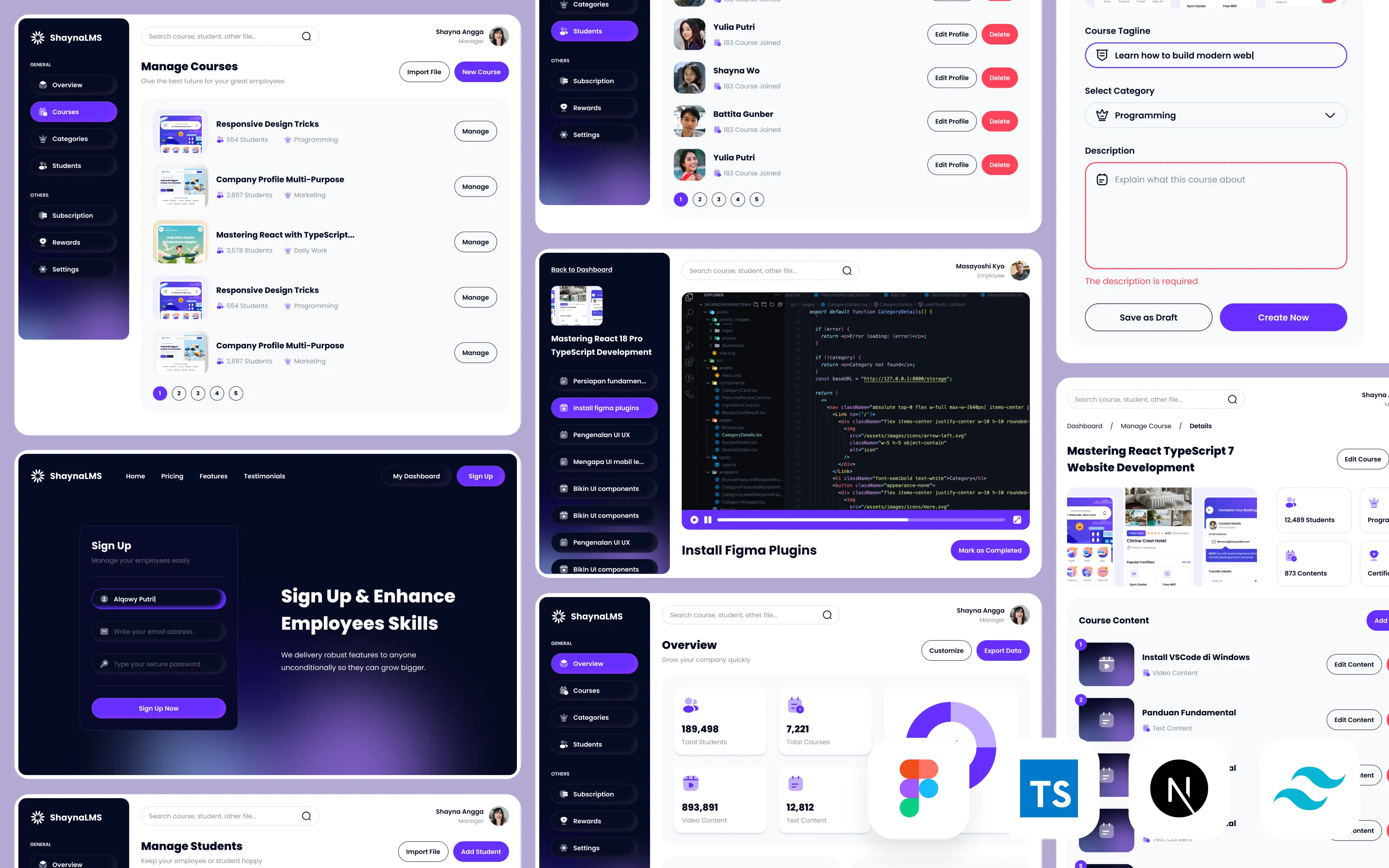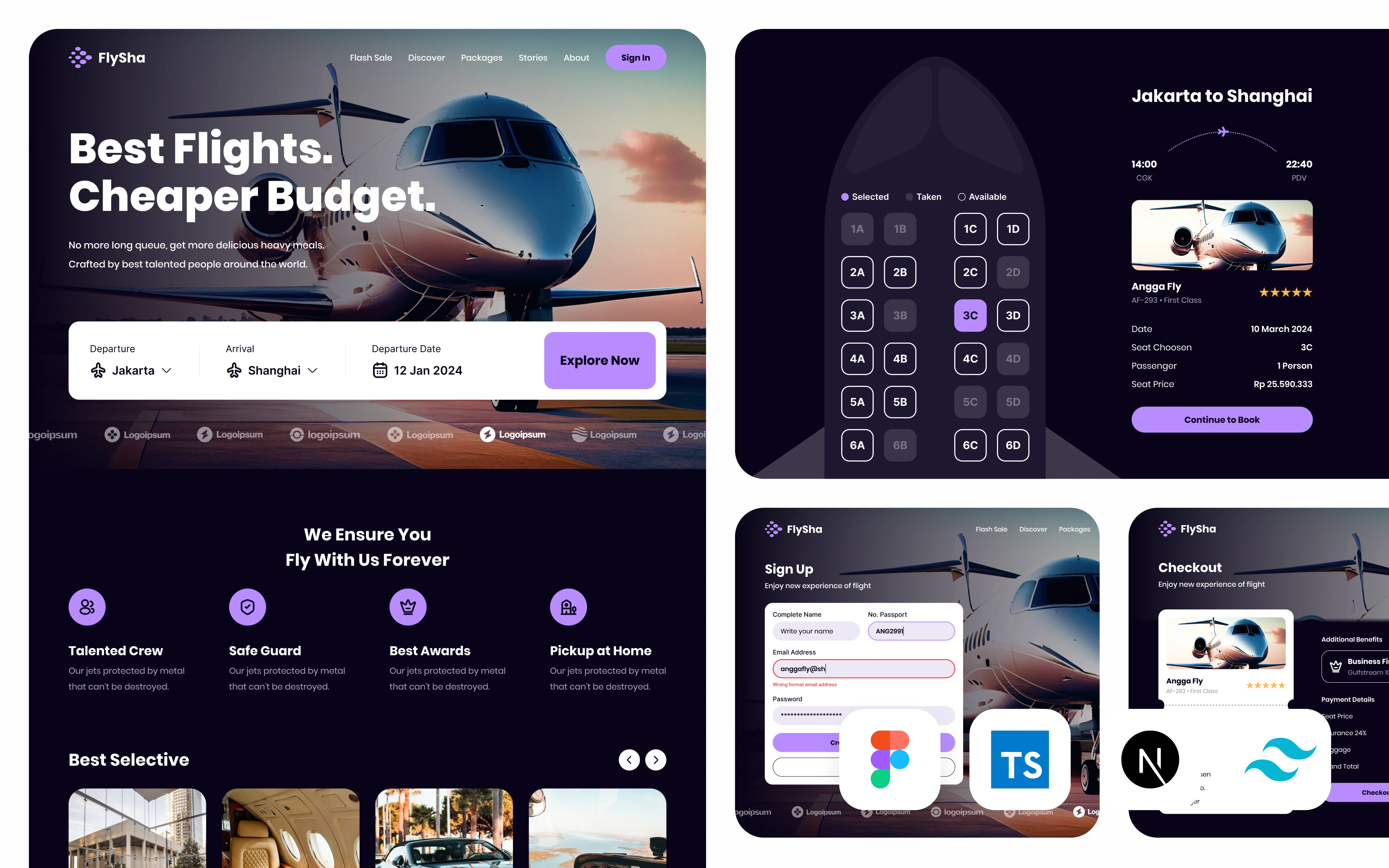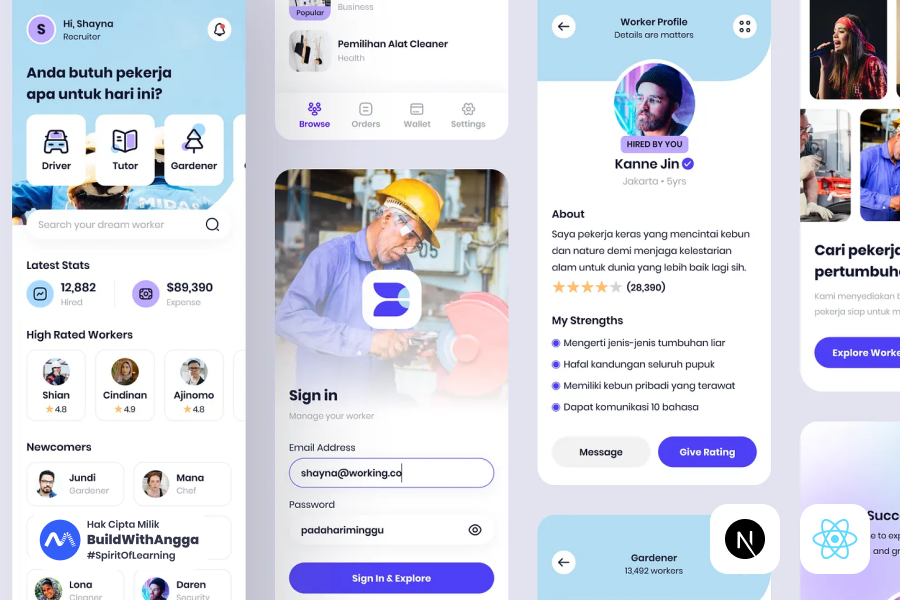
Hei teman-teman! Kali ini kita bakal ngomongin sesuatu yang cukup menarik nih - gimana caranya membangun sistem SaaS (Software as a Service) untuk manajemen laundry menggunakan teknologi terdepan seperti Next.js 15 dan Supabase. Mungkin kalian bertanya-tanya, "Kok laundry sih? Emangnya bisnis tradisional kayak gitu butuh teknologi canggih?" Nah, justru di situlah letak peluang emasnya!
Mengapa SaaS Laundry Management adalah Masa Depan Bisnis Laundry?
Bisnis laundry di Indonesia tuh sebenernya pasar yang sangat besar dan terus berkembang. Bayangin aja, dengan lifestyle masyarakat yang semakin sibuk, kebutuhan akan jasa laundry makin meningkat. Tapi masalahnya, kebanyakan bisnis laundry masih dikelola secara manual atau dengan sistem yang outdated. Di sinilah kesempatan kita untuk memberikan solusi yang game-changing.
Model SaaS sangat cocok untuk industri laundry karena beberapa alasan krusial. Pertama, pemilik bisnis laundry bisa mengelola multiple cabang dari satu dashboard terpusat. Bayangin kalau kamu punya 5 cabang laundry di berbagai lokasi, dengan sistem SaaS kamu bisa monitor semuanya real-time tanpa harus bolak-balik ke setiap cabang. Tracking pesanan jadi lebih mudah, customer bisa cek status cucian mereka kapan aja, dan yang paling penting - automated billing yang mengurangi human error.
Yang bikin menarik lagi, dengan analytics mendalam yang disediakan sistem SaaS, pemilik bisnis bisa dapetin insights berharga seperti peak hours, jenis layanan yang paling laku, customer behavior patterns, bahkan prediksi revenue bulanan. Semua ini tanpa perlu investasi infrastruktur IT yang gede-gedean.
Next.js 15: Fondasi Aplikasi Web Modern yang Powerful
Sekarang kita masuk ke bagian teknis yang seru nih. Kenapa kita pilih Next.js 15 sebagai frontend framework? Jawabannya simpel - karena Next.js 15 tuh beneran next-level dalam hal performa dan developer experience.
Fitur App Router yang ada di Next.js 15 memberikan kita fleksibilitas routing yang luar biasa. Kita bisa bikin nested layouts, loading states, error boundaries, dan parallel routes dengan sangat mudah. Ini sangat penting untuk aplikasi SaaS karena user experience harus seamless. Bayangin kalau customer lagi cek status pesanan tapi loading-nya lama atau error handling-nya jelek, pasti langsung cabut kan?
Yang paling keren adalah React Server Components (RSC) yang udah fully integrated di Next.js 15. Dengan RSC, kita bisa render komponen di server side, yang artinya bundle size di client jadi lebih kecil dan initial load time lebih cepat. Untuk aplikasi laundry management yang mungkin diakses dari berbagai device dengan koneksi internet yang bervariasi, ini sangat crucial.
Supabase: Backend-as-a-Service yang Revolusioner
Nah, untuk backend kita pakai Supabase yang beneran game-changer dalam dunia BaaS (Backend-as-a-Service). Kenapa Supabase? Karena dia tuh kayak Swiss Army knife-nya backend development - semua yang kita butuhin ada dalam satu platform.
Pertama, database PostgreSQL yang powerful dan scalable. PostgreSQL tuh bukan database sembarangan ya, ini enterprise-grade database yang dipake sama perusahaan-perusahaan besar. Dengan Supabase, kita dapetin full power PostgreSQL tanpa harus setup dan maintain server sendiri. Buat aplikasi laundry management, kita butuh complex queries untuk tracking orders, inventory management, customer data, dan financial reports - semua ini PostgreSQL handle dengan sangat baik.
Authentication system di Supabase juga top-notch. Kita bisa implement berbagai metode login seperti email/password, social logins (Google, Facebook), bahkan magic links. Security-wise, Supabase udah implement industry standards kayak JWT tokens dan row-level security, jadi data customer terjamin aman.
Yang paling exciting adalah real-time subscriptions. Dalam konteks laundry management, ini berarti customer bisa dapetin update status pesanan secara real-time tanpa harus refresh halaman. Staff laundry juga bisa dapetin notifikasi langsung kalau ada pesanan baru atau update dari cabang lain. Ini level user experience yang biasanya cuma ada di aplikasi-aplikasi premium.
Edge Functions di Supabase memungkinkan kita run serverless functions yang bisa handle complex business logic, integrasi dengan third-party services, atau automated tasks. Misalnya, kita bisa bikin function yang otomatis kirim WhatsApp notification ke customer kalau pesanan mereka udah selesai.
Kenapa Kombinasi Next.js 15 + Supabase Sangat Powerful?
Kombinasi Next.js 15 dan Supabase tuh kayak Batman dan Robin-nya web development. Next.js handle frontend dengan performa yang luar biasa, sementara Supabase provide backend infrastructure yang robust dan scalable.
Developer experience-nya juga incredible. Dengan Supabase CLI dan Next.js development server, kita bisa develop dan test aplikasi secara lokal dengan mudah. Auto-generated TypeScript types dari Supabase schema bikin development process jadi type-safe dan mengurangi runtime errors.
Scalability juga jadi nggak perlu dipikirin lagi. Next.js bisa di-deploy ke Vercel dengan zero configuration, sementara Supabase handle database scaling otomatis. Jadi kalau bisnis laundry kita berkembang dari 1 cabang jadi 100 cabang, sistem kita tetap bisa handle traffic dan data volume yang meningkat.
Setup Project Next.js 15 dan Konfigurasi Supabase untuk SaaS Laundry
Oke teman-teman, sekarang kita masuk ke bagian yang lebih hands-on nih! Di chapter ini kita bakal setup project Next.js 15 dari nol dan mengkonfigurasi Supabase sebagai backend kita. Ini foundational step yang sangat penting, jadi pastikan kalian ikutin setiap stepnya dengan teliti ya!
Membuat Project Next.js 15 dengan App Router dan TypeScript
Langkah pertama yang harus kita lakukan adalah membuat project Next.js 15 yang fresh. Kita bakal menggunakan template terbaru yang udah include semua tools essential yang kita butuhin.
Buka terminal kalian dan jalankan command berikut:
npx create-next-app@latest saas-laundry --typescript --tailwind --eslint --app
Command ini bakal create project baru dengan nama saas-laundry dan automatically setup beberapa tools penting:
- TypeScript untuk type safety yang sangat crucial dalam development aplikasi kompleks
- Tailwind CSS untuk styling yang efficient dan consistent
- ESLint untuk code quality dan consistency
- App Router yang merupakan fitur terbaru di Next.js 15
Setelah installation selesai, masuk ke direktori project:
cd saas-laundry
Sekarang coba jalankan development server untuk memastikan everything works properly:
npm run dev
Buka browser dan akses http://localhost:3000. Kalau kalian lihat halaman welcome Next.js, berarti setup awal udah berhasil!
Konfigurasi Environment Variables untuk Supabase
Environment variables itu sangat penting untuk menjaga security dan flexibility aplikasi kita. Untuk integrasi dengan Supabase, kita butuh beberapa variabel khusus yang akan kita setup di file .env.local.
Buat file .env.local di root directory project kalian:
touch .env.local
Kemudian isi file tersebut dengan variabel-variabel berikut:
# Supabase Configuration
NEXT_PUBLIC_SUPABASE_URL=your_supabase_project_url
NEXT_PUBLIC_SUPABASE_ANON_KEY=your_supabase_anon_key
SUPABASE_SERVICE_ROLE_KEY=your_supabase_service_role_key

# Application Configuration
NEXT_PUBLIC_SITE_URL=http://localhost:3000

# Stripe Configuration (akan kita gunakan nanti)
NEXT_PUBLIC_STRIPE_PUBLISHABLE_KEY=
STRIPE_SECRET_KEY=
STRIPE_WEBHOOK_SECRET=
Penjelasan masing-masing variabel:
NEXT_PUBLIC_SUPABASE_URL: URL project Supabase kalian. Variabel ini public dan bisa diakses di client-side karena prefix NEXT_PUBLIC_.
NEXT_PUBLIC_SUPABASE_ANON_KEY: Anonymous key untuk akses public ke Supabase. Key ini safe untuk exposed di client-side karena dibatasi oleh Row Level Security.
SUPABASE_SERVICE_ROLE_KEY: Service role key yang punya full access ke database. Key ini hanya boleh digunakan di server-side dan never exposed ke client.
NEXT_PUBLIC_SITE_URL: Base URL aplikasi kita. Ini berguna untuk redirect URLs dan canonical URLs.
Struktur Folder yang Optimal dan Maintainable
Organisasi kode yang baik itu sangat crucial untuk long-term maintainability, apalagi untuk aplikasi SaaS yang bakal terus berkembang. Mari kita buat struktur folder yang optimal:
mkdir -p app/\\(dashboard\\)
mkdir -p app/\\(auth\\)
mkdir -p components/ui
mkdir -p lib/supabase
mkdir -p types
mkdir -p hooks
mkdir -p utils
mkdir -p constants
Penjelasan struktur folder:
app/(dashboard): Route group untuk halaman-halaman dashboard yang membutuhkan authentication. Kurung dalam nama folder menandakan route group di Next.js 15, yang tidak akan mempengaruhi URL structure.
app/(auth): Route group untuk halaman authentication seperti login, register, dan forgot password.
components/ui: Komponen UI reusable seperti buttons, modals, form inputs, dan lain-lain.
lib/supabase: Konfigurasi dan utility functions untuk Supabase client.
types: TypeScript type definitions untuk aplikasi kita.
hooks: Custom React hooks untuk logic yang reusable.
utils: Utility functions yang bisa dipakai di berbagai tempat.
constants: Konstanta-konstanta aplikasi seperti enum values, configuration objects, dll.
Buat juga beberapa file penting dalam struktur ini:
touch lib/supabase/client.ts
touch lib/supabase/server.ts
touch lib/supabase/middleware.ts
touch types/database.ts
touch types/index.ts
touch utils/constants.ts
Konfigurasi next.config.js untuk Optimasi Performa
File next.config.js adalah tempat kita melakukan various optimizations dan configurations. Mari kita update file ini untuk mendukung aplikasi SaaS kita:
/** @type {import('next').NextConfig} */
const nextConfig = {
  experimental: {
    // Enable Server Components (default di Next.js 15)
    serverComponentsExternalPackages: ['@supabase/supabase-js'],
  },

  // Image optimization configuration
  images: {
    remotePatterns: [
      {
        protocol: 'https',
        hostname: '*.supabase.co', // Untuk Supabase Storage images
        port: '',
        pathname: '/storage/v1/object/public/**',
      },
    ],
  },

  // Environment variables validation
  env: {
    CUSTOM_KEY: process.env.CUSTOM_KEY,
  },

  // Redirect configuration
  async redirects() {
    return [
      {
        source: '/dashboard',
        destination: '/dashboard/overview',
        permanent: true,
      },
    ];
  },

  // Headers configuration untuk security
  async headers() {
    return [
      {
        source: '/(.*)',
        headers: [
          {
            key: 'X-Frame-Options',
            value: 'DENY',
          },
          {
            key: 'X-Content-Type-Options',
            value: 'nosniff',
          },
          {
            key: 'Referrer-Policy',
            value: 'origin-when-cross-origin',
          },
        ],
      },
    ];
  },
}

module.exports = nextConfig
Setup Middleware untuk Route Protection
Middleware di Next.js 15 sangat powerful untuk handling authentication dan route protection. Mari kita buat middleware yang akan protect route-route yang membutuhkan authentication.
Buat file middleware.ts di root directory:
import { createMiddlewareClient } from '@supabase/auth-helpers-nextjs'
import { NextResponse } from 'next/server'
import type { NextRequest } from 'next/server'

export async function middleware(req: NextRequest) {
  const res = NextResponse.next()

  // Create a Supabase client configured to use cookies
  const supabase = createMiddlewareClient({ req, res })

  // Refresh session if expired - required for Server Components
  const { data: { session } } = await supabase.auth.getSession()

  // Protected routes yang membutuhkan authentication
  const protectedRoutes = ['/dashboard', '/settings', '/billing']
  const authRoutes = ['/login', '/register', '/forgot-password']

  const isProtectedRoute = protectedRoutes.some(route =>
    req.nextUrl.pathname.startsWith(route)
  )

  const isAuthRoute = authRoutes.some(route =>
    req.nextUrl.pathname.startsWith(route)
  )

  // Redirect ke login jika mengakses protected route tanpa session
  if (isProtectedRoute && !session) {
    const redirectUrl = new URL('/login', req.url)
    redirectUrl.searchParams.set('redirectTo', req.nextUrl.pathname)
    return NextResponse.redirect(redirectUrl)
  }

  // Redirect ke dashboard jika sudah login tapi mengakses auth routes
  if (isAuthRoute && session) {
    return NextResponse.redirect(new URL('/dashboard', req.url))
  }

  return res
}

export const config = {
  matcher: [
    /*
     * Match all request paths except for the ones starting with:
     * - _next/static (static files)
     * - _next/image (image optimization files)
     * - favicon.ico (favicon file)
     */
    '/((?!_next/static|_next/image|favicon.ico).*)',
  ],
}
Setup Supabase Project dan Konfigurasi Database
Sekarang kita beralih ke setup Supabase project. Langkah pertama adalah membuat project baru di Supabase Dashboard.
Kunjungi supabase.com dan login dengan akun kalian. Kalau belum punya akun, daftar dulu ya (gratis kok!).
Setelah login, klik tombol "New Project" dan isi detail berikut:
- Name: SaaS Laundry Management
- Database Password: Buat password yang strong (simpan baik-baik!)
- Region: Pilih yang terdekat dengan target user kalian
- Pricing Plan: Pilih Free tier untuk development
Tunggu beberapa menit sampai project setup selesai. Setelah itu, kalian bakal diarahkan ke project dashboard.
Copy Supabase Credentials ke Environment Variables
Di Supabase dashboard, masuk ke Settings > API. Di sana kalian bakal nemuin:
- Project URL: Copy ini ke
NEXT_PUBLIC_SUPABASE_URL - anon/public key: Copy ini ke
NEXT_PUBLIC_SUPABASE_ANON_KEY - service_role key: Copy ini ke
SUPABASE_SERVICE_ROLE_KEY
Update file .env.local kalian dengan values yang actual:
NEXT_PUBLIC_SUPABASE_URL=https://your-project-ref.supabase.co
NEXT_PUBLIC_SUPABASE_ANON_KEY=your-anon-key-here
SUPABASE_SERVICE_ROLE_KEY=your-service-role-key-here
NEXT_PUBLIC_SITE_URL=http://localhost:3000
Install Supabase Dependencies
Sekarang install dependencies yang kita butuhin untuk integrasi dengan Supabase:
npm install @supabase/supabase-js @supabase/auth-helpers-nextjs
Dependencies ini provide:
- @supabase/supabase-js: Core Supabase client library
- @supabase/auth-helpers-nextjs: Helper utilities khusus untuk Next.js integration
Setup Supabase Client untuk Client-side Operations
Buat file lib/supabase/client.ts:
import { createClientComponentClient } from '@supabase/auth-helpers-nextjs'
import { Database } from '@/types/database'

export const createClient = () =>
  createClientComponentClient<Database>()
File ini handle Supabase client untuk operasi di client-side components (components yang render di browser).
Setup Supabase Client untuk Server-side Operations
Buat file lib/supabase/server.ts:
import { createServerComponentClient } from '@supabase/auth-helpers-nextjs'
import { createRouteHandlerClient } from '@supabase/auth-helpers-nextjs'
import { cookies } from 'next/headers'
import { Database } from '@/types/database'

// Untuk Server Components
export const createServerClient = () =>
  createServerComponentClient<Database>({ cookies })

// Untuk Route Handlers (API Routes)
export const createRouteHandlerSupabaseClient = () =>
  createRouteHandlerClient<Database>({ cookies })
File ini handle Supabase client untuk server-side operations, baik di Server Components maupun API Routes.
Konfigurasi Authentication Settings di Supabase Dashboard
Sekarang kita perlu konfigurasi authentication settings di Supabase dashboard. Masuk ke Authentication > Settings.
Enabled Providers:
- Email sudah enabled by default
- Untuk enable Google OAuth: masuk ke Providers tab, klik Google, dan isi Client ID dan Client Secret dari Google Console
- Untuk GitHub OAuth: sama seperti Google, tapi menggunakan GitHub OAuth App credentials
Site URL Configuration: Di bagian Site URL, isi dengan:
- Site URL:
http://localhost:3000(untuk development) - Redirect URLs:
http://localhost:3000/auth/callbackhttps://yourdomain.com/auth/callback(untuk production nanti)
Email Templates: Masuk ke Authentication > Email Templates untuk customize email templates:
Confirm Signup Template:
<h2>Confirm your signup</h2>
<p>Follow this link to confirm your account:</p>
<p><a href="{{ .ConfirmationURL }}">Confirm your account</a></p>
<p>Welcome to SaaS Laundry Management!</p>
Reset Password Template:
<h2>Reset Password</h2>
<p>Follow this link to reset the password for your account:</p>
<p><a href="{{ .ConfirmationURL }}">Reset Password</a></p>
<p>If you didn't request this, you can safely ignore this email.</p>
Testing Koneksi Supabase
Sekarang mari kita test apakah koneksi ke Supabase udah berjalan dengan baik. Buat file test sederhana di app/test-supabase/page.tsx:
import { createServerClient } from '@/lib/supabase/server'

export default async function TestSupabase() {
  const supabase = createServerClient()

  // Test koneksi dengan query sederhana
  const { data, error } = await supabase
    .from('auth.users')
    .select('count')
    .single()

  return (
    <div className="p-8">
      <h1 className="text-2xl font-bold">Supabase Connection Test</h1>
      {error ? (
        <p className="text-red-500">Error: {error.message}</p>
      ) : (
        <p className="text-green-500">✅ Supabase connection successful!</p>
      )}
    </div>
  )
}
Restart development server kalian dan akses http://localhost:3000/test-supabase. Kalau kalian lihat pesan success, berarti koneksi Supabase udah berjalan dengan baik!
Database Schema Design untuk SaaS Laundry Management
Nah, sekarang kita masuk ke bagian yang sangat crucial nih - database schema design! Ini tuh foundation dari seluruh aplikasi kita, jadi harus bener-bener well-thought dan scalable. Kita bakal design schema yang comprehensive tapi tetap efficient dan maintainable untuk jangka panjang.
Konsep Multi-Tenant Architecture
Sebelum masuk ke detail tabel, kita harus pahami dulu konsep multi-tenant architecture yang akan kita implementasikan. Dalam SaaS Laundry Management, setiap company (perusahaan laundry) adalah tenant yang terpisah. Mereka bisa punya multiple cabang, employees, customers, dan orders - tapi semuanya harus terisolasi dari company lain.
Untuk mencapai ini, kita akan menggunakan Row Level Security (RLS) di PostgreSQL yang sangat powerful. Setiap query akan automatically filtered berdasarkan company_id user yang sedang login, jadi data antar company benar-benar terpisah dan secure.
Tabel Profiles - User Profile Management
Mari kita mulai dengan tabel yang paling fundamental - profiles. Tabel ini akan menyimpan additional information untuk setiap user yang register melalui Supabase Auth.
-- Tabel profiles untuk menyimpan data user profile
CREATE TABLE profiles (
    id UUID REFERENCES auth.users(id) ON DELETE CASCADE PRIMARY KEY,
    email TEXT UNIQUE NOT NULL,
    full_name TEXT NOT NULL,
    avatar_url TEXT,
    phone TEXT,
    role TEXT NOT NULL DEFAULT 'user' CHECK (role IN ('admin', 'owner', 'manager', 'employee', 'user')),
    company_id UUID REFERENCES companies(id) ON DELETE SET NULL,
    created_at TIMESTAMP WITH TIME ZONE DEFAULT NOW(),
    updated_at TIMESTAMP WITH TIME ZONE DEFAULT NOW()
);

-- Indexes untuk performa query
CREATE INDEX idx_profiles_company_id ON profiles(company_id);
CREATE INDEX idx_profiles_role ON profiles(role);
CREATE INDEX idx_profiles_email ON profiles(email);

-- Trigger untuk auto-update updated_at
CREATE OR REPLACE FUNCTION update_updated_at_column()
RETURNS TRIGGER AS $$
BEGIN
    NEW.updated_at = NOW();
    RETURN NEW;
END;
$$ language 'plpgsql';

CREATE TRIGGER update_profiles_updated_at BEFORE UPDATE ON profiles
    FOR EACH ROW EXECUTE FUNCTION update_updated_at_column();
Penjelasan struktur profiles:
- id: Primary key yang reference ke auth.users untuk maintain consistency dengan Supabase Auth
- role: Enum untuk different access levels dalam sistem
- company_id: Foreign key ke companies table untuk multi-tenant isolation
Tabel Companies - Informasi Perusahaan Laundry
Companies table adalah core dari multi-tenant architecture kita. Setiap company represent satu business entity yang bisa punya multiple laundries (cabang).
-- Tabel companies untuk informasi perusahaan laundry
CREATE TABLE companies (
    id UUID DEFAULT gen_random_uuid() PRIMARY KEY,
    name TEXT NOT NULL,
    description TEXT,
    logo_url TEXT,
    website TEXT,
    email TEXT,
    phone TEXT,
    address TEXT,
    city TEXT,
    province TEXT,
    postal_code TEXT,
    country TEXT DEFAULT 'Indonesia',
    tax_number TEXT,
    business_license TEXT,
    is_active BOOLEAN DEFAULT true,
    settings JSONB DEFAULT '{}',
    created_at TIMESTAMP WITH TIME ZONE DEFAULT NOW(),
    updated_at TIMESTAMP WITH TIME ZONE DEFAULT NOW()
);

-- Indexes untuk performa
CREATE INDEX idx_companies_is_active ON companies(is_active);
CREATE INDEX idx_companies_city ON companies(city);
CREATE INDEX idx_companies_name ON companies(name);

-- Trigger untuk auto-update updated_at
CREATE TRIGGER update_companies_updated_at BEFORE UPDATE ON companies
    FOR EACH ROW EXECUTE FUNCTION update_updated_at_column();
Field settings menggunakan JSONB untuk menyimpan company-specific configurations seperti pricing rules, notification preferences, atau custom business logic.
Tabel Laundries - Data Cabang
Laundries table menyimpan informasi setiap cabang dari company. Satu company bisa punya banyak cabang di lokasi berbeda.
-- Tabel laundries untuk data cabang
CREATE TABLE laundries (
    id UUID DEFAULT gen_random_uuid() PRIMARY KEY,
    company_id UUID NOT NULL REFERENCES companies(id) ON DELETE CASCADE,
    name TEXT NOT NULL,
    code TEXT NOT NULL, -- Kode unik untuk cabang (misal: JKT001, BDG002)
    address TEXT NOT NULL,
    city TEXT NOT NULL,
    province TEXT NOT NULL,
    postal_code TEXT,
    phone TEXT,
    email TEXT,
    manager_id UUID REFERENCES profiles(id) ON DELETE SET NULL,
    operating_hours JSONB DEFAULT '{}', -- Jam operasional per hari
    capacity INTEGER DEFAULT 100, -- Kapasitas order per hari
    is_active BOOLEAN DEFAULT true,
    lat DECIMAL(10, 8), -- Latitude untuk maps integration
    lng DECIMAL(11, 8), -- Longitude untuk maps integration
    created_at TIMESTAMP WITH TIME ZONE DEFAULT NOW(),
    updated_at TIMESTAMP WITH TIME ZONE DEFAULT NOW(),

    -- Constraint untuk unique code per company
    UNIQUE(company_id, code)
);

-- Indexes untuk performa query
CREATE INDEX idx_laundries_company_id ON laundries(company_id);
CREATE INDEX idx_laundries_is_active ON laundries(is_active);
CREATE INDEX idx_laundries_city ON laundries(city);
CREATE INDEX idx_laundries_manager_id ON laundries(manager_id);

-- Trigger untuk auto-update updated_at
CREATE TRIGGER update_laundries_updated_at BEFORE UPDATE ON laundries
    FOR EACH ROW EXECUTE FUNCTION update_updated_at_column();
Operating_hours field menggunakan JSONB untuk flexibility dalam menyimpan jam operasional yang bisa berbeda setiap hari.
Tabel Employees - Manajemen Karyawan
Employees table untuk manage karyawan di setiap cabang dengan relasi ke profiles dan laundries.
-- Tabel employees untuk manajemen karyawan
CREATE TABLE employees (
    id UUID DEFAULT gen_random_uuid() PRIMARY KEY,
    profile_id UUID NOT NULL REFERENCES profiles(id) ON DELETE CASCADE,
    laundry_id UUID NOT NULL REFERENCES laundries(id) ON DELETE CASCADE,
    company_id UUID NOT NULL REFERENCES companies(id) ON DELETE CASCADE,
    employee_code TEXT NOT NULL,
    position TEXT NOT NULL,
    salary DECIMAL(15, 2),
    commission_rate DECIMAL(5, 2) DEFAULT 0.00, -- Persentase komisi
    hire_date DATE NOT NULL,
    termination_date DATE,
    is_active BOOLEAN DEFAULT true,
    permissions JSONB DEFAULT '{}', -- Specific permissions untuk employee
    created_at TIMESTAMP WITH TIME ZONE DEFAULT NOW(),
    updated_at TIMESTAMP WITH TIME ZONE DEFAULT NOW(),

    -- Constraint untuk unique employee_code per company
    UNIQUE(company_id, employee_code)
);

-- Indexes untuk performa
CREATE INDEX idx_employees_profile_id ON employees(profile_id);
CREATE INDEX idx_employees_laundry_id ON employees(laundry_id);
CREATE INDEX idx_employees_company_id ON employees(company_id);
CREATE INDEX idx_employees_is_active ON employees(is_active);

-- Trigger untuk auto-update updated_at
CREATE TRIGGER update_employees_updated_at BEFORE UPDATE ON employees
    FOR EACH ROW EXECUTE FUNCTION update_updated_at_column();
Tabel Customers - Database Pelanggan
Customers table untuk menyimpan data pelanggan yang bisa digunakan across multiple laundries dalam satu company.
-- Tabel customers untuk database pelanggan
CREATE TABLE customers (
    id UUID DEFAULT gen_random_uuid() PRIMARY KEY,
    company_id UUID NOT NULL REFERENCES companies(id) ON DELETE CASCADE,
    customer_code TEXT NOT NULL,
    full_name TEXT NOT NULL,
    email TEXT,
    phone TEXT NOT NULL,
    address TEXT,
    city TEXT,
    postal_code TEXT,
    date_of_birth DATE,
    gender TEXT CHECK (gender IN ('male', 'female', 'other')),
    membership_type TEXT DEFAULT 'regular' CHECK (membership_type IN ('regular', 'silver', 'gold', 'platinum')),
    total_orders INTEGER DEFAULT 0,
    total_spent DECIMAL(15, 2) DEFAULT 0.00,
    loyalty_points INTEGER DEFAULT 0,
    notes TEXT,
    is_active BOOLEAN DEFAULT true,
    created_at TIMESTAMP WITH TIME ZONE DEFAULT NOW(),
    updated_at TIMESTAMP WITH TIME ZONE DEFAULT NOW(),

    -- Constraint untuk unique customer_code per company
    UNIQUE(company_id, customer_code)
);

-- Indexes untuk performa query
CREATE INDEX idx_customers_company_id ON customers(company_id);
CREATE INDEX idx_customers_phone ON customers(phone);
CREATE INDEX idx_customers_email ON customers(email);
CREATE INDEX idx_customers_membership_type ON customers(membership_type);
CREATE INDEX idx_customers_is_active ON customers(is_active);

-- Trigger untuk auto-update updated_at
CREATE TRIGGER update_customers_updated_at BEFORE UPDATE ON customers
    FOR EACH ROW EXECUTE FUNCTION update_updated_at_column();
Tabel Service Types - Jenis Layanan Laundry
Service types table untuk define berbagai jenis layanan yang ditawarkan seperti cuci kering, setrika, dry cleaning, dll.
-- Tabel service_types untuk jenis layanan laundry
CREATE TABLE service_types (
    id UUID DEFAULT gen_random_uuid() PRIMARY KEY,
    company_id UUID NOT NULL REFERENCES companies(id) ON DELETE CASCADE,
    name TEXT NOT NULL,
    description TEXT,
    price_per_kg DECIMAL(10, 2),
    price_per_item DECIMAL(10, 2),
    pricing_type TEXT NOT NULL DEFAULT 'per_kg' CHECK (pricing_type IN ('per_kg', 'per_item', 'flat_rate')),
    estimated_duration INTEGER NOT NULL, -- Durasi estimasi dalam jam
    is_active BOOLEAN DEFAULT true,
    sort_order INTEGER DEFAULT 0,
    created_at TIMESTAMP WITH TIME ZONE DEFAULT NOW(),
    updated_at TIMESTAMP WITH TIME ZONE DEFAULT NOW()
);

-- Indexes untuk performa
CREATE INDEX idx_service_types_company_id ON service_types(company_id);
CREATE INDEX idx_service_types_is_active ON service_types(is_active);
CREATE INDEX idx_service_types_sort_order ON service_types(sort_order);

-- Trigger untuk auto-update updated_at
CREATE TRIGGER update_service_types_updated_at BEFORE UPDATE ON service_types
    FOR EACH ROW EXECUTE FUNCTION update_service_types_column();
Tabel Orders - Pesanan dengan Status Tracking
Orders table adalah core business logic dari aplikasi kita. Di sini semua transaksi laundry akan tercatat dengan status tracking yang comprehensive.
-- Tabel orders untuk pesanan dengan status tracking
CREATE TABLE orders (
    id UUID DEFAULT gen_random_uuid() PRIMARY KEY,
    company_id UUID NOT NULL REFERENCES companies(id) ON DELETE CASCADE,
    laundry_id UUID NOT NULL REFERENCES laundries(id) ON DELETE CASCADE,
    customer_id UUID NOT NULL REFERENCES customers(id) ON DELETE CASCADE,
    employee_id UUID REFERENCES employees(id) ON DELETE SET NULL,
    order_number TEXT NOT NULL,

    -- Order details
    items JSONB NOT NULL, -- Array of items dengan detail masing-masing
    total_weight DECIMAL(8, 2),
    total_items INTEGER,
    subtotal DECIMAL(12, 2) NOT NULL,
    discount_amount DECIMAL(12, 2) DEFAULT 0.00,
    tax_amount DECIMAL(12, 2) DEFAULT 0.00,
    total_amount DECIMAL(12, 2) NOT NULL,

    -- Status tracking
    status TEXT NOT NULL DEFAULT 'pending' CHECK (status IN (
        'pending', 'confirmed', 'in_progress', 'washing', 'drying',
        'ironing', 'quality_check', 'ready', 'completed', 'cancelled'
    )),

    -- Timestamps untuk tracking
    order_date TIMESTAMP WITH TIME ZONE DEFAULT NOW(),
    pickup_date TIMESTAMP WITH TIME ZONE,
    estimated_completion TIMESTAMP WITH TIME ZONE,
    actual_completion TIMESTAMP WITH TIME ZONE,
    delivery_date TIMESTAMP WITH TIME ZONE,

    -- Payment info
    payment_status TEXT DEFAULT 'pending' CHECK (payment_status IN ('pending', 'partial', 'paid', 'refunded')),
    payment_method TEXT CHECK (payment_method IN ('cash', 'card', 'transfer', 'ewallet', 'credit')),
    paid_amount DECIMAL(12, 2) DEFAULT 0.00,

    -- Additional info
    notes TEXT,
    special_instructions TEXT,
    priority_level TEXT DEFAULT 'normal' CHECK (priority_level IN ('low', 'normal', 'high', 'urgent')),

    created_at TIMESTAMP WITH TIME ZONE DEFAULT NOW(),
    updated_at TIMESTAMP WITH TIME ZONE DEFAULT NOW(),

    -- Constraint untuk unique order_number per company
    UNIQUE(company_id, order_number)
);

-- Indexes untuk performa query yang optimal
CREATE INDEX idx_orders_company_id ON orders(company_id);
CREATE INDEX idx_orders_laundry_id ON orders(laundry_id);
CREATE INDEX idx_orders_customer_id ON orders(customer_id);
CREATE INDEX idx_orders_status ON orders(status);
CREATE INDEX idx_orders_order_date ON orders(order_date);
CREATE INDEX idx_orders_payment_status ON orders(payment_status);
CREATE INDEX idx_orders_order_number ON orders(order_number);

-- Composite index untuk queries yang sering digunakan
CREATE INDEX idx_orders_company_status_date ON orders(company_id, status, order_date);
CREATE INDEX idx_orders_laundry_status ON orders(laundry_id, status);

-- Trigger untuk auto-update updated_at
CREATE TRIGGER update_orders_updated_at BEFORE UPDATE ON orders
    FOR EACH ROW EXECUTE FUNCTION update_updated_at_column();
Tabel Subscription Plans - Paket SaaS
Subscription plans table untuk define berbagai tier SaaS yang ditawarkan kepada companies.
-- Tabel subscription_plans untuk paket SaaS
CREATE TABLE subscription_plans (
    id UUID DEFAULT gen_random_uuid() PRIMARY KEY,
    name TEXT NOT NULL UNIQUE,
    description TEXT,
    price_monthly DECIMAL(10, 2) NOT NULL,
    price_yearly DECIMAL(10, 2),
    features JSONB NOT NULL, -- Daftar features yang included
    limits JSONB NOT NULL, -- Limits seperti max_laundries, max_employees, dll
    is_active BOOLEAN DEFAULT true,
    sort_order INTEGER DEFAULT 0,
    stripe_price_id TEXT, -- Stripe Price ID untuk payment integration
    created_at TIMESTAMP WITH TIME ZONE DEFAULT NOW(),
    updated_at TIMESTAMP WITH TIME ZONE DEFAULT NOW()
);

-- Indexes
CREATE INDEX idx_subscription_plans_is_active ON subscription_plans(is_active);
CREATE INDEX idx_subscription_plans_sort_order ON subscription_plans(sort_order);

-- Insert default plans
INSERT INTO subscription_plans (name, description, price_monthly, price_yearly, features, limits) VALUES
('Starter', 'Perfect for small laundry business', 99000, 990000,
 '["Order Management", "Customer Database", "Basic Reports"]',
 '{"max_laundries": 1, "max_employees": 5, "max_orders_per_month": 500}'),
('Professional', 'Great for growing business', 199000, 1990000,
 '["All Starter Features", "Multi-branch Management", "Advanced Analytics", "WhatsApp Integration"]',
 '{"max_laundries": 5, "max_employees": 25, "max_orders_per_month": 2000}'),
('Enterprise', 'For large laundry chains', 399000, 3990000,
 '["All Professional Features", "Custom Branding", "API Access", "Priority Support"]',
 '{"max_laundries": -1, "max_employees": -1, "max_orders_per_month": -1}');

-- Trigger untuk auto-update updated_at
CREATE TRIGGER update_subscription_plans_updated_at BEFORE UPDATE ON subscription_plans
    FOR EACH ROW EXECUTE FUNCTION update_updated_at_column();
Tabel Subscriptions - Status Berlangganan User
Subscriptions table untuk track subscription status setiap company.
-- Tabel subscriptions untuk status berlangganan user
CREATE TABLE subscriptions (
    id UUID DEFAULT gen_random_uuid() PRIMARY KEY,
    company_id UUID NOT NULL REFERENCES companies(id) ON DELETE CASCADE,
    plan_id UUID NOT NULL REFERENCES subscription_plans(id) ON DELETE RESTRICT,
    stripe_subscription_id TEXT UNIQUE, -- Stripe Subscription ID
    status TEXT NOT NULL DEFAULT 'active' CHECK (status IN (
        'trialing', 'active', 'past_due', 'canceled', 'unpaid', 'incomplete'
    )),
    current_period_start TIMESTAMP WITH TIME ZONE NOT NULL,
    current_period_end TIMESTAMP WITH TIME ZONE NOT NULL,
    trial_start TIMESTAMP WITH TIME ZONE,
    trial_end TIMESTAMP WITH TIME ZONE,
    canceled_at TIMESTAMP WITH TIME ZONE,
    created_at TIMESTAMP WITH TIME ZONE DEFAULT NOW(),
    updated_at TIMESTAMP WITH TIME ZONE DEFAULT NOW()
);

-- Indexes untuk performa
CREATE INDEX idx_subscriptions_company_id ON subscriptions(company_id);
CREATE INDEX idx_subscriptions_status ON subscriptions(status);
CREATE INDEX idx_subscriptions_current_period_end ON subscriptions(current_period_end);

-- Trigger untuk auto-update updated_at
CREATE TRIGGER update_subscriptions_updated_at BEFORE UPDATE ON subscriptions
    FOR EACH ROW EXECUTE FUNCTION update_updated_at_column();
Tabel Transactions - Riwayat Pembayaran
Transactions table untuk menyimpan semua riwayat pembayaran, baik untuk orders maupun subscriptions.
-- Tabel transactions untuk riwayat pembayaran
CREATE TABLE transactions (
    id UUID DEFAULT gen_random_uuid() PRIMARY KEY,
    company_id UUID NOT NULL REFERENCES companies(id) ON DELETE CASCADE,
    order_id UUID REFERENCES orders(id) ON DELETE SET NULL,
    subscription_id UUID REFERENCES subscriptions(id) ON DELETE SET NULL,
    stripe_payment_intent_id TEXT,

    -- Transaction details
    amount DECIMAL(12, 2) NOT NULL,
    currency TEXT DEFAULT 'IDR',
    transaction_type TEXT NOT NULL CHECK (transaction_type IN ('order_payment', 'subscription_payment', 'refund')),
    payment_method TEXT CHECK (payment_method IN ('cash', 'card', 'transfer', 'ewallet')),

    -- Status
    status TEXT NOT NULL DEFAULT 'pending' CHECK (status IN ('pending', 'processing', 'succeeded', 'failed', 'canceled', 'refunded')),

    -- Metadata
    metadata JSONB DEFAULT '{}',
    notes TEXT,
    processed_by UUID REFERENCES profiles(id) ON DELETE SET NULL,

    created_at TIMESTAMP WITH TIME ZONE DEFAULT NOW(),
    updated_at TIMESTAMP WITH TIME ZONE DEFAULT NOW(),

    -- Constraint: either order_id or subscription_id must be present
    CHECK ((order_id IS NOT NULL) OR (subscription_id IS NOT NULL))
);

-- Indexes untuk performa
CREATE INDEX idx_transactions_company_id ON transactions(company_id);
CREATE INDEX idx_transactions_order_id ON transactions(order_id);
CREATE INDEX idx_transactions_subscription_id ON transactions(subscription_id);
CREATE INDEX idx_transactions_status ON transactions(status);
CREATE INDEX idx_transactions_transaction_type ON transactions(transaction_type);
CREATE INDEX idx_transactions_created_at ON transactions(created_at);

-- Trigger untuk auto-update updated_at
CREATE TRIGGER update_transactions_updated_at BEFORE UPDATE ON transactions
    FOR EACH ROW EXECUTE FUNCTION update_updated_at_column();
Row Level Security (RLS) Implementation
Sekarang bagian yang paling critical - implementing Row Level Security untuk data isolation antar tenant. RLS memastikan setiap company hanya bisa akses data mereka sendiri.
-- Enable RLS untuk semua tables
ALTER TABLE profiles ENABLE ROW LEVEL SECURITY;
ALTER TABLE companies ENABLE ROW LEVEL SECURITY;
ALTER TABLE laundries ENABLE ROW LEVEL SECURITY;
ALTER TABLE employees ENABLE ROW LEVEL SECURITY;
ALTER TABLE customers ENABLE ROW LEVEL SECURITY;
ALTER TABLE service_types ENABLE ROW LEVEL SECURITY;
ALTER TABLE orders ENABLE ROW LEVEL SECURITY;
ALTER TABLE subscriptions ENABLE ROW LEVEL SECURITY;
ALTER TABLE transactions ENABLE ROW LEVEL SECURITY;

-- RLS Policies untuk profiles
CREATE POLICY "Users can view own profile" ON profiles FOR SELECT USING (auth.uid() = id);
CREATE POLICY "Users can update own profile" ON profiles FOR UPDATE USING (auth.uid() = id);

-- RLS Policies untuk companies
CREATE POLICY "Company members can view company" ON companies FOR SELECT
USING (id IN (SELECT company_id FROM profiles WHERE id = auth.uid()));

CREATE POLICY "Company owners can update company" ON companies FOR UPDATE
USING (id IN (
    SELECT company_id FROM profiles
    WHERE id = auth.uid() AND role IN ('owner', 'admin')
));

-- RLS Policies untuk laundries
CREATE POLICY "Company members can view laundries" ON laundries FOR SELECT
USING (company_id IN (SELECT company_id FROM profiles WHERE id = auth.uid()));

CREATE POLICY "Managers can manage laundries" ON laundries FOR ALL
USING (company_id IN (
    SELECT company_id FROM profiles
    WHERE id = auth.uid() AND role IN ('owner', 'admin', 'manager')
));

-- RLS Policies untuk employees
CREATE POLICY "Company members can view employees" ON employees FOR SELECT
USING (company_id IN (SELECT company_id FROM profiles WHERE id = auth.uid()));

CREATE POLICY "Managers can manage employees" ON employees FOR ALL
USING (company_id IN (
    SELECT company_id FROM profiles
    WHERE id = auth.uid() AND role IN ('owner', 'admin', 'manager')
));

-- RLS Policies untuk customers
CREATE POLICY "Company members can view customers" ON customers FOR SELECT
USING (company_id IN (SELECT company_id FROM profiles WHERE id = auth.uid()));

CREATE POLICY "Employees can manage customers" ON customers FOR ALL
USING (company_id IN (
    SELECT company_id FROM profiles
    WHERE id = auth.uid() AND role IN ('owner', 'admin', 'manager', 'employee')
));

-- RLS Policies untuk service_types
CREATE POLICY "Company members can view service types" ON service_types FOR SELECT
USING (company_id IN (SELECT company_id FROM profiles WHERE id = auth.uid()));

CREATE POLICY "Managers can manage service types" ON service_types FOR ALL
USING (company_id IN (
    SELECT company_id FROM profiles
    WHERE id = auth.uid() AND role IN ('owner', 'admin', 'manager')
));

-- RLS Policies untuk orders
CREATE POLICY "Company members can view orders" ON orders FOR SELECT
USING (company_id IN (SELECT company_id FROM profiles WHERE id = auth.uid()));

CREATE POLICY "Employees can manage orders" ON orders FOR ALL
USING (company_id IN (
    SELECT company_id FROM profiles
    WHERE id = auth.uid() AND role IN ('owner', 'admin', 'manager', 'employee')
));

-- RLS Policies untuk subscriptions
CREATE POLICY "Company members can view subscription" ON subscriptions FOR SELECT
USING (company_id IN (SELECT company_id FROM profiles WHERE id = auth.uid()));

CREATE POLICY "Owners can manage subscription" ON subscriptions FOR ALL
USING (company_id IN (
    SELECT company_id FROM profiles
    WHERE id = auth.uid() AND role IN ('owner', 'admin')
));

-- RLS Policies untuk transactions
CREATE POLICY "Company members can view transactions" ON transactions FOR SELECT
USING (company_id IN (SELECT company_id FROM profiles WHERE id = auth.uid()));

CREATE POLICY "Managers can create transactions" ON transactions FOR INSERT
USING (company_id IN (
    SELECT company_id FROM profiles
    WHERE id = auth.uid() AND role IN ('owner', 'admin', 'manager', 'employee')
));
Database Functions untuk Business Logic
Mari kita buat beberapa database functions untuk handle common business logic:
-- Function untuk generate order number
CREATE OR REPLACE FUNCTION generate_order_number(company_uuid UUID, laundry_uuid UUID)
RETURNS TEXT AS $$
DECLARE
    laundry_code TEXT;
    sequence_num INTEGER;
    order_num TEXT;
BEGIN
    -- Get laundry code
    SELECT code INTO laundry_code FROM laundries WHERE id = laundry_uuid;

    -- Get next sequence number untuk hari ini
    SELECT COALESCE(MAX(CAST(RIGHT(order_number, 4) AS INTEGER)), 0) + 1
    INTO sequence_num
    FROM orders
    WHERE company_id = company_uuid
    AND DATE(created_at) = CURRENT_DATE;

    -- Generate order number: LAUNDRYCODE-YYYYMMDD-NNNN
    order_num := laundry_code || '-' || TO_CHAR(CURRENT_DATE, 'YYYYMMDD') || '-' || LPAD(sequence_num::TEXT, 4, '0');

    RETURN order_num;
END;
$$ LANGUAGE plpgsql;

-- Function untuk update customer statistics
CREATE OR REPLACE FUNCTION update_customer_stats()
RETURNS TRIGGER AS $$
BEGIN
    IF TG_OP = 'INSERT' OR TG_OP = 'UPDATE' THEN
        UPDATE customers SET
            total_orders = (
                SELECT COUNT(*) FROM orders
                WHERE customer_id = NEW.customer_id AND status = 'completed'
            ),
            total_spent = (
                SELECT COALESCE(SUM(total_amount), 0) FROM orders
                WHERE customer_id = NEW.customer_id AND status = 'completed'
            )
        WHERE id = NEW.customer_id;

        RETURN NEW;
    END IF;

    RETURN NULL;
END;
$$ LANGUAGE plpgsql;

-- Trigger untuk auto-update customer statistics
CREATE TRIGGER update_customer_stats_trigger
AFTER INSERT OR UPDATE ON orders
FOR EACH ROW EXECUTE FUNCTION update_customer_stats();
Implementasi Authentication System dengan Supabase Auth
Alright teman-teman! Sekarang kita masuk ke salah satu bagian yang paling crucial dalam aplikasi SaaS - authentication system. Kita bakal build authentication yang robust dengan multiple user roles, custom hooks untuk state management, dan route protection yang dynamic. Let's dive in!
Setup Dependencies untuk Authentication
Pertama-tama, kita perlu install beberapa dependencies yang akan kita gunakan untuk authentication dan form validation:
npm install react-hook-form @hookform/resolvers zod @radix-ui/react-dialog @radix-ui/react-label @radix-ui/react-slot lucide-react
Dependencies ini akan provide:
- react-hook-form: Untuk efficient form handling
- zod: Untuk schema validation yang type-safe
- @radix-ui components: Untuk accessible UI components
- lucide-react: Untuk icons
Custom Auth Hook - useAuth.ts
Mari kita buat custom hook yang akan handle semua authentication logic. Hook ini akan jadi central point untuk managing user state across aplikasi.
// hooks/useAuth.ts
'use client'

import { createContext, useContext, useEffect, useState } from 'react'
import { useRouter } from 'next/navigation'
import { createClient } from '@/lib/supabase/client'
import type { User, Session } from '@supabase/supabase-js'

export interface UserProfile {
  id: string
  email: string
  full_name: string
  avatar_url?: string
  phone?: string
  role: 'admin' | 'owner' | 'manager' | 'employee' | 'user'
  company_id?: string
  company?: {
    id: string
    name: string
    is_active: boolean
  }
}

interface AuthContextType {
  user: User | null
  profile: UserProfile | null
  session: Session | null
  loading: boolean
  signIn: (email: string, password: string) => Promise<{ error?: string }>
  signUp: (email: string, password: string, fullName: string) => Promise<{ error?: string }>
  signOut: () => Promise<void>
  resetPassword: (email: string) => Promise<{ error?: string }>
  hasRole: (roles: string | string[]) => boolean
  hasPermission: (permission: string) => boolean
  refreshProfile: () => Promise<void>
}

const AuthContext = createContext<AuthContextType | undefined>(undefined)

export function AuthProvider({ children }: { children: React.ReactNode }) {
  const [user, setUser] = useState<User | null>(null)
  const [profile, setProfile] = useState<UserProfile | null>(null)
  const [session, setSession] = useState<Session | null>(null)
  const [loading, setLoading] = useState(true)
  const router = useRouter()
  const supabase = createClient()

  // Fetch user profile data
  const fetchProfile = async (userId: string) => {
    try {
      const { data, error } = await supabase
        .from('profiles')
        .select(`
          *,
          company:companies(
            id,
            name,
            is_active
          )
        `)
        .eq('id', userId)
        .single()

      if (error) throw error

      setProfile(data as UserProfile)
    } catch (error) {
      console.error('Error fetching profile:', error)
      setProfile(null)
    }
  }

  // Initialize auth state
  useEffect(() => {
    const initializeAuth = async () => {
      try {
        const { data: { session }, error } = await supabase.auth.getSession()

        if (error) throw error

        setSession(session)
        setUser(session?.user ?? null)

        if (session?.user) {
          await fetchProfile(session.user.id)
        }
      } catch (error) {
        console.error('Error initializing auth:', error)
      } finally {
        setLoading(false)
      }
    }

    initializeAuth()

    // Listen for auth changes
    const { data: { subscription } } = supabase.auth.onAuthStateChange(
      async (event, session) => {
        setSession(session)
        setUser(session?.user ?? null)

        if (session?.user) {
          await fetchProfile(session.user.id)
        } else {
          setProfile(null)
        }

        setLoading(false)
      }
    )

    return () => subscription.unsubscribe()
  }, [])

  // Sign in function
  const signIn = async (email: string, password: string) => {
    try {
      const { error } = await supabase.auth.signInWithPassword({
        email,
        password,
      })

      if (error) throw error

      router.push('/dashboard')
      return {}
    } catch (error: any) {
      return { error: error.message }
    }
  }

  // Sign up function
  const signUp = async (email: string, password: string, fullName: string) => {
    try {
      const { data, error } = await supabase.auth.signUp({
        email,
        password,
        options: {
          data: {
            full_name: fullName,
          },
        },
      })

      if (error) throw error

      // Create profile record
      if (data.user) {
        const { error: profileError } = await supabase
          .from('profiles')
          .insert({
            id: data.user.id,
            email: data.user.email!,
            full_name: fullName,
            role: 'user',
          })

        if (profileError) throw profileError
      }

      return {}
    } catch (error: any) {
      return { error: error.message }
    }
  }

  // Sign out function
  const signOut = async () => {
    await supabase.auth.signOut()
    setUser(null)
    setProfile(null)
    setSession(null)
    router.push('/login')
  }

  // Reset password function
  const resetPassword = async (email: string) => {
    try {
      const { error } = await supabase.auth.resetPasswordForEmail(email, {
        redirectTo: `${window.location.origin}/auth/reset-password`,
      })

      if (error) throw error
      return {}
    } catch (error: any) {
      return { error: error.message }
    }
  }

  // Check if user has specific role(s)
  const hasRole = (roles: string | string[]) => {
    if (!profile) return false

    const roleArray = Array.isArray(roles) ? roles : [roles]
    return roleArray.includes(profile.role)
  }

  // Check if user has specific permission
  const hasPermission = (permission: string) => {
    if (!profile) return false

    // Define role-based permissions
    const rolePermissions = {
      admin: ['*'], // Admin has all permissions
      owner: [
        'company.manage',
        'laundry.manage',
        'employee.manage',
        'customer.manage',
        'order.manage',
        'service.manage',
        'billing.manage',
        'analytics.view',
      ],
      manager: [
        'laundry.view',
        'employee.manage',
        'customer.manage',
        'order.manage',
        'service.manage',
        'analytics.view',
      ],
      employee: [
        'customer.manage',
        'order.manage',
        'service.view',
      ],
      user: ['profile.view'],
    }

    const userPermissions = rolePermissions[profile.role] || []
    return userPermissions.includes('*') || userPermissions.includes(permission)
  }

  // Refresh profile data
  const refreshProfile = async () => {
    if (user) {
      await fetchProfile(user.id)
    }
  }

  const value = {
    user,
    profile,
    session,
    loading,
    signIn,
    signUp,
    signOut,
    resetPassword,
    hasRole,
    hasPermission,
    refreshProfile,
  }

  return (
    <AuthContext.Provider value={value}>
      {children}
    </AuthContext.Provider>
  )
}

export function useAuth() {
  const context = useContext(AuthContext)
  if (context === undefined) {
    throw new Error('useAuth must be used within an AuthProvider')
  }
  return context
}
Enhanced Middleware untuk Route Protection
Sekarang mari kita update middleware untuk handle route protection yang lebih sophisticated berdasarkan user roles:
// middleware.ts
import { createMiddlewareClient } from '@supabase/auth-helpers-nextjs'
import { NextResponse } from 'next/server'
import type { NextRequest } from 'next/server'

interface RouteConfig {
  path: string
  roles?: string[]
  permissions?: string[]
  requireCompany?: boolean
}

// Define protected routes dengan role requirements
const protectedRoutes: RouteConfig[] = [
  {
    path: '/dashboard',
    roles: ['admin', 'owner', 'manager', 'employee'],
    requireCompany: true,
  },
  {
    path: '/companies',
    roles: ['admin'],
  },
  {
    path: '/billing',
    roles: ['admin', 'owner'],
    requireCompany: true,
  },
  {
    path: '/analytics',
    roles: ['admin', 'owner', 'manager'],
    requireCompany: true,
  },
  {
    path: '/settings',
    roles: ['admin', 'owner', 'manager'],
    requireCompany: true,
  },
]

// Auth routes yang tidak boleh diakses jika sudah login
const authRoutes = ['/login', '/register', '/forgot-password']

export async function middleware(req: NextRequest) {
  const res = NextResponse.next()
  const supabase = createMiddlewareClient({ req, res })

  try {
    // Refresh session if expired
    const { data: { session }, error } = await supabase.auth.getSession()

    if (error) {
      console.error('Auth error:', error)
      return NextResponse.redirect(new URL('/login', req.url))
    }

    const currentPath = req.nextUrl.pathname

    // Check if current path is an auth route
    const isAuthRoute = authRoutes.some(route => currentPath.startsWith(route))

    // Redirect authenticated users away from auth pages
    if (isAuthRoute && session) {
      return NextResponse.redirect(new URL('/dashboard', req.url))
    }

    // Check if current path is protected
    const matchedRoute = protectedRoutes.find(route =>
      currentPath.startsWith(route.path)
    )

    if (matchedRoute) {
      // Require authentication
      if (!session) {
        const redirectUrl = new URL('/login', req.url)
        redirectUrl.searchParams.set('redirectTo', currentPath)
        return NextResponse.redirect(redirectUrl)
      }

      // Fetch user profile for role checking
      const { data: profile, error: profileError } = await supabase
        .from('profiles')
        .select(`
          role,
          company_id,
          company:companies(is_active)
        `)
        .eq('id', session.user.id)
        .single()

      if (profileError || !profile) {
        return NextResponse.redirect(new URL('/login', req.url))
      }

      // Check role requirements
      if (matchedRoute.roles && !matchedRoute.roles.includes(profile.role)) {
        return NextResponse.redirect(new URL('/unauthorized', req.url))
      }

      // Check company requirements
      if (matchedRoute.requireCompany) {
        if (!profile.company_id || !profile.company?.is_active) {
          return NextResponse.redirect(new URL('/setup-company', req.url))
        }
      }
    }

    return res
  } catch (error) {
    console.error('Middleware error:', error)
    return NextResponse.redirect(new URL('/login', req.url))
  }
}

export const config = {
  matcher: [
    '/((?!_next/static|_next/image|favicon.ico|public/).*)',
  ],
}
Schema Validation dengan Zod
Mari kita buat schema validation untuk form authentication:
// lib/validations/auth.ts
import { z } from 'zod'

export const loginSchema = z.object({
  email: z
    .string()
    .min(1, 'Email is required')
    .email('Please enter a valid email address'),
  password: z
    .string()
    .min(1, 'Password is required')
    .min(6, 'Password must be at least 6 characters'),
})

export const registerSchema = z.object({
  fullName: z
    .string()
    .min(1, 'Full name is required')
    .min(2, 'Full name must be at least 2 characters')
    .max(100, 'Full name must be less than 100 characters'),
  email: z
    .string()
    .min(1, 'Email is required')
    .email('Please enter a valid email address'),
  password: z
    .string()
    .min(1, 'Password is required')
    .min(6, 'Password must be at least 6 characters')
    .regex(
      /^(?=.*[a-z])(?=.*[A-Z])(?=.*\\d)/,
      'Password must contain at least one uppercase letter, one lowercase letter, and one number'
    ),
  confirmPassword: z
    .string()
    .min(1, 'Please confirm your password'),
  terms: z
    .boolean()
    .refine(val => val === true, 'You must accept the terms and conditions'),
}).refine(data => data.password === data.confirmPassword, {
  message: "Passwords don't match",
  path: ['confirmPassword'],
})

export const forgotPasswordSchema = z.object({
  email: z
    .string()
    .min(1, 'Email is required')
    .email('Please enter a valid email address'),
})

export type LoginFormData = z.infer<typeof loginSchema>
export type RegisterFormData = z.infer<typeof registerSchema>
export type ForgotPasswordFormData = z.infer<typeof forgotPasswordSchema>
UI Components untuk Forms
Sebelum kita buat auth pages, mari kita buat beberapa reusable UI components:
// components/ui/input.tsx
import * as React from "react"
import { cn } from "@/lib/utils"

export interface InputProps
  extends React.InputHTMLAttributes<HTMLInputElement> {}

const Input = React.forwardRef<HTMLInputElement, InputProps>(
  ({ className, type, ...props }, ref) => {
    return (
      <input
        type={type}
        className={cn(
          "flex h-10 w-full rounded-md border border-input bg-background px-3 py-2 text-sm ring-offset-background file:border-0 file:bg-transparent file:text-sm file:font-medium placeholder:text-muted-foreground focus-visible:outline-none focus-visible:ring-2 focus-visible:ring-ring focus-visible:ring-offset-2 disabled:cursor-not-allowed disabled:opacity-50",
          className
        )}
        ref={ref}
        {...props}
      />
    )
  }
)
Input.displayName = "Input"

export { Input }
// components/ui/button.tsx
import * as React from "react"
import { Slot } from "@radix-ui/react-slot"
import { cva, type VariantProps } from "class-variance-authority"
import { cn } from "@/lib/utils"

const buttonVariants = cva(
  "inline-flex items-center justify-center rounded-md text-sm font-medium ring-offset-background transition-colors focus-visible:outline-none focus-visible:ring-2 focus-visible:ring-ring focus-visible:ring-offset-2 disabled:pointer-events-none disabled:opacity-50",
  {
    variants: {
      variant: {
        default: "bg-primary text-primary-foreground hover:bg-primary/90",
        destructive: "bg-destructive text-destructive-foreground hover:bg-destructive/90",
        outline: "border border-input bg-background hover:bg-accent hover:text-accent-foreground",
        secondary: "bg-secondary text-secondary-foreground hover:bg-secondary/80",
        ghost: "hover:bg-accent hover:text-accent-foreground",
        link: "text-primary underline-offset-4 hover:underline",
      },
      size: {
        default: "h-10 px-4 py-2",
        sm: "h-9 rounded-md px-3",
        lg: "h-11 rounded-md px-8",
        icon: "h-10 w-10",
      },
    },
    defaultVariants: {
      variant: "default",
      size: "default",
    },
  }
)

export interface ButtonProps
  extends React.ButtonHTMLAttributes<HTMLButtonElement>,
    VariantProps<typeof buttonVariants> {
  asChild?: boolean
}

const Button = React.forwardRef<HTMLButtonElement, ButtonProps>(
  ({ className, variant, size, asChild = false, ...props }, ref) => {
    const Comp = asChild ? Slot : "button"
    return (
      <Comp
        className={cn(buttonVariants({ variant, size, className }))}
        ref={ref}
        {...props}
      />
    )
  }
)
Button.displayName = "Button"

export { Button, buttonVariants }
Login Page Implementation
Sekarang mari kita buat login page dengan form validation yang robust:
// app/(auth)/login/page.tsx
'use client'

import { useState } from 'react'
import { useForm } from 'react-hook-form'
import { zodResolver } from '@hookform/resolvers/zod'
import Link from 'next/link'
import { Eye, EyeOff, Loader2 } from 'lucide-react'
import { useAuth } from '@/hooks/useAuth'
import { loginSchema, type LoginFormData } from '@/lib/validations/auth'
import { Button } from '@/components/ui/button'
import { Input } from '@/components/ui/input'
import { Label } from '@/components/ui/label'

export default function LoginPage() {
  const [showPassword, setShowPassword] = useState(false)
  const [isLoading, setIsLoading] = useState(false)
  const { signIn } = useAuth()

  const {
    register,
    handleSubmit,
    formState: { errors },
    setError,
  } = useForm<LoginFormData>({
    resolver: zodResolver(loginSchema),
  })

  const onSubmit = async (data: LoginFormData) => {
    setIsLoading(true)

    try {
      const { error } = await signIn(data.email, data.password)

      if (error) {
        setError('root', {
          type: 'manual',
          message: error,
        })
      }
    } catch (error) {
      setError('root', {
        type: 'manual',
        message: 'An unexpected error occurred. Please try again.',
      })
    } finally {
      setIsLoading(false)
    }
  }

  return (
    <div className="min-h-screen flex items-center justify-center bg-gray-50 py-12 px-4 sm:px-6 lg:px-8">
      <div className="max-w-md w-full space-y-8">
        <div>
          <h2 className="mt-6 text-center text-3xl font-extrabold text-gray-900">
            Sign in to your account
          </h2>
          <p className="mt-2 text-center text-sm text-gray-600">
            Or{' '}
            <Link
              href="/register"
              className="font-medium text-blue-600 hover:text-blue-500"
            >
              create a new account
            </Link>
          </p>
        </div>

        <form className="mt-8 space-y-6" onSubmit={handleSubmit(onSubmit)}>
          <div className="space-y-4">
            <div>
              <Label htmlFor="email">Email address</Label>
              <Input
                id="email"
                type="email"
                autoComplete="email"
                placeholder="Enter your email"
                {...register('email')}
                className={errors.email ? 'border-red-500' : ''}
              />
              {errors.email && (
                <p className="mt-1 text-sm text-red-600">{errors.email.message}</p>
              )}
            </div>

            <div>
              <Label htmlFor="password">Password</Label>
              <div className="relative">
                <Input
                  id="password"
                  type={showPassword ? 'text' : 'password'}
                  autoComplete="current-password"
                  placeholder="Enter your password"
                  {...register('password')}
                  className={errors.password ? 'border-red-500 pr-10' : 'pr-10'}
                />
                <button
                  type="button"
                  className="absolute inset-y-0 right-0 pr-3 flex items-center"
                  onClick={() => setShowPassword(!showPassword)}
                >
                  {showPassword ? (
                    <EyeOff className="h-4 w-4 text-gray-400" />
                  ) : (
                    <Eye className="h-4 w-4 text-gray-400" />
                  )}
                </button>
              </div>
              {errors.password && (
                <p className="mt-1 text-sm text-red-600">{errors.password.message}</p>
              )}
            </div>
          </div>

          <div className="flex items-center justify-between">
            <div className="text-sm">
              <Link
                href="/forgot-password"
                className="font-medium text-blue-600 hover:text-blue-500"
              >
                Forgot your password?
              </Link>
            </div>
          </div>

          {errors.root && (
            <div className="bg-red-50 border border-red-200 rounded-md p-4">
              <p className="text-sm text-red-600">{errors.root.message}</p>
            </div>
          )}

          <Button
            type="submit"
            className="w-full"
            disabled={isLoading}
          >
            {isLoading ? (
              <>
                <Loader2 className="mr-2 h-4 w-4 animate-spin" />
                Signing in...
              </>
            ) : (
              'Sign in'
            )}
          </Button>
        </form>
      </div>
    </div>
  )
}
Register Page Implementation
// app/(auth)/register/page.tsx
'use client'

import { useState } from 'react'
import { useForm } from 'react-hook-form'
import { zodResolver } from '@hookform/resolvers/zod'
import Link from 'next/link'
import { Eye, EyeOff, Loader2, Check } from 'lucide-react'
import { useAuth } from '@/hooks/useAuth'
import { registerSchema, type RegisterFormData } from '@/lib/validations/auth'
import { Button } from '@/components/ui/button'
import { Input } from '@/components/ui/input'
import { Label } from '@/components/ui/label'
import { Checkbox } from '@/components/ui/checkbox'

export default function RegisterPage() {
  const [showPassword, setShowPassword] = useState(false)
  const [isLoading, setIsLoading] = useState(false)
  const [isSuccess, setIsSuccess] = useState(false)
  const { signUp } = useAuth()

  const {
    register,
    handleSubmit,
    formState: { errors },
    setError,
    watch,
  } = useForm<RegisterFormData>({
    resolver: zodResolver(registerSchema),
  })

  const password = watch('password')

  const onSubmit = async (data: RegisterFormData) => {
    setIsLoading(true)

    try {
      const { error } = await signUp(data.email, data.password, data.fullName)

      if (error) {
        setError('root', {
          type: 'manual',
          message: error,
        })
      } else {
        setIsSuccess(true)
      }
    } catch (error) {
      setError('root', {
        type: 'manual',
        message: 'An unexpected error occurred. Please try again.',
      })
    } finally {
      setIsLoading(false)
    }
  }

  if (isSuccess) {
    return (
      <div className="min-h-screen flex items-center justify-center bg-gray-50 py-12 px-4 sm:px-6 lg:px-8">
        <div className="max-w-md w-full space-y-8">
          <div className="text-center">
            <div className="mx-auto flex items-center justify-center h-12 w-12 rounded-full bg-green-100">
              <Check className="h-6 w-6 text-green-600" />
            </div>
            <h2 className="mt-6 text-3xl font-extrabold text-gray-900">
              Check your email
            </h2>
            <p className="mt-2 text-sm text-gray-600">
              We've sent a verification link to your email address. Please check your inbox and click the link to activate your account.
            </p>
            <div className="mt-6">
              <Link
                href="/login"
                className="font-medium text-blue-600 hover:text-blue-500"
              >
                Back to sign in
              </Link>
            </div>
          </div>
        </div>
      </div>
    )
  }

  return (
    <div className="min-h-screen flex items-center justify-center bg-gray-50 py-12 px-4 sm:px-6 lg:px-8">
      <div className="max-w-md w-full space-y-8">
        <div>
          <h2 className="mt-6 text-center text-3xl font-extrabold text-gray-900">
            Create your account
          </h2>
          <p className="mt-2 text-center text-sm text-gray-600">
            Or{' '}
            <Link
              href="/login"
              className="font-medium text-blue-600 hover:text-blue-500"
            >
              sign in to your existing account
            </Link>
          </p>
        </div>

        <form className="mt-8 space-y-6" onSubmit={handleSubmit(onSubmit)}>
          <div className="space-y-4">
            <div>
              <Label htmlFor="fullName">Full Name</Label>
              <Input
                id="fullName"
                type="text"
                autoComplete="name"
                placeholder="Enter your full name"
                {...register('fullName')}
                className={errors.fullName ? 'border-red-500' : ''}
              />
              {errors.fullName && (
                <p className="mt-1 text-sm text-red-600">{errors.fullName.message}</p>
              )}
            </div>

            <div>
              <Label htmlFor="email">Email address</Label>
              <Input
                id="email"
                type="email"
                autoComplete="email"
                placeholder="Enter your email"
                {...register('email')}
                className={errors.email ? 'border-red-500' : ''}
              />
              {errors.email && (
                <p className="mt-1 text-sm text-red-600">{errors.email.message}</p>
              )}
            </div>

            <div>
              <Label htmlFor="password">Password</Label>
              <div className="relative">
                <Input
                  id="password"
                  type={showPassword ? 'text' : 'password'}
                  autoComplete="new-password"
                  placeholder="Create a password"
                  {...register('password')}
                  className={errors.password ? 'border-red-500 pr-10' : 'pr-10'}
                />
                <button
                  type="button"
                  className="absolute inset-y-0 right-0 pr-3 flex items-center"
                  onClick={() => setShowPassword(!showPassword)}
                >
                  {showPassword ? (
                    <EyeOff className="h-4 w-4 text-gray-400" />
                  ) : (
                    <Eye className="h-4 w-4 text-gray-400" />
                  )}
                </button>
              </div>
              {errors.password && (
                <p className="mt-1 text-sm text-red-600">{errors.password.message}</p>
              )}

              {/* Password strength indicator */}
              {password && (
                <div className="mt-2 space-y-1">
                  <div className="text-xs text-gray-600">Password requirements:</div>
                  <div className="space-y-1 text-xs">
                    <div className={`flex items-center ${password.length >= 6 ? 'text-green-600' : 'text-gray-400'}`}>
                      <Check className={`h-3 w-3 mr-1 ${password.length >= 6 ? 'visible' : 'invisible'}`} />
                      At least 6 characters
                    </div>
                    <div className={`flex items-center ${/[A-Z]/.test(password) ? 'text-green-600' : 'text-gray-400'}`}>
                      <Check className={`h-3 w-3 mr-1 ${/[A-Z]/.test(password) ? 'visible' : 'invisible'}`} />
                      One uppercase letter
                    </div>
                    <div className={`flex items-center ${/[a-z]/.test(password) ? 'text-green-600' : 'text-gray-400'}`}>
                      <Check className={`h-3 w-3 mr-1 ${/[a-z]/.test(password) ? 'visible' : 'invisible'}`} />
                      One lowercase letter
                    </div>
                    <div className={`flex items-center ${/\\d/.test(password) ? 'text-green-600' : 'text-gray-400'}`}>
                      <Check className={`h-3 w-3 mr-1 ${/\\d/.test(password) ? 'visible' : 'invisible'}`} />
                      One number
                    </div>
                  </div>
                </div>
              )}
            </div>

            <div>
              <Label htmlFor="confirmPassword">Confirm Password</Label>
              <Input
                id="confirmPassword"
                type="password"
                autoComplete="new-password"
                placeholder="Confirm your password"
                {...register('confirmPassword')}
                className={errors.confirmPassword ? 'border-red-500' : ''}
              />
              {errors.confirmPassword && (
                <p className="mt-1 text-sm text-red-600">{errors.confirmPassword.message}</p>
              )}
            </div>

            <div className="flex items-center space-x-2">
              <Checkbox
                id="terms"
                {...register('terms')}
              />
              <Label htmlFor="terms" className="text-sm">
                I agree to the{' '}
                <Link href="/terms" className="text-blue-600 hover:text-blue-500">
                  Terms of Service
                </Link>{' '}
                and{' '}
                <Link href="/privacy" className="text-blue-600 hover:text-blue-500">
                  Privacy Policy
                </Link>
              </Label>
            </div>
            {errors.terms && (
              <p className="text-sm text-red-600">{errors.terms.message}</p>
            )}
          </div>

          {errors.root && (
            <div className="bg-red-50 border border-red-200 rounded-md p-4">
              <p className="text-sm text-red-600">{errors.root.message}</p>
            </div>
          )}

          <Button
            type="submit"
            className="w-full"
            disabled={isLoading}
          >
            {isLoading ? (
              <>
                <Loader2 className="mr-2 h-4 w-4 animate-spin" />
                Creating account...
              </>
            ) : (
              'Create account'
            )}
          </Button>
        </form>
      </div>
    </div>
  )
}
Protected Route Wrapper Components
Mari kita buat component wrapper untuk protect routes berdasarkan permissions:
// components/auth/ProtectedRoute.tsx
'use client'

import { useAuth } from '@/hooks/useAuth'
import { useRouter } from 'next/navigation'
import { useEffect } from 'react'
import { Loader2 } from 'lucide-react'

interface ProtectedRouteProps {
  children: React.ReactNode
  roles?: string[]
  permissions?: string[]
  requireCompany?: boolean
  fallback?: React.ReactNode
}

export function ProtectedRoute({
  children,
  roles,
  permissions,
  requireCompany = false,
  fallback,
}: ProtectedRouteProps) {
  const { user, profile, loading, hasRole, hasPermission } = useAuth()
  const router = useRouter()

  useEffect(() => {
    if (!loading) {
      // Redirect to login if not authenticated
      if (!user) {
        router.push('/login')
        return
      }

      // Check role requirements
      if (roles && !hasRole(roles)) {
        router.push('/unauthorized')
        return
      }

      // Check permission requirements
      if (permissions && !permissions.every(permission => hasPermission(permission))) {
        router.push('/unauthorized')
        return
      }

      // Check company requirements
      if (requireCompany && (!profile?.company_id || !profile.company?.is_active)) {
        router.push('/setup-company')
        return
      }
    }
  }, [user, profile, loading, roles, permissions, requireCompany, hasRole, hasPermission, router])

  // Show loading state
  if (loading) {
    return (
      fallback || (
        <div className="flex items-center justify-center min-h-screen">
          <Loader2 className="h-8 w-8 animate-spin" />
        </div>
      )
    )
  }

  // Show children if all checks pass
  if (user && profile) {
    // Final checks before rendering
    if (roles && !hasRole(roles)) return null
    if (permissions && !permissions.every(permission => hasPermission(permission))) return null
    if (requireCompany && (!profile.company_id || !profile.company?.is_active)) return null

    return <>{children}</>
  }

  return null
}
// components/auth/RoleGuard.tsx
'use client'

import { useAuth } from '@/hooks/useAuth'

interface RoleGuardProps {
  children: React.ReactNode
  roles?: string[]
  permissions?: string[]
  fallback?: React.ReactNode
}

export function RoleGuard({
  children,
  roles,
  permissions,
  fallback = null,
}: RoleGuardProps) {
  const { hasRole, hasPermission } = useAuth()

  // Check role requirements
  if (roles && !hasRole(roles)) {
    return <>{fallback}</>
  }

  // Check permission requirements
  if (permissions && !permissions.every(permission => hasPermission(permission))) {
    return <>{fallback}</>
  }

  return <>{children}</>
}
Setup AuthProvider di Root Layout
Sekarang kita perlu wrap aplikasi dengan AuthProvider:
// app/layout.tsx
import { AuthProvider } from '@/hooks/useAuth'
import './globals.css'

export default function RootLayout({
  children,
}: {
  children: React.ReactNode
}) {
  return (
    <html lang="en">
      <body>
        <AuthProvider>
          {children}
        </AuthProvider>
      </body>
    </html>
  )
}
Custom Claims dan User Metadata
Untuk advanced role management, kita bisa menambahkan custom claims ke user metadata. Buat function untuk update user metadata:
// lib/auth/claims.ts
import { createRouteHandlerSupabaseClient } from '@/lib/supabase/server'

export async function updateUserClaims(userId: string, claims: Record<string, any>) {
  const supabase = createRouteHandlerSupabaseClient()

  // Update user metadata dengan custom claims
  const { error } = await supabase.auth.admin.updateUserById(userId, {
    user_metadata: {
      ...claims,
    },
  })

  if (error) throw error
}

export async function addUserToCompany(userId: string, companyId: string, role: string) {
  const supabase = createRouteHandlerSupabaseClient()

  // Update profile dengan company_id dan role
  const { error } = await supabase
    .from('profiles')
    .update({
      company_id: companyId,
      role: role,
    })
    .eq('id', userId)

  if (error) throw error

  // Update user metadata
  await updateUserClaims(userId, {
    company_id: companyId,
    role: role,
  })
}
Dashboard Admin Modern dengan Shadcn/UI Components
Alright guys! Sekarang kita masuk ke bagian yang paling exciting - building dashboard admin yang modern dan responsive. Kita bakal menggunakan Shadcn/UI yang merupakan collection of copy-and-paste components yang sangat powerful dan customizable. Let's create something amazing!
Setup Shadcn/UI dan Dependencies
Mari kita mulai dengan install dan setup Shadcn/UI. Framework ini memberikan kita components yang beautifully designed dan fully accessible.
# Install Shadcn/UI
npx shadcn-ui@latest init

# Install additional dependencies yang kita butuhkan
npm install @tanstack/react-table @tanstack/react-query lucide-react date-fns class-variance-authority clsx tailwind-merge
Saat menjalankan shadcn-ui init, pilih konfigurasi berikut:
- Style: Default
- Base color: Slate
- CSS variables: Yes
- Tailwind config: Yes
- Import alias: @/components
- React Server Components: Yes
Sekarang install components yang kita butuhkan:
# Install Shadcn components yang diperlukan
npx shadcn-ui@latest add button input table dialog card dropdown-menu avatar badge separator sheet breadcrumb
Utility Functions untuk Styling
Sebelum kita mulai building components, mari setup utility functions untuk styling:
// lib/utils.ts
import { type ClassValue, clsx } from "clsx"
import { twMerge } from "tailwind-merge"

export function cn(...inputs: ClassValue[]) {
  return twMerge(clsx(inputs))
}

export function formatCurrency(amount: number, currency: string = 'IDR') {
  return new Intl.NumberFormat('id-ID', {
    style: 'currency',
    currency: currency,
  }).format(amount)
}

export function formatDate(date: string | Date) {
  return new Intl.DateTimeFormat('id-ID', {
    year: 'numeric',
    month: 'long',
    day: 'numeric',
  }).format(new Date(date))
}

export function formatDateTime(date: string | Date) {
  return new Intl.DateTimeFormat('id-ID', {
    year: 'numeric',
    month: 'short',
    day: 'numeric',
    hour: '2-digit',
    minute: '2-digit',
  }).format(new Date(date))
}
Dashboard Layout dengan Sidebar Navigation
Mari kita buat layout dashboard yang comprehensive dengan sidebar navigation yang responsive:
// app/(dashboard)/layout.tsx
'use client'

import { useState } from 'react'
import Link from 'next/link'
import { usePathname } from 'next/navigation'
import {
  Menu,
  X,
  Home,
  Building2,
  Users,
  UserCheck,
  Package,
  ShoppingCart,
  BarChart3,
  Settings,
  LogOut,
  Bell,
  Search
} from 'lucide-react'
import { Button } from '@/components/ui/button'
import { Input } from '@/components/ui/input'
import { Avatar, AvatarFallback, AvatarImage } from '@/components/ui/avatar'
import {
  DropdownMenu,
  DropdownMenuContent,
  DropdownMenuItem,
  DropdownMenuLabel,
  DropdownMenuSeparator,
  DropdownMenuTrigger
} from '@/components/ui/dropdown-menu'
import { Sheet, SheetContent, SheetTrigger } from '@/components/ui/sheet'
import { Badge } from '@/components/ui/badge'
import { useAuth } from '@/hooks/useAuth'
import { ProtectedRoute } from '@/components/auth/ProtectedRoute'
import { Breadcrumb } from '@/components/ui/breadcrumb'

const navigation = [
  {
    name: 'Dashboard',
    href: '/dashboard',
    icon: Home,
    roles: ['admin', 'owner', 'manager', 'employee'],
  },
  {
    name: 'Laundries',
    href: '/dashboard/laundries',
    icon: Building2,
    roles: ['admin', 'owner', 'manager'],
  },
  {
    name: 'Employees',
    href: '/dashboard/employees',
    icon: UserCheck,
    roles: ['admin', 'owner', 'manager'],
  },
  {
    name: 'Customers',
    href: '/dashboard/customers',
    icon: Users,
    roles: ['admin', 'owner', 'manager', 'employee'],
  },
  {
    name: 'Orders',
    href: '/dashboard/orders',
    icon: ShoppingCart,
    roles: ['admin', 'owner', 'manager', 'employee'],
  },
  {
    name: 'Services',
    href: '/dashboard/services',
    icon: Package,
    roles: ['admin', 'owner', 'manager'],
  },
  {
    name: 'Analytics',
    href: '/dashboard/analytics',
    icon: BarChart3,
    roles: ['admin', 'owner', 'manager'],
  },
  {
    name: 'Settings',
    href: '/dashboard/settings',
    icon: Settings,
    roles: ['admin', 'owner'],
  },
]

function Sidebar({ className }: { className?: string }) {
  const pathname = usePathname()
  const { profile, hasRole } = useAuth()

  return (
    <div className={className}>
      <div className="flex h-full max-h-screen flex-col gap-2">
        {/* Logo */}
        <div className="flex h-15 items-center border-b px-4 lg:h-[60px] lg:px-6">
          <Link href="/dashboard" className="flex items-center gap-2 font-semibold">
            <Package className="h-6 w-6" />
            <span>LaundryPro</span>
          </Link>
        </div>

        {/* Navigation */}
        <div className="flex-1 overflow-auto">
          <nav className="grid items-start px-2 text-sm font-medium lg:px-4">
            {navigation.map((item) => {
              if (!hasRole(item.roles)) return null

              const isActive = pathname === item.href

              return (
                <Link
                  key={item.name}
                  href={item.href}
                  className={cn(
                    "flex items-center gap-3 rounded-lg px-3 py-2 transition-all hover:text-primary",
                    isActive
                      ? "bg-muted text-primary"
                      : "text-muted-foreground"
                  )}
                >
                  <item.icon className="h-4 w-4" />
                  {item.name}
                </Link>
              )
            })}
          </nav>
        </div>

        {/* User Info */}
        <div className="mt-auto p-4">
          <div className="flex items-center gap-3 rounded-lg bg-muted p-3">
            <Avatar className="h-8 w-8">
              <AvatarImage src={profile?.avatar_url} />
              <AvatarFallback>
                {profile?.full_name?.split(' ').map(n => n[0]).join('') || 'U'}
              </AvatarFallback>
            </Avatar>
            <div className="grid gap-1">
              <p className="text-sm font-medium leading-none">
                {profile?.full_name}
              </p>
              <p className="text-xs text-muted-foreground">
                {profile?.company?.name}
              </p>
            </div>
          </div>
        </div>
      </div>
    </div>
  )
}

function Header() {
  const { profile, signOut } = useAuth()
  const [notifications] = useState(3) // Mock notification count

  return (
    <header className="flex h-15 items-center gap-4 border-b bg-muted/40 px-4 lg:h-[60px] lg:px-6">
      {/* Mobile menu */}
      <Sheet>
        <SheetTrigger asChild>
          <Button variant="outline" size="icon" className="shrink-0 md:hidden">
            <Menu className="h-5 w-5" />
            <span className="sr-only">Toggle navigation menu</span>
          </Button>
        </SheetTrigger>
        <SheetContent side="left" className="flex flex-col">
          <Sidebar />
        </SheetContent>
      </Sheet>

      {/* Breadcrumb */}
      <div className="w-full flex-1">
        <DashboardBreadcrumb />
      </div>

      {/* Search */}
      <div className="flex w-full max-w-sm items-center space-x-2">
        <div className="relative">
          <Search className="absolute left-2.5 top-2.5 h-4 w-4 text-muted-foreground" />
          <Input
            type="search"
            placeholder="Search..."
            className="pl-8 md:w-[300px] lg:w-[400px]"
          />
        </div>
      </div>

      {/* Notifications */}
      <Button variant="outline" size="icon" className="relative">
        <Bell className="h-4 w-4" />
        {notifications > 0 && (
          <Badge
            variant="destructive"
            className="absolute -top-2 -right-2 h-5 w-5 flex items-center justify-center p-0 text-xs"
          >
            {notifications}
          </Badge>
        )}
      </Button>

      {/* User Profile Dropdown */}
      <DropdownMenu>
        <DropdownMenuTrigger asChild>
          <Button variant="secondary" size="icon" className="rounded-full">
            <Avatar className="h-8 w-8">
              <AvatarImage src={profile?.avatar_url} />
              <AvatarFallback>
                {profile?.full_name?.split(' ').map(n => n[0]).join('') || 'U'}
              </AvatarFallback>
            </Avatar>
          </Button>
        </DropdownMenuTrigger>
        <DropdownMenuContent align="end">
          <DropdownMenuLabel>
            <div className="flex flex-col space-y-1">
              <p className="text-sm font-medium leading-none">{profile?.full_name}</p>
              <p className="text-xs leading-none text-muted-foreground">
                {profile?.email}
              </p>
            </div>
          </DropdownMenuLabel>
          <DropdownMenuSeparator />
          <DropdownMenuItem asChild>
            <Link href="/dashboard/profile">Profile</Link>
          </DropdownMenuItem>
          <DropdownMenuItem asChild>
            <Link href="/dashboard/settings">Settings</Link>
          </DropdownMenuItem>
          <DropdownMenuSeparator />
          <DropdownMenuItem onClick={signOut} className="text-red-600">
            <LogOut className="mr-2 h-4 w-4" />
            <span>Log out</span>
          </DropdownMenuItem>
        </DropdownMenuContent>
      </DropdownMenu>
    </header>
  )
}

function DashboardBreadcrumb() {
  const pathname = usePathname()

  const generateBreadcrumbs = () => {
    const paths = pathname.split('/').filter(Boolean)
    const breadcrumbs = paths.map((path, index) => {
      const href = '/' + paths.slice(0, index + 1).join('/')
      const label = path.charAt(0).toUpperCase() + path.slice(1).replace('-', ' ')
      return { href, label }
    })

    return breadcrumbs
  }

  const breadcrumbs = generateBreadcrumbs()

  return (
    <nav className="flex" aria-label="Breadcrumb">
      <ol className="inline-flex items-center space-x-1 md:space-x-3">
        {breadcrumbs.map((breadcrumb, index) => (
          <li key={breadcrumb.href} className="inline-flex items-center">
            {index > 0 && (
              <svg
                className="w-3 h-3 text-gray-400 mx-1"
                aria-hidden="true"
                xmlns="<http://www.w3.org/2000/svg>"
                fill="none"
                viewBox="0 0 6 10"
              >
                <path
                  stroke="currentColor"
                  strokeLinecap="round"
                  strokeLinejoin="round"
                  strokeWidth="2"
                  d="m1 9 4-4-4-4"
                />
              </svg>
            )}
            <Link
              href={breadcrumb.href}
              className={cn(
                "text-sm font-medium hover:text-blue-600",
                index === breadcrumbs.length - 1
                  ? "text-gray-500"
                  : "text-gray-700"
              )}
            >
              {breadcrumb.label}
            </Link>
          </li>
        ))}
      </ol>
    </nav>
  )
}

export default function DashboardLayout({
  children,
}: {
  children: React.ReactNode
}) {
  return (
    <ProtectedRoute
      roles={['admin', 'owner', 'manager', 'employee']}
      requireCompany
    >
      <div className="grid min-h-screen w-full md:grid-cols-[220px_1fr] lg:grid-cols-[280px_1fr]">
        {/* Desktop Sidebar */}
        <Sidebar className="hidden border-r bg-muted/40 md:block" />

        {/* Main Content */}
        <div className="flex flex-col">
          <Header />
          <main className="flex flex-1 flex-col gap-4 p-4 lg:gap-6 lg:p-6">
            {children}
          </main>
        </div>
      </div>
    </ProtectedRoute>
  )
}
Data Table Component dengan Server-side Features
Sekarang mari kita buat data table component yang powerful dengan server-side pagination, sorting, dan filtering:
// components/ui/data-table.tsx
'use client'

import { useState } from 'react'
import {
  ColumnDef,
  flexRender,
  getCoreRowModel,
  useReactTable,
  getSortedRowModel,
  SortingState,
  ColumnFiltersState,
  getFilteredRowModel,
  getPaginationRowModel,
} from '@tanstack/react-table'
import {
  Table,
  TableBody,
  TableCell,
  TableHead,
  TableHeader,
  TableRow,
} from '@/components/ui/table'
import { Button } from '@/components/ui/button'
import { Input } from '@/components/ui/input'
import {
  Select,
  SelectContent,
  SelectItem,
  SelectTrigger,
  SelectValue,
} from '@/components/ui/select'
import {
  ChevronLeft,
  ChevronRight,
  ChevronsLeft,
  ChevronsRight,
  Search,
  Filter
} from 'lucide-react'

interface DataTableProps<TData, TValue> {
  columns: ColumnDef<TData, TValue>[]
  data: TData[]
  searchKey?: string
  searchPlaceholder?: string
  filterableColumns?: {
    key: string
    title: string
    options: { label: string; value: string }[]
  }[]
  onSearch?: (value: string) => void
  onFilter?: (key: string, value: string) => void
  pagination?: {
    page: number
    pageSize: number
    total: number
    onPageChange: (page: number) => void
    onPageSizeChange: (pageSize: number) => void
  }
  loading?: boolean
}

export function DataTable<TData, TValue>({
  columns,
  data,
  searchKey,
  searchPlaceholder = "Search...",
  filterableColumns = [],
  onSearch,
  onFilter,
  pagination,
  loading = false,
}: DataTableProps<TData, TValue>) {
  const [sorting, setSorting] = useState<SortingState>([])
  const [columnFilters, setColumnFilters] = useState<ColumnFiltersState>([])
  const [globalFilter, setGlobalFilter] = useState("")

  const table = useReactTable({
    data,
    columns,
    getCoreRowModel: getCoreRowModel(),
    getSortedRowModel: getSortedRowModel(),
    getFilteredRowModel: getFilteredRowModel(),
    getPaginationRowModel: getPaginationRowModel(),
    onSortingChange: setSorting,
    onColumnFiltersChange: setColumnFilters,
    onGlobalFilterChange: setGlobalFilter,
    state: {
      sorting,
      columnFilters,
      globalFilter,
    },
  })

  const handleSearch = (value: string) => {
    setGlobalFilter(value)
    onSearch?.(value)
  }

  const handleFilter = (key: string, value: string) => {
    const existingFilter = columnFilters.find(f => f.id === key)
    if (existingFilter) {
      setColumnFilters(prev =>
        prev.map(f => f.id === key ? { ...f, value } : f)
      )
    } else {
      setColumnFilters(prev => [...prev, { id: key, value }])
    }
    onFilter?.(key, value)
  }

  return (
    <div className="space-y-4">
      {/* Search and Filters */}
      <div className="flex items-center justify-between">
        <div className="flex flex-1 items-center space-x-2">
          {/* Global Search */}
          <div className="relative max-w-sm">
            <Search className="absolute left-2 top-2.5 h-4 w-4 text-muted-foreground" />
            <Input
              placeholder={searchPlaceholder}
              value={globalFilter}
              onChange={(e) => handleSearch(e.target.value)}
              className="pl-8"
            />
          </div>

          {/* Column Filters */}
          {filterableColumns.map((column) => (
            <Select
              key={column.key}
              onValueChange={(value) => handleFilter(column.key, value)}
            >
              <SelectTrigger className="w-[180px]">
                <Filter className="mr-2 h-4 w-4" />
                <SelectValue placeholder={column.title} />
              </SelectTrigger>
              <SelectContent>
                <SelectItem value="">All {column.title}</SelectItem>
                {column.options.map((option) => (
                  <SelectItem key={option.value} value={option.value}>
                    {option.label}
                  </SelectItem>
                ))}
              </SelectContent>
            </Select>
          ))}
        </div>
      </div>

      {/* Table */}
      <div className="rounded-md border">
        <Table>
          <TableHeader>
            {table.getHeaderGroups().map((headerGroup) => (
              <TableRow key={headerGroup.id}>
                {headerGroup.headers.map((header) => (
                  <TableHead key={header.id}>
                    {header.isPlaceholder
                      ? null
                      : flexRender(
                          header.column.columnDef.header,
                          header.getContext()
                        )}
                  </TableHead>
                ))}
              </TableRow>
            ))}
          </TableHeader>
          <TableBody>
            {loading ? (
              Array.from({ length: 5 }).map((_, index) => (
                <TableRow key={index}>
                  {columns.map((_, colIndex) => (
                    <TableCell key={colIndex}>
                      <div className="h-4 bg-muted animate-pulse rounded" />
                    </TableCell>
                  ))}
                </TableRow>
              ))
            ) : table.getRowModel().rows?.length ? (
              table.getRowModel().rows.map((row) => (
                <TableRow
                  key={row.id}
                  data-state={row.getIsSelected() && "selected"}
                >
                  {row.getVisibleCells().map((cell) => (
                    <TableCell key={cell.id}>
                      {flexRender(
                        cell.column.columnDef.cell,
                        cell.getContext()
                      )}
                    </TableCell>
                  ))}
                </TableRow>
              ))
            ) : (
              <TableRow>
                <TableCell
                  colSpan={columns.length}
                  className="h-24 text-center"
                >
                  No results.
                </TableCell>
              </TableRow>
            )}
          </TableBody>
        </Table>
      </div>

      {/* Pagination */}
      {pagination && (
        <div className="flex items-center justify-between px-2">
          <div className="flex-1 text-sm text-muted-foreground">
            Showing {((pagination.page - 1) * pagination.pageSize) + 1} to{' '}
            {Math.min(pagination.page * pagination.pageSize, pagination.total)} of{' '}
            {pagination.total} entries
          </div>
          <div className="flex items-center space-x-6 lg:space-x-8">
            <div className="flex items-center space-x-2">
              <p className="text-sm font-medium">Rows per page</p>
              <Select
                value={pagination.pageSize.toString()}
                onValueChange={(value) => pagination.onPageSizeChange(Number(value))}
              >
                <SelectTrigger className="h-8 w-[70px]">
                  <SelectValue placeholder={pagination.pageSize} />
                </SelectTrigger>
                <SelectContent side="top">
                  {[10, 20, 30, 40, 50].map((pageSize) => (
                    <SelectItem key={pageSize} value={pageSize.toString()}>
                      {pageSize}
                    </SelectItem>
                  ))}
                </SelectContent>
              </Select>
            </div>
            <div className="flex items-center space-x-2">
              <Button
                variant="outline"
                className="h-8 w-8 p-0"
                onClick={() => pagination.onPageChange(1)}
                disabled={pagination.page <= 1}
              >
                <ChevronsLeft className="h-4 w-4" />
              </Button>
              <Button
                variant="outline"
                className="h-8 w-8 p-0"
                onClick={() => pagination.onPageChange(pagination.page - 1)}
                disabled={pagination.page <= 1}
              >
                <ChevronLeft className="h-4 w-4" />
              </Button>
              <div className="flex w-[100px] items-center justify-center text-sm font-medium">
                Page {pagination.page} of {Math.ceil(pagination.total / pagination.pageSize)}
              </div>
              <Button
                variant="outline"
                className="h-8 w-8 p-0"
                onClick={() => pagination.onPageChange(pagination.page + 1)}
                disabled={pagination.page >= Math.ceil(pagination.total / pagination.pageSize)}
              >
                <ChevronRight className="h-4 w-4" />
              </Button>
              <Button
                variant="outline"
                className="h-8 w-8 p-0"
                onClick={() => pagination.onPageChange(Math.ceil(pagination.total / pagination.pageSize))}
                disabled={pagination.page >= Math.ceil(pagination.total / pagination.pageSize)}
              >
                <ChevronsRight className="h-4 w-4" />
              </Button>
            </div>
          </div>
        </div>
      )}
    </div>
  )
}
Reusable Form Components
Mari kita buat form components yang reusable untuk CRUD operations:
// components/forms/FormField.tsx
'use client'

import { forwardRef } from 'react'
import { UseFormReturn } from 'react-hook-form'
import { Label } from '@/components/ui/label'
import { Input } from '@/components/ui/input'
import { Textarea } from '@/components/ui/textarea'
import {
  Select,
  SelectContent,
  SelectItem,
  SelectTrigger,
  SelectValue,
} from '@/components/ui/select'
import { Checkbox } from '@/components/ui/checkbox'
import { cn } from '@/lib/utils'

interface BaseFieldProps {
  name: string
  label?: string
  description?: string
  required?: boolean
  className?: string
  form: UseFormReturn<any>
}

interface InputFieldProps extends BaseFieldProps {
  type?: 'text' | 'email' | 'password' | 'number' | 'tel'
  placeholder?: string
  disabled?: boolean
}

interface TextareaFieldProps extends BaseFieldProps {
  placeholder?: string
  rows?: number
  disabled?: boolean
}

interface SelectFieldProps extends BaseFieldProps {
  placeholder?: string
  options: { value: string; label: string }[]
  disabled?: boolean
}

interface CheckboxFieldProps extends BaseFieldProps {
  disabled?: boolean
}

export const FormField = forwardRef<HTMLDivElement, BaseFieldProps>(
  ({ name, label, description, required, className, form, children }, ref) => {
    const error = form.formState.errors[name]?.message as string

    return (
      <div ref={ref} className={cn("space-y-2", className)}>
        {label && (
          <Label htmlFor={name} className={required ? "after:content-['*'] after:ml-0.5 after:text-red-500" : ""}>
            {label}
          </Label>
        )}
        {children}
        {description && (
          <p className="text-sm text-muted-foreground">{description}</p>
        )}
        {error && (
          <p className="text-sm text-red-500">{error}</p>
        )}
      </div>
    )
  }
)
FormField.displayName = "FormField"

export function InputField({
  name,
  label,
  description,
  required,
  className,
  form,
  type = 'text',
  placeholder,
  disabled,
}: InputFieldProps) {
  return (
    <FormField
      name={name}
      label={label}
      description={description}
      required={required}
      className={className}
      form={form}
    >
      <Input
        id={name}
        type={type}
        placeholder={placeholder}
        disabled={disabled}
        {...form.register(name)}
        className={form.formState.errors[name] ? 'border-red-500' : ''}
      />
    </FormField>
  )
}

export function TextareaField({
  name,
  label,
  description,
  required,
  className,
  form,
  placeholder,
  rows = 3,
  disabled,
}: TextareaFieldProps) {
  return (
    <FormField
      name={name}
      label={label}
      description={description}
      required={required}
      className={className}
      form={form}
    >
      <Textarea
        id={name}
        placeholder={placeholder}
        rows={rows}
        disabled={disabled}
        {...form.register(name)}
        className={form.formState.errors[name] ? 'border-red-500' : ''}
      />
    </FormField>
  )
}

export function SelectField({
  name,
  label,
  description,
  required,
  className,
  form,
  placeholder,
  options,
  disabled,
}: SelectFieldProps) {
  return (
    <FormField
      name={name}
      label={label}
      description={description}
      required={required}
      className={className}
      form={form}
    >
      <Select
        disabled={disabled}
        onValueChange={(value) => form.setValue(name, value)}
        defaultValue={form.getValues(name)}
      >
        <SelectTrigger className={form.formState.errors[name] ? 'border-red-500' : ''}>
          <SelectValue placeholder={placeholder} />
        </SelectTrigger>
        <SelectContent>
          {options.map((option) => (
            <SelectItem key={option.value} value={option.value}>
              {option.label}
            </SelectItem>
          ))}
        </SelectContent>
      </Select>
    </FormField>
  )
}

export function CheckboxField({
  name,
  label,
  description,
  required,
  className,
  form,
  disabled,
}: CheckboxFieldProps) {
  return (
    <FormField
      name={name}
      label={label}
      description={description}
      required={required}
      className={className}
      form={form}
    >
      <div className="flex items-center space-x-2">
        <Checkbox
          id={name}
          disabled={disabled}
          checked={form.watch(name)}
          onCheckedChange={(checked) => form.setValue(name, checked)}
        />
        {label && (
          <Label
            htmlFor={name}
            className="text-sm font-normal cursor-pointer"
          >
            {label}
          </Label>
        )}
      </div>
    </FormField>
  )
}
Modal Form Component
Mari kita buat modal form component yang reusable:
// components/forms/ModalForm.tsx
'use client'

import { useState } from 'react'
import { UseFormReturn } from 'react-hook-form'
import {
  Dialog,
  DialogContent,
  DialogDescription,
  DialogFooter,
  DialogHeader,
  DialogTitle,
  DialogTrigger,
} from '@/components/ui/dialog'
import { Button } from '@/components/ui/button'
import { Loader2 } from 'lucide-react'

interface ModalFormProps {
  trigger: React.ReactNode
  title: string
  description?: string
  form: UseFormReturn<any>
  onSubmit: (data: any) => Promise<void>
  loading?: boolean
  children: React.ReactNode
  submitLabel?: string
  cancelLabel?: string
  open?: boolean
  onOpenChange?: (open: boolean) => void
}

export function ModalForm({
  trigger,
  title,
  description,
  form,
  onSubmit,
  loading = false,
  children,
  submitLabel = 'Save',
  cancelLabel = 'Cancel',
  open,
  onOpenChange,
}: ModalFormProps) {
  const [isOpen, setIsOpen] = useState(false)

  const handleOpenChange = (newOpen: boolean) => {
    if (onOpenChange) {
      onOpenChange(newOpen)
    } else {
      setIsOpen(newOpen)
    }

    if (!newOpen) {
      form.reset()
    }
  }

  const handleSubmit = async (data: any) => {
    try {
      await onSubmit(data)
      handleOpenChange(false)
    } catch (error) {
      // Error handling sudah dilakukan di parent component
    }
  }

  const isControlled = open !== undefined

  return (
    <Dialog
      open={isControlled ? open : isOpen}
      onOpenChange={handleOpenChange}
    >
      <DialogTrigger asChild>
        {trigger}
      </DialogTrigger>
      <DialogContent className="sm:max-w-[425px]">
        <DialogHeader>
          <DialogTitle>{title}</DialogTitle>
          {description && (
            <DialogDescription>{description}</DialogDescription>
          )}
        </DialogHeader>

        <form onSubmit={form.handleSubmit(handleSubmit)} className="space-y-4">
          {children}

          <DialogFooter>
            <Button
              type="button"
              variant="outline"
              onClick={() => handleOpenChange(false)}
              disabled={loading}
            >
              {cancelLabel}
            </Button>
            <Button type="submit" disabled={loading}>
              {loading ? (
                <>
                  <Loader2 className="mr-2 h-4 w-4 animate-spin" />
                  Saving...
                </>
              ) : (
                submitLabel
              )}
            </Button>
          </DialogFooter>
        </form>
      </DialogContent>
    </Dialog>
  )
}
Schema Validation untuk CRUD Operations
Mari kita buat schemas untuk different entities:
// lib/validations/entities.ts
import { z } from 'zod'

export const laundrySchema = z.object({
  name: z.string().min(1, 'Name is required').max(100),
  code: z.string().min(1, 'Code is required').max(10),
  address: z.string().min(1, 'Address is required'),
  city: z.string().min(1, 'City is required'),
  province: z.string().min(1, 'Province is required'),
  postal_code: z.string().optional(),
  phone: z.string().min(1, 'Phone is required'),
  email: z.string().email().optional().or(z.literal('')),
  capacity: z.number().min(1, 'Capacity must be at least 1'),
  is_active: z.boolean().default(true),
})

export const employeeSchema = z.object({
  profile_id: z.string().uuid('Invalid profile ID'),
  laundry_id: z.string().uuid('Invalid laundry ID'),
  employee_code: z.string().min(1, 'Employee code is required'),
  position: z.string().min(1, 'Position is required'),
  salary: z.number().min(0, 'Salary must be positive').optional(),
  commission_rate: z.number().min(0).max(100, 'Commission rate must be between 0-100').default(0),
  hire_date: z.string().min(1, 'Hire date is required'),
  is_active: z.boolean().default(true),
})

export const customerSchema = z.object({
  customer_code: z.string().min(1, 'Customer code is required'),
  full_name: z.string().min(1, 'Full name is required').max(100),
  email: z.string().email().optional().or(z.literal('')),
  phone: z.string().min(1, 'Phone is required'),
  address: z.string().optional(),
  city: z.string().optional(),
  postal_code: z.string().optional(),
  date_of_birth: z.string().optional(),
  gender: z.enum(['male', 'female', 'other']).optional(),
  membership_type: z.enum(['regular', 'silver', 'gold', 'platinum']).default('regular'),
  notes: z.string().optional(),
  is_active: z.boolean().default(true),
})

export const serviceTypeSchema = z.object({
  name: z.string().min(1, 'Name is required').max(100),
  description: z.string().optional(),
  price_per_kg: z.number().min(0, 'Price must be positive').optional(),
  price_per_item: z.number().min(0, 'Price must be positive').optional(),
  pricing_type: z.enum(['per_kg', 'per_item', 'flat_rate']),
  estimated_duration: z.number().min(1, 'Duration must be at least 1 hour'),
  is_active: z.boolean().default(true),
  sort_order: z.number().default(0),
})

export type LaundryFormData = z.infer<typeof laundrySchema>
export type EmployeeFormData = z.infer<typeof employeeSchema>
export type CustomerFormData = z.infer<typeof customerSchema>
export type ServiceTypeFormData = z.infer<typeof serviceTypeSchema>
Example Implementation - Laundries Page
Mari kita buat contoh implementasi untuk halaman laundries:
// app/(dashboard)/laundries/page.tsx
'use client'

import { useState, useEffect } from 'react'
import { useForm } from 'react-hook-form'
import { zodResolver } from '@hookform/resolvers/zod'
import { Plus, Edit, Trash2, MapPin } from 'lucide-react'
import { ColumnDef } from '@tanstack/react-table'
import { DataTable } from '@/components/ui/data-table'
import { Button } from '@/components/ui/button'
import { Badge } from '@/components/ui/badge'
import { Card, CardHeader, CardTitle, CardContent } from '@/components/ui/card'
import { ModalForm } from '@/components/forms/ModalForm'
import { InputField, SelectField, CheckboxField } from '@/components/forms/FormField'
import { laundrySchema, type LaundryFormData } from '@/lib/validations/entities'
import { formatDate } from '@/lib/utils'
import { useAuth } from '@/hooks/useAuth'

interface Laundry {
  id: string
  name: string
  code: string
  address: string
  city: string
  province: string
  phone: string
  email?: string
  capacity: number
  is_active: boolean
  created_at: string
  _count: {
    employees: number
    orders: number
  }
}

export default function LaundriesPage() {
  const [laundries, setLaundries] = useState<Laundry[]>([])
  const [loading, setLoading] = useState(true)
  const [submitLoading, setSubmitLoading] = useState(false)
  const [pagination, setPagination] = useState({
    page: 1,
    pageSize: 10,
    total: 0,
  })

  const { hasPermission } = useAuth()
  const canManage = hasPermission('laundry.manage')

  const form = useForm<LaundryFormData>({
    resolver: zodResolver(laundrySchema),
    defaultValues: {
      is_active: true,
      capacity: 100,
    },
  })

  // Fetch laundries data
  const fetchLaundries = async () => {
    setLoading(true)
    try {
      // Mock data fetch - replace with actual API call
      const mockData: Laundry[] = [
        {
          id: '1',
          name: 'LaundryPro Senayan',
          code: 'SNY01',
          address: 'Jl. Senayan Raya No. 123',
          city: 'Jakarta Pusat',
          province: 'DKI Jakarta',
          phone: '021-1234567',
          email: '[email protected]',
          capacity: 150,
          is_active: true,
          created_at: '2024-01-15T10:00:00Z',
          _count: {
            employees: 8,
            orders: 245,
          },
        },
        // Add more mock data...
      ]

      setLaundries(mockData)
      setPagination(prev => ({ ...prev, total: mockData.length }))
    } catch (error) {
      console.error('Error fetching laundries:', error)
    } finally {
      setLoading(false)
    }
  }

  useEffect(() => {
    fetchLaundries()
  }, [pagination.page, pagination.pageSize])

  const handleSubmit = async (data: LaundryFormData) => {
    setSubmitLoading(true)
    try {
      // Mock API call - replace with actual API
      console.log('Creating laundry:', data)
      await new Promise(resolve => setTimeout(resolve, 1000))

      // Refresh data
      await fetchLaundries()
      form.reset()
    } catch (error) {
      console.error('Error creating laundry:', error)
      throw error
    } finally {
      setSubmitLoading(false)
    }
  }

  const columns: ColumnDef<Laundry>[] = [
    {
      accessorKey: 'code',
      header: 'Code',
      cell: ({ row }) => (
        <div className="font-medium">{row.getValue('code')}</div>
      ),
    },
    {
      accessorKey: 'name',
      header: 'Name',
    },
    {
      accessorKey: 'address',
      header: 'Location',
      cell: ({ row }) => (
        <div className="max-w-[200px]">
          <div className="font-medium">{row.original.address}</div>
          <div className="text-sm text-muted-foreground">
            {row.original.city}, {row.original.province}
          </div>
        </div>
      ),
    },
    {
      accessorKey: 'capacity',
      header: 'Capacity',
      cell: ({ row }) => (
        <div className="text-center">{row.getValue('capacity')} orders/day</div>
      ),
    },
    {
      accessorKey: '_count.employees',
      header: 'Staff',
      cell: ({ row }) => (
        <div className="text-center">{row.original._count.employees} employees</div>
      ),
    },
    {
      accessorKey: 'is_active',
      header: 'Status',
      cell: ({ row }) => (
        <Badge variant={row.getValue('is_active') ? 'default' : 'secondary'}>
          {row.getValue('is_active') ? 'Active' : 'Inactive'}
        </Badge>
      ),
    },
    {
      id: 'actions',
      header: 'Actions',
      cell: ({ row }) => (
        <div className="flex items-center gap-2">
          <Button
            variant="ghost"
            size="icon"
            onClick={() => console.log('View', row.original.id)}
          >
            <MapPin className="h-4 w-4" />
          </Button>
          {canManage && (
            <>
              <Button
                variant="ghost"
                size="icon"
                onClick={() => console.log('Edit', row.original.id)}
              >
                <Edit className="h-4 w-4" />
              </Button>
              <Button
                variant="ghost"
                size="icon"
                onClick={() => console.log('Delete', row.original.id)}
              >
                <Trash2 className="h-4 w-4" />
              </Button>
            </>
          )}
        </div>
      ),
    },
  ]

  return (
    <div className="space-y-6">
      <div className="flex items-center justify-between">
        <div>
          <h1 className="text-3xl font-bold tracking-tight">Laundries</h1>
          <p className="text-muted-foreground">
            Manage your laundry branches and locations
          </p>
        </div>
        {canManage && (
          <ModalForm
            trigger={
              <Button>
                <Plus className="mr-2 h-4 w-4" />
                Add Laundry
              </Button>
            }
            title="Add New Laundry"
            description="Create a new laundry branch location"
            form={form}
            onSubmit={handleSubmit}
            loading={submitLoading}
          >
            <div className="grid grid-cols-2 gap-4">
              <InputField
                name="name"
                label="Name"
                placeholder="Enter laundry name"
                required
                form={form}
              />
              <InputField
                name="code"
                label="Code"
                placeholder="Enter branch code"
                required
                form={form}
              />
            </div>

            <InputField
              name="address"
              label="Address"
              placeholder="Enter complete address"
              required
              form={form}
            />

            <div className="grid grid-cols-2 gap-4">
              <InputField
                name="city"
                label="City"
                placeholder="Enter city"
                required
                form={form}
              />
              <InputField
                name="province"
                label="Province"
                placeholder="Enter province"
                required
                form={form}
              />
            </div>

            <div className="grid grid-cols-2 gap-4">
              <InputField
                name="phone"
                label="Phone"
                placeholder="Enter phone number"
                required
                form={form}
              />
              <InputField
                name="email"
                label="Email"
                type="email"
                placeholder="Enter email address"
                form={form}
              />
            </div>

            <InputField
              name="capacity"
              label="Daily Capacity"
              type="number"
              placeholder="Enter daily order capacity"
              required
              form={form}
            />

            <CheckboxField
              name="is_active"
              label="Active"
              form={form}
            />
          </ModalForm>
        )}
      </div>

      <Card>
        <CardHeader>
          <CardTitle>Laundry Branches</CardTitle>
        </CardHeader>
        <CardContent>
          <DataTable
            columns={columns}
            data={laundries}
            searchPlaceholder="Search laundries..."
            filterableColumns={[
              {
                key: 'is_active',
                title: 'Status',
                options: [
                  { label: 'Active', value: 'true' },
                  { label: 'Inactive', value: 'false' },
                ],
              },
            ]}
            pagination={{
              page: pagination.page,
              pageSize: pagination.pageSize,
              total: pagination.total,
              onPageChange: (page) => setPagination(prev => ({ ...prev, page })),
              onPageSizeChange: (pageSize) => setPagination(prev => ({ ...prev, pageSize })),
            }}
            loading={loading}
          />
        </CardContent>
      </Card>
    </div>
  )
}
Sistem Role dan Permission Management yang Granular
Oke teman-teman! Sekarang kita bakal build sistem role dan permission management yang sangat granular dan powerful. Ini crucial banget untuk SaaS application karena kita perlu ensure bahwa setiap user hanya bisa akses fitur sesuai dengan level mereka. Mari kita design system yang scalable dan maintainable!
Definisi Roles dan Permission Types
Pertama-tama, mari kita definisikan type definitions yang akan jadi foundation dari permission system kita:
// types/auth.ts
export enum UserRole {
  SUPER_ADMIN = 'super_admin',
  COMPANY_OWNER = 'company_owner',
  LAUNDRY_MANAGER = 'laundry_manager',
  CASHIER = 'cashier',
  CUSTOMER = 'customer',
}

export enum PermissionAction {
  CREATE = 'create',
  READ = 'read',
  UPDATE = 'update',
  DELETE = 'delete',
  MANAGE = 'manage', // Full CRUD access
}

export enum PermissionResource {
  // System level
  SYSTEM = 'system',
  COMPANIES = 'companies',
  SUBSCRIPTIONS = 'subscriptions',
  BILLING = 'billing',

  // Company level
  COMPANY = 'company',
  LAUNDRIES = 'laundries',
  EMPLOYEES = 'employees',

  // Laundry level
  CUSTOMERS = 'customers',
  ORDERS = 'orders',
  SERVICES = 'services',
  TRANSACTIONS = 'transactions',

  // Analytics & Reports
  ANALYTICS = 'analytics',
  REPORTS = 'reports',

  // Settings
  SETTINGS = 'settings',
  PROFILE = 'profile',
}

export interface Permission {
  resource: PermissionResource
  action: PermissionAction
  conditions?: Record<string, any>
}

export interface UserPermissions {
  role: UserRole
  permissions: Permission[]
  companyId?: string
  laundryIds?: string[]
}

export interface AuthUser {
  id: string
  email: string
  full_name: string
  avatar_url?: string
  role: UserRole
  company_id?: string
  laundry_ids?: string[]
  permissions: UserPermissions
  is_active: boolean
  created_at: string
  updated_at: string
}
Permission Matrix Configuration
Sekarang mari kita buat permission matrix yang define akses setiap role:
// lib/permissions/permission-matrix.ts
import { UserRole, PermissionAction, PermissionResource, Permission } from '@/types/auth'

type PermissionMatrix = Record<UserRole, Permission[]>

export const PERMISSION_MATRIX: PermissionMatrix = {
  [UserRole.SUPER_ADMIN]: [
    // System level - full access
    { resource: PermissionResource.SYSTEM, action: PermissionAction.MANAGE },
    { resource: PermissionResource.COMPANIES, action: PermissionAction.MANAGE },
    { resource: PermissionResource.SUBSCRIPTIONS, action: PermissionAction.MANAGE },
    { resource: PermissionResource.BILLING, action: PermissionAction.MANAGE },

    // Company level - cross-company access
    { resource: PermissionResource.COMPANY, action: PermissionAction.MANAGE },
    { resource: PermissionResource.LAUNDRIES, action: PermissionAction.MANAGE },
    { resource: PermissionResource.EMPLOYEES, action: PermissionAction.MANAGE },

    // Laundry level - all laundries
    { resource: PermissionResource.CUSTOMERS, action: PermissionAction.MANAGE },
    { resource: PermissionResource.ORDERS, action: PermissionAction.MANAGE },
    { resource: PermissionResource.SERVICES, action: PermissionAction.MANAGE },
    { resource: PermissionResource.TRANSACTIONS, action: PermissionAction.MANAGE },

    // Analytics & Reports - global access
    { resource: PermissionResource.ANALYTICS, action: PermissionAction.READ },
    { resource: PermissionResource.REPORTS, action: PermissionAction.MANAGE },

    // Settings - system wide
    { resource: PermissionResource.SETTINGS, action: PermissionAction.MANAGE },
    { resource: PermissionResource.PROFILE, action: PermissionAction.MANAGE },
  ],

  [UserRole.COMPANY_OWNER]: [
    // Company level - own company only
    {
      resource: PermissionResource.COMPANY,
      action: PermissionAction.MANAGE,
      conditions: { own_company: true }
    },
    {
      resource: PermissionResource.LAUNDRIES,
      action: PermissionAction.MANAGE,
      conditions: { own_company: true }
    },
    {
      resource: PermissionResource.EMPLOYEES,
      action: PermissionAction.MANAGE,
      conditions: { own_company: true }
    },

    // Subscriptions - own company subscription
    {
      resource: PermissionResource.SUBSCRIPTIONS,
      action: PermissionAction.READ,
      conditions: { own_company: true }
    },
    {
      resource: PermissionResource.BILLING,
      action: PermissionAction.MANAGE,
      conditions: { own_company: true }
    },

    // Laundry level - all company laundries
    {
      resource: PermissionResource.CUSTOMERS,
      action: PermissionAction.MANAGE,
      conditions: { own_company: true }
    },
    {
      resource: PermissionResource.ORDERS,
      action: PermissionAction.MANAGE,
      conditions: { own_company: true }
    },
    {
      resource: PermissionResource.SERVICES,
      action: PermissionAction.MANAGE,
      conditions: { own_company: true }
    },
    {
      resource: PermissionResource.TRANSACTIONS,
      action: PermissionAction.READ,
      conditions: { own_company: true }
    },

    // Analytics & Reports - company level
    {
      resource: PermissionResource.ANALYTICS,
      action: PermissionAction.READ,
      conditions: { own_company: true }
    },
    {
      resource: PermissionResource.REPORTS,
      action: PermissionAction.READ,
      conditions: { own_company: true }
    },

    // Settings - company settings only
    {
      resource: PermissionResource.SETTINGS,
      action: PermissionAction.MANAGE,
      conditions: { own_company: true }
    },
    { resource: PermissionResource.PROFILE, action: PermissionAction.MANAGE },
  ],

  [UserRole.LAUNDRY_MANAGER]: [
    // Company level - read only
    {
      resource: PermissionResource.COMPANY,
      action: PermissionAction.READ,
      conditions: { own_company: true }
    },
    {
      resource: PermissionResource.LAUNDRIES,
      action: PermissionAction.READ,
      conditions: { own_company: true }
    },

    // Employees - manage within assigned laundries
    {
      resource: PermissionResource.EMPLOYEES,
      action: PermissionAction.MANAGE,
      conditions: { own_laundries: true }
    },

    // Laundry operations - assigned laundries only
    {
      resource: PermissionResource.CUSTOMERS,
      action: PermissionAction.MANAGE,
      conditions: { own_laundries: true }
    },
    {
      resource: PermissionResource.ORDERS,
      action: PermissionAction.MANAGE,
      conditions: { own_laundries: true }
    },
    {
      resource: PermissionResource.SERVICES,
      action: PermissionAction.READ,
      conditions: { own_company: true }
    },
    {
      resource: PermissionResource.TRANSACTIONS,
      action: PermissionAction.READ,
      conditions: { own_laundries: true }
    },

    // Analytics & Reports - laundry level
    {
      resource: PermissionResource.ANALYTICS,
      action: PermissionAction.READ,
      conditions: { own_laundries: true }
    },
    {
      resource: PermissionResource.REPORTS,
      action: PermissionAction.READ,
      conditions: { own_laundries: true }
    },

    // Profile only
    { resource: PermissionResource.PROFILE, action: PermissionAction.MANAGE },
  ],

  [UserRole.CASHIER]: [
    // Customers - basic operations
    {
      resource: PermissionResource.CUSTOMERS,
      action: PermissionAction.CREATE,
      conditions: { own_laundries: true }
    },
    {
      resource: PermissionResource.CUSTOMERS,
      action: PermissionAction.READ,
      conditions: { own_laundries: true }
    },
    {
      resource: PermissionResource.CUSTOMERS,
      action: PermissionAction.UPDATE,
      conditions: { own_laundries: true }
    },

    // Orders - full CRUD for own laundry
    {
      resource: PermissionResource.ORDERS,
      action: PermissionAction.MANAGE,
      conditions: { own_laundries: true }
    },

    // Services - read only
    {
      resource: PermissionResource.SERVICES,
      action: PermissionAction.READ,
      conditions: { own_company: true }
    },

    // Transactions - create and read
    {
      resource: PermissionResource.TRANSACTIONS,
      action: PermissionAction.CREATE,
      conditions: { own_laundries: true }
    },
    {
      resource: PermissionResource.TRANSACTIONS,
      action: PermissionAction.READ,
      conditions: { own_laundries: true }
    },

    // Profile only
    { resource: PermissionResource.PROFILE, action: PermissionAction.MANAGE },
  ],

  [UserRole.CUSTOMER]: [
    // Orders - read own orders only
    {
      resource: PermissionResource.ORDERS,
      action: PermissionAction.READ,
      conditions: { own_orders: true }
    },

    // Services - read pricing
    {
      resource: PermissionResource.SERVICES,
      action: PermissionAction.READ,
      conditions: { public_info: true }
    },

    // Profile only
    { resource: PermissionResource.PROFILE, action: PermissionAction.MANAGE },
  ],
}

// Helper function untuk get permissions berdasarkan role
export function getPermissionsByRole(role: UserRole): Permission[] {
  return PERMISSION_MATRIX[role] || []
}

// Helper function untuk check specific permission
export function hasPermission(
  userPermissions: Permission[],
  resource: PermissionResource,
  action: PermissionAction,
  context?: Record<string, any>
): boolean {
  return userPermissions.some(permission => {
    // Check resource dan action match
    const resourceMatch = permission.resource === resource || permission.resource === PermissionResource.SYSTEM
    const actionMatch = permission.action === action || permission.action === PermissionAction.MANAGE

    if (!resourceMatch || !actionMatch) return false

    // Check conditions jika ada
    if (permission.conditions && context) {
      return Object.entries(permission.conditions).every(([key, value]) => {
        return context[key] === value
      })
    }

    return true
  })
}
Custom Hooks untuk Permission Management
Mari kita buat custom hooks yang akan digunakan throughout aplikasi untuk check permissions:
// hooks/usePermissions.ts
'use client'

import { useContext, createContext, useCallback } from 'react'
import { useAuth } from '@/hooks/useAuth'
import {
  PermissionAction,
  PermissionResource,
  Permission,
  UserRole
} from '@/types/auth'
import {
  getPermissionsByRole,
  hasPermission as checkPermission
} from '@/lib/permissions/permission-matrix'

interface PermissionContextType {
  userPermissions: Permission[]
  hasPermission: (resource: PermissionResource, action: PermissionAction, context?: Record<string, any>) => boolean
  hasRole: (roles: UserRole | UserRole[]) => boolean
  hasAnyPermission: (checks: Array<{ resource: PermissionResource; action: PermissionAction; context?: Record<string, any> }>) => boolean
  hasAllPermissions: (checks: Array<{ resource: PermissionResource; action: PermissionAction; context?: Record<string, any> }>) => boolean
  canAccess: (resourcePath: string) => boolean
  getUserContext: () => Record<string, any>
}

const PermissionContext = createContext<PermissionContextType | undefined>(undefined)

export function PermissionProvider({ children }: { children: React.ReactNode }) {
  const { profile, user } = useAuth()

  const userPermissions = profile ? getPermissionsByRole(profile.role as UserRole) : []

  const getUserContext = useCallback(() => {
    if (!profile || !user) return {}

    return {
      user_id: user.id,
      company_id: profile.company_id,
      laundry_ids: profile.laundry_ids || [],
      role: profile.role,
      own_company: true, // Always true for user's own company context
      own_laundries: true, // True for laundries user is assigned to
      own_orders: true, // True for customer's own orders
      public_info: true, // Public information access
    }
  }, [profile, user])

  const hasPermission = useCallback((
    resource: PermissionResource,
    action: PermissionAction,
    context?: Record<string, any>
  ) => {
    if (!profile) return false

    const userContext = { ...getUserContext(), ...context }
    return checkPermission(userPermissions, resource, action, userContext)
  }, [userPermissions, profile, getUserContext])

  const hasRole = useCallback((roles: UserRole | UserRole[]) => {
    if (!profile) return false

    const roleArray = Array.isArray(roles) ? roles : [roles]
    return roleArray.includes(profile.role as UserRole)
  }, [profile])

  const hasAnyPermission = useCallback((
    checks: Array<{ resource: PermissionResource; action: PermissionAction; context?: Record<string, any> }>
  ) => {
    return checks.some(check => hasPermission(check.resource, check.action, check.context))
  }, [hasPermission])

  const hasAllPermissions = useCallback((
    checks: Array<{ resource: PermissionResource; action: PermissionAction; context?: Record<string, any> }>
  ) => {
    return checks.every(check => hasPermission(check.resource, check.action, check.context))
  }, [hasPermission])

  const canAccess = useCallback((resourcePath: string) => {
    // Map resource paths to permissions
    const pathPermissionMap: Record<string, { resource: PermissionResource; action: PermissionAction }> = {
      '/dashboard': { resource: PermissionResource.SYSTEM, action: PermissionAction.READ },
      '/dashboard/companies': { resource: PermissionResource.COMPANIES, action: PermissionAction.READ },
      '/dashboard/laundries': { resource: PermissionResource.LAUNDRIES, action: PermissionAction.READ },
      '/dashboard/employees': { resource: PermissionResource.EMPLOYEES, action: PermissionAction.READ },
      '/dashboard/customers': { resource: PermissionResource.CUSTOMERS, action: PermissionAction.READ },
      '/dashboard/orders': { resource: PermissionResource.ORDERS, action: PermissionAction.READ },
      '/dashboard/services': { resource: PermissionResource.SERVICES, action: PermissionAction.READ },
      '/dashboard/analytics': { resource: PermissionResource.ANALYTICS, action: PermissionAction.READ },
      '/dashboard/settings': { resource: PermissionResource.SETTINGS, action: PermissionAction.READ },
      '/dashboard/billing': { resource: PermissionResource.BILLING, action: PermissionAction.READ },
    }

    const permission = pathPermissionMap[resourcePath]
    if (!permission) return true // Allow access to unmapped paths

    return hasPermission(permission.resource, permission.action)
  }, [hasPermission])

  const value = {
    userPermissions,
    hasPermission,
    hasRole,
    hasAnyPermission,
    hasAllPermissions,
    canAccess,
    getUserContext,
  }

  return (
    <PermissionContext.Provider value={value}>
      {children}
    </PermissionContext.Provider>
  )
}

export function usePermissions() {
  const context = useContext(PermissionContext)
  if (context === undefined) {
    throw new Error('usePermissions must be used within a PermissionProvider')
  }
  return context
}

// Shorthand hooks untuk common use cases
export function useHasPermission(
  resource: PermissionResource,
  action: PermissionAction,
  context?: Record<string, any>
) {
  const { hasPermission } = usePermissions()
  return hasPermission(resource, action, context)
}

export function useHasRole(roles: UserRole | UserRole[]) {
  const { hasRole } = usePermissions()
  return hasRole(roles)
}

export function useCanAccess(resourcePath: string) {
  const { canAccess } = usePermissions()
  return canAccess(resourcePath)
}
Higher-Order Components untuk Permission-based Rendering
Sekarang mari kita buat HOCs dan wrapper components untuk conditional rendering:
// components/auth/withPermission.tsx
'use client'

import React from 'react'
import { usePermissions } from '@/hooks/usePermissions'
import { PermissionAction, PermissionResource, UserRole } from '@/types/auth'

interface WithPermissionProps {
  resource?: PermissionResource
  action?: PermissionAction
  roles?: UserRole | UserRole[]
  context?: Record<string, any>
  fallback?: React.ReactNode
  loading?: React.ReactNode
}

// HOC untuk wrap components dengan permission check
export function withPermission<P extends object>(
  Component: React.ComponentType<P>,
  permissionConfig: WithPermissionProps
) {
  const WrappedComponent = (props: P) => {
    const { hasPermission, hasRole } = usePermissions()

    // Check role requirements
    if (permissionConfig.roles && !hasRole(permissionConfig.roles)) {
      return <>{permissionConfig.fallback || null}</>
    }

    // Check permission requirements
    if (permissionConfig.resource && permissionConfig.action) {
      if (!hasPermission(permissionConfig.resource, permissionConfig.action, permissionConfig.context)) {
        return <>{permissionConfig.fallback || null}</>
      }
    }

    return <Component {...props} />
  }

  WrappedComponent.displayName = `withPermission(${Component.displayName || Component.name})`
  return WrappedComponent
}

// Component wrapper untuk permission-based rendering
interface PermissionGuardProps extends WithPermissionProps {
  children: React.ReactNode
}

export function PermissionGuard({
  children,
  resource,
  action,
  roles,
  context,
  fallback = null,
}: PermissionGuardProps) {
  const { hasPermission, hasRole } = usePermissions()

  // Check role requirements
  if (roles && !hasRole(roles)) {
    return <>{fallback}</>
  }

  // Check permission requirements
  if (resource && action && !hasPermission(resource, action, context)) {
    return <>{fallback}</>
  }

  return <>{children}</>
}

// Specific guards untuk common use cases
interface RoleGuardProps {
  roles: UserRole | UserRole[]
  children: React.ReactNode
  fallback?: React.ReactNode
}

export function RoleGuard({ roles, children, fallback = null }: RoleGuardProps) {
  return (
    <PermissionGuard roles={roles} fallback={fallback}>
      {children}
    </PermissionGuard>
  )
}

interface ActionGuardProps {
  resource: PermissionResource
  action: PermissionAction
  children: React.ReactNode
  context?: Record<string, any>
  fallback?: React.ReactNode
}

export function ActionGuard({
  resource,
  action,
  children,
  context,
  fallback = null
}: ActionGuardProps) {
  return (
    <PermissionGuard
      resource={resource}
      action={action}
      context={context}
      fallback={fallback}
    >
      {children}
    </PermissionGuard>
  )
}

// Component untuk show different content berdasarkan role
interface RoleSwitchProps {
  role: UserRole
  children: React.ReactNode
}

interface RoleContentProps {
  children: React.ReactNode
  fallback?: React.ReactNode
}

export function RoleSwitch({ role, children }: RoleSwitchProps) {
  const { hasRole } = usePermissions()

  if (!hasRole(role)) return null

  return <>{children}</>
}

// Usage:
// <RoleContent fallback={<div>No access</div>}>
//   <RoleSwitch role={UserRole.SUPER_ADMIN}>Admin Content</RoleSwitch>
//   <RoleSwitch role={UserRole.COMPANY_OWNER}>Owner Content</RoleSwitch>
// </RoleContent>
export function RoleContent({ children, fallback }: RoleContentProps) {
  const childrenArray = React.Children.toArray(children)
  const hasValidRole = childrenArray.some(child => {
    if (React.isValidElement(child) && child.type === RoleSwitch) {
      // This would need more sophisticated checking in real implementation
      return true
    }
    return false
  })

  return hasValidRole ? <>{children}</> : <>{fallback}</>
}
Enhanced Middleware untuk API Route Protection
Mari kita update middleware untuk include permission checking:
// middleware.ts (Enhanced version)
import { createMiddlewareClient } from '@supabase/auth-helpers-nextjs'
import { NextResponse } from 'next/server'
import type { NextRequest } from 'next/server'
import {
  PermissionResource,
  PermissionAction,
  UserRole
} from '@/types/auth'
import {
  getPermissionsByRole,
  hasPermission
} from '@/lib/permissions/permission-matrix'

interface RoutePermission {
  resource: PermissionResource
  action: PermissionAction
  context?: Record<string, any>
}

interface ProtectedRoute {
  path: string
  methods?: string[]
  permissions?: RoutePermission[]
  roles?: UserRole[]
  requireCompany?: boolean
  public?: boolean
}

// Define API route permissions
const API_ROUTE_PERMISSIONS: ProtectedRoute[] = [
  // Company management
  {
    path: '/api/companies',
    methods: ['GET'],
    permissions: [{ resource: PermissionResource.COMPANIES, action: PermissionAction.READ }],
  },
  {
    path: '/api/companies',
    methods: ['POST'],
    permissions: [{ resource: PermissionResource.COMPANIES, action: PermissionAction.CREATE }],
  },
  {
    path: '/api/companies/[id]',
    methods: ['PUT', 'PATCH'],
    permissions: [{ resource: PermissionResource.COMPANIES, action: PermissionAction.UPDATE }],
  },
  {
    path: '/api/companies/[id]',
    methods: ['DELETE'],
    permissions: [{ resource: PermissionResource.COMPANIES, action: PermissionAction.DELETE }],
  },

  // Laundries management
  {
    path: '/api/laundries',
    methods: ['GET'],
    permissions: [{ resource: PermissionResource.LAUNDRIES, action: PermissionAction.READ }],
    requireCompany: true,
  },
  {
    path: '/api/laundries',
    methods: ['POST'],
    permissions: [{ resource: PermissionResource.LAUNDRIES, action: PermissionAction.CREATE }],
    requireCompany: true,
  },

  // Orders management
  {
    path: '/api/orders',
    methods: ['GET'],
    permissions: [{ resource: PermissionResource.ORDERS, action: PermissionAction.READ }],
    requireCompany: true,
  },
  {
    path: '/api/orders',
    methods: ['POST'],
    permissions: [{ resource: PermissionResource.ORDERS, action: PermissionAction.CREATE }],
    requireCompany: true,
  },
  {
    path: '/api/orders/[id]',
    methods: ['PUT', 'PATCH'],
    permissions: [{ resource: PermissionResource.ORDERS, action: PermissionAction.UPDATE }],
    requireCompany: true,
  },

  // Analytics (read-only)
  {
    path: '/api/analytics',
    methods: ['GET'],
    permissions: [{ resource: PermissionResource.ANALYTICS, action: PermissionAction.READ }],
    requireCompany: true,
  },

  // Billing and subscriptions
  {
    path: '/api/billing',
    methods: ['GET'],
    permissions: [{ resource: PermissionResource.BILLING, action: PermissionAction.READ }],
    requireCompany: true,
  },
  {
    path: '/api/subscriptions',
    methods: ['POST', 'PUT'],
    permissions: [{ resource: PermissionResource.SUBSCRIPTIONS, action: PermissionAction.MANAGE }],
    roles: [UserRole.SUPER_ADMIN, UserRole.COMPANY_OWNER],
  },

  // Public routes
  {
    path: '/api/auth',
    public: true,
  },
  {
    path: '/api/webhooks',
    public: true,
  },
]

// Page route permissions
const PAGE_ROUTE_PERMISSIONS: ProtectedRoute[] = [
  {
    path: '/dashboard',
    roles: [UserRole.SUPER_ADMIN, UserRole.COMPANY_OWNER, UserRole.LAUNDRY_MANAGER, UserRole.CASHIER],
    requireCompany: true,
  },
  {
    path: '/dashboard/companies',
    roles: [UserRole.SUPER_ADMIN],
  },
  {
    path: '/dashboard/laundries',
    permissions: [{ resource: PermissionResource.LAUNDRIES, action: PermissionAction.READ }],
    requireCompany: true,
  },
  {
    path: '/dashboard/employees',
    permissions: [{ resource: PermissionResource.EMPLOYEES, action: PermissionAction.READ }],
    requireCompany: true,
  },
  {
    path: '/dashboard/orders',
    permissions: [{ resource: PermissionResource.ORDERS, action: PermissionAction.READ }],
    requireCompany: true,
  },
  {
    path: '/dashboard/analytics',
    permissions: [{ resource: PermissionResource.ANALYTICS, action: PermissionAction.READ }],
    requireCompany: true,
  },
  {
    path: '/dashboard/billing',
    permissions: [{ resource: PermissionResource.BILLING, action: PermissionAction.READ }],
    requireCompany: true,
  },
  {
    path: '/dashboard/settings',
    permissions: [{ resource: PermissionResource.SETTINGS, action: PermissionAction.READ }],
    requireCompany: true,
  },
]

function matchRoute(pathname: string, routePattern: string): boolean {
  // Convert route pattern dengan [param] syntax ke regex
  const regexPattern = routePattern
    .replace(/\\[([^\\]]+)\\]/g, '([^/]+)')
    .replace(/\\*/g, '.*')

  const regex = new RegExp(`^${regexPattern}$`)
  return regex.test(pathname)
}

function findMatchingRoute(pathname: string, routes: ProtectedRoute[]): ProtectedRoute | null {
  return routes.find(route => matchRoute(pathname, route.path)) || null
}

export async function middleware(req: NextRequest) {
  const res = NextResponse.next()
  const supabase = createMiddlewareClient({ req, res })

  try {
    const { data: { session }, error } = await supabase.auth.getSession()

    if (error) {
      console.error('Auth error:', error)
      return NextResponse.redirect(new URL('/login', req.url))
    }

    const pathname = req.nextUrl.pathname
    const method = req.method

    // Check API routes
    if (pathname.startsWith('/api/')) {
      const matchedRoute = findMatchingRoute(pathname, API_ROUTE_PERMISSIONS)

      if (matchedRoute) {
        // Allow public routes
        if (matchedRoute.public) {
          return res
        }

        // Require authentication
        if (!session) {
          return NextResponse.json(
            { error: 'Authentication required' },
            { status: 401 }
          )
        }

        // Check method permissions
        if (matchedRoute.methods && !matchedRoute.methods.includes(method)) {
          return NextResponse.json(
            { error: 'Method not allowed' },
            { status: 405 }
          )
        }

        // Get user profile dan permissions
        const { data: profile } = await supabase
          .from('profiles')
          .select(`
            role,
            company_id,
            laundry_ids,
            company:companies(is_active)
          `)
          .eq('id', session.user.id)
          .single()

        if (!profile) {
          return NextResponse.json(
            { error: 'User profile not found' },
            { status: 403 }
          )
        }

        // Check company requirements
        if (matchedRoute.requireCompany) {
          if (!profile.company_id || !profile.company?.is_active) {
            return NextResponse.json(
              { error: 'Active company required' },
              { status: 403 }
            )
          }
        }

        // Check role requirements
        if (matchedRoute.roles && !matchedRoute.roles.includes(profile.role as UserRole)) {
          return NextResponse.json(
            { error: 'Insufficient role permissions' },
            { status: 403 }
          )
        }

        // Check specific permissions
        if (matchedRoute.permissions) {
          const userPermissions = getPermissionsByRole(profile.role as UserRole)
          const userContext = {
            user_id: session.user.id,
            company_id: profile.company_id,
            laundry_ids: profile.laundry_ids || [],
            own_company: true,
            own_laundries: true,
          }

          const hasRequiredPermissions = matchedRoute.permissions.every(permission =>
            hasPermission(
              userPermissions,
              permission.resource,
              permission.action,
              { ...userContext, ...permission.context }
            )
          )

          if (!hasRequiredPermissions) {
            return NextResponse.json(
              { error: 'Insufficient permissions' },
              { status: 403 }
            )
          }
        }
      }

      return res
    }

    // Check page routes
    const matchedPageRoute = findMatchingRoute(pathname, PAGE_ROUTE_PERMISSIONS)

    if (matchedPageRoute) {
      // Require authentication
      if (!session) {
        const redirectUrl = new URL('/login', req.url)
        redirectUrl.searchParams.set('redirectTo', pathname)
        return NextResponse.redirect(redirectUrl)
      }

      // Get user profile
      const { data: profile } = await supabase
        .from('profiles')
        .select(`
          role,
          company_id,
          laundry_ids,
          company:companies(is_active)
        `)
        .eq('id', session.user.id)
        .single()

      if (!profile) {
        return NextResponse.redirect(new URL('/login', req.url))
      }

      // Check company requirements
      if (matchedPageRoute.requireCompany) {
        if (!profile.company_id || !profile.company?.is_active) {
          return NextResponse.redirect(new URL('/setup-company', req.url))
        }
      }

      // Check role requirements
      if (matchedPageRoute.roles && !matchedPageRoute.roles.includes(profile.role as UserRole)) {
        return NextResponse.redirect(new URL('/unauthorized', req.url))
      }

      // Check specific permissions untuk page routes
      if (matchedPageRoute.permissions) {
        const userPermissions = getPermissionsByRole(profile.role as UserRole)
        const userContext = {
          user_id: session.user.id,
          company_id: profile.company_id,
          laundry_ids: profile.laundry_ids || [],
          own_company: true,
          own_laundries: true,
        }

        const hasRequiredPermissions = matchedPageRoute.permissions.every(permission =>
          hasPermission(
            userPermissions,
            permission.resource,
            permission.action,
            { ...userContext, ...permission.context }
          )
        )

        if (!hasRequiredPermissions) {
          return NextResponse.redirect(new URL('/unauthorized', req.url))
        }
      }
    }

    return res
  } catch (error) {
    console.error('Middleware error:', error)
    return NextResponse.redirect(new URL('/login', req.url))
  }
}

export const config = {
  matcher: [
    '/((?!_next/static|_next/image|favicon.ico|public/).*)',
  ],
}
Example Usage dalam Components
Mari kita lihat bagaimana menggunakan permission system dalam components:
// Example: Dashboard Laundries Page dengan Permission Guards
'use client'

import { Plus, Edit, Trash2 } from 'lucide-react'
import { Button } from '@/components/ui/button'
import { PermissionGuard, ActionGuard, RoleGuard } from '@/components/auth/withPermission'
import { PermissionResource, PermissionAction, UserRole } from '@/types/auth'
import { usePermissions } from '@/hooks/usePermissions'

export default function LaundriesPage() {
  const { hasPermission, hasRole } = usePermissions()

  return (
    <div className="space-y-6">
      <div className="flex items-center justify-between">
        <div>
          <h1 className="text-3xl font-bold">Laundries</h1>
          <p className="text-muted-foreground">Manage your laundry branches</p>
        </div>

        {/* Only show Add button untuk users yang bisa create laundries */}
        <ActionGuard
          resource={PermissionResource.LAUNDRIES}
          action={PermissionAction.CREATE}
        >
          <Button>
            <Plus className="mr-2 h-4 w-4" />
            Add Laundry
          </Button>
        </ActionGuard>
      </div>

      {/* Different content berdasarkan role */}
      <RoleGuard roles={UserRole.SUPER_ADMIN}>
        <div className="bg-blue-50 p-4 rounded-lg">
          <h3 className="font-semibold">Super Admin View</h3>
          <p>You can see all companies and their laundries</p>
        </div>
      </RoleGuard>

      <RoleGuard roles={UserRole.COMPANY_OWNER}>
        <div className="bg-green-50 p-4 rounded-lg">
          <h3 className="font-semibold">Company Owner View</h3>
          <p>You can manage all laundries in your company</p>
        </div>
      </RoleGuard>

      <RoleGuard roles={UserRole.LAUNDRY_MANAGER}>
        <div className="bg-yellow-50 p-4 rounded-lg">
          <h3 className="font-semibold">Laundry Manager View</h3>
          <p>You can manage laundries you're assigned to</p>
        </div>
      </RoleGuard>

      {/* Table actions berdasarkan permissions */}
      <div className="space-y-4">
        {/* Mock laundry data */}
        {[1, 2, 3].map((id) => (
          <div key={id} className="flex items-center justify-between p-4 border rounded-lg">
            <div>
              <h3 className="font-semibold">Laundry Branch {id}</h3>
              <p className="text-sm text-muted-foreground">Jakarta Pusat</p>
            </div>

            <div className="flex items-center gap-2">
              {/* Edit button - only for users yang bisa update */}
              <ActionGuard
                resource={PermissionResource.LAUNDRIES}
                action={PermissionAction.UPDATE}
              >
                <Button variant="ghost" size="icon">
                  <Edit className="h-4 w-4" />
                </Button>
              </ActionGuard>

              {/* Delete button - only for users yang bisa delete */}
              <ActionGuard
                resource={PermissionResource.LAUNDRIES}
                action={PermissionAction.DELETE}
              >
                <Button variant="ghost" size="icon">
                  <Trash2 className="h-4 w-4" />
                </Button>
              </ActionGuard>
            </div>
          </div>
        ))}
      </div>

      {/* Analytics section - only for users dengan analytics permission */}
      <PermissionGuard
        resource={PermissionResource.ANALYTICS}
        action={PermissionAction.READ}
      >
        <div className="mt-8">
          <h2 className="text-xl font-semibold mb-4">Analytics</h2>
          <div className="grid grid-cols-3 gap-4">
            <div className="p-4 bg-card rounded-lg border">
              <h3 className="font-semibold">Total Laundries</h3>
              <p className="text-2xl font-bold">12</p>
            </div>
            <div className="p-4 bg-card rounded-lg border">
              <h3 className="font-semibold">Active Orders</h3>
              <p className="text-2xl font-bold">248</p>
            </div>
            <div className="p-4 bg-card rounded-lg border">
              <h3 className="font-semibold">Revenue Today</h3>
              <p className="text-2xl font-bold">Rp 2.5M</p>
            </div>
          </div>
        </div>
      </PermissionGuard>
    </div>
  )
}
Setup PermissionProvider di App Layout
Jangan lupa untuk wrap aplikasi dengan PermissionProvider:
// app/layout.tsx (Updated)
import { AuthProvider } from '@/hooks/useAuth'
import { PermissionProvider } from '@/hooks/usePermissions'
import './globals.css'

export default function RootLayout({
  children,
}: {
  children: React.ReactNode
}) {
  return (
    <html lang="en">
      <body>
        <AuthProvider>
          <PermissionProvider>
            {children}
          </PermissionProvider>
        </AuthProvider>
      </body>
    </html>
  )
}
Database Migration untuk Enhanced User Roles
Update database schema untuk support new role system:
-- Update profiles table untuk support new roles
ALTER TABLE profiles
ALTER COLUMN role TYPE TEXT;

-- Update constraint untuk include new roles
ALTER TABLE profiles
DROP CONSTRAINT IF EXISTS profiles_role_check;

ALTER TABLE profiles
ADD CONSTRAINT profiles_role_check
CHECK (role IN ('super_admin', 'company_owner', 'laundry_manager', 'cashier', 'customer'));

-- Add laundry_ids column untuk managers yang assigned ke multiple laundries
ALTER TABLE profiles
ADD COLUMN laundry_ids UUID[] DEFAULT '{}';

-- Create index untuk laundry_ids
CREATE INDEX idx_profiles_laundry_ids ON profiles USING GIN(laundry_ids);

-- Function untuk check if user has access to specific laundry
CREATE OR REPLACE FUNCTION user_has_laundry_access(user_id UUID, laundry_id UUID)
RETURNS BOOLEAN AS $$
DECLARE
    user_profile RECORD;
BEGIN
    SELECT role, company_id, laundry_ids
    INTO user_profile
    FROM profiles
    WHERE id = user_id;

    -- Super admin has access to all
    IF user_profile.role = 'super_admin' THEN
        RETURN TRUE;
    END IF;

    -- Company owner has access to all company laundries
    IF user_profile.role = 'company_owner' THEN
        RETURN EXISTS (
            SELECT 1 FROM laundries
            WHERE id = laundry_id AND company_id = user_profile.company_id
        );
    END IF;

    -- Manager/Cashier has access to assigned laundries
    IF user_profile.role IN ('laundry_manager', 'cashier') THEN
        RETURN laundry_id = ANY(user_profile.laundry_ids);
    END IF;

    RETURN FALSE;
END;
$$ LANGUAGE plpgsql;
Integrasi Stripe Payment Gateway untuk SaaS Billing
Alright teman-teman! Sekarang kita masuk ke bagian yang sangat crucial untuk SaaS business - payment integration dengan Stripe. Kita bakal build comprehensive billing system yang handle subscription billing, one-time payments, automated invoicing, dan dunning management. Let's make money moves! 💰
Setup Stripe Account dan API Keys
Pertama-tama, kita perlu setup Stripe account dan get API keys yang diperlukan:
Kunjungi stripe.com dan create account. Setelah itu:
Get API Keys:
- Masuk ke Stripe Dashboard
- Navigasi ke Developers > API Keys
- Copy Publishable Key dan Secret Key (gunakan test keys dulu untuk development)
- Copy juga Webhook Signing Secret (kita bakal setup webhook nanti)
Setup Products dan Prices:
- Masuk ke Products di Stripe Dashboard
- Create products untuk different subscription tiers (Starter, Professional, Enterprise)
- Setup recurring prices (monthly/yearly) untuk setiap product
- Copy Price IDs untuk each subscription tier
Install Dependencies dan Setup Environment
Install Stripe dependencies yang kita butuhin:
npm install stripe @stripe/stripe-js
npm install --save-dev @types/stripe-event-types
Update file .env.local dengan Stripe credentials:
# Stripe Configuration
STRIPE_SECRET_KEY=sk_test_your_secret_key_here
NEXT_PUBLIC_STRIPE_PUBLISHABLE_KEY=pk_test_your_publishable_key_here
STRIPE_WEBHOOK_SECRET=whsec_your_webhook_secret_here

# Stripe Price IDs untuk subscription plans
STRIPE_STARTER_PRICE_ID=price_starter_monthly
STRIPE_PROFESSIONAL_PRICE_ID=price_professional_monthly
STRIPE_ENTERPRISE_PRICE_ID=price_enterprise_monthly
Konfigurasi Stripe Client
Mari kita setup Stripe client untuk server-side dan client-side operations:
// lib/stripe.ts
import Stripe from 'stripe'
import { loadStripe } from '@stripe/stripe-js'

if (!process.env.STRIPE_SECRET_KEY) {
  throw new Error('STRIPE_SECRET_KEY is not set')
}

if (!process.env.NEXT_PUBLIC_STRIPE_PUBLISHABLE_KEY) {
  throw new Error('NEXT_PUBLIC_STRIPE_PUBLISHABLE_KEY is not set')
}

// Server-side Stripe instance
export const stripe = new Stripe(process.env.STRIPE_SECRET_KEY, {
  apiVersion: '2023-10-16',
  typescript: true,
})

// Client-side Stripe instance
let stripePromise: Promise<Stripe | null>
export const getStripe = () => {
  if (!stripePromise) {
    stripePromise = loadStripe(process.env.NEXT_PUBLIC_STRIPE_PUBLISHABLE_KEY!)
  }
  return stripePromise
}

// Subscription plan configuration
export const SUBSCRIPTION_PLANS = {
  starter: {
    name: 'Starter',
    description: 'Perfect for small laundry business',
    price: 99000,
    priceId: process.env.STRIPE_STARTER_PRICE_ID!,
    features: [
      'Order Management',
      'Customer Database',
      'Basic Reports',
      'Email Support'
    ],
    limits: {
      max_laundries: 1,
      max_employees: 5,
      max_orders_per_month: 500,
    }
  },
  professional: {
    name: 'Professional',
    description: 'Great for growing business',
    price: 199000,
    priceId: process.env.STRIPE_PROFESSIONAL_PRICE_ID!,
    features: [
      'All Starter Features',
      'Multi-branch Management',
      'Advanced Analytics',
      'WhatsApp Integration',
      'Priority Support'
    ],
    limits: {
      max_laundries: 5,
      max_employees: 25,
      max_orders_per_month: 2000,
    }
  },
  enterprise: {
    name: 'Enterprise',
    description: 'For large laundry chains',
    price: 399000,
    priceId: process.env.STRIPE_ENTERPRISE_PRICE_ID!,
    features: [
      'All Professional Features',
      'Custom Branding',
      'API Access',
      'Dedicated Support',
      'Custom Integrations'
    ],
    limits: {
      max_laundries: -1, // Unlimited
      max_employees: -1,
      max_orders_per_month: -1,
    }
  }
} as const

export type SubscriptionPlan = keyof typeof SUBSCRIPTION_PLANS

// Helper functions
export function formatPrice(amount: number, currency: string = 'IDR') {
  return new Intl.NumberFormat('id-ID', {
    style: 'currency',
    currency: currency,
  }).format(amount)
}

export function getPlanByPriceId(priceId: string): SubscriptionPlan | null {
  for (const [key, plan] of Object.entries(SUBSCRIPTION_PLANS)) {
    if (plan.priceId === priceId) {
      return key as SubscriptionPlan
    }
  }
  return null
}
Stripe Checkout Implementation
Sekarang mari kita implement Stripe Checkout untuk subscription signup:
// app/api/checkout/route.ts
import { NextRequest, NextResponse } from 'next/server'
import { stripe, SUBSCRIPTION_PLANS } from '@/lib/stripe'
import { createRouteHandlerSupabaseClient } from '@/lib/supabase/server'
import { cookies } from 'next/headers'

export async function POST(req: NextRequest) {
  try {
    const { planId, customerId } = await req.json()

    if (!planId || !SUBSCRIPTION_PLANS[planId as keyof typeof SUBSCRIPTION_PLANS]) {
      return NextResponse.json(
        { error: 'Invalid plan selected' },
        { status: 400 }
      )
    }

    const supabase = createRouteHandlerSupabaseClient({ cookies })
    const { data: { session } } = await supabase.auth.getSession()

    if (!session) {
      return NextResponse.json(
        { error: 'Authentication required' },
        { status: 401 }
      )
    }

    // Get user profile dan company
    const { data: profile } = await supabase
      .from('profiles')
      .select(`
        *,
        company:companies(*)
      `)
      .eq('id', session.user.id)
      .single()

    if (!profile?.company) {
      return NextResponse.json(
        { error: 'Company profile required' },
        { status: 400 }
      )
    }

    const plan = SUBSCRIPTION_PLANS[planId as keyof typeof SUBSCRIPTION_PLANS]
    const baseUrl = process.env.NEXT_PUBLIC_SITE_URL || '<http://localhost:3000>'

    // Create atau retrieve Stripe customer
    let customer
    if (customerId) {
      customer = await stripe.customers.retrieve(customerId)
    } else {
      customer = await stripe.customers.create({
        email: profile.email,
        name: profile.full_name,
        metadata: {
          user_id: session.user.id,
          company_id: profile.company.id,
        },
      })

      // Update company dengan Stripe customer ID
      await supabase
        .from('companies')
        .update({ stripe_customer_id: customer.id })
        .eq('id', profile.company.id)
    }

    // Create Checkout Session
    const checkoutSession = await stripe.checkout.sessions.create({
      customer: customer.id,
      mode: 'subscription',
      payment_method_types: ['card'],
      line_items: [
        {
          price: plan.priceId,
          quantity: 1,
        },
      ],
      success_url: `${baseUrl}/dashboard/billing/success?session_id={CHECKOUT_SESSION_ID}`,
      cancel_url: `${baseUrl}/dashboard/billing/cancel`,
      metadata: {
        user_id: session.user.id,
        company_id: profile.company.id,
        plan_id: planId,
      },
      subscription_data: {
        metadata: {
          user_id: session.user.id,
          company_id: profile.company.id,
          plan_id: planId,
        },
      },
      allow_promotion_codes: true,
      billing_address_collection: 'required',
      customer_update: {
        address: 'auto',
        name: 'auto',
      },
    })

    return NextResponse.json({
      sessionId: checkoutSession.id,
      url: checkoutSession.url
    })

  } catch (error) {
    console.error('Checkout error:', error)
    return NextResponse.json(
      { error: 'Failed to create checkout session' },
      { status: 500 }
    )
  }
}
Client-side Checkout Component
Mari kita buat component untuk handle checkout di frontend:
// components/billing/CheckoutButton.tsx
'use client'

import { useState } from 'react'
import { Button } from '@/components/ui/button'
import { Loader2 } from 'lucide-react'
import { getStripe } from '@/lib/stripe'
import { toast } from 'sonner'

interface CheckoutButtonProps {
  planId: string
  customerId?: string
  className?: string
  children: React.ReactNode
}

export function CheckoutButton({
  planId,
  customerId,
  className,
  children
}: CheckoutButtonProps) {
  const [loading, setLoading] = useState(false)

  const handleCheckout = async () => {
    setLoading(true)

    try {
      // Create checkout session
      const response = await fetch('/api/checkout', {
        method: 'POST',
        headers: {
          'Content-Type': 'application/json',
        },
        body: JSON.stringify({
          planId,
          customerId,
        }),
      })

      const data = await response.json()

      if (!response.ok) {
        throw new Error(data.error || 'Failed to create checkout session')
      }

      // Redirect to Stripe Checkout
      const stripe = await getStripe()
      if (!stripe) {
        throw new Error('Stripe failed to load')
      }

      const { error } = await stripe.redirectToCheckout({
        sessionId: data.sessionId,
      })

      if (error) {
        throw error
      }

    } catch (error: any) {
      console.error('Checkout error:', error)
      toast.error(error.message || 'Something went wrong')
    } finally {
      setLoading(false)
    }
  }

  return (
    <Button
      onClick={handleCheckout}
      disabled={loading}
      className={className}
    >
      {loading ? (
        <>
          <Loader2 className="mr-2 h-4 w-4 animate-spin" />
          Processing...
        </>
      ) : (
        children
      )}
    </Button>
  )
}
Webhook Endpoint untuk Event Handling
Ini bagian yang sangat penting - webhook untuk handle Stripe events:
// app/api/webhooks/stripe/route.ts
import { NextRequest, NextResponse } from 'next/server'
import { headers } from 'next/headers'
import { stripe } from '@/lib/stripe'
import { createRouteHandlerSupabaseClient } from '@/lib/supabase/server'
import { cookies } from 'next/headers'
import Stripe from 'stripe'

const webhookSecret = process.env.STRIPE_WEBHOOK_SECRET!

export async function POST(req: NextRequest) {
  const body = await req.text()
  const signature = headers().get('stripe-signature')!

  let event: Stripe.Event

  try {
    event = stripe.webhooks.constructEvent(body, signature, webhookSecret)
  } catch (err: any) {
    console.error('Webhook signature verification failed:', err.message)
    return NextResponse.json(
      { error: 'Webhook signature verification failed' },
      { status: 400 }
    )
  }

  const supabase = createRouteHandlerSupabaseClient({ cookies })

  try {
    switch (event.type) {
      case 'customer.subscription.created':
        await handleSubscriptionCreated(event.data.object as Stripe.Subscription, supabase)
        break

      case 'customer.subscription.updated':
        await handleSubscriptionUpdated(event.data.object as Stripe.Subscription, supabase)
        break

      case 'customer.subscription.deleted':
        await handleSubscriptionDeleted(event.data.object as Stripe.Subscription, supabase)
        break

      case 'invoice.payment_succeeded':
        await handleInvoicePaymentSucceeded(event.data.object as Stripe.Invoice, supabase)
        break

      case 'invoice.payment_failed':
        await handleInvoicePaymentFailed(event.data.object as Stripe.Invoice, supabase)
        break

      case 'customer.subscription.trial_will_end':
        await handleTrialWillEnd(event.data.object as Stripe.Subscription, supabase)
        break

      case 'checkout.session.completed':
        await handleCheckoutCompleted(event.data.object as Stripe.Checkout.Session, supabase)
        break

      default:
        console.log(`Unhandled event type: ${event.type}`)
    }

    return NextResponse.json({ received: true })

  } catch (error) {
    console.error('Webhook handler error:', error)
    return NextResponse.json(
      { error: 'Webhook handler failed' },
      { status: 500 }
    )
  }
}

async function handleSubscriptionCreated(subscription: Stripe.Subscription, supabase: any) {
  const companyId = subscription.metadata.company_id
  const planId = subscription.metadata.plan_id

  if (!companyId) {
    console.error('No company_id in subscription metadata')
    return
  }

  // Update atau create subscription record
  const { error } = await supabase
    .from('subscriptions')
    .upsert({
      company_id: companyId,
      stripe_subscription_id: subscription.id,
      stripe_customer_id: subscription.customer,
      plan_id: planId,
      status: subscription.status,
      current_period_start: new Date(subscription.current_period_start * 1000).toISOString(),
      current_period_end: new Date(subscription.current_period_end * 1000).toISOString(),
      trial_start: subscription.trial_start ? new Date(subscription.trial_start * 1000).toISOString() : null,
      trial_end: subscription.trial_end ? new Date(subscription.trial_end * 1000).toISOString() : null,
    })

  if (error) {
    console.error('Error creating subscription:', error)
    throw error
  }

  console.log(`Subscription created for company ${companyId}`)
}

async function handleSubscriptionUpdated(subscription: Stripe.Subscription, supabase: any) {
  const { error } = await supabase
    .from('subscriptions')
    .update({
      status: subscription.status,
      current_period_start: new Date(subscription.current_period_start * 1000).toISOString(),
      current_period_end: new Date(subscription.current_period_end * 1000).toISOString(),
      trial_start: subscription.trial_start ? new Date(subscription.trial_start * 1000).toISOString() : null,
      trial_end: subscription.trial_end ? new Date(subscription.trial_end * 1000).toISOString() : null,
      canceled_at: subscription.canceled_at ? new Date(subscription.canceled_at * 1000).toISOString() : null,
    })
    .eq('stripe_subscription_id', subscription.id)

  if (error) {
    console.error('Error updating subscription:', error)
    throw error
  }

  console.log(`Subscription updated: ${subscription.id}`)
}

async function handleSubscriptionDeleted(subscription: Stripe.Subscription, supabase: any) {
  const { error } = await supabase
    .from('subscriptions')
    .update({
      status: 'canceled',
      canceled_at: new Date().toISOString(),
    })
    .eq('stripe_subscription_id', subscription.id)

  if (error) {
    console.error('Error deleting subscription:', error)
    throw error
  }

  console.log(`Subscription canceled: ${subscription.id}`)
}

async function handleInvoicePaymentSucceeded(invoice: Stripe.Invoice, supabase: any) {
  if (!invoice.subscription) return

  // Record successful payment
  const { error } = await supabase
    .from('transactions')
    .insert({
      company_id: invoice.metadata?.company_id,
      stripe_invoice_id: invoice.id,
      stripe_payment_intent_id: invoice.payment_intent,
      amount: invoice.amount_paid / 100, // Convert dari cents
      currency: invoice.currency.toUpperCase(),
      transaction_type: 'subscription_payment',
      status: 'succeeded',
      metadata: {
        invoice_number: invoice.number,
        subscription_id: invoice.subscription,
      },
    })

  if (error) {
    console.error('Error recording payment:', error)
    throw error
  }

  // Update subscription status to active jika sebelumnya past_due
  await supabase
    .from('subscriptions')
    .update({ status: 'active' })
    .eq('stripe_subscription_id', invoice.subscription)

  console.log(`Payment succeeded for invoice: ${invoice.id}`)
}

async function handleInvoicePaymentFailed(invoice: Stripe.Invoice, supabase: any) {
  if (!invoice.subscription) return

  // Record failed payment
  const { error } = await supabase
    .from('transactions')
    .insert({
      company_id: invoice.metadata?.company_id,
      stripe_invoice_id: invoice.id,
      amount: invoice.amount_due / 100,
      currency: invoice.currency.toUpperCase(),
      transaction_type: 'subscription_payment',
      status: 'failed',
      metadata: {
        invoice_number: invoice.number,
        subscription_id: invoice.subscription,
        failure_reason: 'payment_failed',
      },
    })

  if (error) {
    console.error('Error recording failed payment:', error)
  }

  // Update subscription status
  await supabase
    .from('subscriptions')
    .update({ status: 'past_due' })
    .eq('stripe_subscription_id', invoice.subscription)

  // TODO: Send notification email untuk failed payment
  // await sendPaymentFailedNotification(invoice)

  console.log(`Payment failed for invoice: ${invoice.id}`)
}

async function handleTrialWillEnd(subscription: Stripe.Subscription, supabase: any) {
  // TODO: Send trial ending notification
  console.log(`Trial will end for subscription: ${subscription.id}`)
}

async function handleCheckoutCompleted(session: Stripe.Checkout.Session, supabase: any) {
  const companyId = session.metadata?.company_id

  if (session.mode === 'subscription' && companyId) {
    // Subscription akan di-handle oleh subscription.created event
    console.log(`Checkout completed for subscription: ${session.subscription}`)
  } else if (session.mode === 'payment' && companyId) {
    // Handle one-time payment
    const { error } = await supabase
      .from('transactions')
      .insert({
        company_id: companyId,
        stripe_session_id: session.id,
        stripe_payment_intent_id: session.payment_intent,
        amount: session.amount_total! / 100,
        currency: session.currency!.toUpperCase(),
        transaction_type: 'one_time_payment',
        status: 'succeeded',
        metadata: {
          session_id: session.id,
        },
      })

    if (error) {
      console.error('Error recording one-time payment:', error)
    }

    console.log(`One-time payment completed: ${session.id}`)
  }
}
Customer Portal Implementation
Mari kita implement customer portal untuk self-service billing management:
// app/api/billing/customer-portal/route.ts
import { NextRequest, NextResponse } from 'next/server'
import { stripe } from '@/lib/stripe'
import { createRouteHandlerSupabaseClient } from '@/lib/supabase/server'
import { cookies } from 'next/headers'

export async function POST(req: NextRequest) {
  try {
    const supabase = createRouteHandlerSupabaseClient({ cookies })
    const { data: { session } } = await supabase.auth.getSession()

    if (!session) {
      return NextResponse.json(
        { error: 'Authentication required' },
        { status: 401 }
      )
    }

    // Get company dengan Stripe customer ID
    const { data: profile } = await supabase
      .from('profiles')
      .select(`
        *,
        company:companies(*)
      `)
      .eq('id', session.user.id)
      .single()

    if (!profile?.company?.stripe_customer_id) {
      return NextResponse.json(
        { error: 'No billing account found' },
        { status: 400 }
      )
    }

    const baseUrl = process.env.NEXT_PUBLIC_SITE_URL || '<http://localhost:3000>'

    // Create customer portal session
    const portalSession = await stripe.billingPortal.sessions.create({
      customer: profile.company.stripe_customer_id,
      return_url: `${baseUrl}/dashboard/billing`,
    })

    return NextResponse.json({ url: portalSession.url })

  } catch (error) {
    console.error('Customer portal error:', error)
    return NextResponse.json(
      { error: 'Failed to create portal session' },
      { status: 500 }
    )
  }
}
Billing Dashboard Component
Mari kita buat comprehensive billing dashboard:
// components/billing/BillingDashboard.tsx
'use client'

import { useState, useEffect } from 'react'
import { Card, CardHeader, CardTitle, CardContent } from '@/components/ui/card'
import { Button } from '@/components/ui/button'
import { Badge } from '@/components/ui/badge'
import { Separator } from '@/components/ui/separator'
import {
  CreditCard,
  Download,
  ExternalLink,
  Calendar,
  DollarSign,
  AlertTriangle
} from 'lucide-react'
import { CheckoutButton } from './CheckoutButton'
import { formatPrice } from '@/lib/stripe'
import { useAuth } from '@/hooks/useAuth'

interface Subscription {
  id: string
  plan_id: string
  status: string
  current_period_start: string
  current_period_end: string
  trial_end?: string
  canceled_at?: string
}

interface Invoice {
  id: string
  amount_paid: number
  currency: string
  status: string
  created: string
  invoice_pdf?: string
  hosted_invoice_url?: string
}

export function BillingDashboard() {
  const [subscription, setSubscription] = useState<Subscription | null>(null)
  const [invoices, setInvoices] = useState<Invoice[]>([])
  const [loading, setLoading] = useState(true)
  const { profile } = useAuth()

  useEffect(() => {
    fetchBillingData()
  }, [])

  const fetchBillingData = async () => {
    try {
      // Fetch subscription dan invoices
      const [subRes, invRes] = await Promise.all([
        fetch('/api/billing/subscription'),
        fetch('/api/billing/invoices'),
      ])

      if (subRes.ok) {
        const subData = await subRes.json()
        setSubscription(subData)
      }

      if (invRes.ok) {
        const invData = await invRes.json()
        setInvoices(invData)
      }
    } catch (error) {
      console.error('Error fetching billing data:', error)
    } finally {
      setLoading(false)
    }
  }

  const handleCustomerPortal = async () => {
    try {
      const response = await fetch('/api/billing/customer-portal', {
        method: 'POST',
      })

      const data = await response.json()

      if (response.ok) {
        window.open(data.url, '_blank')
      } else {
        throw new Error(data.error)
      }
    } catch (error) {
      console.error('Error opening customer portal:', error)
    }
  }

  const getStatusColor = (status: string) => {
    switch (status) {
      case 'active': return 'bg-green-100 text-green-800'
      case 'trialing': return 'bg-blue-100 text-blue-800'
      case 'past_due': return 'bg-yellow-100 text-yellow-800'
      case 'canceled': return 'bg-red-100 text-red-800'
      default: return 'bg-gray-100 text-gray-800'
    }
  }

  if (loading) {
    return (
      <div className="space-y-6">
        {[1, 2, 3].map((i) => (
          <Card key={i}>
            <CardContent className="p-6">
              <div className="animate-pulse space-y-4">
                <div className="h-4 bg-gray-200 rounded w-1/4"></div>
                <div className="h-8 bg-gray-200 rounded w-1/2"></div>
              </div>
            </CardContent>
          </Card>
        ))}
      </div>
    )
  }

  return (
    <div className="space-y-6">
      {/* Current Subscription */}
      <Card>
        <CardHeader>
          <CardTitle className="flex items-center gap-2">
            <CreditCard className="h-5 w-5" />
            Current Subscription
          </CardTitle>
        </CardHeader>
        <CardContent>
          {subscription ? (
            <div className="space-y-4">
              <div className="flex items-center justify-between">
                <div>
                  <h3 className="text-lg font-semibold capitalize">
                    {subscription.plan_id} Plan
                  </h3>
                  <p className="text-sm text-muted-foreground">
                    {subscription.trial_end ? 'Trial period' : 'Active subscription'}
                  </p>
                </div>
                <Badge className={getStatusColor(subscription.status)}>
                  {subscription.status}
                </Badge>
              </div>

              {subscription.status === 'past_due' && (
                <div className="flex items-center gap-2 p-3 bg-yellow-50 rounded-lg border border-yellow-200">
                  <AlertTriangle className="h-4 w-4 text-yellow-600" />
                  <p className="text-sm text-yellow-800">
                    Your payment is past due. Please update your payment method.
                  </p>
                </div>
              )}

              <div className="grid grid-cols-2 gap-4 text-sm">
                <div>
                  <p className="text-muted-foreground">Current period</p>
                  <p className="font-medium">
                    {new Date(subscription.current_period_start).toLocaleDateString()} - {' '}
                    {new Date(subscription.current_period_end).toLocaleDateString()}
                  </p>
                </div>
                {subscription.trial_end && (
                  <div>
                    <p className="text-muted-foreground">Trial ends</p>
                    <p className="font-medium">
                      {new Date(subscription.trial_end).toLocaleDateString()}
                    </p>
                  </div>
                )}
              </div>

              <Separator />

              <div className="flex gap-3">
                <Button onClick={handleCustomerPortal} variant="outline">
                  <ExternalLink className="mr-2 h-4 w-4" />
                  Manage Subscription
                </Button>

                {subscription.status === 'canceled' && (
                  <CheckoutButton planId={subscription.plan_id}>
                    Reactivate Subscription
                  </CheckoutButton>
                )}
              </div>
            </div>
          ) : (
            <div className="text-center py-8">
              <h3 className="text-lg font-semibold mb-2">No Active Subscription</h3>
              <p className="text-muted-foreground mb-4">
                Choose a plan to get started with LaundryPro
              </p>
              <Button asChild>
                <a href="/pricing">View Plans</a>
              </Button>
            </div>
          )}
        </CardContent>
      </Card>

      {/* Billing History */}
      <Card>
        <CardHeader>
          <CardTitle className="flex items-center gap-2">
            <DollarSign className="h-5 w-5" />
            Billing History
          </CardTitle>
        </CardHeader>
        <CardContent>
          {invoices.length > 0 ? (
            <div className="space-y-4">
              {invoices.map((invoice) => (
                <div key={invoice.id} className="flex items-center justify-between p-4 border rounded-lg">
                  <div className="flex items-center gap-4">
                    <div className="flex-1">
                      <p className="font-medium">
                        {formatPrice(invoice.amount_paid, invoice.currency)}
                      </p>
                      <p className="text-sm text-muted-foreground">
                        {new Date(invoice.created).toLocaleDateString()}
                      </p>
                    </div>
                    <Badge
                      variant={invoice.status === 'paid' ? 'default' : 'destructive'}
                    >
                      {invoice.status}
                    </Badge>
                  </div>

                  <div className="flex items-center gap-2">
                    {invoice.invoice_pdf && (
                      <Button variant="ghost" size="icon" asChild>
                        <a href={invoice.invoice_pdf} target="_blank" rel="noopener noreferrer">
                          <Download className="h-4 w-4" />
                        </a>
                      </Button>
                    )}
                    {invoice.hosted_invoice_url && (
                      <Button variant="ghost" size="icon" asChild>
                        <a href={invoice.hosted_invoice_url} target="_blank" rel="noopener noreferrer">
                          <ExternalLink className="h-4 w-4" />
                        </a>
                      </Button>
                    )}
                  </div>
                </div>
              ))}
            </div>
          ) : (
            <div className="text-center py-8">
              <Calendar className="mx-auto h-12 w-12 text-muted-foreground mb-4" />
              <h3 className="text-lg font-semibold mb-2">No Billing History</h3>
              <p className="text-muted-foreground">
                Your billing history will appear here once you have active subscriptions.
              </p>
            </div>
          )}
        </CardContent>
      </Card>

      {/* Usage Overview (if applicable) */}
      {subscription && (
        <Card>
          <CardHeader>
            <CardTitle>Usage Overview</CardTitle>
          </CardHeader>
          <CardContent>
            <div className="grid grid-cols-3 gap-4">
              <div className="text-center">
                <p className="text-2xl font-bold">5</p>
                <p className="text-sm text-muted-foreground">Active Laundries</p>
              </div>
              <div className="text-center">
                <p className="text-2xl font-bold">248</p>
                <p className="text-sm text-muted-foreground">Orders This Month</p>
              </div>
              <div className="text-center">
                <p className="text-2xl font-bold">12</p>
                <p className="text-sm text-muted-foreground">Team Members</p>
              </div>
            </div>
          </CardContent>
        </Card>
      )}
    </div>
  )
}
Automated Invoice Generation
Mari kita implement automated invoice generation untuk custom billing:
// lib/billing/invoice-generator.ts
import { stripe } from '@/lib/stripe'
import { createRouteHandlerSupabaseClient } from '@/lib/supabase/server'
import { cookies } from 'next/headers'

interface InvoiceItem {
  description: string
  amount: number
  quantity?: number
}

export async function generateInvoice(
  companyId: string,
  items: InvoiceItem[],
  dueDate?: Date
) {
  const supabase = createRouteHandlerSupabaseClient({ cookies })

  try {
    // Get company dan customer information
    const { data: company } = await supabase
      .from('companies')
      .select('*')
      .eq('id', companyId)
      .single()

    if (!company?.stripe_customer_id) {
      throw new Error('No Stripe customer found for company')
    }

    // Create invoice items
    const invoiceItems = []
    for (const item of items) {
      const invoiceItem = await stripe.invoiceItems.create({
        customer: company.stripe_customer_id,
        amount: Math.round(item.amount * 100), // Convert to cents
        currency: 'idr',
        description: item.description,
        quantity: item.quantity || 1,
      })
      invoiceItems.push(invoiceItem)
    }

    // Create draft invoice
    const invoice = await stripe.invoices.create({
      customer: company.stripe_customer_id,
      collection_method: 'send_invoice',
      days_until_due: dueDate ? Math.ceil((dueDate.getTime() - Date.now()) / (1000 * 60 * 60 * 24)) : 30,
      metadata: {
        company_id: companyId,
        type: 'custom_invoice',
      },
    })

    // Finalize dan send invoice
    await stripe.invoices.finalizeInvoice(invoice.id)
    await stripe.invoices.sendInvoice(invoice.id)

    // Record dalam database
    await supabase
      .from('transactions')
      .insert({
        company_id: companyId,
        stripe_invoice_id: invoice.id,
        amount: invoice.amount_due / 100,
        currency: invoice.currency.toUpperCase(),
        transaction_type: 'custom_invoice',
        status: 'pending',
        metadata: {
          invoice_number: invoice.number,
          due_date: invoice.due_date ? new Date(invoice.due_date * 1000).toISOString() : null,
        },
      })

    return {
      success: true,
      invoice_id: invoice.id,
      invoice_url: invoice.hosted_invoice_url,
    }

  } catch (error) {
    console.error('Error generating invoice:', error)
    throw error
  }
}

// Usage example:
// await generateInvoice('company-id', [
//   { description: 'Setup Fee', amount: 500000 },
//   { description: 'Training Session', amount: 2000000, quantity: 2 }
// ])
Dunning Management untuk Failed Payments
Mari kita implement automated dunning management:
// lib/billing/dunning-management.ts
import { stripe } from '@/lib/stripe'
import { createRouteHandlerSupabaseClient } from '@/lib/supabase/server'
import { cookies } from 'next/headers'

export async function handleFailedPayment(subscriptionId: string) {
  const supabase = createRouteHandlerSupabaseClient({ cookies })

  try {
    // Get subscription details
    const subscription = await stripe.subscriptions.retrieve(subscriptionId)
    const companyId = subscription.metadata.company_id

    if (!companyId) {
      console.error('No company_id in subscription metadata')
      return
    }

    // Get company details
    const { data: company } = await supabase
      .from('companies')
      .select(`
        *,
        profiles!company_id(email, full_name)
      `)
      .eq('id', companyId)
      .single()

    if (!company) {
      console.error('Company not found:', companyId)
      return
    }

    // Update subscription status
    await supabase
      .from('subscriptions')
      .update({
        status: 'past_due',
        dunning_count: supabase.rpc('increment_dunning_count', { subscription_id: subscriptionId })
      })
      .eq('stripe_subscription_id', subscriptionId)

    // Get current dunning count
    const { data: subData } = await supabase
      .from('subscriptions')
      .select('dunning_count')
      .eq('stripe_subscription_id', subscriptionId)
      .single()

    const dunningCount = subData?.dunning_count || 0

    // Send appropriate notification berdasarkan dunning count
    if (dunningCount === 1) {
      await sendPaymentFailedNotification(company, subscription)
    } else if (dunningCount === 3) {
      await sendFinalWarningNotification(company, subscription)
    } else if (dunningCount >= 5) {
      await handleFinalFailure(subscription, companyId)
    }

  } catch (error) {
    console.error('Error handling failed payment:', error)
  }
}

async function sendPaymentFailedNotification(company: any, subscription: any) {
  // TODO: Implement email notification
  console.log(`Sending payment failed notification to ${company.profiles[0]?.email}`)

  // Example: Send email via your email service
  // await emailService.send({
  //   to: company.profiles[0]?.email,
  //   template: 'payment-failed',
  //   data: {
  //     company_name: company.name,
  //     amount: subscription.latest_invoice.amount_due / 100,
  //     retry_date: new Date(subscription.latest_invoice.next_payment_attempt * 1000),
  //   }
  // })
}

async function sendFinalWarningNotification(company: any, subscription: any) {
  console.log(`Sending final warning to ${company.profiles[0]?.email}`)

  // TODO: Implement final warning email
}

async function handleFinalFailure(subscription: any, companyId: string) {
  const supabase = createRouteHandlerSupabaseClient({ cookies })

  try {
    // Cancel subscription
    await stripe.subscriptions.cancel(subscription.id)

    // Update database
    await supabase
      .from('subscriptions')
      .update({
        status: 'canceled',
        canceled_at: new Date().toISOString(),
      })
      .eq('stripe_subscription_id', subscription.id)

    // Deactivate company (optional - depends on business logic)
    await supabase
      .from('companies')
      .update({ is_active: false })
      .eq('id', companyId)

    console.log(`Subscription canceled due to repeated payment failures: ${subscription.id}`)

  } catch (error) {
    console.error('Error handling final failure:', error)
  }
}

// Function untuk retry failed payment
export async function retryFailedPayment(subscriptionId: string) {
  try {
    const subscription = await stripe.subscriptions.retrieve(subscriptionId)

    if (subscription.latest_invoice) {
      const invoice = await stripe.invoices.retrieve(subscription.latest_invoice as string)

      if (invoice.status === 'open') {
        // Retry payment
        await stripe.invoices.pay(invoice.id)
        return { success: true }
      }
    }

    return { success: false, error: 'No open invoice to retry' }

  } catch (error: any) {
    console.error('Error retrying payment:', error)
    return { success: false, error: error.message }
  }
}
Success dan Cancel Pages
Mari kita buat pages untuk handle success dan cancel dari Stripe Checkout:
// app/(dashboard)/billing/success/page.tsx
'use client'

import { useEffect, useState } from 'react'
import { useSearchParams } from 'next/navigation'
import { Card, CardHeader, CardTitle, CardContent } from '@/components/ui/card'
import { Button } from '@/components/ui/button'
import { CheckCircle, ArrowRight } from 'lucide-react'
import Link from 'next/link'

export default function BillingSuccessPage() {
  const searchParams = useSearchParams()
  const sessionId = searchParams.get('session_id')
  const [loading, setLoading] = useState(true)
  const [sessionData, setSessionData] = useState<any>(null)

  useEffect(() => {
    if (sessionId) {
      verifySession()
    }
  }, [sessionId])

  const verifySession = async () => {
    try {
      const response = await fetch(`/api/checkout/verify?session_id=${sessionId}`)
      const data = await response.json()

      if (response.ok) {
        setSessionData(data)
      }
    } catch (error) {
      console.error('Error verifying session:', error)
    } finally {
      setLoading(false)
    }
  }

  if (loading) {
    return (
      <div className="flex items-center justify-center min-h-screen">
        <div className="animate-spin rounded-full h-8 w-8 border-b-2 border-primary"></div>
      </div>
    )
  }

  return (
    <div className="max-w-md mx-auto mt-16">
      <Card>
        <CardHeader className="text-center">
          <div className="mx-auto w-12 h-12 bg-green-100 rounded-full flex items-center justify-center mb-4">
            <CheckCircle className="w-6 h-6 text-green-600" />
          </div>
          <CardTitle className="text-green-900">Payment Successful!</CardTitle>
        </CardHeader>
        <CardContent className="text-center space-y-4">
          <p className="text-muted-foreground">
            Thank you for your subscription. Your account has been activated and you can now access all features.
          </p>

          {sessionData && (
            <div className="bg-muted p-4 rounded-lg text-sm">
              <p><strong>Plan:</strong> {sessionData.plan_name}</p>
              <p><strong>Amount:</strong> {sessionData.amount}</p>
              <p><strong>Next billing:</strong> {sessionData.next_billing_date}</p>
            </div>
          )}

          <div className="flex gap-3">
            <Button asChild variant="outline" className="flex-1">
              <Link href="/dashboard/billing">
                View Billing
              </Link>
            </Button>
            <Button asChild className="flex-1">
              <Link href="/dashboard">
                Go to Dashboard
                <ArrowRight className="ml-2 h-4 w-4" />
              </Link>
            </Button>
          </div>
        </CardContent>
      </Card>
    </div>
  )
}
Implementasi Real-time Features dengan Supabase Realtime
Alright teman-teman! Sekarang kita masuk ke bagian yang bakal bikin aplikasi kita terasa hidup - real-time features! Dengan Supabase Realtime, kita bisa provide live updates yang instant, optimistic UI yang smooth, dan push notifications yang keep users engaged. Let's build something amazing! 🚀
Setup Supabase Realtime dan Row Level Security
Pertama-tama, kita perlu enable realtime di Supabase dan setup RLS policies yang support realtime subscriptions:
-- Enable realtime untuk tables yang kita butuhin
ALTER PUBLICATION supabase_realtime ADD TABLE orders;
ALTER PUBLICATION supabase_realtime ADD TABLE notifications;
ALTER PUBLICATION supabase_realtime ADD TABLE transactions;
ALTER PUBLICATION supabase_realtime ADD TABLE customers;

-- Create notifications table untuk system notifications
CREATE TABLE notifications (
    id UUID DEFAULT gen_random_uuid() PRIMARY KEY,
    company_id UUID NOT NULL REFERENCES companies(id) ON DELETE CASCADE,
    user_id UUID REFERENCES profiles(id) ON DELETE CASCADE,
    title TEXT NOT NULL,
    message TEXT NOT NULL,
    type TEXT NOT NULL CHECK (type IN ('info', 'success', 'warning', 'error')),
    category TEXT NOT NULL CHECK (category IN ('order', 'payment', 'system', 'marketing')),
    data JSONB DEFAULT '{}',
    is_read BOOLEAN DEFAULT false,
    expires_at TIMESTAMP WITH TIME ZONE,
    created_at TIMESTAMP WITH TIME ZONE DEFAULT NOW()
);

-- Indexes untuk notifications
CREATE INDEX idx_notifications_company_id ON notifications(company_id);
CREATE INDEX idx_notifications_user_id ON notifications(user_id);
CREATE INDEX idx_notifications_is_read ON notifications(is_read);
CREATE INDEX idx_notifications_created_at ON notifications(created_at);

-- RLS policies untuk notifications
ALTER TABLE notifications ENABLE ROW LEVEL SECURITY;

CREATE POLICY "Users can view company notifications" ON notifications FOR SELECT
USING (
    company_id IN (SELECT company_id FROM profiles WHERE id = auth.uid())
    OR user_id = auth.uid()
);

CREATE POLICY "System can insert notifications" ON notifications FOR INSERT
USING (true); -- System/triggers dapat insert notifications

CREATE POLICY "Users can update own notifications" ON notifications FOR UPDATE
USING (user_id = auth.uid())
WITH CHECK (user_id = auth.uid());

-- Function untuk create notification
CREATE OR REPLACE FUNCTION create_notification(
    p_company_id UUID,
    p_user_id UUID DEFAULT NULL,
    p_title TEXT,
    p_message TEXT,
    p_type TEXT DEFAULT 'info',
    p_category TEXT DEFAULT 'system',
    p_data JSONB DEFAULT '{}'
)
RETURNS UUID AS $$
DECLARE
    notification_id UUID;
BEGIN
    INSERT INTO notifications (
        company_id, user_id, title, message, type, category, data
    ) VALUES (
        p_company_id, p_user_id, p_title, p_message, p_type, p_category, p_data
    ) RETURNING id INTO notification_id;

    RETURN notification_id;
END;
$$ LANGUAGE plpgsql SECURITY DEFINER;

-- Trigger untuk create notification saat order status berubah
CREATE OR REPLACE FUNCTION notify_order_status_change()
RETURNS TRIGGER AS $$
BEGIN
    -- Notify jika status berubah
    IF OLD.status IS DISTINCT FROM NEW.status THEN
        PERFORM create_notification(
            NEW.company_id,
            NULL, -- Broadcast ke semua company users
            'Order Status Updated',
            format('Order %s is now %s', NEW.order_number, NEW.status),
            'info',
            'order',
            jsonb_build_object(
                'order_id', NEW.id,
                'order_number', NEW.order_number,
                'old_status', OLD.status,
                'new_status', NEW.status
            )
        );
    END IF;

    RETURN NEW;
END;
$$ LANGUAGE plpgsql;

CREATE TRIGGER order_status_notification
AFTER UPDATE ON orders
FOR EACH ROW EXECUTE FUNCTION notify_order_status_change();
Enhanced Supabase Client untuk Realtime
Mari kita enhance Supabase client dengan realtime configuration:
// lib/supabase/realtime.ts
import { createClient } from '@/lib/supabase/client'
import { RealtimeChannel, RealtimePostgresChangesPayload } from '@supabase/supabase-js'

export type RealtimeEvent = 'INSERT' | 'UPDATE' | 'DELETE'

export interface RealtimeSubscriptionConfig {
  table: string
  event?: RealtimeEvent | '*'
  schema?: string
  filter?: string
}

export class RealtimeManager {
  private client = createClient()
  private channels: Map<string, RealtimeChannel> = new Map()
  private subscribers: Map<string, Set<Function>> = new Map()

  subscribe<T = any>(
    config: RealtimeSubscriptionConfig,
    callback: (payload: RealtimePostgresChangesPayload<T>) => void
  ): () => void {
    const channelName = this.getChannelName(config)

    // Get or create channel
    let channel = this.channels.get(channelName)
    if (!channel) {
      channel = this.client.channel(channelName)
      this.channels.set(channelName, channel)
    }

    // Setup subscription
    const subscription = channel.on(
      'postgres_changes',
      {
        event: config.event || '*',
        schema: config.schema || 'public',
        table: config.table,
        filter: config.filter,
      },
      callback
    )

    // Track subscribers
    if (!this.subscribers.has(channelName)) {
      this.subscribers.set(channelName, new Set())
    }
    this.subscribers.get(channelName)!.add(callback)

    // Subscribe to channel if this is the first subscriber
    if (this.subscribers.get(channelName)!.size === 1) {
      channel.subscribe((status) => {
        console.log(`Realtime ${channelName} status:`, status)
      })
    }

    // Return unsubscribe function
    return () => {
      this.unsubscribe(channelName, callback)
    }
  }

  private unsubscribe(channelName: string, callback: Function) {
    const subscribers = this.subscribers.get(channelName)
    if (subscribers) {
      subscribers.delete(callback)

      // If no more subscribers, unsubscribe from channel
      if (subscribers.size === 0) {
        const channel = this.channels.get(channelName)
        if (channel) {
          this.client.removeChannel(channel)
          this.channels.delete(channelName)
          this.subscribers.delete(channelName)
        }
      }
    }
  }

  private getChannelName(config: RealtimeSubscriptionConfig): string {
    return `${config.table}_${config.event || 'all'}_${config.filter || 'all'}`
  }

  // Cleanup all subscriptions
  cleanup() {
    for (const [channelName, channel] of this.channels) {
      this.client.removeChannel(channel)
    }
    this.channels.clear()
    this.subscribers.clear()
  }
}

// Global instance
export const realtimeManager = new RealtimeManager()
Custom Hook untuk Realtime Orders
Mari kita buat custom hook untuk handle realtime order updates:
// hooks/useRealtimeOrders.ts
'use client'

import { useState, useEffect, useCallback, useRef } from 'react'
import { useAuth } from '@/hooks/useAuth'
import { realtimeManager } from '@/lib/supabase/realtime'
import { createClient } from '@/lib/supabase/client'
import { toast } from 'sonner'

export interface Order {
  id: string
  order_number: string
  customer_id: string
  laundry_id: string
  status: string
  total_amount: number
  created_at: string
  updated_at: string
  customer?: {
    full_name: string
    phone: string
  }
  laundry?: {
    name: string
  }
}

interface UseRealtimeOrdersOptions {
  laundryId?: string
  status?: string
  autoRefresh?: boolean
}

export function useRealtimeOrders(options: UseRealtimeOrdersOptions = {}) {
  const [orders, setOrders] = useState<Order[]>([])
  const [loading, setLoading] = useState(true)
  const [error, setError] = useState<string | null>(null)
  const { profile } = useAuth()
  const supabase = createClient()
  const unsubscribeRef = useRef<(() => void) | null>(null)

  // Optimistic updates state
  const [optimisticUpdates, setOptimisticUpdates] = useState<Map<string, Partial<Order>>>(new Map())

  const fetchOrders = useCallback(async () => {
    if (!profile?.company_id) return

    try {
      setLoading(true)
      setError(null)

      let query = supabase
        .from('orders')
        .select(`
          *,
          customer:customers(full_name, phone),
          laundry:laundries(name)
        `)
        .eq('company_id', profile.company_id)
        .order('created_at', { ascending: false })

      if (options.laundryId) {
        query = query.eq('laundry_id', options.laundryId)
      }

      if (options.status) {
        query = query.eq('status', options.status)
      }

      const { data, error } = await query

      if (error) throw error

      setOrders(data || [])
    } catch (err: any) {
      setError(err.message)
      toast.error('Failed to fetch orders')
    } finally {
      setLoading(false)
    }
  }, [profile?.company_id, options.laundryId, options.status, supabase])

  // Setup realtime subscription
  useEffect(() => {
    if (!profile?.company_id) return

    // Initial fetch
    fetchOrders()

    // Setup realtime subscription
    const filter = `company_id=eq.${profile.company_id}`

    unsubscribeRef.current = realtimeManager.subscribe(
      {
        table: 'orders',
        filter: filter,
      },
      (payload) => {
        console.log('Realtime order update:', payload)

        switch (payload.eventType) {
          case 'INSERT':
            handleOrderInsert(payload.new as Order)
            break
          case 'UPDATE':
            handleOrderUpdate(payload.new as Order, payload.old as Order)
            break
          case 'DELETE':
            handleOrderDelete(payload.old as Order)
            break
        }
      }
    )

    return () => {
      if (unsubscribeRef.current) {
        unsubscribeRef.current()
      }
    }
  }, [profile?.company_id, fetchOrders])

  const handleOrderInsert = useCallback((newOrder: Order) => {
    // Check if order matches current filters
    if (options.laundryId && newOrder.laundry_id !== options.laundryId) return
    if (options.status && newOrder.status !== options.status) return

    setOrders(prev => {
      // Check if order already exists (prevent duplicates)
      if (prev.some(order => order.id === newOrder.id)) return prev

      return [newOrder, ...prev]
    })

    // Show notification for new orders
    if (newOrder.status === 'pending') {
      toast.success(`New order received: ${newOrder.order_number}`)
    }
  }, [options.laundryId, options.status])

  const handleOrderUpdate = useCallback((updatedOrder: Order, oldOrder: Order) => {
    setOrders(prev => prev.map(order =>
      order.id === updatedOrder.id ? updatedOrder : order
    ))

    // Remove optimistic update if it exists
    setOptimisticUpdates(prev => {
      const newMap = new Map(prev)
      newMap.delete(updatedOrder.id)
      return newMap
    })

    // Show notification for status changes
    if (oldOrder.status !== updatedOrder.status) {
      toast.info(`Order ${updatedOrder.order_number} is now ${updatedOrder.status}`)
    }
  }, [])

  const handleOrderDelete = useCallback((deletedOrder: Order) => {
    setOrders(prev => prev.filter(order => order.id !== deletedOrder.id))
    toast.info(`Order ${deletedOrder.order_number} has been deleted`)
  }, [])

  // Optimistic update function
  const updateOrderOptimistic = useCallback(async (
    orderId: string,
    updates: Partial<Order>,
    serverUpdate: () => Promise<void>
  ) => {
    // Apply optimistic update
    setOptimisticUpdates(prev => new Map(prev).set(orderId, updates))

    try {
      // Perform server update
      await serverUpdate()

      // Optimistic update akan di-remove saat realtime update diterima
    } catch (error: any) {
      // Rollback optimistic update
      setOptimisticUpdates(prev => {
        const newMap = new Map(prev)
        newMap.delete(orderId)
        return newMap
      })

      toast.error(`Failed to update order: ${error.message}`)
      throw error
    }
  }, [])

  // Update order status dengan optimistic UI
  const updateOrderStatus = useCallback(async (orderId: string, newStatus: string) => {
    const updateFunction = async () => {
      const { error } = await supabase
        .from('orders')
        .update({
          status: newStatus,
          updated_at: new Date().toISOString()
        })
        .eq('id', orderId)

      if (error) throw error
    }

    await updateOrderOptimistic(
      orderId,
      { status: newStatus, updated_at: new Date().toISOString() },
      updateFunction
    )
  }, [supabase, updateOrderOptimistic])

  // Get orders dengan optimistic updates applied
  const ordersWithOptimistic = orders.map(order => {
    const optimisticUpdate = optimisticUpdates.get(order.id)
    return optimisticUpdate ? { ...order, ...optimisticUpdate } : order
  })

  return {
    orders: ordersWithOptimistic,
    loading,
    error,
    refetch: fetchOrders,
    updateOrderStatus,
    optimisticUpdates: optimisticUpdates.size > 0,
  }
}
Custom Hook untuk Realtime Dashboard
Mari kita buat hook untuk realtime dashboard metrics:
// hooks/useRealtimeDashboard.ts
'use client'

import { useState, useEffect, useCallback } from 'react'
import { useAuth } from '@/hooks/useAuth'
import { realtimeManager } from '@/lib/supabase/realtime'
import { createClient } from '@/lib/supabase/client'

export interface DashboardMetrics {
  totalOrders: number
  pendingOrders: number
  completedOrders: number
  totalRevenue: number
  todayOrders: number
  todayRevenue: number
  activeCustomers: number
  averageOrderValue: number
}

export function useRealtimeDashboard() {
  const [metrics, setMetrics] = useState<DashboardMetrics>({
    totalOrders: 0,
    pendingOrders: 0,
    completedOrders: 0,
    totalRevenue: 0,
    todayOrders: 0,
    todayRevenue: 0,
    activeCustomers: 0,
    averageOrderValue: 0,
  })
  const [loading, setLoading] = useState(true)
  const { profile } = useAuth()
  const supabase = createClient()

  const calculateMetrics = useCallback(async () => {
    if (!profile?.company_id) return

    try {
      setLoading(true)

      // Get all metrics in parallel
      const [
        totalOrdersRes,
        pendingOrdersRes,
        completedOrdersRes,
        revenueRes,
        todayOrdersRes,
        todayRevenueRes,
        activeCustomersRes,
      ] = await Promise.all([
        // Total orders
        supabase
          .from('orders')
          .select('id', { count: 'exact', head: true })
          .eq('company_id', profile.company_id),

        // Pending orders
        supabase
          .from('orders')
          .select('id', { count: 'exact', head: true })
          .eq('company_id', profile.company_id)
          .in('status', ['pending', 'confirmed', 'in_progress']),

        // Completed orders
        supabase
          .from('orders')
          .select('id', { count: 'exact', head: true })
          .eq('company_id', profile.company_id)
          .eq('status', 'completed'),

        // Total revenue
        supabase
          .from('orders')
          .select('total_amount')
          .eq('company_id', profile.company_id)
          .eq('status', 'completed'),

        // Today's orders
        supabase
          .from('orders')
          .select('id', { count: 'exact', head: true })
          .eq('company_id', profile.company_id)
          .gte('created_at', new Date().toISOString().split('T')[0]),

        // Today's revenue
        supabase
          .from('orders')
          .select('total_amount')
          .eq('company_id', profile.company_id)
          .eq('status', 'completed')
          .gte('created_at', new Date().toISOString().split('T')[0]),

        // Active customers (customers with orders in last 30 days)
        supabase
          .from('orders')
          .select('customer_id')
          .eq('company_id', profile.company_id)
          .gte('created_at', new Date(Date.now() - 30 * 24 * 60 * 60 * 1000).toISOString())
      ])

      const totalRevenue = revenueRes.data?.reduce((sum, order) => sum + (order.total_amount || 0), 0) || 0
      const todayRevenue = todayRevenueRes.data?.reduce((sum, order) => sum + (order.total_amount || 0), 0) || 0
      const totalOrders = totalOrdersRes.count || 0
      const uniqueCustomers = new Set(activeCustomersRes.data?.map(order => order.customer_id)).size

      setMetrics({
        totalOrders,
        pendingOrders: pendingOrdersRes.count || 0,
        completedOrders: completedOrdersRes.count || 0,
        totalRevenue,
        todayOrders: todayOrdersRes.count || 0,
        todayRevenue,
        activeCustomers: uniqueCustomers,
        averageOrderValue: totalOrders > 0 ? totalRevenue / totalOrders : 0,
      })

    } catch (error) {
      console.error('Error calculating metrics:', error)
    } finally {
      setLoading(false)
    }
  }, [profile?.company_id, supabase])

  // Setup realtime subscriptions untuk orders dan transactions
  useEffect(() => {
    if (!profile?.company_id) return

    // Initial calculation
    calculateMetrics()

    // Subscribe to orders changes
    const unsubscribeOrders = realtimeManager.subscribe(
      {
        table: 'orders',
        filter: `company_id=eq.${profile.company_id}`,
      },
      () => {
        // Recalculate metrics saat ada perubahan orders
        calculateMetrics()
      }
    )

    // Subscribe to transactions changes
    const unsubscribeTransactions = realtimeManager.subscribe(
      {
        table: 'transactions',
        filter: `company_id=eq.${profile.company_id}`,
      },
      () => {
        // Recalculate metrics saat ada perubahan transactions
        calculateMetrics()
      }
    )

    return () => {
      unsubscribeOrders()
      unsubscribeTransactions()
    }
  }, [profile?.company_id, calculateMetrics])

  return {
    metrics,
    loading,
    refetch: calculateMetrics,
  }
}
Custom Hook untuk Realtime Notifications
Mari kita buat hook untuk handle realtime notifications:
// hooks/useRealtimeNotifications.ts
'use client'

import { useState, useEffect, useCallback } from 'react'
import { useAuth } from '@/hooks/useAuth'
import { realtimeManager } from '@/lib/supabase/realtime'
import { createClient } from '@/lib/supabase/client'

export interface Notification {
  id: string
  title: string
  message: string
  type: 'info' | 'success' | 'warning' | 'error'
  category: 'order' | 'payment' | 'system' | 'marketing'
  data: Record<string, any>
  is_read: boolean
  created_at: string
}

export function useRealtimeNotifications() {
  const [notifications, setNotifications] = useState<Notification[]>([])
  const [unreadCount, setUnreadCount] = useState(0)
  const [loading, setLoading] = useState(true)
  const { profile } = useAuth()
  const supabase = createClient()

  const fetchNotifications = useCallback(async () => {
    if (!profile?.company_id) return

    try {
      setLoading(true)

      const { data, error } = await supabase
        .from('notifications')
        .select('*')
        .eq('company_id', profile.company_id)
        .order('created_at', { ascending: false })
        .limit(50)

      if (error) throw error

      setNotifications(data || [])
      setUnreadCount(data?.filter(n => !n.is_read).length || 0)
    } catch (error) {
      console.error('Error fetching notifications:', error)
    } finally {
      setLoading(false)
    }
  }, [profile?.company_id, supabase])

  // Setup realtime subscription
  useEffect(() => {
    if (!profile?.company_id) return

    fetchNotifications()

    const unsubscribe = realtimeManager.subscribe(
      {
        table: 'notifications',
        filter: `company_id=eq.${profile.company_id}`,
      },
      (payload) => {
        switch (payload.eventType) {
          case 'INSERT':
            handleNewNotification(payload.new as Notification)
            break
          case 'UPDATE':
            handleNotificationUpdate(payload.new as Notification)
            break
          case 'DELETE':
            handleNotificationDelete(payload.old as Notification)
            break
        }
      }
    )

    return unsubscribe
  }, [profile?.company_id, fetchNotifications])

  const handleNewNotification = useCallback((newNotification: Notification) => {
    setNotifications(prev => [newNotification, ...prev.slice(0, 49)]) // Keep only 50 latest
    setUnreadCount(prev => prev + 1)

    // Show browser notification jika permission granted
    showBrowserNotification(newNotification)
  }, [])

  const handleNotificationUpdate = useCallback((updatedNotification: Notification) => {
    setNotifications(prev =>
      prev.map(n => n.id === updatedNotification.id ? updatedNotification : n)
    )

    // Update unread count
    setUnreadCount(prev => {
      const oldNotification = notifications.find(n => n.id === updatedNotification.id)
      if (oldNotification?.is_read !== updatedNotification.is_read) {
        return updatedNotification.is_read ? prev - 1 : prev + 1
      }
      return prev
    })
  }, [notifications])

  const handleNotificationDelete = useCallback((deletedNotification: Notification) => {
    setNotifications(prev => prev.filter(n => n.id !== deletedNotification.id))
    if (!deletedNotification.is_read) {
      setUnreadCount(prev => prev - 1)
    }
  }, [])

  const markAsRead = useCallback(async (notificationId: string) => {
    try {
      const { error } = await supabase
        .from('notifications')
        .update({ is_read: true })
        .eq('id', notificationId)

      if (error) throw error

      // Optimistic update
      setNotifications(prev =>
        prev.map(n => n.id === notificationId ? { ...n, is_read: true } : n)
      )
      setUnreadCount(prev => Math.max(0, prev - 1))
    } catch (error) {
      console.error('Error marking notification as read:', error)
    }
  }, [supabase])

  const markAllAsRead = useCallback(async () => {
    try {
      const { error } = await supabase
        .from('notifications')
        .update({ is_read: true })
        .eq('company_id', profile?.company_id)
        .eq('is_read', false)

      if (error) throw error

      // Optimistic update
      setNotifications(prev => prev.map(n => ({ ...n, is_read: true })))
      setUnreadCount(0)
    } catch (error) {
      console.error('Error marking all notifications as read:', error)
    }
  }, [supabase, profile?.company_id])

  const deleteNotification = useCallback(async (notificationId: string) => {
    try {
      const { error } = await supabase
        .from('notifications')
        .delete()
        .eq('id', notificationId)

      if (error) throw error

      // Optimistic update
      const notification = notifications.find(n => n.id === notificationId)
      setNotifications(prev => prev.filter(n => n.id !== notificationId))
      if (notification && !notification.is_read) {
        setUnreadCount(prev => Math.max(0, prev - 1))
      }
    } catch (error) {
      console.error('Error deleting notification:', error)
    }
  }, [supabase, notifications])

  return {
    notifications,
    unreadCount,
    loading,
    markAsRead,
    markAllAsRead,
    deleteNotification,
    refetch: fetchNotifications,
  }
}

// Browser notification helper
function showBrowserNotification(notification: Notification) {
  if ('Notification' in window && Notification.permission === 'granted') {
    const browserNotification = new Notification(notification.title, {
      body: notification.message,
      icon: '/favicon.ico',
      badge: '/favicon.ico',
      tag: notification.id,
      data: notification.data,
      requireInteraction: notification.type === 'error',
    })

    // Auto close after 5 seconds (kecuali error notifications)
    if (notification.type !== 'error') {
      setTimeout(() => browserNotification.close(), 5000)
    }

    browserNotification.onclick = () => {
      window.focus()
      browserNotification.close()

      // Navigate to relevant page berdasarkan notification data
      if (notification.data.order_id) {
        window.location.href = `/dashboard/orders/${notification.data.order_id}`
      }
    }
  }
}
Push Notifications dan Service Worker Setup
Mari kita implement push notifications dengan service worker:
// public/sw.js (Service Worker)
const CACHE_NAME = 'laundrypro-v1'
const urlsToCache = [
  '/',
  '/dashboard',
  '/static/js/bundle.js',
  '/static/css/main.css',
  '/manifest.json'
]

// Install event
self.addEventListener('install', (event) => {
  event.waitUntil(
    caches.open(CACHE_NAME)
      .then((cache) => {
        return cache.addAll(urlsToCache)
      })
  )
})

// Fetch event untuk caching
self.addEventListener('fetch', (event) => {
  event.respondWith(
    caches.match(event.request)
      .then((response) => {
        // Return cached version atau fetch dari network
        return response || fetch(event.request)
      })
  )
})

// Push event untuk notifications
self.addEventListener('push', (event) => {
  console.log('Push event received:', event)

  if (event.data) {
    const data = event.data.json()

    const options = {
      body: data.body || data.message,
      icon: '/favicon.ico',
      badge: '/favicon.ico',
      data: data.data || {},
      actions: [
        {
          action: 'view',
          title: 'View Details'
        },
        {
          action: 'dismiss',
          title: 'Dismiss'
        }
      ],
      requireInteraction: data.priority === 'high',
      tag: data.tag || 'default'
    }

    event.waitUntil(
      self.registration.showNotification(data.title, options)
    )
  }
})

// Notification click event
self.addEventListener('notificationclick', (event) => {
  console.log('Notification clicked:', event)

  event.notification.close()

  if (event.action === 'view') {
    // Open specific page berdasarkan notification data
    const urlToOpen = event.notification.data.url || '/'

    event.waitUntil(
      clients.openWindow(urlToOpen)
    )
  }
})

// Background sync untuk offline actions
self.addEventListener('sync', (event) => {
  if (event.tag === 'background-sync') {
    event.waitUntil(doBackgroundSync())
  }
})

async function doBackgroundSync() {
  // Handle queued actions saat kembali online
  const syncData = await getQueuedActions()

  for (const action of syncData) {
    try {
      await fetch(action.url, {
        method: action.method,
        headers: action.headers,
        body: action.body
      })

      // Remove from queue setelah berhasil
      await removeFromQueue(action.id)
    } catch (error) {
      console.error('Background sync failed for action:', action.id, error)
    }
  }
}

// Helper functions untuk queue management
async function getQueuedActions() {
  // Implementation untuk get queued actions dari IndexedDB
  return []
}

async function removeFromQueue(actionId) {
  // Implementation untuk remove action dari queue
}
Browser Notification Manager
Mari kita buat manager untuk handle browser notifications:
// lib/notifications/browser-notifications.ts
export class BrowserNotificationManager {
  private static instance: BrowserNotificationManager
  private permission: NotificationPermission = 'default'

  private constructor() {
    if ('Notification' in window) {
      this.permission = Notification.permission
    }
  }

  static getInstance(): BrowserNotificationManager {
    if (!BrowserNotificationManager.instance) {
      BrowserNotificationManager.instance = new BrowserNotificationManager()
    }
    return BrowserNotificationManager.instance
  }

  async requestPermission(): Promise<NotificationPermission> {
    if (!('Notification' in window)) {
      console.warn('This browser does not support notifications')
      return 'denied'
    }

    if (this.permission === 'default') {
      const permission = await Notification.requestPermission()
      this.permission = permission
      return permission
    }

    return this.permission
  }

  async showNotification(
    title: string,
    options: NotificationOptions & {
      onClick?: () => void
      onClose?: () => void
    } = {}
  ): Promise<void> {
    const permission = await this.requestPermission()

    if (permission !== 'granted') {
      console.warn('Notification permission not granted')
      return
    }

    const { onClick, onClose, ...notificationOptions } = options

    const notification = new Notification(title, {
      icon: '/favicon.ico',
      badge: '/favicon.ico',
      ...notificationOptions,
    })

    if (onClick) {
      notification.onclick = () => {
        onClick()
        notification.close()
      }
    }

    if (onClose) {
      notification.onclose = onClose
    }

    // Auto close after 5 seconds jika tidak requireInteraction
    if (!options.requireInteraction) {
      setTimeout(() => notification.close(), 5000)
    }
  }

  isSupported(): boolean {
    return 'Notification' in window
  }

  getPermission(): NotificationPermission {
    return this.permission
  }
}

export const notificationManager = BrowserNotificationManager.getInstance()
Service Worker Registration
Mari kita setup service worker registration:
// lib/service-worker.ts
export async function registerServiceWorker() {
  if ('serviceWorker' in navigator) {
    try {
      const registration = await navigator.serviceWorker.register('/sw.js')
      console.log('Service Worker registered successfully:', registration)

      // Check untuk updates
      registration.addEventListener('updatefound', () => {
        const newWorker = registration.installing
        if (newWorker) {
          newWorker.addEventListener('statechange', () => {
            if (newWorker.state === 'installed' && navigator.serviceWorker.controller) {
              // New service worker available
              console.log('New service worker available')
              // Optionally show update notification to user
            }
          })
        }
      })

      return registration
    } catch (error) {
      console.error('Service Worker registration failed:', error)
    }
  }
}

// Queue actions untuk offline support
interface QueuedAction {
  id: string
  url: string
  method: string
  headers: Record<string, string>
  body?: string
  timestamp: number
}

export class OfflineActionQueue {
  private static instance: OfflineActionQueue
  private dbName = 'laundrypro-offline'
  private storeName = 'actions'
  private db: IDBDatabase | null = null

  private constructor() {
    this.initDB()
  }

  static getInstance(): OfflineActionQueue {
    if (!OfflineActionQueue.instance) {
      OfflineActionQueue.instance = new OfflineActionQueue()
    }
    return OfflineActionQueue.instance
  }

  private async initDB(): Promise<void> {
    return new Promise((resolve, reject) => {
      const request = indexedDB.open(this.dbName, 1)

      request.onerror = () => reject(request.error)
      request.onsuccess = () => {
        this.db = request.result
        resolve()
      }

      request.onupgradeneeded = () => {
        const db = request.result
        if (!db.objectStoreNames.contains(this.storeName)) {
          db.createObjectStore(this.storeName, { keyPath: 'id' })
        }
      }
    })
  }

  async queueAction(action: Omit<QueuedAction, 'id' | 'timestamp'>): Promise<void> {
    if (!this.db) await this.initDB()

    const queuedAction: QueuedAction = {
      id: crypto.randomUUID(),
      timestamp: Date.now(),
      ...action
    }

    return new Promise((resolve, reject) => {
      const transaction = this.db!.transaction([this.storeName], 'readwrite')
      const store = transaction.objectStore(this.storeName)
      const request = store.add(queuedAction)

      request.onerror = () => reject(request.error)
      request.onsuccess = () => resolve()
    })
  }

  async getQueuedActions(): Promise<QueuedAction[]> {
    if (!this.db) await this.initDB()

    return new Promise((resolve, reject) => {
      const transaction = this.db!.transaction([this.storeName], 'readonly')
      const store = transaction.objectStore(this.storeName)
      const request = store.getAll()

      request.onerror = () => reject(request.error)
      request.onsuccess = () => resolve(request.result)
    })
  }

  async removeAction(id: string): Promise<void> {
    if (!this.db) await this.initDB()

    return new Promise((resolve, reject) => {
      const transaction = this.db!.transaction([this.storeName], 'readwrite')
      const store = transaction.objectStore(this.storeName)
      const request = store.delete(id)

      request.onerror = () => reject(request.error)
      request.onsuccess = () => resolve()
    })
  }
}

export const offlineQueue = OfflineActionQueue.getInstance()
Real-time Dashboard Component
Mari kita buat dashboard component yang showcase semua real-time features:
// components/dashboard/RealtimeDashboard.tsx
'use client'

import { useEffect } from 'react'
import { Card, CardHeader, CardTitle, CardContent } from '@/components/ui/card'
import { Badge } from '@/components/ui/badge'
import { Button } from '@/components/ui/button'
import { Bell, ShoppingCart, DollarSign, Users, TrendingUp } from 'lucide-react'
import { useRealtimeDashboard } from '@/hooks/useRealtimeDashboard'
import { useRealtimeOrders } from '@/hooks/useRealtimeOrders'
import { useRealtimeNotifications } from '@/hooks/useRealtimeNotifications'
import { formatPrice } from '@/lib/stripe'
import { registerServiceWorker } from '@/lib/service-worker'
import { notificationManager } from '@/lib/notifications/browser-notifications'

export function RealtimeDashboard() {
  const { metrics, loading: metricsLoading } = useRealtimeDashboard()
  const { orders, updateOrderStatus, optimisticUpdates } = useRealtimeOrders({
    status: 'pending',
    autoRefresh: true
  })
  const { notifications, unreadCount, markAsRead } = useRealtimeNotifications()

  // Setup service worker dan notifications
  useEffect(() => {
    registerServiceWorker()
    notificationManager.requestPermission()
  }, [])

  const handleStatusUpdate = async (orderId: string, newStatus: string) => {
    try {
      await updateOrderStatus(orderId, newStatus)
    } catch (error) {
      console.error('Failed to update order status:', error)
    }
  }

  return (
    <div className="space-y-6">
      {/* Metrics Cards */}
      <div className="grid grid-cols-1 md:grid-cols-2 lg:grid-cols-4 gap-4">
        <Card>
          <CardHeader className="flex flex-row items-center justify-between space-y-0 pb-2">
            <CardTitle className="text-sm font-medium">Total Orders</CardTitle>
            <ShoppingCart className="h-4 w-4 text-muted-foreground" />
          </CardHeader>
          <CardContent>
            <div className="text-2xl font-bold">
              {metricsLoading ? '-' : metrics.totalOrders.toLocaleString()}
            </div>
            <p className="text-xs text-muted-foreground">
              {metrics.pendingOrders} pending
            </p>
          </CardContent>
        </Card>

        <Card>
          <CardHeader className="flex flex-row items-center justify-between space-y-0 pb-2">
            <CardTitle className="text-sm font-medium">Today's Revenue</CardTitle>
            <DollarSign className="h-4 w-4 text-muted-foreground" />
          </CardHeader>
          <CardContent>
            <div className="text-2xl font-bold">
              {metricsLoading ? '-' : formatPrice(metrics.todayRevenue)}
            </div>
            <p className="text-xs text-muted-foreground">
              {metrics.todayOrders} orders today
            </p>
          </CardContent>
        </Card>

        <Card>
          <CardHeader className="flex flex-row items-center justify-between space-y-0 pb-2">
            <CardTitle className="text-sm font-medium">Active Customers</CardTitle>
            <Users className="h-4 w-4 text-muted-foreground" />
          </CardHeader>
          <CardContent>
            <div className="text-2xl font-bold">
              {metricsLoading ? '-' : metrics.activeCustomers.toLocaleString()}
            </div>
            <p className="text-xs text-muted-foreground">
              Last 30 days
            </p>
          </CardContent>
        </Card>

        <Card>
          <CardHeader className="flex flex-row items-center justify-between space-y-0 pb-2">
            <CardTitle className="text-sm font-medium">Avg Order Value</CardTitle>
            <TrendingUp className="h-4 w-4 text-muted-foreground" />
          </CardHeader>
          <CardContent>
            <div className="text-2xl font-bold">
              {metricsLoading ? '-' : formatPrice(metrics.averageOrderValue)}
            </div>
            <p className="text-xs text-muted-foreground">
              Per completed order
            </p>
          </CardContent>
        </Card>
      </div>

      <div className="grid grid-cols-1 lg:grid-cols-2 gap-6">
        {/* Recent Orders */}
        <Card>
          <CardHeader>
            <CardTitle className="flex items-center gap-2">
              Recent Orders
              {optimisticUpdates && (
                <Badge variant="secondary" className="text-xs">
                  Updating...
                </Badge>
              )}
            </CardTitle>
          </CardHeader>
          <CardContent>
            <div className="space-y-4">
              {orders.slice(0, 5).map((order) => (
                <div key={order.id} className="flex items-center justify-between p-3 border rounded-lg">
                  <div className="flex-1">
                    <p className="font-medium">{order.order_number}</p>
                    <p className="text-sm text-muted-foreground">
                      {order.customer?.full_name} • {formatPrice(order.total_amount)}
                    </p>
                  </div>

                  <div className="flex items-center gap-2">
                    <Badge variant={order.status === 'pending' ? 'secondary' : 'default'}>
                      {order.status}
                    </Badge>

                    {order.status === 'pending' && (
                      <Button
                        size="sm"
                        onClick={() => handleStatusUpdate(order.id, 'confirmed')}
                      >
                        Confirm
                      </Button>
                    )}
                  </div>
                </div>
              ))}

              {orders.length === 0 && (
                <p className="text-center text-muted-foreground py-4">
                  No pending orders
                </p>
              )}
            </div>
          </CardContent>
        </Card>

        {/* Recent Notifications */}
        <Card>
          <CardHeader>
            <CardTitle className="flex items-center gap-2">
              <Bell className="h-5 w-5" />
              Recent Notifications
              {unreadCount > 0 && (
                <Badge variant="destructive" className="text-xs">
                  {unreadCount}
                </Badge>
              )}
            </CardTitle>
          </CardHeader>
          <CardContent>
            <div className="space-y-4">
              {notifications.slice(0, 5).map((notification) => (
                <div
                  key={notification.id}
                  className={`p-3 border rounded-lg cursor-pointer transition-colors ${
                    !notification.is_read ? 'bg-blue-50 border-blue-200' : 'hover:bg-muted'
                  }`}
                  onClick={() => !notification.is_read && markAsRead(notification.id)}
                >
                  <div className="flex items-start justify-between">
                    <div className="flex-1">
                      <p className="font-medium text-sm">{notification.title}</p>
                      <p className="text-sm text-muted-foreground">{notification.message}</p>
                      <p className="text-xs text-muted-foreground mt-1">
                        {new Date(notification.created_at).toLocaleString()}
                      </p>
                    </div>

                    <div className="flex items-center gap-2">
                      <Badge variant={notification.type === 'error' ? 'destructive' : 'secondary'}>
                        {notification.type}
                      </Badge>
                      {!notification.is_read && (
                        <div className="w-2 h-2 bg-blue-500 rounded-full"></div>
                      )}
                    </div>
                  </div>
                </div>
              ))}

              {notifications.length === 0 && (
                <p className="text-center text-muted-foreground py-4">
                  No notifications
                </p>
              )}
            </div>
          </CardContent>
        </Card>
      </div>
    </div>
  )
}
Network Status Manager
Mari kita buat manager untuk handle online/offline status:
// hooks/useNetworkStatus.ts
'use client'

import { useState, useEffect } from 'react'
import { offlineQueue } from '@/lib/service-worker'
import { toast } from 'sonner'

export function useNetworkStatus() {
  const [isOnline, setIsOnline] = useState(true)
  const [queuedActions, setQueuedActions] = useState(0)

  useEffect(() => {
    // Initial status
    setIsOnline(navigator.onLine)

    const handleOnline = async () => {
      setIsOnline(true)
      toast.success('Connection restored')

      // Process queued actions
      const actions = await offlineQueue.getQueuedActions()
      setQueuedActions(actions.length)

      if (actions.length > 0) {
        toast.info(`Processing ${actions.length} queued actions...`)

        // Trigger background sync jika supported
        if ('serviceWorker' in navigator && 'sync' in window.ServiceWorkerRegistration.prototype) {
          const registration = await navigator.serviceWorker.ready
          await registration.sync.register('background-sync')
        }
      }
    }

    const handleOffline = () => {
      setIsOnline(false)
      toast.warning('Connection lost. Actions will be queued.')
    }

    window.addEventListener('online', handleOnline)
    window.addEventListener('offline', handleOffline)

    return () => {
      window.removeEventListener('online', handleOnline)
      window.removeEventListener('offline', handleOffline)
    }
  }, [])

  const queueOfflineAction = async (action: {
    url: string
    method: string
    headers: Record<string, string>
    body?: string
  }) => {
    await offlineQueue.queueAction(action)
    setQueuedActions(prev => prev + 1)
    toast.info('Action queued for when connection is restored')
  }

  return {
    isOnline,
    queuedActions,
    queueOfflineAction,
  }
}
Sistem Automated Communication untuk User Engagement
Alright teman-teman! Sekarang kita bakal build comprehensive communication system yang bikin users tetap engaged dan informed sepanjang customer journey mereka. Dari welcome emails yang beautiful sampai WhatsApp notifications yang instant - we got it all covered! 🚀
Setup Email Service dengan Resend
Mari kita mulai dengan setup email service menggunakan Resend yang modern dan developer-friendly:
npm install resend @react-email/components @react-email/render
npm install --save-dev @types/react
Setup environment variables:
# Email Configuration
RESEND_API_KEY=re_your_resend_api_key_here
[email protected]
[email protected]

# SMS/WhatsApp Configuration
TWILIO_ACCOUNT_SID=your_twilio_account_sid
TWILIO_AUTH_TOKEN=your_twilio_auth_token
TWILIO_PHONE_NUMBER=+1234567890
WHATSAPP_PHONE_NUMBER=whatsapp:+1234567890

# App Configuration
APP_NAME=LaundryPro
APP_URL=https://yourdomain.com
Konfigurasi Resend client:
// lib/email/resend.ts
import { Resend } from 'resend'

if (!process.env.RESEND_API_KEY) {
  throw new Error('RESEND_API_KEY is not configured')
}

export const resend = new Resend(process.env.RESEND_API_KEY)

export const emailConfig = {
  from: process.env.FROM_EMAIL || '[email protected]',
  supportEmail: process.env.SUPPORT_EMAIL || '[email protected]',
  appName: process.env.APP_NAME || 'LaundryPro',
  appUrl: process.env.APP_URL || '<https://yourdomain.com>',
}

// Email template types
export interface EmailTemplate {
  to: string | string[]
  subject: string
  html: string
  text?: string
  attachments?: Array<{
    filename: string
    content: Buffer | string
    contentType?: string
  }>
  tags?: Array<{
    name: string
    value: string
  }>
}

// Send email with error handling dan retry logic
export async function sendEmail(template: EmailTemplate) {
  try {
    const response = await resend.emails.send({
      from: emailConfig.from,
      to: template.to,
      subject: template.subject,
      html: template.html,
      text: template.text,
      attachments: template.attachments,
      tags: template.tags,
    })

    console.log('Email sent successfully:', response.data?.id)
    return { success: true, id: response.data?.id }
  } catch (error: any) {
    console.error('Failed to send email:', error)
    return { success: false, error: error.message }
  }
}

// Bulk email sending dengan rate limiting
export async function sendBulkEmails(templates: EmailTemplate[], batchSize = 10) {
  const results = []

  for (let i = 0; i < templates.length; i += batchSize) {
    const batch = templates.slice(i, i + batchSize)

    const batchPromises = batch.map(template => sendEmail(template))
    const batchResults = await Promise.allSettled(batchPromises)

    results.push(...batchResults)

    // Rate limiting - wait 1 second between batches
    if (i + batchSize < templates.length) {
      await new Promise(resolve => setTimeout(resolve, 1000))
    }
  }

  return results
}
Beautiful Email Templates dengan React Email
Mari kita buat email templates yang professional dan responsive:
// emails/WelcomeEmail.tsx
import {
  Body,
  Button,
  Container,
  Head,
  Heading,
  Html,
  Img,
  Link,
  Preview,
  Section,
  Text,
  Tailwind,
} from '@react-email/components'

interface WelcomeEmailProps {
  userFirstName: string
  companyName: string
  loginUrl: string
  supportEmail: string
}

export const WelcomeEmail = ({
  userFirstName = 'there',
  companyName = 'Your Company',
  loginUrl = '<https://yourdomain.com/login>',
  supportEmail = '[email protected]',
}: WelcomeEmailProps) => {
  return (
    <Html>
      <Head />
      <Preview>Welcome to LaundryPro - Let's get your laundry business organized!</Preview>
      <Tailwind>
        <Body className="bg-white my-auto mx-auto font-sans">
          <Container className="border border-solid border-[#eaeaea] rounded my-[40px] mx-auto p-[20px] w-[465px]">
            <Section className="mt-[32px]">
              <Img
                src="<https://yourdomain.com/logo.png>"
                width="160"
                height="48"
                alt="LaundryPro"
                className="my-0 mx-auto"
              />
            </Section>

            <Heading className="text-black text-[24px] font-normal text-center p-0 my-[30px] mx-0">
              Welcome to <strong>LaundryPro</strong>
            </Heading>

            <Text className="text-black text-[15px] leading-[24px]">
              Hello {userFirstName},
            </Text>

            <Text className="text-black text-[15px] leading-[24px]">
              Welcome to LaundryPro! We're excited to help you streamline your laundry business
              operations with our comprehensive management platform.
            </Text>

            <Text className="text-black text-[15px] leading-[24px]">
              Your company <strong>{companyName}</strong> has been successfully set up.
              Here's what you can do next:
            </Text>

            <Section className="my-[32px]">
              <ul className="text-black text-[15px] leading-[24px] pl-0">
                <li className="mb-2">✅ Set up your laundry branches</li>
                <li className="mb-2">✅ Add your team members</li>
                <li className="mb-2">✅ Configure your services and pricing</li>
                <li className="mb-2">✅ Start processing orders</li>
              </ul>
            </Section>

            <Section className="text-center mt-[32px] mb-[32px]">
              <Button
                className="bg-[#000000] rounded text-white text-[12px] font-semibold no-underline text-center px-5 py-3"
                href={loginUrl}
              >
                Get Started
              </Button>
            </Section>

            <Text className="text-black text-[15px] leading-[24px]">
              If you have any questions or need help getting started, our support team is here to help.
            </Text>

            <Text className="text-black text-[15px] leading-[24px]">
              Best regards,<br />
              The LaundryPro Team
            </Text>

            <Section className="mt-[32px] pt-[32px] border-t border-solid border-[#eaeaea]">
              <Text className="text-[#666666] text-[12px] leading-[24px] text-center">
                Need help? Contact us at{' '}
                <Link href={`mailto:${supportEmail}`} className="text-blue-600">
                  {supportEmail}
                </Link>
              </Text>
            </Section>
          </Container>
        </Body>
      </Tailwind>
    </Html>
  )
}

export default WelcomeEmail
// emails/PaymentConfirmationEmail.tsx
import {
  Body,
  Button,
  Container,
  Head,
  Heading,
  Html,
  Img,
  Preview,
  Section,
  Text,
  Tailwind,
  Row,
  Column,
} from '@react-email/components'

interface PaymentConfirmationEmailProps {
  userFirstName: string
  planName: string
  amount: string
  billingPeriod: string
  nextBillingDate: string
  invoiceUrl: string
  manageSubscriptionUrl: string
}

export const PaymentConfirmationEmail = ({
  userFirstName = 'there',
  planName = 'Professional',
  amount = 'Rp 199,000',
  billingPeriod = 'monthly',
  nextBillingDate = 'February 15, 2024',
  invoiceUrl = '#',
  manageSubscriptionUrl = '#',
}: PaymentConfirmationEmailProps) => {
  return (
    <Html>
      <Head />
      <Preview>Payment confirmation for your LaundryPro subscription</Preview>
      <Tailwind>
        <Body className="bg-white my-auto mx-auto font-sans">
          <Container className="border border-solid border-[#eaeaea] rounded my-[40px] mx-auto p-[20px] w-[465px]">
            <Section className="mt-[32px]">
              <Img
                src="<https://yourdomain.com/logo.png>"
                width="160"
                height="48"
                alt="LaundryPro"
                className="my-0 mx-auto"
              />
            </Section>

            <Section className="text-center mt-[32px] mb-[32px]">
              <div className="bg-green-100 rounded-full w-16 h-16 flex items-center justify-center mx-auto mb-4">
                <Text className="text-green-600 text-[24px] font-bold m-0">✓</Text>
              </div>
              <Heading className="text-black text-[24px] font-normal m-0">
                Payment Successful
              </Heading>
            </Section>

            <Text className="text-black text-[15px] leading-[24px]">
              Hello {userFirstName},
            </Text>

            <Text className="text-black text-[15px] leading-[24px]">
              Thank you for your payment! Your subscription has been successfully renewed.
            </Text>

            <Section className="bg-[#f6f6f6] rounded p-[20px] my-[32px]">
              <Heading className="text-black text-[18px] font-semibold m-0 mb-4">
                Payment Details
              </Heading>

              <Row>
                <Column>
                  <Text className="text-[#666666] text-[12px] m-0">Plan</Text>
                  <Text className="text-black text-[15px] font-semibold m-0">{planName}</Text>
                </Column>
                <Column align="right">
                  <Text className="text-[#666666] text-[12px] m-0">Amount</Text>
                  <Text className="text-black text-[15px] font-semibold m-0">{amount}</Text>
                </Column>
              </Row>

              <Row className="mt-4">
                <Column>
                  <Text className="text-[#666666] text-[12px] m-0">Billing Period</Text>
                  <Text className="text-black text-[15px] font-semibold m-0 capitalize">{billingPeriod}</Text>
                </Column>
                <Column align="right">
                  <Text className="text-[#666666] text-[12px] m-0">Next Billing</Text>
                  <Text className="text-black text-[15px] font-semibold m-0">{nextBillingDate}</Text>
                </Column>
              </Row>
            </Section>

            <Section className="text-center mt-[32px] mb-[32px]">
              <Row>
                <Column className="pr-2">
                  <Button
                    className="bg-white border border-solid border-[#eaeaea] rounded text-black text-[12px] font-semibold no-underline text-center px-4 py-3 w-full"
                    href={invoiceUrl}
                  >
                    Download Invoice
                  </Button>
                </Column>
                <Column className="pl-2">
                  <Button
                    className="bg-[#000000] rounded text-white text-[12px] font-semibold no-underline text-center px-4 py-3 w-full"
                    href={manageSubscriptionUrl}
                  >
                    Manage Subscription
                  </Button>
                </Column>
              </Row>
            </Section>

            <Text className="text-black text-[15px] leading-[24px]">
              Your subscription will automatically renew on {nextBillingDate}.
              You can update your billing information or cancel anytime from your account settings.
            </Text>

            <Text className="text-black text-[15px] leading-[24px]">
              Thank you for choosing LaundryPro!
            </Text>
          </Container>
        </Body>
      </Tailwind>
    </Html>
  )
}

export default PaymentConfirmationEmail
// emails/OrderNotificationEmail.tsx
import {
  Body,
  Button,
  Container,
  Head,
  Heading,
  Html,
  Img,
  Preview,
  Section,
  Text,
  Tailwind,
  Row,
  Column,
} from '@react-email/components'

interface OrderNotificationEmailProps {
  customerName: string
  orderNumber: string
  status: string
  estimatedCompletion?: string
  trackingUrl: string
  laundryName: string
  laundryPhone: string
}

export const OrderNotificationEmail = ({
  customerName = 'Customer',
  orderNumber = 'LND-20240115-001',
  status = 'in_progress',
  estimatedCompletion = 'Tomorrow at 2:00 PM',
  trackingUrl = '#',
  laundryName = 'LaundryPro Central',
  laundryPhone = '+62 21 1234567',
}: OrderNotificationEmailProps) => {
  const getStatusColor = (status: string) => {
    switch (status) {
      case 'confirmed': return '#3b82f6' // blue
      case 'in_progress': return '#f59e0b' // yellow
      case 'ready': return '#10b981' // green
      case 'completed': return '#059669' // emerald
      default: return '#6b7280' // gray
    }
  }

  const getStatusMessage = (status: string) => {
    switch (status) {
      case 'confirmed': return 'Your order has been confirmed and will be processed soon.'
      case 'in_progress': return 'Your laundry is currently being processed.'
      case 'ready': return 'Great news! Your laundry is ready for pickup.'
      case 'completed': return 'Your order has been completed. Thank you for using our service!'
      default: return 'Your order status has been updated.'
    }
  }

  return (
    <Html>
      <Head />
      <Preview>Order {orderNumber} - Status Update</Preview>
      <Tailwind>
        <Body className="bg-white my-auto mx-auto font-sans">
          <Container className="border border-solid border-[#eaeaea] rounded my-[40px] mx-auto p-[20px] w-[465px]">
            <Section className="mt-[32px]">
              <Img
                src="<https://yourdomain.com/logo.png>"
                width="160"
                height="48"
                alt="LaundryPro"
                className="my-0 mx-auto"
              />
            </Section>

            <Heading className="text-black text-[24px] font-normal text-center p-0 my-[30px] mx-0">
              Order Status Update
            </Heading>

            <Text className="text-black text-[15px] leading-[24px]">
              Hello {customerName},
            </Text>

            <Text className="text-black text-[15px] leading-[24px]">
              {getStatusMessage(status)}
            </Text>

            <Section className="bg-[#f6f6f6] rounded p-[20px] my-[32px]">
              <Row>
                <Column>
                  <Text className="text-[#666666] text-[12px] m-0">Order Number</Text>
                  <Text className="text-black text-[16px] font-semibold m-0">{orderNumber}</Text>
                </Column>
                <Column align="right">
                  <Text className="text-[#666666] text-[12px] m-0">Status</Text>
                  <div style={{
                    backgroundColor: getStatusColor(status),
                    color: 'white',
                    padding: '4px 12px',
                    borderRadius: '16px',
                    fontSize: '12px',
                    fontWeight: 'bold',
                    textTransform: 'capitalize',
                    display: 'inline-block'
                  }}>
                    {status.replace('_', ' ')}
                  </div>
                </Column>
              </Row>

              {estimatedCompletion && (
                <Row className="mt-4">
                  <Column>
                    <Text className="text-[#666666] text-[12px] m-0">Estimated Completion</Text>
                    <Text className="text-black text-[15px] font-semibold m-0">{estimatedCompletion}</Text>
                  </Column>
                </Row>
              )}

              <Row className="mt-4">
                <Column>
                  <Text className="text-[#666666] text-[12px] m-0">Laundry Location</Text>
                  <Text className="text-black text-[15px] font-semibold m-0">{laundryName}</Text>
                  <Text className="text-[#666666] text-[12px] m-0">{laundryPhone}</Text>
                </Column>
              </Row>
            </Section>

            <Section className="text-center mt-[32px] mb-[32px]">
              <Button
                className="bg-[#000000] rounded text-white text-[12px] font-semibold no-underline text-center px-5 py-3"
                href={trackingUrl}
              >
                Track Your Order
              </Button>
            </Section>

            {status === 'ready' && (
              <Section className="bg-green-50 border border-green-200 rounded p-[16px] my-[32px]">
                <Text className="text-green-800 text-[15px] leading-[24px] m-0">
                  <strong>📍 Ready for Pickup!</strong><br />
                  Your laundry is ready! Please bring this email or your order number when picking up.
                </Text>
              </Section>
            )}

            <Text className="text-black text-[15px] leading-[24px]">
              Thank you for choosing our laundry service. If you have any questions,
              please don't hesitate to contact us.
            </Text>
          </Container>
        </Body>
      </Tailwind>
    </Html>
  )
}

export default OrderNotificationEmail
Email Queue System dengan Database
Mari kita implement email queue system yang reliable:
-- Create email_queue table
CREATE TABLE email_queue (
    id UUID DEFAULT gen_random_uuid() PRIMARY KEY,
    company_id UUID REFERENCES companies(id) ON DELETE CASCADE,
    to_email TEXT NOT NULL,
    from_email TEXT NOT NULL,
    subject TEXT NOT NULL,
    html_content TEXT NOT NULL,
    text_content TEXT,
    template_name TEXT,
    template_data JSONB DEFAULT '{}',
    status TEXT NOT NULL DEFAULT 'pending' CHECK (status IN ('pending', 'processing', 'sent', 'failed', 'cancelled')),
    priority INTEGER DEFAULT 1, -- 1 = low, 2 = normal, 3 = high, 4 = urgent
    scheduled_at TIMESTAMP WITH TIME ZONE DEFAULT NOW(),
    attempts INTEGER DEFAULT 0,
    max_attempts INTEGER DEFAULT 3,
    last_attempt_at TIMESTAMP WITH TIME ZONE,
    error_message TEXT,
    sent_at TIMESTAMP WITH TIME ZONE,
    created_at TIMESTAMP WITH TIME ZONE DEFAULT NOW(),
    updated_at TIMESTAMP WITH TIME ZONE DEFAULT NOW()
);

-- Indexes untuk performance
CREATE INDEX idx_email_queue_status ON email_queue(status);
CREATE INDEX idx_email_queue_scheduled_at ON email_queue(scheduled_at);
CREATE INDEX idx_email_queue_priority ON email_queue(priority DESC);
CREATE INDEX idx_email_queue_company_id ON email_queue(company_id);

-- Trigger untuk auto-update updated_at
CREATE TRIGGER update_email_queue_updated_at BEFORE UPDATE ON email_queue
    FOR EACH ROW EXECUTE FUNCTION update_updated_at_column();
// lib/email/queue.ts
import { createRouteHandlerSupabaseClient } from '@/lib/supabase/server'
import { cookies } from 'next/headers'
import { render } from '@react-email/render'
import { sendEmail } from './resend'

export interface QueueEmailOptions {
  to: string
  subject: string
  template?: string
  templateData?: Record<string, any>
  htmlContent?: string
  textContent?: string
  priority?: 1 | 2 | 3 | 4
  scheduledAt?: Date
  companyId?: string
}

export async function queueEmail(options: QueueEmailOptions) {
  const supabase = createRouteHandlerSupabaseClient({ cookies })

  try {
    const { error } = await supabase
      .from('email_queue')
      .insert({
        company_id: options.companyId,
        to_email: options.to,
        from_email: process.env.FROM_EMAIL!,
        subject: options.subject,
        html_content: options.htmlContent || '',
        text_content: options.textContent,
        template_name: options.template,
        template_data: options.templateData || {},
        priority: options.priority || 2,
        scheduled_at: options.scheduledAt?.toISOString() || new Date().toISOString(),
      })

    if (error) throw error

    console.log(`Email queued for ${options.to}`)
    return { success: true }
  } catch (error: any) {
    console.error('Failed to queue email:', error)
    return { success: false, error: error.message }
  }
}

// Process email queue
export async function processEmailQueue(batchSize = 10) {
  const supabase = createRouteHandlerSupabaseClient({ cookies })

  try {
    // Get pending emails yang sudah scheduled
    const { data: emails, error } = await supabase
      .from('email_queue')
      .select('*')
      .eq('status', 'pending')
      .lte('scheduled_at', new Date().toISOString())
      .lt('attempts', supabase.rpc('max_attempts'))
      .order('priority', { ascending: false })
      .order('scheduled_at', { ascending: true })
      .limit(batchSize)

    if (error) throw error

    const results = []

    for (const email of emails || []) {
      try {
        // Mark as processing
        await supabase
          .from('email_queue')
          .update({
            status: 'processing',
            attempts: email.attempts + 1,
            last_attempt_at: new Date().toISOString()
          })
          .eq('id', email.id)

        // Render template jika ada
        let htmlContent = email.html_content
        if (email.template_name && email.template_data) {
          htmlContent = await renderEmailTemplate(email.template_name, email.template_data)
        }

        // Send email
        const result = await sendEmail({
          to: email.to_email,
          subject: email.subject,
          html: htmlContent,
          text: email.text_content,
          tags: [
            { name: 'template', value: email.template_name || 'custom' },
            { name: 'company_id', value: email.company_id || 'system' }
          ]
        })

        if (result.success) {
          // Mark as sent
          await supabase
            .from('email_queue')
            .update({
              status: 'sent',
              sent_at: new Date().toISOString(),
              error_message: null
            })
            .eq('id', email.id)

          results.push({ id: email.id, status: 'sent' })
        } else {
          throw new Error(result.error)
        }

      } catch (error: any) {
        console.error(`Failed to send email ${email.id}:`, error)

        // Check if max attempts reached
        const newAttempts = email.attempts + 1
        const status = newAttempts >= email.max_attempts ? 'failed' : 'pending'

        await supabase
          .from('email_queue')
          .update({
            status,
            error_message: error.message,
          })
          .eq('id', email.id)

        results.push({ id: email.id, status: 'error', error: error.message })
      }
    }

    return { success: true, processed: results.length, results }
  } catch (error: any) {
    console.error('Failed to process email queue:', error)
    return { success: false, error: error.message }
  }
}

// Render email template
async function renderEmailTemplate(templateName: string, data: Record<string, any>) {
  try {
    switch (templateName) {
      case 'welcome':
        const { default: WelcomeEmail } = await import('../../emails/WelcomeEmail')
        return render(WelcomeEmail(data))

      case 'payment_confirmation':
        const { default: PaymentEmail } = await import('../../emails/PaymentConfirmationEmail')
        return render(PaymentEmail(data))

      case 'order_notification':
        const { default: OrderEmail } = await import('../../emails/OrderNotificationEmail')
        return render(OrderEmail(data))

      default:
        throw new Error(`Unknown template: ${templateName}`)
    }
  } catch (error: any) {
    console.error(`Failed to render template ${templateName}:`, error)
    throw error
  }
}

// Email service class untuk easy usage
export class EmailService {
  static async sendWelcomeEmail(to: string, data: {
    userFirstName: string
    companyName: string
    loginUrl: string
  }) {
    return queueEmail({
      to,
      subject: `Welcome to ${process.env.APP_NAME || 'LaundryPro'}!`,
      template: 'welcome',
      templateData: {
        ...data,
        supportEmail: process.env.SUPPORT_EMAIL,
      },
      priority: 3
    })
  }

  static async sendPaymentConfirmation(to: string, data: {
    userFirstName: string
    planName: string
    amount: string
    billingPeriod: string
    nextBillingDate: string
    invoiceUrl: string
    manageSubscriptionUrl: string
  }) {
    return queueEmail({
      to,
      subject: 'Payment Confirmation - Thank You!',
      template: 'payment_confirmation',
      templateData: data,
      priority: 3
    })
  }

  static async sendOrderNotification(to: string, data: {
    customerName: string
    orderNumber: string
    status: string
    estimatedCompletion?: string
    trackingUrl: string
    laundryName: string
    laundryPhone: string
  }) {
    return queueEmail({
      to,
      subject: `Order ${data.orderNumber} - Status Update`,
      template: 'order_notification',
      templateData: data,
      priority: data.status === 'ready' ? 4 : 2
    })
  }
}
SMS/WhatsApp Integration dengan Twilio
Mari kita implement SMS dan WhatsApp notifications:
// lib/sms/twilio.ts
import twilio from 'twilio'

if (!process.env.TWILIO_ACCOUNT_SID || !process.env.TWILIO_AUTH_TOKEN) {
  throw new Error('Twilio credentials are not configured')
}

const client = twilio(process.env.TWILIO_ACCOUNT_SID, process.env.TWILIO_AUTH_TOKEN)

export interface SMSOptions {
  to: string
  message: string
  mediaUrl?: string[]
}

export interface WhatsAppOptions {
  to: string
  message: string
  mediaUrl?: string[]
  template?: {
    sid: string
    variables?: Record<string, string>
  }
}

export async function sendSMS(options: SMSOptions) {
  try {
    const message = await client.messages.create({
      body: options.message,
      from: process.env.TWILIO_PHONE_NUMBER,
      to: options.to,
      mediaUrl: options.mediaUrl,
    })

    console.log(`SMS sent successfully: ${message.sid}`)
    return { success: true, sid: message.sid }
  } catch (error: any) {
    console.error('Failed to send SMS:', error)
    return { success: false, error: error.message }
  }
}

export async function sendWhatsApp(options: WhatsAppOptions) {
  try {
    let messageParams: any = {
      from: process.env.WHATSAPP_PHONE_NUMBER,
      to: `whatsapp:${options.to}`,
    }

    if (options.template) {
      // Use approved template
      messageParams.contentSid = options.template.sid
      if (options.template.variables) {
        messageParams.contentVariables = JSON.stringify(options.template.variables)
      }
    } else {
      // Send freeform message (only dalam 24-hour window)
      messageParams.body = options.message
      if (options.mediaUrl) {
        messageParams.mediaUrl = options.mediaUrl
      }
    }

    const message = await client.messages.create(messageParams)

    console.log(`WhatsApp sent successfully: ${message.sid}`)
    return { success: true, sid: message.sid }
  } catch (error: any) {
    console.error('Failed to send WhatsApp:', error)
    return { success: false, error: error.message }
  }
}

// SMS/WhatsApp queue system
export async function queueSMS(options: SMSOptions & {
  companyId?: string
  priority?: 1 | 2 | 3 | 4
  scheduledAt?: Date
}) {
  const supabase = createRouteHandlerSupabaseClient({ cookies })

  try {
    const { error } = await supabase
      .from('sms_queue')
      .insert({
        company_id: options.companyId,
        to_number: options.to,
        message: options.message,
        media_urls: options.mediaUrl || [],
        type: 'sms',
        priority: options.priority || 2,
        scheduled_at: options.scheduledAt?.toISOString() || new Date().toISOString(),
      })

    if (error) throw error
    return { success: true }
  } catch (error: any) {
    console.error('Failed to queue SMS:', error)
    return { success: false, error: error.message }
  }
}

// SMS service class
export class SMSService {
  static async sendOrderReady(to: string, data: {
    customerName: string
    orderNumber: string
    laundryName: string
    laundryAddress: string
  }) {
    const message = `Hi ${data.customerName}! Your laundry order ${data.orderNumber} is ready for pickup at ${data.laundryName}. Address: ${data.laundryAddress}. Thank you!`

    return sendSMS({ to, message })
  }

  static async sendPaymentFailed(to: string, data: {
    customerName: string
    amount: string
    retryUrl: string
  }) {
    const message = `Hi ${data.customerName}, your payment of ${data.amount} failed. Please update your payment method: ${data.retryUrl}`

    return sendSMS({ to, message })
  }

  static async sendWhatsAppOrderReady(to: string, data: {
    customerName: string
    orderNumber: string
    laundryName: string
    trackingUrl: string
  }) {
    const message = `🧺 Great news ${data.customerName}!\\n\\nYour order *${data.orderNumber}* is ready for pickup at ${data.laundryName}.\\n\\nTrack: ${data.trackingUrl}\\n\\nThank you for choosing us! 😊`

    return sendWhatsApp({ to, message })
  }
}
Database Schema untuk SMS Queue
-- Create sms_queue table
CREATE TABLE sms_queue (
    id UUID DEFAULT gen_random_uuid() PRIMARY KEY,
    company_id UUID REFERENCES companies(id) ON DELETE CASCADE,
    to_number TEXT NOT NULL,
    message TEXT NOT NULL,
    media_urls TEXT[] DEFAULT '{}',
    type TEXT NOT NULL CHECK (type IN ('sms', 'whatsapp')) DEFAULT 'sms',
    template_sid TEXT,
    template_variables JSONB DEFAULT '{}',
    status TEXT NOT NULL DEFAULT 'pending' CHECK (status IN ('pending', 'processing', 'sent', 'failed', 'cancelled')),
    priority INTEGER DEFAULT 1,
    scheduled_at TIMESTAMP WITH TIME ZONE DEFAULT NOW(),
    attempts INTEGER DEFAULT 0,
    max_attempts INTEGER DEFAULT 3,
    last_attempt_at TIMESTAMP WITH TIME ZONE,
    error_message TEXT,
    sent_at TIMESTAMP WITH TIME ZONE,
    twilio_sid TEXT,
    created_at TIMESTAMP WITH TIME ZONE DEFAULT NOW(),
    updated_at TIMESTAMP WITH TIME ZONE DEFAULT NOW()
);

-- Indexes
CREATE INDEX idx_sms_queue_status ON sms_queue(status);
CREATE INDEX idx_sms_queue_scheduled_at ON sms_queue(scheduled_at);
CREATE INDEX idx_sms_queue_priority ON sms_queue(priority DESC);
CREATE INDEX idx_sms_queue_company_id ON sms_queue(company_id);

-- Trigger untuk auto-update updated_at
CREATE TRIGGER update_sms_queue_updated_at BEFORE UPDATE ON sms_queue
    FOR EACH ROW EXECUTE FUNCTION update_updated_at_column();
Supabase Edge Functions untuk Queue Processing
Mari kita buat Edge Functions untuk process email dan SMS queues:
// supabase/functions/process-queues/index.ts
import { serve } from '<https://deno.land/[email protected]/http/server.ts>'
import { createClient } from '<https://esm.sh/@supabase/supabase-js@2>'

const supabase = createClient(
  Deno.env.get('SUPABASE_URL') ?? '',
  Deno.env.get('SUPABASE_SERVICE_ROLE_KEY') ?? ''
)

serve(async (req) => {
  try {
    const { type = 'all' } = await req.json()

    const results = {
      emails: { processed: 0, errors: 0 },
      sms: { processed: 0, errors: 0 }
    }

    // Process email queue
    if (type === 'all' || type === 'email') {
      const emailResult = await processEmailQueue()
      results.emails = emailResult
    }

    // Process SMS queue
    if (type === 'all' || type === 'sms') {
      const smsResult = await processSMSQueue()
      results.sms = smsResult
    }

    return new Response(
      JSON.stringify({ success: true, results }),
      { headers: { 'Content-Type': 'application/json' } }
    )
  } catch (error) {
    console.error('Queue processing error:', error)
    return new Response(
      JSON.stringify({ error: error.message }),
      { status: 500, headers: { 'Content-Type': 'application/json' } }
    )
  }
})

async function processEmailQueue() {
  // Implementation similar to processEmailQueue function
  // Using Deno-compatible modules
  let processed = 0
  let errors = 0

  try {
    const { data: emails } = await supabase
      .from('email_queue')
      .select('*')
      .eq('status', 'pending')
      .lte('scheduled_at', new Date().toISOString())
      .order('priority', { ascending: false })
      .limit(10)

    for (const email of emails || []) {
      try {
        // Send email using fetch to Resend API
        const response = await fetch('<https://api.resend.com/emails>', {
          method: 'POST',
          headers: {
            'Authorization': `Bearer ${Deno.env.get('RESEND_API_KEY')}`,
            'Content-Type': 'application/json'
          },
          body: JSON.stringify({
            from: email.from_email,
            to: email.to_email,
            subject: email.subject,
            html: email.html_content,
            text: email.text_content
          })
        })

        if (response.ok) {
          await supabase
            .from('email_queue')
            .update({
              status: 'sent',
              sent_at: new Date().toISOString()
            })
            .eq('id', email.id)
          processed++
        } else {
          throw new Error(`Email send failed: ${response.statusText}`)
        }
      } catch (error) {
        await supabase
          .from('email_queue')
          .update({
            status: 'failed',
            error_message: error.message,
            attempts: email.attempts + 1
          })
          .eq('id', email.id)
        errors++
      }
    }
  } catch (error) {
    console.error('Email queue processing error:', error)
    errors++
  }

  return { processed, errors }
}

async function processSMSQueue() {
  let processed = 0
  let errors = 0

  try {
    const { data: messages } = await supabase
      .from('sms_queue')
      .select('*')
      .eq('status', 'pending')
      .lte('scheduled_at', new Date().toISOString())
      .order('priority', { ascending: false })
      .limit(10)

    for (const msg of messages || []) {
      try {
        // Send SMS using Twilio API
        const twilioAuth = btoa(`${Deno.env.get('TWILIO_ACCOUNT_SID')}:${Deno.env.get('TWILIO_AUTH_TOKEN')}`)

        const formData = new URLSearchParams()
        formData.append('Body', msg.message)
        formData.append('From', msg.type === 'whatsapp' ?
          Deno.env.get('WHATSAPP_PHONE_NUMBER')! :
          Deno.env.get('TWILIO_PHONE_NUMBER')!)
        formData.append('To', msg.type === 'whatsapp' ?
          `whatsapp:${msg.to_number}` :
          msg.to_number)

        const response = await fetch(
          `https://api.twilio.com/2010-04-01/Accounts/${Deno.env.get('TWILIO_ACCOUNT_SID')}/Messages.json`,
          {
            method: 'POST',
            headers: {
              'Authorization': `Basic ${twilioAuth}`,
              'Content-Type': 'application/x-www-form-urlencoded'
            },
            body: formData
          }
        )

        if (response.ok) {
          const result = await response.json()
          await supabase
            .from('sms_queue')
            .update({
              status: 'sent',
              sent_at: new Date().toISOString(),
              twilio_sid: result.sid
            })
            .eq('id', msg.id)
          processed++
        } else {
          throw new Error(`SMS send failed: ${response.statusText}`)
        }
      } catch (error) {
        await supabase
          .from('sms_queue')
          .update({
            status: 'failed',
            error_message: error.message,
            attempts: msg.attempts + 1
          })
          .eq('id', msg.id)
        errors++
      }
    }
  } catch (error) {
    console.error('SMS queue processing error:', error)
    errors++
  }

  return { processed, errors }
}
Cron Job untuk Automated Queue Processing
Setup cron job untuk regularly process queues:
// supabase/functions/cron-queue-processor/index.ts
import { serve } from '<https://deno.land/[email protected]/http/server.ts>'

serve(async (req) => {
  // Verify cron secret untuk security
  const authHeader = req.headers.get('authorization')
  if (authHeader !== `Bearer ${Deno.env.get('CRON_SECRET')}`) {
    return new Response('Unauthorized', { status: 401 })
  }

  try {
    // Process both email and SMS queues
    const response = await fetch(`${Deno.env.get('SUPABASE_URL')}/functions/v1/process-queues`, {
      method: 'POST',
      headers: {
        'Authorization': `Bearer ${Deno.env.get('SUPABASE_ANON_KEY')}`,
        'Content-Type': 'application/json'
      },
      body: JSON.stringify({ type: 'all' })
    })

    const result = await response.json()

    console.log('Queue processing completed:', result)

    return new Response(
      JSON.stringify({ success: true, message: 'Queues processed successfully' }),
      { headers: { 'Content-Type': 'application/json' } }
    )
  } catch (error) {
    console.error('Cron job error:', error)
    return new Response(
      JSON.stringify({ error: error.message }),
      { status: 500, headers: { 'Content-Type': 'application/json' } }
    )
  }
})
In-App Notification System Enhancement
Mari kita enhance in-app notification system dengan read/unread tracking:
// components/notifications/NotificationCenter.tsx
'use client'

import { useState } from 'react'
import { Button } from '@/components/ui/button'
import { Badge } from '@/components/ui/badge'
import { Card, CardHeader, CardContent } from '@/components/ui/card'
import { ScrollArea } from '@/components/ui/scroll-area'
import {
  Bell,
  BellRing,
  Check,
  Trash2,
  Settings,
  X
} from 'lucide-react'
import {
  Popover,
  PopoverContent,
  PopoverTrigger,
} from '@/components/ui/popover'
import { useRealtimeNotifications } from '@/hooks/useRealtimeNotifications'
import { formatDistanceToNow } from 'date-fns'

export function NotificationCenter() {
  const {
    notifications,
    unreadCount,
    markAsRead,
    markAllAsRead,
    deleteNotification,
    loading
  } = useRealtimeNotifications()

  const [isOpen, setIsOpen] = useState(false)

  const getNotificationIcon = (type: string) => {
    switch (type) {
      case 'success': return '✅'
      case 'warning': return '⚠️'
      case 'error': return '❌'
      default: return 'ℹ️'
    }
  }

  const getNotificationColor = (type: string) => {
    switch (type) {
      case 'success': return 'border-green-200 bg-green-50'
      case 'warning': return 'border-yellow-200 bg-yellow-50'
      case 'error': return 'border-red-200 bg-red-50'
      default: return 'border-blue-200 bg-blue-50'
    }
  }

  return (
    <Popover open={isOpen} onOpenChange={setIsOpen}>
      <PopoverTrigger asChild>
        <Button variant="ghost" size="icon" className="relative">
          {unreadCount > 0 ? (
            <BellRing className="h-5 w-5" />
          ) : (
            <Bell className="h-5 w-5" />
          )}
          {unreadCount > 0 && (
            <Badge
              variant="destructive"
              className="absolute -top-2 -right-2 h-5 w-5 flex items-center justify-center p-0 text-xs"
            >
              {unreadCount > 9 ? '9+' : unreadCount}
            </Badge>
          )}
        </Button>
      </PopoverTrigger>

      <PopoverContent
        className="w-80 p-0"
        align="end"
        sideOffset={4}
      >
        <Card className="border-0 shadow-lg">
          <CardHeader className="pb-3">
            <div className="flex items-center justify-between">
              <div className="flex items-center gap-2">
                <BellRing className="h-5 w-5" />
                <h3 className="font-semibold">Notifications</h3>
                {unreadCount > 0 && (
                  <Badge variant="secondary">{unreadCount} new</Badge>
                )}
              </div>

              <div className="flex items-center gap-1">
                {unreadCount > 0 && (
                  <Button
                    variant="ghost"
                    size="sm"
                    onClick={markAllAsRead}
                    className="text-xs"
                  >
                    <Check className="h-3 w-3 mr-1" />
                    Mark all read
                  </Button>
                )}
                <Button variant="ghost" size="icon" className="h-6 w-6">
                  <Settings className="h-3 w-3" />
                </Button>
              </div>
            </div>
          </CardHeader>

          <CardContent className="p-0">
            {loading ? (
              <div className="flex items-center justify-center py-8">
                <div className="animate-spin rounded-full h-6 w-6 border-b-2 border-primary"></div>
              </div>
            ) : notifications.length > 0 ? (
              <ScrollArea className="h-96">
                <div className="space-y-1 p-2">
                  {notifications.map((notification) => (
                    <div
                      key={notification.id}
                      className={`relative p-3 rounded-lg border transition-colors cursor-pointer ${
                        !notification.is_read
                          ? getNotificationColor(notification.type)
                          : 'border-gray-200 hover:bg-gray-50'
                      }`}
                      onClick={() => !notification.is_read && markAsRead(notification.id)}
                    >
                      <div className="flex items-start gap-3">
                        <div className="text-lg">
                          {getNotificationIcon(notification.type)}
                        </div>

                        <div className="flex-1 min-w-0">
                          <div className="flex items-start justify-between">
                            <p className="font-medium text-sm leading-5">
                              {notification.title}
                            </p>
                            <Button
                              variant="ghost"
                              size="icon"
                              className="h-6 w-6 opacity-0 group-hover:opacity-100"
                              onClick={(e) => {
                                e.stopPropagation()
                                deleteNotification(notification.id)
                              }}
                            >
                              <X className="h-3 w-3" />
                            </Button>
                          </div>

                          <p className="text-sm text-muted-foreground leading-5 mt-1">
                            {notification.message}
                          </p>

                          <div className="flex items-center justify-between mt-2">
                            <p className="text-xs text-muted-foreground">
                              {formatDistanceToNow(new Date(notification.created_at), { addSuffix: true })}
                            </p>

                            {!notification.is_read && (
                              <div className="w-2 h-2 bg-blue-500 rounded-full"></div>
                            )}
                          </div>
                        </div>
                      </div>

                      {/* Click action berdasarkan notification data */}
                      {notification.data.order_id && (
                        <div className="mt-2 pt-2 border-t border-gray-200">
                          <Button
                            variant="outline"
                            size="sm"
                            className="w-full text-xs"
                            onClick={(e) => {
                              e.stopPropagation()
                              window.location.href = `/dashboard/orders/${notification.data.order_id}`
                            }}
                          >
                            View Order
                          </Button>
                        </div>
                      )}
                    </div>
                  ))}
                </div>
              </ScrollArea>
            ) : (
              <div className="flex flex-col items-center justify-center py-8 text-center">
                <Bell className="h-8 w-8 text-muted-foreground mb-2" />
                <p className="text-sm text-muted-foreground">No notifications yet</p>
                <p className="text-xs text-muted-foreground">We'll notify you when something important happens</p>
              </div>
            )}
          </CardContent>
        </Card>
      </PopoverContent>
    </Popover>
  )
}
Communication Automation Triggers
Mari kita buat automated triggers untuk different user actions:
// lib/communication/automation.ts
import { EmailService } from '../email/queue'
import { SMSService } from '../sms/twilio'
import { createRouteHandlerSupabaseClient } from '@/lib/supabase/server'
import { cookies } from 'next/headers'

export class CommunicationAutomation {
  private static supabase = createRouteHandlerSupabaseClient({ cookies })

  // Trigger saat user baru register
  static async onUserRegistered(userId: string, userData: {
    email: string
    fullName: string
    companyName: string
  }) {
    try {
      // Send welcome email
      await EmailService.sendWelcomeEmail(userData.email, {
        userFirstName: userData.fullName.split(' ')[0],
        companyName: userData.companyName,
        loginUrl: `${process.env.APP_URL}/dashboard`
      })

      // Create in-app notification
      await this.createNotification({
        userId,
        title: 'Welcome to LaundryPro!',
        message: 'Complete your company setup to get started',
        type: 'info',
        category: 'system'
      })

      console.log(`Welcome communication sent to ${userData.email}`)
    } catch (error) {
      console.error('Failed to send welcome communication:', error)
    }
  }

  // Trigger saat payment berhasil
  static async onPaymentSucceeded(companyId: string, paymentData: {
    userEmail: string
    userFirstName: string
    planName: string
    amount: string
    billingPeriod: string
    nextBillingDate: string
    invoiceUrl: string
  }) {
    try {
      // Send payment confirmation email
      await EmailService.sendPaymentConfirmation(paymentData.userEmail, {
        ...paymentData,
        manageSubscriptionUrl: `${process.env.APP_URL}/dashboard/billing`
      })

      // Create in-app notification for all company users
      await this.createCompanyNotification({
        companyId,
        title: 'Payment Successful',
        message: `Your ${paymentData.planName} subscription has been renewed`,
        type: 'success',
        category: 'payment'
      })

      console.log(`Payment confirmation sent to ${paymentData.userEmail}`)
    } catch (error) {
      console.error('Failed to send payment confirmation:', error)
    }
  }

  // Trigger saat order status berubah
  static async onOrderStatusChanged(orderId: string, orderData: {
    customerEmail?: string
    customerPhone?: string
    customerName: string
    orderNumber: string
    oldStatus: string
    newStatus: string
    estimatedCompletion?: string
    laundryName: string
    laundryPhone: string
    companyId: string
  }) {
    try {
      const trackingUrl = `${process.env.APP_URL}/track/${orderData.orderNumber}`

      // Send email notification jika customer punya email
      if (orderData.customerEmail) {
        await EmailService.sendOrderNotification(orderData.customerEmail, {
          customerName: orderData.customerName,
          orderNumber: orderData.orderNumber,
          status: orderData.newStatus,
          estimatedCompletion: orderData.estimatedCompletion,
          trackingUrl,
          laundryName: orderData.laundryName,
          laundryPhone: orderData.laundryPhone
        })
      }

      // Send SMS/WhatsApp untuk status penting
      if (orderData.customerPhone && ['ready', 'completed'].includes(orderData.newStatus)) {
        if (orderData.newStatus === 'ready') {
          // Send WhatsApp untuk order ready
          await SMSService.sendWhatsAppOrderReady(orderData.customerPhone, {
            customerName: orderData.customerName,
            orderNumber: orderData.orderNumber,
            laundryName: orderData.laundryName,
            trackingUrl
          })
        }
      }

      // Create in-app notification untuk staff
      await this.createCompanyNotification({
        companyId: orderData.companyId,
        title: 'Order Status Updated',
        message: `Order ${orderData.orderNumber} is now ${orderData.newStatus}`,
        type: 'info',
        category: 'order',
        data: {
          order_id: orderId,
          order_number: orderData.orderNumber,
          old_status: orderData.oldStatus,
          new_status: orderData.newStatus
        }
      })

      console.log(`Order notification sent for ${orderData.orderNumber}`)
    } catch (error) {
      console.error('Failed to send order notification:', error)
    }
  }

  // Trigger saat payment gagal
  static async onPaymentFailed(companyId: string, paymentData: {
    userEmail: string
    userFirstName: string
    amount: string
    retryUrl: string
    userPhone?: string
  }) {
    try {
      // Send urgent email notification
      await queueEmail({
        to: paymentData.userEmail,
        subject: '🚨 Payment Failed - Action Required',
        htmlContent: `
          <h2>Payment Failed</h2>
          <p>Hi ${paymentData.userFirstName},</p>
          <p>Your payment of ${paymentData.amount} could not be processed. Please update your payment method to avoid service interruption.</p>
          <p><a href="${paymentData.retryUrl}" style="background: #dc2626; color: white; padding: 12px 24px; text-decoration: none; border-radius: 6px;">Update Payment Method</a></p>
        `,
        priority: 4 // Urgent
      })

      // Send SMS jika punya phone number
      if (paymentData.userPhone) {
        await SMSService.sendPaymentFailed(paymentData.userPhone, {
          customerName: paymentData.userFirstName,
          amount: paymentData.amount,
          retryUrl: paymentData.retryUrl
        })
      }

      // Create urgent in-app notification
      await this.createCompanyNotification({
        companyId,
        title: '🚨 Payment Failed',
        message: 'Your payment could not be processed. Update your payment method to avoid service interruption.',
        type: 'error',
        category: 'payment',
        data: {
          retry_url: paymentData.retryUrl
        }
      })

      console.log(`Payment failed notification sent to ${paymentData.userEmail}`)
    } catch (error) {
      console.error('Failed to send payment failed notification:', error)
    }
  }

  // Helper method untuk create in-app notification
  private static async createNotification(data: {
    userId: string
    title: string
    message: string
    type: 'info' | 'success' | 'warning' | 'error'
    category: 'order' | 'payment' | 'system' | 'marketing'
    data?: Record<string, any>
  }) {
    try {
      const { error } = await this.supabase
        .from('notifications')
        .insert({
          user_id: data.userId,
          title: data.title,
          message: data.message,
          type: data.type,
          category: data.category,
          data: data.data || {}
        })

      if (error) throw error
    } catch (error) {
      console.error('Failed to create notification:', error)
    }
  }

  // Helper method untuk create company-wide notification
  private static async createCompanyNotification(data: {
    companyId: string
    title: string
    message: string
    type: 'info' | 'success' | 'warning' | 'error'
    category: 'order' | 'payment' | 'system' | 'marketing'
    data?: Record<string, any>
  }) {
    try {
      const { error } = await this.supabase
        .from('notifications')
        .insert({
          company_id: data.companyId,
          title: data.title,
          message: data.message,
          type: data.type,
          category: data.category,
          data: data.data || {}
        })

      if (error) throw error
    } catch (error) {
      console.error('Failed to create company notification:', error)
    }
  }
}
API Route untuk Manual Communication
Mari kita buat API routes untuk manually trigger communications:
// app/api/communications/send/route.ts
import { NextRequest, NextResponse } from 'next/server'
import { EmailService } from '@/lib/email/queue'
import { SMSService } from '@/lib/sms/twilio'
import { createRouteHandlerSupabaseClient } from '@/lib/supabase/server'
import { cookies } from 'next/headers'

export async function POST(req: NextRequest) {
  try {
    const { type, recipients, template, data } = await req.json()

    const supabase = createRouteHandlerSupabaseClient({ cookies })
    const { data: { session } } = await supabase.auth.getSession()

    if (!session) {
      return NextResponse.json(
        { error: 'Authentication required' },
        { status: 401 }
      )
    }

    // Get user profile untuk authorization
    const { data: profile } = await supabase
      .from('profiles')
      .select('role, company_id')
      .eq('id', session.user.id)
      .single()

    if (!profile || !['admin', 'owner', 'manager'].includes(profile.role)) {
      return NextResponse.json(
        { error: 'Insufficient permissions' },
        { status: 403 }
      )
    }

    const results = []

    for (const recipient of recipients) {
      try {
        switch (type) {
          case 'email':
            const emailResult = await sendEmailByTemplate(template, recipient, data)
            results.push({ recipient: recipient.email, type: 'email', ...emailResult })
            break

          case 'sms':
            const smsResult = await sendSMSByTemplate(template, recipient, data)
            results.push({ recipient: recipient.phone, type: 'sms', ...smsResult })
            break

          case 'whatsapp':
            const whatsappResult = await sendWhatsAppByTemplate(template, recipient, data)
            results.push({ recipient: recipient.phone, type: 'whatsapp', ...whatsappResult })
            break

          default:
            results.push({
              recipient: recipient.email || recipient.phone,
              type,
              success: false,
              error: 'Unknown communication type'
            })
        }
      } catch (error: any) {
        results.push({
          recipient: recipient.email || recipient.phone,
          type,
          success: false,
          error: error.message
        })
      }
    }

    return NextResponse.json({
      success: true,
      results,
      total: recipients.length,
      successful: results.filter(r => r.success).length,
      failed: results.filter(r => !r.success).length
    })

  } catch (error: any) {
    console.error('Communication send error:', error)
    return NextResponse.json(
      { error: error.message },
      { status: 500 }
    )
  }
}

async function sendEmailByTemplate(template: string, recipient: any, data: any) {
  switch (template) {
    case 'order_notification':
      return await EmailService.sendOrderNotification(recipient.email, {
        customerName: recipient.name,
        ...data
      })

    case 'payment_reminder':
      return await queueEmail({
        to: recipient.email,
        subject: 'Payment Reminder',
        htmlContent: `
          <h2>Payment Reminder</h2>
          <p>Hi ${recipient.name},</p>
          <p>This is a friendly reminder about your upcoming payment of ${data.amount}.</p>
          <p>Due date: ${data.dueDate}</p>
        `,
        priority: 2
      })

    default:
      throw new Error(`Unknown email template: ${template}`)
  }
}

async function sendSMSByTemplate(template: string, recipient: any, data: any) {
  switch (template) {
    case 'order_ready':
      return await SMSService.sendOrderReady(recipient.phone, {
        customerName: recipient.name,
        orderNumber: data.orderNumber,
        laundryName: data.laundryName,
        laundryAddress: data.laundryAddress
      })

    case 'payment_reminder':
      const message = `Hi ${recipient.name}, your payment of ${data.amount} is due on ${data.dueDate}. Please pay to avoid service interruption.`
      return await sendSMS({ to: recipient.phone, message })

    default:
      throw new Error(`Unknown SMS template: ${template}`)
  }
}

async function sendWhatsAppByTemplate(template: string, recipient: any, data: any) {
  switch (template) {
    case 'order_ready':
      return await SMSService.sendWhatsAppOrderReady(recipient.phone, {
        customerName: recipient.name,
        orderNumber: data.orderNumber,
        laundryName: data.laundryName,
        trackingUrl: data.trackingUrl
      })

    case 'payment_reminder':
      const message = `🔔 Hi ${recipient.name}!\\n\\nPayment reminder: ${data.amount} is due on ${data.dueDate}.\\n\\nPay now: ${data.paymentUrl}\\n\\nThank you! 😊`
      return await sendWhatsApp({ to: recipient.phone, message })

    default:
      throw new Error(`Unknown WhatsApp template: ${template}`)
  }
}
Communication Analytics dan Tracking
Mari kita implement analytics untuk track communication performance:
-- Create communication_logs table untuk tracking
CREATE TABLE communication_logs (
    id UUID DEFAULT gen_random_uuid() PRIMARY KEY,
    company_id UUID REFERENCES companies(id) ON DELETE CASCADE,
    user_id UUID REFERENCES profiles(id) ON DELETE SET NULL,
    customer_id UUID REFERENCES customers(id) ON DELETE SET NULL,
    type TEXT NOT NULL CHECK (type IN ('email', 'sms', 'whatsapp', 'push', 'in_app')),
    template_name TEXT,
    recipient TEXT NOT NULL,
    subject TEXT,
    content TEXT,
    status TEXT NOT NULL CHECK (status IN ('sent', 'delivered', 'opened', 'clicked', 'failed', 'bounced')),
    external_id TEXT, -- ID dari service external (Resend, Twilio, etc)
    metadata JSONB DEFAULT '{}',
    cost_cents INTEGER DEFAULT 0, -- Cost dalam cents
    sent_at TIMESTAMP WITH TIME ZONE DEFAULT NOW(),
    delivered_at TIMESTAMP WITH TIME ZONE,
    opened_at TIMESTAMP WITH TIME ZONE,
    clicked_at TIMESTAMP WITH TIME ZONE,
    failed_at TIMESTAMP WITH TIME ZONE,
    created_at TIMESTAMP WITH TIME ZONE DEFAULT NOW()
);

-- Indexes untuk analytics queries
CREATE INDEX idx_communication_logs_company_id ON communication_logs(company_id);
CREATE INDEX idx_communication_logs_type ON communication_logs(type);
CREATE INDEX idx_communication_logs_status ON communication_logs(status);
CREATE INDEX idx_communication_logs_sent_at ON communication_logs(sent_at);
CREATE INDEX idx_communication_logs_template_name ON communication_logs(template_name);

-- Function untuk calculate communication metrics
CREATE OR REPLACE FUNCTION get_communication_metrics(
    p_company_id UUID,
    p_start_date TIMESTAMP WITH TIME ZONE DEFAULT NOW() - INTERVAL '30 days',
    p_end_date TIMESTAMP WITH TIME ZONE DEFAULT NOW()
)
RETURNS JSON AS $
DECLARE
    result JSON;
BEGIN
    SELECT json_build_object(
        'total_sent', (
            SELECT COUNT(*) FROM communication_logs
            WHERE company_id = p_company_id
            AND sent_at BETWEEN p_start_date AND p_end_date
        ),
        'by_type', (
            SELECT json_object_agg(type, count)
            FROM (
                SELECT type, COUNT(*) as count
                FROM communication_logs
                WHERE company_id = p_company_id
                AND sent_at BETWEEN p_start_date AND p_end_date
                GROUP BY type
            ) t
        ),
        'delivery_rate', (
            SELECT CASE
                WHEN COUNT(*) = 0 THEN 0
                ELSE ROUND(
                    COUNT(*) FILTER (WHERE status IN ('delivered', 'opened', 'clicked')) * 100.0 / COUNT(*),
                    2
                )
            END
            FROM communication_logs
            WHERE company_id = p_company_id
            AND sent_at BETWEEN p_start_date AND p_end_date
        ),
        'open_rate', (
            SELECT CASE
                WHEN COUNT(*) = 0 THEN 0
                ELSE ROUND(
                    COUNT(*) FILTER (WHERE status IN ('opened', 'clicked')) * 100.0 / COUNT(*),
                    2
                )
            END
            FROM communication_logs
            WHERE company_id = p_company_id
            AND type = 'email'
            AND sent_at BETWEEN p_start_date AND p_end_date
        ),
        'total_cost', (
            SELECT COALESCE(SUM(cost_cents), 0) / 100.0
            FROM communication_logs
            WHERE company_id = p_company_id
            AND sent_at BETWEEN p_start_date AND p_end_date
        )
    ) INTO result;

    RETURN result;
END;
$ LANGUAGE plpgsql;
// lib/communication/analytics.ts
import { createRouteHandlerSupabaseClient } from '@/lib/supabase/server'
import { cookies } from 'next/headers'

export interface CommunicationMetrics {
  totalSent: number
  byType: Record<string, number>
  deliveryRate: number
  openRate: number
  totalCost: number
  trends: Array<{
    date: string
    sent: number
    delivered: number
    opened: number
  }>
}

export class CommunicationAnalytics {
  private static supabase = createRouteHandlerSupabaseClient({ cookies })

  static async getMetrics(
    companyId: string,
    startDate?: Date,
    endDate?: Date
  ): Promise<CommunicationMetrics> {
    try {
      const start = startDate || new Date(Date.now() - 30 * 24 * 60 * 60 * 1000)
      const end = endDate || new Date()

      // Get overall metrics
      const { data: metricsData, error } = await this.supabase
        .rpc('get_communication_metrics', {
          p_company_id: companyId,
          p_start_date: start.toISOString(),
          p_end_date: end.toISOString()
        })

      if (error) throw error

      // Get daily trends
      const { data: trendsData, error: trendsError } = await this.supabase
        .from('communication_logs')
        .select('sent_at, status')
        .eq('company_id', companyId)
        .gte('sent_at', start.toISOString())
        .lte('sent_at', end.toISOString())
        .order('sent_at')

      if (trendsError) throw trendsError

      // Process trends data
      const trends = this.processTrendsData(trendsData || [])

      return {
        totalSent: metricsData.total_sent,
        byType: metricsData.by_type,
        deliveryRate: metricsData.delivery_rate,
        openRate: metricsData.open_rate,
        totalCost: metricsData.total_cost,
        trends
      }
    } catch (error) {
      console.error('Failed to get communication metrics:', error)
      throw error
    }
  }

  static async logCommunication(data: {
    companyId: string
    userId?: string
    customerId?: string
    type: 'email' | 'sms' | 'whatsapp' | 'push' | 'in_app'
    templateName?: string
    recipient: string
    subject?: string
    content?: string
    status: 'sent' | 'failed'
    externalId?: string
    metadata?: Record<string, any>
    costCents?: number
  }) {
    try {
      const { error } = await this.supabase
        .from('communication_logs')
        .insert({
          company_id: data.companyId,
          user_id: data.userId,
          customer_id: data.customerId,
          type: data.type,
          template_name: data.templateName,
          recipient: data.recipient,
          subject: data.subject,
          content: data.content,
          status: data.status,
          external_id: data.externalId,
          metadata: data.metadata || {},
          cost_cents: data.costCents || 0
        })

      if (error) throw error
    } catch (error) {
      console.error('Failed to log communication:', error)
    }
  }

  static async updateCommunicationStatus(
    externalId: string,
    status: 'delivered' | 'opened' | 'clicked' | 'bounced',
    timestamp?: Date
  ) {
    try {
      const updateData: any = { status }

      switch (status) {
        case 'delivered':
          updateData.delivered_at = (timestamp || new Date()).toISOString()
          break
        case 'opened':
          updateData.opened_at = (timestamp || new Date()).toISOString()
          break
        case 'clicked':
          updateData.clicked_at = (timestamp || new Date()).toISOString()
          break
        case 'bounced':
          updateData.failed_at = (timestamp || new Date()).toISOString()
          break
      }

      const { error } = await this.supabase
        .from('communication_logs')
        .update(updateData)
        .eq('external_id', externalId)

      if (error) throw error
    } catch (error) {
      console.error('Failed to update communication status:', error)
    }
  }

  private static processTrendsData(data: Array<{ sent_at: string; status: string }>) {
    const dailyData: Record<string, { sent: number; delivered: number; opened: number }> = {}

    data.forEach(item => {
      const date = new Date(item.sent_at).toISOString().split('T')[0]

      if (!dailyData[date]) {
        dailyData[date] = { sent: 0, delivered: 0, opened: 0 }
      }

      dailyData[date].sent++

      if (['delivered', 'opened', 'clicked'].includes(item.status)) {
        dailyData[date].delivered++
      }

      if (['opened', 'clicked'].includes(item.status)) {
        dailyData[date].opened++
      }
    })

    return Object.entries(dailyData)
      .map(([date, metrics]) => ({ date, ...metrics }))
      .sort((a, b) => a.date.localeCompare(b.date))
  }
}
Webhook Handlers untuk Communication Status Updates
Mari kita buat webhook handlers untuk update status dari email dan SMS providers:
// app/api/webhooks/resend/route.ts
import { NextRequest, NextResponse } from 'next/server'
import { headers } from 'next/headers'
import { CommunicationAnalytics } from '@/lib/communication/analytics'

export async function POST(req: NextRequest) {
  try {
    const body = await req.text()
    const signature = headers().get('resend-signature')

    // Verify webhook signature (implement sesuai Resend docs)
    if (!verifyResendSignature(body, signature)) {
      return NextResponse.json(
        { error: 'Invalid signature' },
        { status: 400 }
      )
    }

    const event = JSON.parse(body)

    switch (event.type) {
      case 'email.delivered':
        await CommunicationAnalytics.updateCommunicationStatus(
          event.data.email_id,
          'delivered',
          new Date(event.created_at)
        )
        break

      case 'email.opened':
        await CommunicationAnalytics.updateCommunicationStatus(
          event.data.email_id,
          'opened',
          new Date(event.created_at)
        )
        break

      case 'email.clicked':
        await CommunicationAnalytics.updateCommunicationStatus(
          event.data.email_id,
          'clicked',
          new Date(event.created_at)
        )
        break

      case 'email.bounced':
        await CommunicationAnalytics.updateCommunicationStatus(
          event.data.email_id,
          'bounced',
          new Date(event.created_at)
        )
        break

      default:
        console.log(`Unhandled Resend event: ${event.type}`)
    }

    return NextResponse.json({ received: true })
  } catch (error) {
    console.error('Resend webhook error:', error)
    return NextResponse.json(
      { error: 'Webhook processing failed' },
      { status: 500 }
    )
  }
}

function verifyResendSignature(body: string, signature: string | null): boolean {
  // Implement signature verification sesuai Resend documentation
  return true // Placeholder
}
// app/api/webhooks/twilio/route.ts
import { NextRequest, NextResponse } from 'next/server'
import { CommunicationAnalytics } from '@/lib/communication/analytics'

export async function POST(req: NextRequest) {
  try {
    const formData = await req.formData()
    const messageSid = formData.get('MessageSid') as string
    const messageStatus = formData.get('MessageStatus') as string
    const timestamp = new Date()

    // Update status berdasarkan Twilio message status
    let status: 'delivered' | 'bounced' | undefined

    switch (messageStatus) {
      case 'delivered':
        status = 'delivered'
        break
      case 'failed':
      case 'undelivered':
        status = 'bounced'
        break
      default:
        // Other statuses like 'sent', 'queued' don't need action
        break
    }

    if (status && messageSid) {
      await CommunicationAnalytics.updateCommunicationStatus(
        messageSid,
        status,
        timestamp
      )
    }

    return NextResponse.json({ received: true })
  } catch (error) {
    console.error('Twilio webhook error:', error)
    return NextResponse.json(
      { error: 'Webhook processing failed' },
      { status: 500 }
    )
  }
}
Communication Dashboard Component
Mari kita buat dashboard untuk monitor communication performance:
// components/communication/CommunicationDashboard.tsx
'use client'

import { useState, useEffect } from 'react'
import { Card, CardHeader, CardTitle, CardContent } from '@/components/ui/card'
import { Badge } from '@/components/ui/badge'
import { Button } from '@/components/ui/button'
import {
  Mail,
  MessageSquare,
  Phone,
  Bell,
  TrendingUp,
  Send,
  Eye,
  MousePointer
} from 'lucide-react'
import { LineChart, Line, XAxis, YAxis, CartesianGrid, Tooltip, ResponsiveContainer } from 'recharts'
import { CommunicationMetrics } from '@/lib/communication/analytics'

export function CommunicationDashboard() {
  const [metrics, setMetrics] = useState<CommunicationMetrics | null>(null)
  const [loading, setLoading] = useState(true)
  const [timeRange, setTimeRange] = useState('30d')

  useEffect(() => {
    fetchMetrics()
  }, [timeRange])

  const fetchMetrics = async () => {
    try {
      setLoading(true)
      const response = await fetch(`/api/communication/metrics?range=${timeRange}`)
      const data = await response.json()
      setMetrics(data)
    } catch (error) {
      console.error('Failed to fetch communication metrics:', error)
    } finally {
      setLoading(false)
    }
  }

  if (loading) {
    return (
      <div className="space-y-6">
        {[1, 2, 3].map((i) => (
          <Card key={i}>
            <CardContent className="p-6">
              <div className="animate-pulse space-y-4">
                <div className="h-4 bg-gray-200 rounded w-1/4"></div>
                <div className="h-8 bg-gray-200 rounded w-1/2"></div>
              </div>
            </CardContent>
          </Card>
        ))}
      </div>
    )
  }

  return (
    <div className="space-y-6">
      {/* Header */}
      <div className="flex items-center justify-between">
        <div>
          <h1 className="text-3xl font-bold">Communication Analytics</h1>
          <p className="text-muted-foreground">Monitor your communication performance and engagement</p>
        </div>

        <div className="flex items-center gap-2">
          <Button
            variant={timeRange === '7d' ? 'default' : 'outline'}
            size="sm"
            onClick={() => setTimeRange('7d')}
          >
            7 Days
          </Button>
          <Button
            variant={timeRange === '30d' ? 'default' : 'outline'}
            size="sm"
            onClick={() => setTimeRange('30d')}
          >
            30 Days
          </Button>
          <Button
            variant={timeRange === '90d' ? 'default' : 'outline'}
            size="sm"
            onClick={() => setTimeRange('90d')}
          >
            90 Days
          </Button>
        </div>
      </div>

      {/* Overview Cards */}
      <div className="grid grid-cols-1 md:grid-cols-2 lg:grid-cols-4 gap-4">
        <Card>
          <CardHeader className="flex flex-row items-center justify-between space-y-0 pb-2">
            <CardTitle className="text-sm font-medium">Total Sent</CardTitle>
            <Send className="h-4 w-4 text-muted-foreground" />
          </CardHeader>
          <CardContent>
            <div className="text-2xl font-bold">
              {metrics?.totalSent.toLocaleString()}
            </div>
            <p className="text-xs text-muted-foreground">
              All communication channels
            </p>
          </CardContent>
        </Card>

        <Card>
          <CardHeader className="flex flex-row items-center justify-between space-y-0 pb-2">
            <CardTitle className="text-sm font-medium">Delivery Rate</CardTitle>
            <TrendingUp className="h-4 w-4 text-muted-foreground" />
          </CardHeader>
          <CardContent>
            <div className="text-2xl font-bold">
              {metrics?.deliveryRate.toFixed(1)}%
            </div>
            <p className="text-xs text-muted-foreground">
              Successfully delivered
            </p>
          </CardContent>
        </Card>

        <Card>
          <CardHeader className="flex flex-row items-center justify-between space-y-0 pb-2">
            <CardTitle className="text-sm font-medium">Open Rate</CardTitle>
            <Eye className="h-4 w-4 text-muted-foreground" />
          </CardHeader>
          <CardContent>
            <div className="text-2xl font-bold">
              {metrics?.openRate.toFixed(1)}%
            </div>
            <p className="text-xs text-muted-foreground">
              Email opens
            </p>
          </CardContent>
        </Card>

        <Card>
          <CardHeader className="flex flex-row items-center justify-between space-y-0 pb-2">
            <CardTitle className="text-sm font-medium">Total Cost</CardTitle>
            <Badge variant="outline">IDR</Badge>
          </CardHeader>
          <CardContent>
            <div className="text-2xl font-bold">
              Rp {metrics?.totalCost.toLocaleString()}
            </div>
            <p className="text-xs text-muted-foreground">
              Communication costs
            </p>
          </CardContent>
        </Card>
      </div>

      {/* Communication by Type */}
      <div className="grid grid-cols-1 lg:grid-cols-2 gap-6">
        <Card>
          <CardHeader>
            <CardTitle>Communication by Type</CardTitle>
          </CardHeader>
          <CardContent>
            <div className="space-y-4">
              {Object.entries(metrics?.byType || {}).map(([type, count]) => {
                const getIcon = (type: string) => {
                  switch (type) {
                    case 'email': return <Mail className="h-4 w-4" />
                    case 'sms': return <MessageSquare className="h-4 w-4" />
                    case 'whatsapp': return <Phone className="h-4 w-4" />
                    case 'in_app': return <Bell className="h-4 w-4" />
                    default: return <Send className="h-4 w-4" />
                  }
                }

                const percentage = metrics?.totalSent ? (count / metrics.totalSent * 100).toFixed(1) : 0

                return (
                  <div key={type} className="flex items-center justify-between">
                    <div className="flex items-center gap-2">
                      {getIcon(type)}
                      <span className="font-medium capitalize">{type}</span>
                    </div>
                    <div className="flex items-center gap-2">
                      <span className="text-sm text-muted-foreground">{percentage}%</span>
                      <Badge variant="secondary">{count.toLocaleString()}</Badge>
                    </div>
                  </div>
                )
              })}
            </div>
          </CardContent>
        </Card>

        {/* Daily Trends */}
        <Card>
          <CardHeader>
            <CardTitle>Daily Trends</CardTitle>
          </CardHeader>
          <CardContent>
            <ResponsiveContainer width="100%" height={300}>
              <LineChart data={metrics?.trends || []}>
                <CartesianGrid strokeDasharray="3 3" />
                <XAxis
                  dataKey="date"
                  tick={{ fontSize: 12 }}
                  tickFormatter={(value) => new Date(value).toLocaleDateString('id-ID', { month: 'short', day: 'numeric' })}
                />
                <YAxis tick={{ fontSize: 12 }} />
                <Tooltip
                  labelFormatter={(value) => new Date(value).toLocaleDateString('id-ID')}
                />
                <Line
                  type="monotone"
                  dataKey="sent"
                  stroke="#8884d8"
                  strokeWidth={2}
                  name="Sent"
                />
                <Line
                  type="monotone"
                  dataKey="delivered"
                  stroke="#82ca9d"
                  strokeWidth={2}
                  name="Delivered"
                />
                <Line
                  type="monotone"
                  dataKey="opened"
                  stroke="#ffc658"
                  strokeWidth={2}
                  name="Opened"
                />
              </LineChart>
            </ResponsiveContainer>
          </CardContent>
        </Card>
      </div>

      {/* Recent Communications */}
      <Card>
        <CardHeader>
          <CardTitle>Recent Communications</CardTitle>
        </CardHeader>
        <CardContent>
          <RecentCommunicationsList />
        </CardContent>
      </Card>
    </div>
  )
}

function RecentCommunicationsList() {
  const [communications, setCommunications] = useState([])
  const [loading, setLoading] = useState(true)

  useEffect(() => {
    fetchRecentCommunications()
  }, [])

  const fetchRecentCommunications = async () => {
    try {
      const response = await fetch('/api/communication/recent')
      const data = await response.json()
      setCommunications(data)
    } catch (error) {
      console.error('Failed to fetch recent communications:', error)
    } finally {
      setLoading(false)
    }
  }

  if (loading) {
    return (
      <div className="space-y-3">
        {[1, 2, 3].map((i) => (
          <div key={i} className="animate-pulse flex items-center space-x-4">
            <div className="rounded-full bg-gray-200 h-10 w-10"></div>
            <div className="flex-1 space-y-2">
              <div className="h-4 bg-gray-200 rounded w-3/4"></div>
              <div className="h-3 bg-gray-200 rounded w-1/2"></div>
            </div>
          </div>
        ))}
      </div>
    )
  }

  return (
    <div className="space-y-4">
      {communications.map((comm: any) => (
        <div key={comm.id} className="flex items-center justify-between p-3 border rounded-lg">
          <div className="flex items-center gap-3">
            <div className={`p-2 rounded-full ${
              comm.type === 'email' ? 'bg-blue-100 text-blue-600' :
              comm.type === 'sms' ? 'bg-green-100 text-green-600' :
              comm.type === 'whatsapp' ? 'bg-emerald-100 text-emerald-600' :
              'bg-gray-100 text-gray-600'
            }`}>
              {comm.type === 'email' && <Mail className="h-4 w-4" />}
              {comm.type === 'sms' && <MessageSquare className="h-4 w-4" />}
              {comm.type === 'whatsapp' && <Phone className="h-4 w-4" />}
              {comm.type === 'in_app' && <Bell className="h-4 w-4" />}
            </div>

            <div>
              <p className="font-medium">{comm.subject || comm.template_name}</p>
              <p className="text-sm text-muted-foreground">
                To: {comm.recipient} • {new Date(comm.sent_at).toLocaleString()}
              </p>
            </div>
          </div>

          <Badge variant={
            comm.status === 'sent' ? 'default' :
            comm.status === 'delivered' ? 'secondary' :
            comm.status === 'opened' ? 'outline' :
            comm.status === 'failed' ? 'destructive' :
            'secondary'
          }>
            {comm.status}
          </Badge>
        </div>
      ))}

      {communications.length === 0 && (
        <p className="text-center text-muted-foreground py-8">
          No recent communications
        </p>
      )}
    </div>
  )
}
Communication Settings dan Preferences
Mari kita buat settings untuk user preferences:
// components/communication/CommunicationSettings.tsx
'use client'

import { useState, useEffect } from 'react'
import { Card, CardHeader, CardTitle, CardContent } from '@/components/ui/card'
import { Button } from '@/components/ui/button'
import { Switch } from '@/components/ui/switch'
import { Label } from '@/components/ui/label'
import { Input } from '@/components/ui/input'
import { Textarea } from '@/components/ui/textarea'
import { Select, SelectContent, SelectItem, SelectTrigger, SelectValue } from '@/components/ui/select'
import { toast } from 'sonner'

interface NotificationSettings {
  email_notifications: boolean
  sms_notifications: boolean
  whatsapp_notifications: boolean
  push_notifications: boolean
  order_updates: boolean
  payment_reminders: boolean
  marketing_emails: boolean
  system_alerts: boolean
}

export function CommunicationSettings() {
  const [settings, setSettings] = useState<NotificationSettings>({
    email_notifications: true,
    sms_notifications: true,
    whatsapp_notifications: true,
    push_notifications: true,
    order_updates: true,
    payment_reminders: true,
    marketing_emails: false,
    system_alerts: true,
  })
  const [loading, setLoading] = useState(false)

  const handleSettingChange = (key: keyof NotificationSettings, value: boolean) => {
    setSettings(prev => ({ ...prev, [key]: value }))
  }

  const handleSave = async () => {
    setLoading(true)
    try {
      const response = await fetch('/api/user/notification-settings', {
        method: 'PUT',
        headers: { 'Content-Type': 'application/json' },
        body: JSON.stringify(settings)
      })

      if (!response.ok) throw new Error('Failed to save settings')

      toast.success('Notification settings saved successfully')
    } catch (error) {
      toast.error('Failed to save settings')
    } finally {
      setLoading(false)
    }
  }

  return (
    <div className="space-y-6">
      <Card>
        <CardHeader>
          <CardTitle>Notification Preferences</CardTitle>
        </CardHeader>
        <CardContent className="space-y-6">
          {/* Communication Channels */}
          <div className="space-y-4">
            <h3 className="text-lg font-semibold">Communication Channels</h3>

            <div className="flex items-center justify-between">
              <div>
                <Label>Email Notifications</Label>
                <p className="text-sm text-muted-foreground">Receive notifications via email</p>
              </div>
              <Switch
                checked={settings.email_notifications}
                onCheckedChange={(checked) => handleSettingChange('email_notifications', checked)}
              />
            </div>

            <div className="flex items-center justify-between">
              <div>
                <Label>SMS Notifications</Label>
                <p className="text-sm text-muted-foreground">Receive important updates via SMS</p>
              </div>
              <Switch
                checked={settings.sms_notifications}
                onCheckedChange={(checked) => handleSettingChange('sms_notifications', checked)}
              />
            </div>

            <div className="flex items-center justify-between">
              <div>
                <Label>WhatsApp Notifications</Label>
                <p className="text-sm text-muted-foreground">Receive updates via WhatsApp</p>
              </div>
              <Switch
                checked={settings.whatsapp_notifications}
                onCheckedChange={(checked) => handleSettingChange('whatsapp_notifications', checked)}
              />
            </div>

            <div className="flex items-center justify-between">
              <div>
                <Label>Push Notifications</Label>
                <p className="text-sm text-muted-foreground">Browser and mobile push notifications</p>
              </div>
              <Switch
                checked={settings.push_notifications}
                onCheckedChange={(checked) => handleSettingChange('push_notifications', checked)}
              />
            </div>
          </div>

          {/* Notification Types */}
          <div className="space-y-4">
            <h3 className="text-lg font-semibold">Notification Types</h3>

            <div className="flex items-center justify-between">
              <div>
                <Label>Order Updates</Label>
                <p className="text-sm text-muted-foreground">Status changes and completion notifications</p>
              </div>
              <Switch
                checked={settings.order_updates}
                onCheckedChange={(checked) => handleSettingChange('order_updates', checked)}
              />
            </div>

            <div className="flex items-center justify-between">
              <div>
                <Label>Payment Reminders</Label>
                <p className="text-sm text-muted-foreground">Billing and payment notifications</p>
              </div>
              <Switch
                checked={settings.payment_reminders}
                onCheckedChange={(checked) => handleSettingChange('payment_reminders', checked)}
              />
            </div>

            <div className="flex items-center justify-between">
              <div>
                <Label>Marketing Emails</Label>
                <p className="text-sm text-muted-foreground">Product updates and promotional content</p>
              </div>
              <Switch
                checked={settings.marketing_emails}
                onCheckedChange={(checked) => handleSettingChange('marketing_emails', checked)}
              />
            </div>

            <div className="flex items-center justify-between">
              <div>
                <Label>System Alerts</Label>
                <p className="text-sm text-muted-foreground">Important system and security alerts</p>
              </div>
              <Switch
                checked={settings.system_alerts}
                onCheckedChange={(checked) => handleSettingChange('system_alerts', checked)}
              />
            </div>
          </div>

          <Button onClick={handleSave} disabled={loading} className="w-full">
            {loading ? 'Saving...' : 'Save Preferences'}
          </Button>
        </CardContent>
      </Card>

      {/* Email Template Customization */}
      <Card>
        <CardHeader>
          <CardTitle>Email Template Customization</CardTitle>
        </CardHeader>
        <CardContent>
          <EmailTemplateCustomizer />
        </CardContent>
      </Card>
    </div>
  )
}

function EmailTemplateCustomizer() {
  const [selectedTemplate, setSelectedTemplate] = useState('welcome')
  const [customization, setCustomization] = useState({
    logo_url: '',
    primary_color: '#000000',
    company_name: '',
    footer_text: '',
  })

  const templates = [
    { value: 'welcome', label: 'Welcome Email' },
    { value: 'order_notification', label: 'Order Notifications' },
    { value: 'payment_confirmation', label: 'Payment Confirmations' },
    { value: 'payment_reminder', label: 'Payment Reminders' },
  ]

  return (
    <div className="space-y-4">
      <div>
        <Label>Template</Label>
        <Select value={selectedTemplate} onValueChange={setSelectedTemplate}>
          <SelectTrigger>
            <SelectValue placeholder="Select a template" />
          </SelectTrigger>
          <SelectContent>
            {templates.map((template) => (
              <SelectItem key={template.value} value={template.value}>
                {template.label}
              </SelectItem>
            ))}
          </SelectContent>
        </Select>
      </div>

      <div className="grid grid-cols-2 gap-4">
        <div>
          <Label>Logo URL</Label>
          <Input
            value={customization.logo_url}
            onChange={(e) => setCustomization(prev => ({ ...prev, logo_url: e.target.value }))}
            placeholder="<https://your-domain.com/logo.png>"
          />
        </div>

        <div>
          <Label>Primary Color</Label>
          <Input
            type="color"
            value={customization.primary_color}
            onChange={(e) => setCustomization(prev => ({ ...prev, primary_color: e.target.value }))}
          />
        </div>
      </div>

      <div>
        <Label>Company Name</Label>
        <Input
          value={customization.company_name}
          onChange={(e) => setCustomization(prev => ({ ...prev, company_name: e.target.value }))}
          placeholder="Your Company Name"
        />
      </div>

      <div>
        <Label>Footer Text</Label>
        <Textarea
          value={customization.footer_text}
          onChange={(e) => setCustomization(prev => ({ ...prev, footer_text: e.target.value }))}
          placeholder="Custom footer text for your emails"
          rows={3}
        />
      </div>

      <div className="flex gap-2">
        <Button variant="outline">Preview Template</Button>
        <Button>Save Customization</Button>
      </div>
    </div>
  )
}
Roadmap Menuju Developer yang Exceptional
Congratulations! Kalian udah berhasil membangun SaaS Laundry Management System yang comprehensive - dari authentication, real-time features, payment integration, sampai communication system. Ini bukan akhir perjalanan, tapi awal dari adventure yang lebih besar.
Langkah Selanjutnya
Enterprise-Level Development
- AI Analytics: Machine learning untuk predictive analytics dan business intelligence
- IoT Integration: Smart laundry machines dengan real-time monitoring
- Global Expansion: Multi-currency, localization, dan compliance international
- Advanced Security: Zero-trust architecture dan enterprise-grade protection
Teknologi yang Perlu Dipelajari
- Blockchain & Web3 untuk automated business agreements
- Edge Computing untuk processing yang lebih cepat
- Micro-frontends dan advanced frontend architectures
- Kubernetes dan modern DevOps practices
Mengapa BuildWithAngga?
Untuk mencapai level exceptional developer, kalian butuh guidance yang tepat:
- Lifetime access ke learning materials terbaru
- 1-on-1 mentoring dengan industry experts
- Real-world projects yang applicable di industri
- Job placement assistance dengan network perusahaan terpercaya
- Community support untuk networking dan collaboration
- Industry best practices dan clean architecture
- Career advancement guidance dari developer sampai tech lead
- Technical interview coaching untuk increase success rate
Pesan Akhir
Technology is about solving real-world problems dan creating value. Aplikasi yang kalian build bisa transform bisnis tradisional menjadi operation yang modern dan efficient.
Every expert was once a beginner. Yang membedakan adalah commitment untuk never stop learning dan always push themselves to grow.
Your journey as an exceptional developer starts now. Dengan foundation yang solid dan support system yang tepat, kalian bisa achieve anything dalam career kalian.
Build amazing things. Solve real problems. Change the world through code.