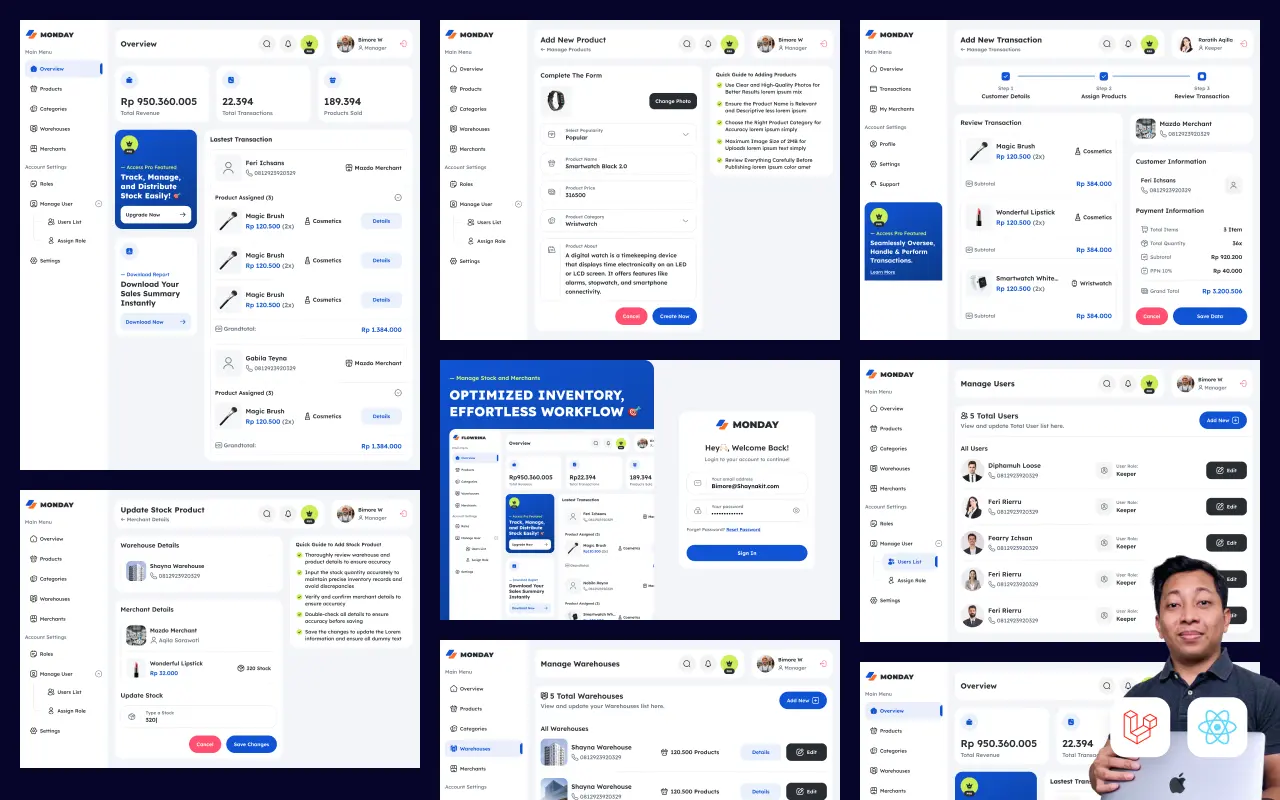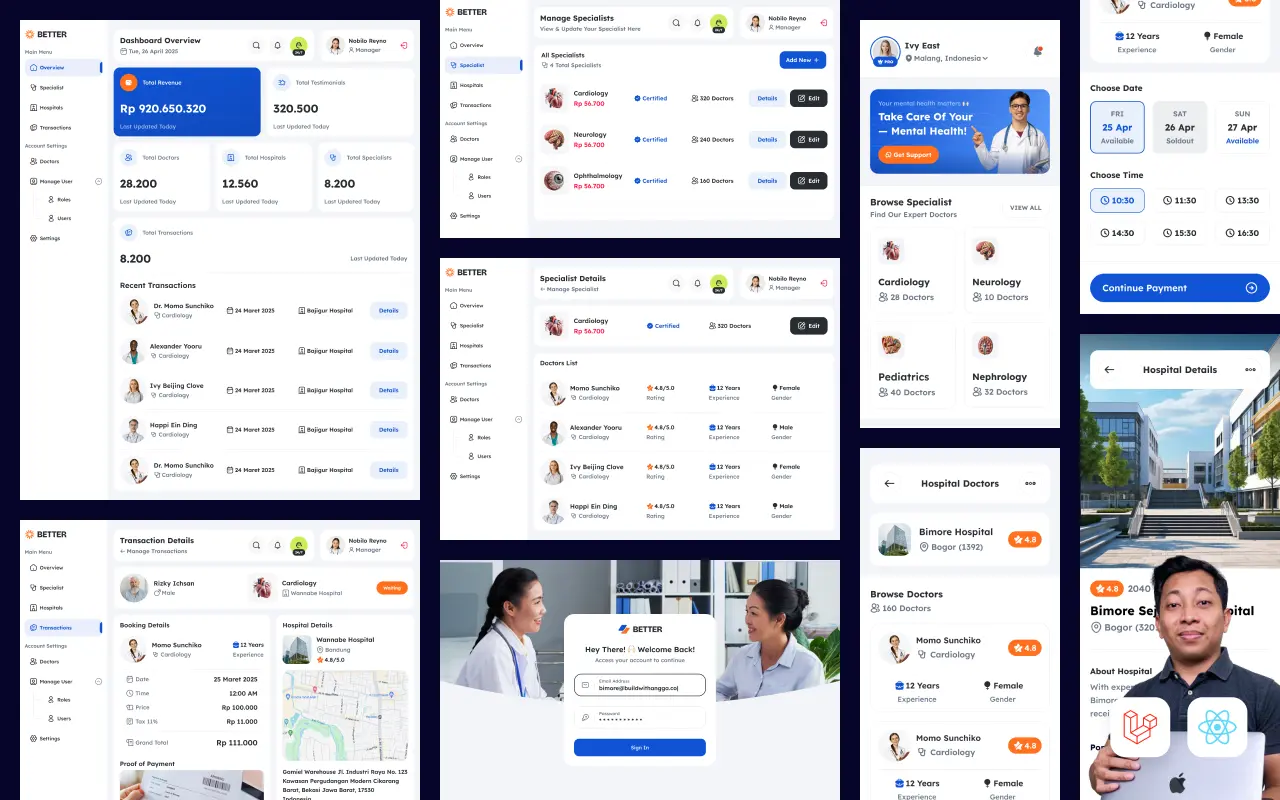
Pelajari cara implementasi Queue dan pengiriman email di Laravel 12 untuk projek web booking rumah sakit. Tutorial ini membahas setup Mailtrap untuk testing email, membuat Job dan Queue untuk proses background, mengirim email konfirmasi booking, reminder jadwal, hingga notifikasi pembatalan. Lengkap dengan best practices untuk production.
Bagian 1: Kenapa Butuh Queue untuk Email?
Bayangkan user sedang booking jadwal dokter di website rumah sakit. Mereka klik "Booking Sekarang", lalu... loading... loading... 5 detik... 8 detik... Akhirnya muncul konfirmasi.
Kenapa lama? Karena proses kirim email blocking the response.
Tanpa Queue: Slow Response
USER CLICK "BOOKING"
        │
        ▼
┌─────────────────────────────────┐
│      Controller Process          │
│                                  │
│  1. Validate data       (50ms)   │
│  2. Save to database    (100ms)  │
│  3. Send email pasien   (2-5s)   │ ← BLOCKING!
│  4. Send email dokter   (2-5s)   │ ← BLOCKING!
│  5. Return response              │
└─────────────────────────────────┘
        │
        ▼
Total response time: 5-10 detik 😱
User: "Kok lama banget sih?"
Email dikirim secara synchronous — artinya Laravel nunggu sampai email benar-benar terkirim baru lanjut ke proses berikutnya. Kalau SMTP server lambat atau ada retry, user harus nunggu.
Dengan Queue: Fast Response
USER CLICK "BOOKING"
        │
        ▼
┌─────────────────────────────────┐
│      Controller Process          │
│                                  │
│  1. Validate data       (50ms)   │
│  2. Save to database    (100ms)  │
│  3. Dispatch email job  (5ms)    │ ← NON-BLOCKING
│  4. Return response              │
└─────────────────────────────────┘
        │
        ▼
Total response time: ~200ms ✅
User: "Wah cepet!"

Meanwhile, di background:
Queue Worker → Ambil job → Kirim email → Done
Dengan Queue, email di-dispatch ke background process. User langsung dapat response, email dikirim belakangan oleh worker. Win-win.
Apa yang Akan Dipelajari
ROADMAP TUTORIAL:
├── Setup Mailtrap untuk email testing
├── Konfigurasi Queue dengan database driver
├── Membuat Mailable classes (email templates)
├── Membuat Job classes (background tasks)
├── 4 Skenario email:
│   ├── Konfirmasi booking (ke pasien)
│   ├── Notifikasi booking baru (ke dokter)
│   ├── Reminder H-1 jadwal
│   └── Konfirmasi pembatalan
├── Error handling dan retry
└── Production deployment
Mari kita mulai dengan setup project.
Bagian 2: Setup Project dan Database Schema
Project Structure
Kita akan membangun sistem booking rumah sakit dengan struktur berikut:
hospital-booking/
├── app/
│   ├── Models/
│   │   ├── User.php          (Pasien)
│   │   ├── Doctor.php        (Dokter)
│   │   ├── Schedule.php      (Jadwal praktek)
│   │   └── Booking.php       (Booking pasien)
│   ├── Mail/
│   │   ├── BookingConfirmation.php
│   │   ├── BookingReminder.php
│   │   ├── BookingCancelled.php
│   │   └── DoctorNewBooking.php
│   ├── Jobs/
│   │   ├── SendBookingConfirmation.php
│   │   ├── SendBookingReminder.php
│   │   └── SendBookingCancellation.php
│   └── Http/Controllers/
│       └── BookingController.php
└── resources/views/emails/
    ├── booking/
    │   ├── confirmation.blade.php
    │   ├── reminder.blade.php
    │   └── cancelled.blade.php
    └── doctor/
        └── new-booking.blade.php
Database Schema
Migration: doctors
Schema::create('doctors', function (Blueprint $table) {
    $table->id();
    $table->string('name');
    $table->string('email')->unique();
    $table->string('phone')->nullable();
    $table->string('specialization');  // Spesialis Jantung, Anak, dll
    $table->string('room_number');     // Ruang 201, dll
    $table->boolean('is_active')->default(true);
    $table->timestamps();
});
Migration: schedules
Schema::create('schedules', function (Blueprint $table) {
    $table->id();
    $table->foreignId('doctor_id')->constrained()->onDelete('cascade');
    $table->tinyInteger('day_of_week');  // 0=Sunday, 1=Monday, dst
    $table->time('start_time');
    $table->time('end_time');
    $table->integer('max_patients')->default(20);
    $table->boolean('is_active')->default(true);
    $table->timestamps();

    $table->index(['doctor_id', 'day_of_week']);
});
Migration: bookings
Schema::create('bookings', function (Blueprint $table) {
    $table->id();
    $table->foreignId('user_id')->constrained()->onDelete('cascade');
    $table->foreignId('doctor_id')->constrained()->onDelete('cascade');
    $table->foreignId('schedule_id')->constrained()->onDelete('cascade');
    $table->string('booking_code', 20)->unique();
    $table->date('booking_date');
    $table->integer('queue_number');
    $table->enum('status', ['pending', 'confirmed', 'completed', 'cancelled'])
          ->default('confirmed');
    $table->text('notes')->nullable();
    $table->text('cancel_reason')->nullable();
    $table->timestamp('confirmed_at')->nullable();
    $table->timestamp('cancelled_at')->nullable();
    $table->timestamp('reminder_sent_at')->nullable();
    $table->timestamps();

    $table->index(['booking_date', 'status']);
    $table->index(['user_id', 'status']);
});
Model Relationships
// app/Models/Doctor.php
class Doctor extends Model
{
    protected $fillable = ['name', 'email', 'phone', 'specialization', 'room_number'];

    public function schedules(): HasMany
    {
        return $this->hasMany(Schedule::class);
    }

    public function bookings(): HasMany
    {
        return $this->hasMany(Booking::class);
    }
}

// app/Models/Booking.php
class Booking extends Model
{
    protected $fillable = [
        'user_id', 'doctor_id', 'schedule_id', 'booking_code',
        'booking_date', 'queue_number', 'status', 'notes',
        'cancel_reason', 'confirmed_at', 'cancelled_at', 'reminder_sent_at'
    ];

    protected $casts = [
        'booking_date' => 'date',
        'confirmed_at' => 'datetime',
        'cancelled_at' => 'datetime',
    ];

    public function user(): BelongsTo
    {
        return $this->belongsTo(User::class);
    }

    public function doctor(): BelongsTo
    {
        return $this->belongsTo(Doctor::class);
    }

    public function schedule(): BelongsTo
    {
        return $this->belongsTo(Schedule::class);
    }
}
Jalankan migration:
php artisan migrate
Selanjutnya, setup Mailtrap untuk testing email.
Bagian 3: Setup Mailtrap untuk Email Testing
Apa itu Mailtrap?
Mailtrap adalah email testing service yang menangkap semua email yang dikirim dari aplikasi kamu. Email tidak sampai ke inbox asli — semuanya masuk ke Mailtrap dashboard untuk di-preview.
KENAPA MAILTRAP?
├── Email tidak terkirim ke user asli (safe testing)
├── Preview HTML dan plain text version
├── Check email headers dan attachments
├── Debug email formatting
├── Free tier untuk development
└── Mudah switch ke production SMTP
Step 1: Daftar Mailtrap
- Buka mailtrap.io
- Sign up (bisa pakai GitHub/Google)
- Setelah login, masuk ke Email Testing → Inboxes
- Klik inbox yang sudah ada atau create new
Step 2: Copy SMTP Credentials
Di halaman inbox, klik Show Credentials atau pilih integration Laravel 9+:
Host: sandbox.smtp.mailtrap.io
Port: 2525
Username: xxxxxxxxxxxxxx
Password: xxxxxxxxxxxxxx
Step 3: Konfigurasi Laravel
Update file .env:
MAIL_MAILER=smtp
MAIL_HOST=sandbox.smtp.mailtrap.io
MAIL_PORT=2525
MAIL_USERNAME=your_mailtrap_username
MAIL_PASSWORD=your_mailtrap_password
MAIL_ENCRYPTION=tls
MAIL_FROM_ADDRESS="[email protected]"
MAIL_FROM_NAME="RS Sehat Sejahtera"
Step 4: Test Kirim Email
Buka tinker dan test:
php artisan tinker
Mail::raw('Test email dari Laravel', function($message) {
    $message->to('[email protected]')
            ->subject('Test Email');
});
Step 5: Cek di Mailtrap Dashboard
Buka Mailtrap dashboard, email test harusnya muncul di inbox:
┌─────────────────────────────────────────────────────────┐
│  MAILTRAP INBOX                                         │
├─────────────────────────────────────────────────────────┤
│                                                          │
│  📧 Test Email                                          │
│     To: [email protected]                              │
│     From: [email protected]                           │
│     Date: 29 Dec 2025, 14:30                            │
│                                                          │
│  [HTML] [Text] [Raw] [Headers]                          │
│                                                          │
│  Preview:                                                │
│  ─────────────────────────────                          │
│  Test email dari Laravel                                │
│                                                          │
└─────────────────────────────────────────────────────────┘
Mailtrap Features yang Berguna
FITUR TESTING:
├── HTML Preview    → Lihat email seperti di inbox
├── Text Preview    → Plain text version
├── Check Links     → Verify semua link valid
├── Spam Analysis   → Score spam untuk email
├── Headers         → Debug email headers
└── Forward         → Forward ke email asli (testing)
Tips Development
- Jangan pakai email asli — Selalu test dengan Mailtrap dulu
- Check mobile preview — Pastikan email responsive
- Verify links — Pastikan semua URL benar
- Test spam score — Mailtrap kasih analysis
Mailtrap sudah siap. Selanjutnya, konfigurasi Queue system.
Bagian 4: Konfigurasi Queue di Laravel 12
Queue Drivers
Laravel mendukung beberapa queue drivers:
┌─────────────┬──────────────────────────────────────────────┐
│ Driver      │ Use Case                                     │
├─────────────┼──────────────────────────────────────────────┤
│ sync        │ Development (langsung execute, no queue)     │
│ database    │ Simple setup, cocok untuk small-medium apps  │
│ redis       │ Production, high throughput, recommended     │
│ sqs         │ AWS infrastructure, highly scalable          │
│ beanstalkd  │ Dedicated queue server                       │
└─────────────┴──────────────────────────────────────────────┘
Untuk tutorial ini, kita pakai database driver karena simple dan tidak butuh setup tambahan.
Step 1: Set Queue Driver
Update .env:
QUEUE_CONNECTION=database
Step 2: Create Queue Tables
Laravel butuh tabel untuk menyimpan jobs:
# Tabel untuk jobs
php artisan queue:table

# Tabel untuk failed jobs (sudah ada by default)
php artisan queue:failed-table

# Jalankan migration
php artisan migrate
Step 3: Struktur Queue Tables
jobs table:
├── id           → Primary key
├── queue        → Queue name (default, emails, etc)
├── payload      → Serialized job data
├── attempts     → Berapa kali sudah dicoba
├── reserved_at  → Kapan job diambil worker
├── available_at → Kapan job bisa diprocess
└── created_at   → Kapan job dibuat
failed_jobs table:
├── id           → Primary key
├── uuid         → Unique identifier
├── connection   → Queue connection
├── queue        → Queue name
├── payload      → Serialized job data
├── exception    → Error message
└── failed_at    → Kapan job gagal
Step 4: Konfigurasi Queue
File config/queue.php sudah pre-configured. Yang penting untuk database driver:
'database' => [
    'driver' => 'database',
    'connection' => env('DB_CONNECTION', 'mysql'),
    'table' => env('DB_QUEUE_TABLE', 'jobs'),
    'queue' => env('DB_QUEUE', 'default'),
    'retry_after' => env('DB_QUEUE_RETRY_AFTER', 90),
    'after_commit' => false,
],
- retry_after: Berapa detik sebelum job dianggap stuck dan bisa di-retry
- after_commit: Dispatch job setelah database transaction commit
Step 5: Menjalankan Queue Worker
Queue tidak jalan sendiri — butuh worker untuk process jobs:
# Basic - process jobs terus-menerus
php artisan queue:work

# Dengan opsi
php artisan queue:work --queue=emails,default --tries=3

# Listen mode - restart otomatis saat code berubah (development)
php artisan queue:listen

# Process satu job saja
php artisan queue:work --once
Opsi yang sering dipakai:
php artisan queue:work \\
    --queue=high,default,low \\  # Priority queues
    --tries=3 \\                  # Max retry attempts
    --timeout=60 \\               # Max execution time per job
    --sleep=3 \\                  # Sleep jika tidak ada job
    --max-jobs=1000 \\            # Restart setelah 1000 jobs
    --max-time=3600              # Restart setelah 1 jam
Step 6: Test Queue
Buat simple job untuk test:
php artisan make:job TestJob
// app/Jobs/TestJob.php
class TestJob implements ShouldQueue
{
    use Dispatchable, InteractsWithQueue, Queueable, SerializesModels;

    public function handle(): void
    {
        logger('Test job executed at ' . now());
    }
}
Dispatch job:
php artisan tinker
App\\Jobs\\TestJob::dispatch();
Cek tabel jobs — ada 1 record. Jalankan worker:
php artisan queue:work --once
Cek storage/logs/laravel.log — harusnya ada log "Test job executed".
Queue Workflow
FLOW:

1. Controller dispatch job
   TestJob::dispatch($data);
              │
              ▼
2. Job masuk ke database (jobs table)
              │
              ▼
3. Queue Worker mengambil job
   php artisan queue:work
              │
              ▼
4. Worker execute job handle() method
              │
              ▼
5. Sukses → Job dihapus dari table
   Gagal  → Retry atau masuk failed_jobs
Queue sudah siap. Selanjutnya, buat Mailable classes untuk email templates.
Bagian 5: Membuat Mailable Classes
Mailable adalah class yang merepresentasikan email di Laravel. Setiap jenis email punya Mailable sendiri dengan template dan data masing-masing.
Generate Mailable Classes
php artisan make:mail BookingConfirmation --markdown=emails.booking.confirmation
php artisan make:mail BookingReminder --markdown=emails.booking.reminder
php artisan make:mail BookingCancelled --markdown=emails.booking.cancelled
php artisan make:mail DoctorNewBooking --markdown=emails.doctor.new-booking
1. BookingConfirmation Mailable
Email ini dikirim ke pasien setelah booking berhasil.
<?php
// app/Mail/BookingConfirmation.php

namespace App\\Mail;

use App\\Models\\Booking;
use Illuminate\\Bus\\Queueable;
use Illuminate\\Mail\\Mailable;
use Illuminate\\Mail\\Mailables\\Content;
use Illuminate\\Mail\\Mailables\\Envelope;
use Illuminate\\Queue\\SerializesModels;

class BookingConfirmation extends Mailable
{
    use Queueable, SerializesModels;

    public function __construct(public Booking $booking) {}

    public function envelope(): Envelope
    {
        return new Envelope(
            subject: 'Konfirmasi Booking - ' . $this->booking->booking_code,
        );
    }

    public function content(): Content
    {
        return new Content(
            markdown: 'emails.booking.confirmation',
            with: [
                'booking' => $this->booking,
                'user' => $this->booking->user,
                'doctor' => $this->booking->doctor,
                'schedule' => $this->booking->schedule,
                'url' => url('/bookings/' . $this->booking->id),
            ],
        );
    }
}
Template:
{{-- resources/views/emails/booking/confirmation.blade.php --}}

<x-mail::message>
# Booking Berhasil Dikonfirmasi! 🎉

Halo **{{ $user->name }}**,

Booking Anda telah berhasil dikonfirmasi. Berikut detailnya:

<x-mail::table>
| Informasi | Detail |
|:----------|:-------|
| Kode Booking | **{{ $booking->booking_code }}** |
| Dokter | {{ $doctor->name }} |
| Spesialisasi | {{ $doctor->specialization }} |
| Tanggal | {{ $booking->booking_date->format('l, d F Y') }} |
| Jam | {{ $schedule->start_time }} - {{ $schedule->end_time }} |
| No. Antrian | **{{ $booking->queue_number }}** |
| Ruangan | {{ $doctor->room_number }} |
</x-mail::table>

<x-mail::button :url="$url">
Lihat Detail Booking
</x-mail::button>

## Persiapan Sebelum Datang
- Bawa KTP atau kartu identitas
- Datang 15 menit sebelum jadwal
- Bawa hasil lab atau rekam medis (jika ada)

Jika ada pertanyaan, hubungi kami di (021) 123-4567.

Salam sehat,<br>
**{{ config('app.name') }}**
</x-mail::message>
2. BookingReminder Mailable
Email reminder H-1 sebelum jadwal.
<?php
// app/Mail/BookingReminder.php

namespace App\\Mail;

use App\\Models\\Booking;
use Illuminate\\Bus\\Queueable;
use Illuminate\\Mail\\Mailable;
use Illuminate\\Mail\\Mailables\\Content;
use Illuminate\\Mail\\Mailables\\Envelope;
use Illuminate\\Queue\\SerializesModels;

class BookingReminder extends Mailable
{
    use Queueable, SerializesModels;

    public function __construct(public Booking $booking) {}

    public function envelope(): Envelope
    {
        return new Envelope(
            subject: 'Reminder: Jadwal Booking Besok - ' . $this->booking->booking_code,
        );
    }

    public function content(): Content
    {
        return new Content(
            markdown: 'emails.booking.reminder',
        );
    }
}
Template:
{{-- resources/views/emails/booking/reminder.blade.php --}}

<x-mail::message>
# Reminder: Jadwal Besok ⏰

Halo **{{ $booking->user->name }}**,

Ini adalah pengingat bahwa Anda memiliki jadwal booking **besok**:

<x-mail::panel>
**{{ $booking->doctor->name }}** - {{ $booking->doctor->specialization }}<br>
📅 {{ $booking->booking_date->format('l, d F Y') }}<br>
🕐 {{ $booking->schedule->start_time }}<br>
🚪 Ruangan {{ $booking->doctor->room_number }}<br>
🎫 Antrian #{{ $booking->queue_number }}
</x-mail::panel>

## Checklist
- ✅ KTP / Kartu Identitas
- ✅ Kartu BPJS (jika ada)
- ✅ Hasil lab sebelumnya
- ✅ Datang 15 menit lebih awal

Jika tidak bisa hadir, mohon batalkan booking melalui aplikasi.

Salam sehat,<br>
**{{ config('app.name') }}**
</x-mail::message>
3. BookingCancelled Mailable
Email konfirmasi pembatalan.
<?php
// app/Mail/BookingCancelled.php

namespace App\\Mail;

use App\\Models\\Booking;
use Illuminate\\Bus\\Queueable;
use Illuminate\\Mail\\Mailable;
use Illuminate\\Mail\\Mailables\\Content;
use Illuminate\\Mail\\Mailables\\Envelope;
use Illuminate\\Queue\\SerializesModels;

class BookingCancelled extends Mailable
{
    use Queueable, SerializesModels;

    public function __construct(public Booking $booking) {}

    public function envelope(): Envelope
    {
        return new Envelope(
            subject: 'Booking Dibatalkan - ' . $this->booking->booking_code,
        );
    }

    public function content(): Content
    {
        return new Content(
            markdown: 'emails.booking.cancelled',
        );
    }
}
Template:
{{-- resources/views/emails/booking/cancelled.blade.php --}}

<x-mail::message>
# Booking Dibatalkan

Halo **{{ $booking->user->name }}**,

Booking Anda telah dibatalkan:

| | |
|:--|:--|
| Kode Booking | {{ $booking->booking_code }} |
| Dokter | {{ $booking->doctor->name }} |
| Tanggal | {{ $booking->booking_date->format('d F Y') }} |
| Dibatalkan pada | {{ $booking->cancelled_at->format('d F Y, H:i') }} |

@if($booking->cancel_reason)
**Alasan:** {{ $booking->cancel_reason }}
@endif

<x-mail::button :url="url('/doctors')">
Booking Ulang
</x-mail::button>

Jika Anda tidak membatalkan booking ini, segera hubungi kami.

Salam,<br>
**{{ config('app.name') }}**
</x-mail::message>
4. DoctorNewBooking Mailable
Notifikasi ke dokter tentang pasien baru.
<?php
// app/Mail/DoctorNewBooking.php

namespace App\\Mail;

use App\\Models\\Booking;
use Illuminate\\Bus\\Queueable;
use Illuminate\\Mail\\Mailable;
use Illuminate\\Mail\\Mailables\\Content;
use Illuminate\\Mail\\Mailables\\Envelope;
use Illuminate\\Queue\\SerializesModels;

class DoctorNewBooking extends Mailable
{
    use Queueable, SerializesModels;

    public function __construct(public Booking $booking) {}

    public function envelope(): Envelope
    {
        return new Envelope(
            subject: 'Pasien Baru: ' . $this->booking->user->name,
        );
    }

    public function content(): Content
    {
        return new Content(
            markdown: 'emails.doctor.new-booking',
        );
    }
}
Template:
{{-- resources/views/emails/doctor/new-booking.blade.php --}}

<x-mail::message>
# Pasien Baru Terdaftar

Dokter **{{ $booking->doctor->name }}**,

Ada pasien baru yang mendaftar untuk konsultasi:

<x-mail::table>
| | |
|:--|:--|
| Nama Pasien | {{ $booking->user->name }} |
| Tanggal | {{ $booking->booking_date->format('l, d F Y') }} |
| Jam | {{ $booking->schedule->start_time }} |
| No. Antrian | {{ $booking->queue_number }} |
</x-mail::table>

@if($booking->notes)
**Catatan dari pasien:**
> {{ $booking->notes }}
@endif

Salam,<br>
**{{ config('app.name') }}**
</x-mail::message>
Semua Mailable sudah siap. Selanjutnya, buat Job classes untuk mengirim email di background.
Bagian 6: Membuat Queue Jobs
Job adalah class yang berisi logic untuk dijalankan di background. Setiap Job menghandle satu task spesifik.
Generate Job Classes
php artisan make:job SendBookingConfirmation
php artisan make:job SendBookingReminder
php artisan make:job SendBookingCancellation
1. SendBookingConfirmation Job
Job ini mengirim email ke pasien dan dokter setelah booking dibuat.
<?php
// app/Jobs/SendBookingConfirmation.php

namespace App\\Jobs;

use App\\Mail\\BookingConfirmation;
use App\\Mail\\DoctorNewBooking;
use App\\Models\\Booking;
use Illuminate\\Bus\\Queueable;
use Illuminate\\Contracts\\Queue\\ShouldQueue;
use Illuminate\\Foundation\\Bus\\Dispatchable;
use Illuminate\\Queue\\InteractsWithQueue;
use Illuminate\\Queue\\SerializesModels;
use Illuminate\\Support\\Facades\\Log;
use Illuminate\\Support\\Facades\\Mail;

class SendBookingConfirmation implements ShouldQueue
{
    use Dispatchable, InteractsWithQueue, Queueable, SerializesModels;

    public int $tries = 3;
    public int $backoff = 60;
    public int $timeout = 30;

    public function __construct(public Booking $booking) {}

    public function handle(): void
    {
        // Load relations jika belum
        $this->booking->loadMissing(['user', 'doctor', 'schedule']);

        // Kirim email ke pasien
        Mail::to($this->booking->user->email)
            ->send(new BookingConfirmation($this->booking));

        Log::info('Booking confirmation sent to patient', [
            'booking_code' => $this->booking->booking_code,
            'email' => $this->booking->user->email,
        ]);

        // Kirim notifikasi ke dokter
        Mail::to($this->booking->doctor->email)
            ->send(new DoctorNewBooking($this->booking));

        Log::info('New booking notification sent to doctor', [
            'booking_code' => $this->booking->booking_code,
            'doctor_email' => $this->booking->doctor->email,
        ]);
    }

    public function failed(\\Throwable $exception): void
    {
        Log::error('Failed to send booking confirmation', [
            'booking_id' => $this->booking->id,
            'booking_code' => $this->booking->booking_code,
            'error' => $exception->getMessage(),
        ]);
    }
}
2. SendBookingReminder Job
Job untuk mengirim reminder H-1.
<?php
// app/Jobs/SendBookingReminder.php

namespace App\\Jobs;

use App\\Mail\\BookingReminder;
use App\\Models\\Booking;
use Illuminate\\Bus\\Queueable;
use Illuminate\\Contracts\\Queue\\ShouldQueue;
use Illuminate\\Foundation\\Bus\\Dispatchable;
use Illuminate\\Queue\\InteractsWithQueue;
use Illuminate\\Queue\\SerializesModels;
use Illuminate\\Support\\Facades\\Log;
use Illuminate\\Support\\Facades\\Mail;

class SendBookingReminder implements ShouldQueue
{
    use Dispatchable, InteractsWithQueue, Queueable, SerializesModels;

    public int $tries = 3;
    public int $backoff = 120;

    public function __construct(public Booking $booking) {}

    public function handle(): void
    {
        // Skip jika booking sudah dibatalkan
        if ($this->booking->status === 'cancelled') {
            Log::info('Skipping reminder for cancelled booking', [
                'booking_code' => $this->booking->booking_code,
            ]);
            return;
        }

        // Skip jika reminder sudah pernah dikirim
        if ($this->booking->reminder_sent_at !== null) {
            Log::info('Reminder already sent', [
                'booking_code' => $this->booking->booking_code,
            ]);
            return;
        }

        $this->booking->loadMissing(['user', 'doctor', 'schedule']);

        Mail::to($this->booking->user->email)
            ->send(new BookingReminder($this->booking));

        // Update timestamp
        $this->booking->update(['reminder_sent_at' => now()]);

        Log::info('Booking reminder sent', [
            'booking_code' => $this->booking->booking_code,
            'email' => $this->booking->user->email,
        ]);
    }

    public function failed(\\Throwable $exception): void
    {
        Log::error('Failed to send booking reminder', [
            'booking_id' => $this->booking->id,
            'error' => $exception->getMessage(),
        ]);
    }
}
3. SendBookingCancellation Job
Job untuk konfirmasi pembatalan.
<?php
// app/Jobs/SendBookingCancellation.php

namespace App\\Jobs;

use App\\Mail\\BookingCancelled;
use App\\Models\\Booking;
use Illuminate\\Bus\\Queueable;
use Illuminate\\Contracts\\Queue\\ShouldQueue;
use Illuminate\\Foundation\\Bus\\Dispatchable;
use Illuminate\\Queue\\InteractsWithQueue;
use Illuminate\\Queue\\SerializesModels;
use Illuminate\\Support\\Facades\\Log;
use Illuminate\\Support\\Facades\\Mail;

class SendBookingCancellation implements ShouldQueue
{
    use Dispatchable, InteractsWithQueue, Queueable, SerializesModels;

    public int $tries = 3;
    public int $backoff = 60;

    public function __construct(public Booking $booking) {}

    public function handle(): void
    {
        $this->booking->loadMissing(['user', 'doctor']);

        // Kirim ke pasien
        Mail::to($this->booking->user->email)
            ->send(new BookingCancelled($this->booking));

        Log::info('Booking cancellation sent', [
            'booking_code' => $this->booking->booking_code,
            'email' => $this->booking->user->email,
        ]);
    }

    public function failed(\\Throwable $exception): void
    {
        Log::error('Failed to send cancellation email', [
            'booking_id' => $this->booking->id,
            'error' => $exception->getMessage(),
        ]);
    }
}
Cara Dispatch Jobs
Basic dispatch:
use App\\Jobs\\SendBookingConfirmation;

// Di controller setelah create booking
SendBookingConfirmation::dispatch($booking);
Dispatch dengan delay:
// Kirim 5 menit kemudian
SendBookingConfirmation::dispatch($booking)
    ->delay(now()->addMinutes(5));

// Kirim besok jam 8 pagi (untuk reminder)
SendBookingReminder::dispatch($booking)
    ->delay($booking->booking_date->subDay()->setTime(18, 0));
Dispatch ke specific queue:
SendBookingConfirmation::dispatch($booking)
    ->onQueue('emails');
Dispatch dengan priority:
// High priority - process duluan
SendBookingConfirmation::dispatch($booking)
    ->onQueue('high');

// Low priority - process belakangan
SendBookingReminder::dispatch($booking)
    ->onQueue('low');
Job Properties Explained
class SendBookingConfirmation implements ShouldQueue
{
    public int $tries = 3;      // Max 3x percobaan
    public int $backoff = 60;   // Tunggu 60 detik sebelum retry
    public int $timeout = 30;   // Max 30 detik execution time

    // Exponential backoff (optional)
    public function backoff(): array
    {
        return [60, 120, 300];  // 1min, 2min, 5min
    }

    // Retry sampai waktu tertentu
    public function retryUntil(): \\DateTime
    {
        return now()->addHours(6);
    }
}
Semua Job sudah siap. Selanjutnya, implementasikan di Controller.
Bagian 7: Implementasi di Controller
Sekarang kita integrasikan Jobs ke dalam BookingController.
BookingController
<?php
// app/Http/Controllers/BookingController.php

namespace App\\Http\\Controllers;

use App\\Http\\Requests\\StoreBookingRequest;
use App\\Http\\Resources\\BookingResource;
use App\\Jobs\\SendBookingCancellation;
use App\\Jobs\\SendBookingConfirmation;
use App\\Models\\Booking;
use App\\Models\\Schedule;
use Illuminate\\Http\\JsonResponse;
use Illuminate\\Support\\Facades\\DB;
use Illuminate\\Support\\Str;

class BookingController extends Controller
{
    public function store(StoreBookingRequest $request): JsonResponse
    {
        return DB::transaction(function () use ($request) {
            $schedule = Schedule::with('doctor')->findOrFail($request->schedule_id);

            // Cek ketersediaan slot
            $existingCount = Booking::where('schedule_id', $schedule->id)
                ->where('booking_date', $request->booking_date)
                ->whereNotIn('status', ['cancelled'])
                ->count();

            if ($existingCount >= $schedule->max_patients) {
                return response()->json([
                    'message' => 'Maaf, jadwal sudah penuh untuk tanggal tersebut.',
                ], 422);
            }

            // Cek apakah user sudah punya booking di tanggal yang sama
            $existingUserBooking = Booking::where('user_id', auth()->id())
                ->where('booking_date', $request->booking_date)
                ->whereNotIn('status', ['cancelled', 'completed'])
                ->exists();

            if ($existingUserBooking) {
                return response()->json([
                    'message' => 'Anda sudah memiliki booking di tanggal tersebut.',
                ], 422);
            }

            // Buat booking
            $booking = Booking::create([
                'user_id' => auth()->id(),
                'doctor_id' => $schedule->doctor_id,
                'schedule_id' => $schedule->id,
                'booking_code' => $this->generateBookingCode(),
                'booking_date' => $request->booking_date,
                'queue_number' => $existingCount + 1,
                'status' => 'confirmed',
                'notes' => $request->notes,
                'confirmed_at' => now(),
            ]);

            // Dispatch email job (background)
            SendBookingConfirmation::dispatch($booking);

            return response()->json([
                'message' => 'Booking berhasil! Cek email untuk konfirmasi.',
                'data' => new BookingResource($booking->load(['doctor', 'schedule'])),
            ], 201);
        });
    }

    public function show(Booking $booking): JsonResponse
    {
        $this->authorize('view', $booking);

        return response()->json([
            'data' => new BookingResource($booking->load(['doctor', 'schedule', 'user'])),
        ]);
    }

    public function cancel(Booking $booking): JsonResponse
    {
        $this->authorize('cancel', $booking);

        if ($booking->status === 'cancelled') {
            return response()->json([
                'message' => 'Booking sudah dibatalkan sebelumnya.',
            ], 422);
        }

        if ($booking->status === 'completed') {
            return response()->json([
                'message' => 'Booking yang sudah selesai tidak bisa dibatalkan.',
            ], 422);
        }

        // Cek apakah masih bisa dibatalkan (misal: H-1)
        if ($booking->booking_date->isToday() || $booking->booking_date->isPast()) {
            return response()->json([
                'message' => 'Booking tidak bisa dibatalkan di hari H atau setelahnya.',
            ], 422);
        }

        $booking->update([
            'status' => 'cancelled',
            'cancelled_at' => now(),
            'cancel_reason' => request('reason'),
        ]);

        // Dispatch cancellation email
        SendBookingCancellation::dispatch($booking);

        return response()->json([
            'message' => 'Booking berhasil dibatalkan.',
        ]);
    }

    public function myBookings(): JsonResponse
    {
        $bookings = Booking::where('user_id', auth()->id())
            ->with(['doctor', 'schedule'])
            ->latest('booking_date')
            ->paginate(10);

        return response()->json([
            'data' => BookingResource::collection($bookings),
            'meta' => [
                'current_page' => $bookings->currentPage(),
                'last_page' => $bookings->lastPage(),
                'total' => $bookings->total(),
            ],
        ]);
    }

    private function generateBookingCode(): string
    {
        do {
            $code = 'BK' . strtoupper(Str::random(8));
        } while (Booking::where('booking_code', $code)->exists());

        return $code;
    }
}
Scheduled Reminder Command
Untuk mengirim reminder H-1, buat console command:
php artisan make:command SendBookingReminders
<?php
// app/Console/Commands/SendBookingReminders.php

namespace App\\Console\\Commands;

use App\\Jobs\\SendBookingReminder;
use App\\Models\\Booking;
use Illuminate\\Console\\Command;

class SendBookingReminders extends Command
{
    protected $signature = 'bookings:send-reminders';
    protected $description = 'Kirim reminder untuk booking besok';

    public function handle(): int
    {
        $tomorrow = now()->addDay()->toDateString();

        $bookings = Booking::where('status', 'confirmed')
            ->whereDate('booking_date', $tomorrow)
            ->whereNull('reminder_sent_at')
            ->with(['user', 'doctor', 'schedule'])
            ->get();

        if ($bookings->isEmpty()) {
            $this->info('Tidak ada booking untuk besok.');
            return Command::SUCCESS;
        }

        $this->info("Mengirim {$bookings->count()} reminder...");

        foreach ($bookings as $booking) {
            SendBookingReminder::dispatch($booking);
            $this->line("✓ Queued: {$booking->booking_code} - {$booking->user->name}");
        }

        $this->info('Semua reminder telah di-queue.');
        return Command::SUCCESS;
    }
}
Schedule Command
Register command di scheduler:
// routes/console.php (Laravel 11+)

use Illuminate\\Support\\Facades\\Schedule;

Schedule::command('bookings:send-reminders')
    ->dailyAt('18:00')
    ->timezone('Asia/Jakarta')
    ->appendOutputTo(storage_path('logs/reminders.log'));
Setiap jam 18:00 WIB, command akan dijalankan dan men-dispatch reminder jobs ke queue.
Routes
// routes/api.php

use App\\Http\\Controllers\\BookingController;

Route::middleware('auth:sanctum')->group(function () {
    Route::get('/bookings', [BookingController::class, 'myBookings']);
    Route::post('/bookings', [BookingController::class, 'store']);
    Route::get('/bookings/{booking}', [BookingController::class, 'show']);
    Route::post('/bookings/{booking}/cancel', [BookingController::class, 'cancel']);
});
Testing Flow
# Terminal 1: Jalankan queue worker
php artisan queue:work

# Terminal 2: Test booking via API
curl -X POST <http://localhost/api/bookings> \\
  -H "Authorization: Bearer {token}" \\
  -H "Content-Type: application/json" \\
  -d '{"schedule_id": 1, "booking_date": "2025-12-30"}'

# Cek Mailtrap - email seharusnya sudah terkirim
Selanjutnya, kita bahas error handling dan monitoring.
Bagian 8: Error Handling dan Monitoring
Queue jobs bisa gagal karena berbagai alasan: SMTP timeout, rate limiting, invalid email, dll. Handling failures dengan benar itu penting.
Job Retry Configuration
class SendBookingConfirmation implements ShouldQueue
{
    // Retry configuration
    public int $tries = 3;           // Max 3 attempts
    public int $maxExceptions = 2;   // Stop setelah 2 exceptions
    public int $timeout = 30;        // Max 30 detik per attempt
    public int $backoff = 60;        // Tunggu 60 detik sebelum retry

    // Exponential backoff - lebih baik untuk email
    public function backoff(): array
    {
        return [60, 300, 900];  // 1 menit, 5 menit, 15 menit
    }

    // Atau retry sampai waktu tertentu
    public function retryUntil(): \\DateTime
    {
        return now()->addHours(6);
    }
}
Failed Job Handler
Setiap Job bisa define failed() method:
public function failed(\\Throwable $exception): void
{
    Log::error('Job failed', [
        'job' => static::class,
        'booking_id' => $this->booking->id,
        'booking_code' => $this->booking->booking_code,
        'attempt' => $this->attempts(),
        'error' => $exception->getMessage(),
    ]);

    // Notify admin via Slack/email
    Notification::route('mail', config('mail.admin_email'))
        ->notify(new JobFailedNotification(
            jobName: 'SendBookingConfirmation',
            bookingCode: $this->booking->booking_code,
            error: $exception->getMessage()
        ));
}
Managing Failed Jobs
# Lihat semua failed jobs
php artisan queue:failed

# Output:
# +----+------------+----------------------------+---------------------+
# | ID | Connection | Queue                      | Failed At           |
# +----+------------+----------------------------+---------------------+
# | 1  | database   | default                    | 2025-12-29 10:30:00 |
# | 2  | database   | default                    | 2025-12-29 10:35:00 |
# +----+------------+----------------------------+---------------------+

# Retry specific failed job
php artisan queue:retry 1

# Retry semua failed jobs
php artisan queue:retry all

# Hapus failed job
php artisan queue:forget 1

# Hapus semua failed jobs
php artisan queue:flush
Global Exception Handler
Handle semua job failures di satu tempat:
// app/Providers/AppServiceProvider.php

use Illuminate\\Queue\\Events\\JobFailed;
use Illuminate\\Support\\Facades\\Queue;

public function boot(): void
{
    Queue::failing(function (JobFailed $event) {
        Log::channel('queue')->error('Job failed globally', [
            'connection' => $event->connectionName,
            'job' => $event->job->getName(),
            'exception' => $event->exception->getMessage(),
        ]);

        // Alert jika terlalu banyak failures
        // Slack, PagerDuty, etc.
    });
}
Monitoring Queue Health
Check pending jobs:
use Illuminate\\Support\\Facades\\DB;

// Count pending jobs
$pendingJobs = DB::table('jobs')->count();

// Count failed jobs
$failedJobs = DB::table('failed_jobs')->count();

// Alert jika backlog terlalu besar
if ($pendingJobs > 1000) {
    // Send alert
}
Artisan command untuk monitoring:
php artisan make:command MonitorQueueHealth
<?php
// app/Console/Commands/MonitorQueueHealth.php

namespace App\\Console\\Commands;

use Illuminate\\Console\\Command;
use Illuminate\\Support\\Facades\\DB;

class MonitorQueueHealth extends Command
{
    protected $signature = 'queue:health';
    protected $description = 'Monitor queue health';

    public function handle(): int
    {
        $pending = DB::table('jobs')->count();
        $failed = DB::table('failed_jobs')->count();
        $oldestJob = DB::table('jobs')->min('created_at');

        $this->table(
            ['Metric', 'Value'],
            [
                ['Pending Jobs', $pending],
                ['Failed Jobs', $failed],
                ['Oldest Job', $oldestJob ?? 'None'],
            ]
        );

        // Warning thresholds
        if ($pending > 500) {
            $this->warn("⚠️  High pending jobs count!");
        }

        if ($failed > 10) {
            $this->error("❌ Too many failed jobs!");
        }

        return Command::SUCCESS;
    }
}
Logging Best Practices
Gunakan structured logging:
Log::channel('queue')->info('Email sent', [
    'type' => 'booking_confirmation',
    'booking_id' => $this->booking->id,
    'booking_code' => $this->booking->booking_code,
    'recipient' => $this->booking->user->email,
    'duration_ms' => $duration,
    'sent_at' => now()->toIso8601String(),
]);
Dedicated log channel:
// config/logging.php

'channels' => [
    'queue' => [
        'driver' => 'daily',
        'path' => storage_path('logs/queue.log'),
        'level' => 'debug',
        'days' => 14,
    ],
],
Laravel Horizon (Optional)
Untuk Redis queue driver, Laravel Horizon memberikan dashboard monitoring:
composer require laravel/horizon
php artisan horizon:install
php artisan horizon
Akses dashboard di /horizon untuk melihat:
- Real-time job throughput
- Failed jobs dengan stack trace
- Queue wait times
- Recent jobs history
Selanjutnya, deployment ke production.
Bagian 9: Production Deployment
Supervisor untuk Queue Worker
Di production, queue worker harus jalan terus-menerus. Gunakan Supervisor untuk manage process.
Install Supervisor:
sudo apt-get install supervisor
Buat config file:
# /etc/supervisor/conf.d/hospital-queue.conf

[program:hospital-queue]
process_name=%(program_name)s_%(process_num)02d
command=php /var/www/hospital-booking/artisan queue:work database --sleep=3 --tries=3 --max-time=3600
autostart=true
autorestart=true
stopasgroup=true
killasgroup=true
user=www-data
numprocs=2
redirect_stderr=true
stdout_logfile=/var/www/hospital-booking/storage/logs/worker.log
stopwaitsecs=3600
Start Supervisor:
sudo supervisorctl reread
sudo supervisorctl update
sudo supervisorctl start hospital-queue:*
Monitor status:
sudo supervisorctl status
# hospital-queue:hospital-queue_00   RUNNING   pid 12345, uptime 0:05:00
# hospital-queue:hospital-queue_01   RUNNING   pid 12346, uptime 0:05:00
Production Email Provider
Ganti Mailtrap dengan production SMTP. Pilihan populer:
PROVIDER OPTIONS:
├── Mailgun     → Reliable, good deliverability
├── SendGrid    → Popular, good dashboard
├── Amazon SES  → Cheapest, great for AWS users
├── Postmark    → Transactional email focused
└── Resend      → Developer-friendly, modern
Contoh config Mailgun:
MAIL_MAILER=smtp
MAIL_HOST=smtp.mailgun.org
MAIL_PORT=587
[email protected]
MAIL_PASSWORD=your-mailgun-password
MAIL_ENCRYPTION=tls
MAIL_FROM_ADDRESS="[email protected]"
MAIL_FROM_NAME="RS Sehat Sejahtera"
Queue Driver untuk Production
Database driver works, tapi Redis lebih baik untuk production:
QUEUE_CONNECTION=redis
REDIS_HOST=127.0.0.1
REDIS_PASSWORD=null
REDIS_PORT=6379
Keuntungan Redis:
- Lebih cepat dari database
- Built-in pub/sub
- Support Laravel Horizon
- Better for high throughput
Deployment Checklist
PRE-DEPLOYMENT:
├── ✅ Test semua email templates di Mailtrap
├── ✅ Verify queue jobs work locally
├── ✅ Setup production SMTP credentials
├── ✅ Configure error notification (admin email/Slack)

SERVER SETUP:
├── ✅ Install Supervisor
├── ✅ Configure queue workers
├── ✅ Setup log rotation
├── ✅ Configure cron untuk scheduler

POST-DEPLOYMENT:
├── ✅ Test kirim email di production
├── ✅ Monitor queue health
├── ✅ Verify failed job handling
├── ✅ Check email deliverability
Restart Workers After Deploy
Setelah deploy code baru, restart workers:
# Via Supervisor
sudo supervisorctl restart hospital-queue:*

# Atau via Artisan
php artisan queue:restart
Summary
┌─────────────────────────────────────────────────────────┐
│           QUEUE + EMAIL IMPLEMENTATION                   │
├─────────────────────────────────────────────────────────┤
│                                                          │
│  SETUP:                                                  │
│  ├── Mailtrap untuk testing                             │
│  ├── Database/Redis queue driver                        │
│  └── Supervisor untuk production                        │
│                                                          │
│  EMAIL TYPES:                                            │
│  ├── BookingConfirmation → Pasien                       │
│  ├── DoctorNewBooking    → Dokter                       │
│  ├── BookingReminder     → H-1 (scheduled)              │
│  └── BookingCancelled    → Saat dibatalkan              │
│                                                          │
│  BEST PRACTICES:                                         │
│  ├── Dispatch jobs, bukan send langsung                 │
│  ├── Configure retry dan backoff                        │
│  ├── Handle failed jobs properly                        │
│  ├── Log everything untuk debugging                     │
│  └── Monitor queue health                               │
│                                                          │
└─────────────────────────────────────────────────────────┘
Rekomendasi Kelas BuildWithAngga
Untuk mendalami Laravel backend development:
Laravel Backend:
- Laravel Queue & Jobs Mastery
- Laravel Notification System
- Laravel API Development
- Build Hospital Booking System
Full Project:
- Build Complete Healthcare App
- Laravel SaaS Development
- Laravel Production Deployment
Kunjungi buildwithangga.com untuk explore semua kelas.
Closing
Queue adalah pattern fundamental untuk aplikasi yang scalable. Operasi yang tidak perlu user tunggu — email, notification, report generation — semuanya bisa di-background-kan.
Dengan Queue:
- Response time cepat (user happy)
- Email terkirim reliable (dengan retry)
- Server tidak overload (distributed processing)
- Easy to scale (tambah workers)
Mulai implement Queue di project kamu, dan rasakan perbedaannya.
"Don't make users wait for things they don't need to wait for."
— Angga Risky Setiawan, Founder BuildWithAngga