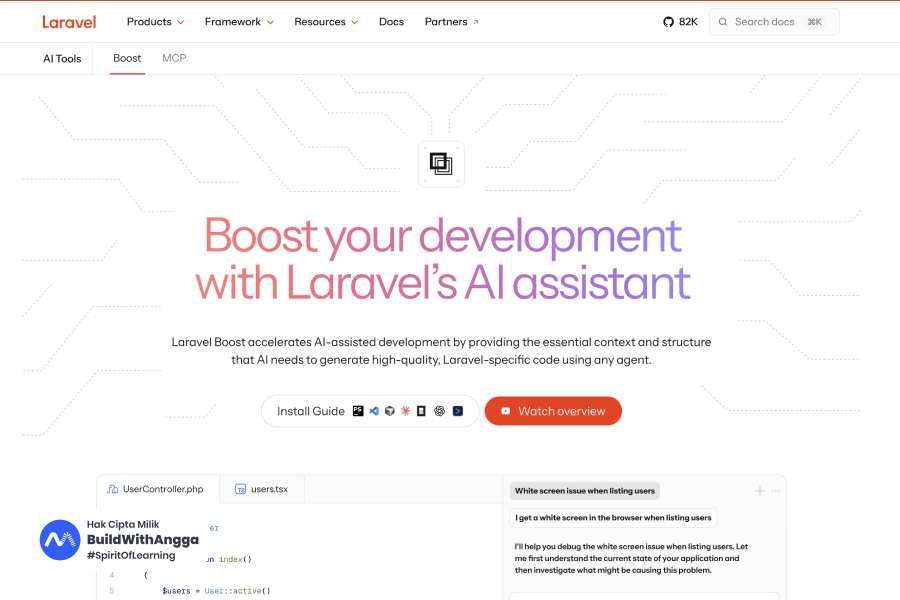
Laravel Boost adalah package resmi dari Laravel yang mengubah cara AI coding assistant berinteraksi dengan project kamu. Dengan 15+ tools MCP dan 17,000+ dokumentasi ter-vectorize, Boost membuat AI seperti Claude Code dan Cursor benar-benar paham codebase Laravel kamu, bukan sekadar menebak-nebak.
Halo, saya Angga Risky Setiawan, founder dari BuildWithAngga.
Saya mau mulai artikel ini dengan pengalaman yang mungkin familiar buat kamu. Pengalaman yang bikin frustrasi, tapi sering kita anggap "ya memang begitu AI".
AI Kamu Sering Salah, dan Kamu Sudah Terbiasa
Coba ingat-ingat. Pernah tidak kamu minta AI generate code Laravel, hasilnya pakai syntax yang sudah deprecated?
Atau lebih parah: AI suggest method yang tidak exist sama sekali di versi Laravel yang kamu pakai?
Yang paling menyebalkan: kamu pakai Inertia v2, tapi AI kasih contoh code Inertia v1. Kamu copy-paste, error. Cari-cari bug, ternyata beda versi.
Saya pernah buang 2 jam debugging gara-gara hal seperti ini. Dua jam yang seharusnya bisa dipakai untuk hal yang lebih produktif.
Frustrasi umum dengan AI coding assistant:

✗ Generate code dengan syntax deprecated
✗ Suggest method yang tidak ada di versi kamu
✗ Mix up antara versi package yang berbeda
✗ Hallucinate class atau function yang tidak exist
✗ Ignore testing padahal itu best practice
✗ Tidak paham struktur project kamu
Dan yang paling ironis? Kita sudah terbiasa dengan ini. Kita anggap wajar bahwa AI sering salah dan kita harus "fix" output-nya.
Ini Bukan Salah AI - Ini "Context Problem"
AI itu brilliant. Serius. Kemampuan reasoning dan pattern recognition-nya luar biasa.
Tapi ada satu masalah fundamental: AI tidak tahu context project kamu.
AI tidak tahu versi Laravel yang kamu pakai. Tidak tahu database schema kamu. Tidak tahu packages apa saja yang terinstall. Tidak tahu convention yang dipakai di codebase kamu.
Yang AI tahu:
- Semua training data dari internet
- Dokumentasi Laravel (tapi campur semua versi)
- Stack Overflow answers (yang mungkin outdated)

Yang AI TIDAK tahu:
- Laravel version di project kamu
- Database schema kamu
- Packages yang terinstall
- Eloquent models yang ada
- Routes yang sudah didefinisikan
- Project conventions kamu
Ibaratnya, AI itu seperti developer jago yang belum pernah lihat codebase kamu. Dia bisa jawab pertanyaan Laravel secara umum, tapi tidak bisa kasih advice yang specific untuk project kamu.
Tanpa context, AI hanya bisa menebak. Dan tebakan itu sering salah.
Masuk Laravel Boost - Solusi Resmi dari Laravel Team
Di Laracon US 2025, Taylor Otwell dan Ashley Hindle memperkenalkan Laravel Boost. Ini bukan third-party package random. Ini official package dari Laravel team.
Apa yang dilakukan Boost? Sederhana tapi powerful:
Boost memberikan AI akses ke real state dari application kamu.
Dengan Laravel Boost, AI bisa:

✓ Baca versi Laravel dan PHP yang exact
✓ Inspect database schema lengkap
✓ Query database langsung
✓ List semua routes dengan middleware
✓ Run Tinker commands
✓ Baca error logs terbaru
✓ Search dokumentasi yang match versi kamu
✓ Pahami Eloquent models yang ada
Sekarang AI tidak lagi menebak. AI bisa langsung "lihat" ke dalam project kamu dan kasih suggestion yang accurate.
Tiga Pilar Laravel Boost
Boost dibangun di atas tiga pilar yang saling melengkapi:
Pilar 1: Laravel-Specific MCP Server
MCP (Model Context Protocol) adalah standar komunikasi antara AI dan tools. Boost menyediakan MCP server dengan 15+ tools yang let AI "bertanya" langsung ke application kamu.
Mau tahu schema table users? AI tinggal pakai tool db-schema.
Mau lihat routes? AI pakai tool list-routes.
Tidak perlu copy-paste manual lagi.
Pilar 2: Version-Specific Documentation API
Ini yang game changer. Boost punya akses ke 17,000+ dokumentasi Laravel ecosystem yang sudah di-vectorize dan di-index berdasarkan versi.
Kalau kamu pakai Livewire 3, AI akan kasih contoh Livewire 3. Bukan Livewire 2.
Kalau kamu pakai Inertia v2, AI kasih syntax Inertia v2. Bukan v1.
Pilar 3: Laravel-Maintained AI Guidelines
Laravel team bikin guidelines khusus untuk berbagai IDE dan AI tools. Cursor rules, Claude.md, Junie guidelines - semua sudah dikurasi oleh tim yang paham Laravel dalam dan luar.
Guidelines ini "nudge" AI untuk follow conventions, tambah tests, dan avoid common pitfalls.
Quick Facts Laravel Boost:

- Status: Public Beta (released August 2025)
- Support: Laravel 10, 11, dan 12
- PHP: 8.1 atau lebih tinggi
- License: MIT (free dan open source)
- Maintainer: Laravel Team (Ashley Hindle lead)
Freelance Use Case: Onboarding Project Baru
Ini scenario yang sering terjadi sebagai freelancer.
Client hire kamu untuk fix bugs di project Laravel existing. Codebase besar, 100+ files. Dokumentasi? Tidak ada. Developer sebelumnya? Sudah resign bulan lalu.
Tanpa Boost:
1. Buka project, baca code manual
2. Coba jalankan, mungkin error dulu
3. Tanya AI tentang Laravel secara general
4. AI suggest code, tapi salah versi
5. Debug kenapa suggestion tidak work
6. Repeat sampai frustrasi

Waktu: 3-4 jam untuk onboarding dasar
Dengan Boost:
1. Install Boost (2 menit)
2. Prompt: "Analyze this project. Tell me Laravel version,
   key packages, how auth works, and database schema overview"
3. AI langsung inspect project via MCP tools
4. Dapat comprehensive overview dalam 10 menit
5. Ready to code dengan full context

Waktu: 30 menit untuk onboarding lengkap
Perbedaannya signifikan. 3-4 jam vs 30 menit untuk task yang sama.
Kenapa Ini Penting untuk Developer Indonesia?
Market freelance development di Indonesia makin competitive. Client expect faster delivery, higher quality, dan lower cost.
AI tools adalah equalizer. Developer yang pakai AI dengan benar bisa deliver 2-3x lebih cepat dengan quality yang sama atau lebih baik.
Tapi AI tanpa context hanya membuang waktu. Kamu spend time fixing AI mistakes, bukan solving actual problems.
Laravel Boost memastikan AI kamu work WITH you, bukan against you.
💡 Mini Tips
Laravel Boost itu dev dependency - install dengan --dev flag. Jangan deploy ke production karena tidak diperlukan dan bisa jadi security risk.
Boost sudah dipakai dan di-test oleh Laravel team sendiri sebelum release. Ini bukan experimental package, tapi production-ready tool dari official team.
Kalau AI kamu masih sering hallucinate atau kasih code yang salah versi, itu bukan salah AI-nya. Itu karena AI tidak punya context. Boost solve masalah ini.
Di bagian selanjutnya, kita akan setup Laravel Boost dari nol. Cuma 10 menit, tapi impact-nya permanent untuk workflow kamu.
Instalasi dan Setup - 10 Menit yang Mengubah Workflow Kamu
Instalasi Laravel Boost hanya membutuhkan dua command Artisan dan interactive installer yang smart. Package ini auto-detect IDE dan AI tools yang kamu gunakan seperti Cursor, Claude Code, PhpStorm, dan VS Code, lalu generate konfigurasi yang tepat untuk masing-masing.
Saya tidak mau kamu cuma baca artikel ini terus lupa.
Saya mau kamu selesai baca bagian ini, langsung buka terminal, dan install Boost di project kamu. Prosesnya cuma 10 menit, tapi impact-nya akan kamu rasakan setiap hari.
Let's go.
Requirements Sebelum Install
Sebelum mulai, pastikan project kamu memenuhi syarat:
Minimum Requirements:
- Laravel 10, 11, atau 12
- PHP 8.1 atau lebih tinggi
- Composer installed
- Project bisa di-run locally (php artisan serve works)

Supported AI Tools:
- Claude Code ✓
- Cursor ✓
- PhpStorm + Junie ✓
- VS Code (dengan MCP extension) ✓
- GitHub Copilot (via guidelines) ✓
Kalau project kamu masih Laravel 9 atau lebih rendah, pertimbangkan upgrade dulu. Laravel Shift bisa bantu automate prosesnya.
Step 1: Install via Composer
Buka terminal, masuk ke directory project Laravel kamu:
cd ~/projects/nama-project-kamu

# Install Boost sebagai dev dependency
composer require laravel/boost --dev
Tunggu Composer selesai download. Biasanya kurang dari 30 detik.
Step 2: Run Interactive Installer
Setelah package terinstall, jalankan installer:
php artisan boost:install
Installer Boost itu smart. Dia akan detect tools yang sudah ada di project kamu dan kasih pilihan yang relevant.
Pilihan IDE:
Which code editors / AI agents do you use?

[ ] Claude Code
[ ] Cursor
[ ] PhpStorm (Junie)
[ ] VS Code
[ ] GitHub Copilot
Pilih semua yang kamu pakai. Boost akan generate config untuk masing-masing tanpa conflict.
Pilihan Components:
Which components would you like to install?

[x] Boost MCP Server
[x] Package AI Guidelines
[x] Laravel Style AI Guidelines
[ ] Herd MCP Server (kalau pakai Laravel Herd)
Saya recommend enable semua kecuali Herd (kalau tidak pakai Herd).
Pilihan Package Guidelines:
Which package guidelines do you want?

[x] Livewire (detected: v3.0)
[x] Inertia (detected: v2.0)
[ ] Filament
[x] Laravel Core
Installer akan auto-detect packages yang terinstall di project kamu dan suggest guidelines yang relevant.
Tekan Enter, dan Boost akan generate semua config files.
Files yang Di-generate
Setelah install selesai, Boost akan create beberapa files di project kamu:
project-root/
├── .mcp.json           # MCP server configuration
├── CLAUDE.md           # Guidelines untuk Claude Code
├── .cursorrules        # Rules untuk Cursor
├── junie/              # Guidelines untuk PhpStorm Junie
│   └── guidelines.md
├── boost.json          # Boost configuration
└── .ai/
    └── guidelines/     # Custom guidelines (optional)
Files ini adalah "instruction manual" untuk AI assistant kamu. Mereka tell AI bagaimana behave dalam context project ini.
Important: Tambahkan files ini ke .gitignore kalau tidak mau commit ke repo:
# Tambah ke .gitignore
.mcp.json
CLAUDE.md
.cursorrules
junie/
boost.json
Kenapa? Karena files ini auto-regenerate setiap kali run boost:install atau boost:update. Tidak perlu version control.
Setup untuk Claude Code
Kalau kamu pakai Claude Code, setup-nya instant.
# Masuk ke project folder
cd ~/projects/nama-project

# Start Claude Code
claude
Claude Code akan otomatis detect file CLAUDE.md dan MCP configuration. Tidak perlu setup tambahan.
Test dengan prompt sederhana:
> What Laravel version is this project using and what packages are installed?
Kalau Boost working, Claude akan pakai tool application-info dan return exact versions dari project kamu.
Setup untuk Cursor
Cursor juga auto-detect Boost configuration.
1. Buka project folder di Cursor
2. Cursor baca .cursorrules otomatis
3. MCP server connect via config
4. Buka AI chat panel (Cmd+Shift+I atau Ctrl+Shift+I)
5. Mulai chat
Test prompt:
Show me the database schema for the users table
Cursor akan pakai tool db-schema dari Boost untuk fetch actual schema.
Setup untuk PhpStorm + Junie
PhpStorm dengan Junie AI assistant:
1. Buka project di PhpStorm
2. Settings → Tools → AI Assistant → Enable Junie
3. Junie baca guidelines dari folder junie/
4. MCP server connect via PhpStorm settings
Boost generate file junie/guidelines.md yang berisi Laravel-specific instructions untuk Junie.
Setup untuk VS Code
VS Code memerlukan extension untuk MCP support:
1. Install extension "Continue" atau MCP-compatible extension
2. Buka project folder
3. Configure extension untuk point ke Boost MCP server
4. Verify connection
Untuk VS Code users, Cursor mungkin lebih straightforward karena MCP support built-in.
Verify Installation
Cara verify Boost sudah working:
# Test MCP server
php artisan boost:mcp

# Should output list of available tools
Atau test langsung via AI assistant:
Prompt: "What routes does this application have?"
Kalau AI return actual routes dari project (bukan generic Laravel documentation), Boost sudah working.
Update Guidelines Berkala
Laravel ecosystem terus update. Packages release versi baru. Boost guidelines perlu di-sync.
# Update guidelines ke versi terbaru
php artisan boost:update
Kapan harus run update:
- Setelah upgrade Laravel version
- Setelah install/remove packages
- Setelah significant codebase changes
- Berkala (weekly atau bi-weekly)
Saya biasanya run boost:update setiap Monday pagi sebagai bagian dari weekly routine.
Freelance Use Case: Setup Project Client
Scenario: Client onboard project baru ke kamu.
Traditional workflow:
1. Clone repo
2. composer install
3. Setup .env
4. Baca README (kalau ada)
5. Manual explore codebase
6. Tanya client tentang architecture
7. Start working (masih banyak unknown)

Waktu: 2-4 jam
Dengan Boost:
1. Clone repo
2. composer install (Boost sudah ada di dev dependencies)
3. Setup .env
4. php artisan boost:install
5. Buka di Cursor/Claude Code
6. Prompt: "Analyze this project architecture"
7. Dapat comprehensive overview
8. Ready to work dengan full context

Waktu: 30-45 menit
Pro tip: Kalau kamu maintain multiple client projects, buat checklist untuk include boost:install di onboarding process.
## New Project Onboarding Checklist

- [ ] Clone repository
- [ ] composer install
- [ ] Copy .env.example ke .env
- [ ] php artisan key:generate
- [ ] Setup database
- [ ] php artisan migrate
- [ ] php artisan boost:install    ← Add this
- [ ] Test run php artisan serve
- [ ] Initial AI analysis of codebase
Troubleshooting Common Issues
Issue: MCP server tidak connect
# Check PHP version
php -v  # Harus 8.1+

# Check Laravel version
php artisan --version  # Harus 10+

# Re-run installer
php artisan boost:install
Issue: AI tidak pakai Boost tools
Pastikan:
1. Files config sudah di-generate
2. AI tool support MCP (Claude Code, Cursor)
3. Project folder yang benar dibuka
4. Restart AI tool setelah install
Issue: Guidelines tidak match packages
# Re-detect packages dan update guidelines
php artisan boost:update --force
Issue: Conflict dengan existing rules
Kalau sudah punya .cursorrules atau CLAUDE.md sebelumnya:
1. Backup existing files
2. Run boost:install
3. Merge content manually jika perlu
💡 Mini Tips
Run boost:update setiap kali upgrade Laravel version atau major package. Guidelines yang outdated bisa bikin AI suggest code yang tidak compatible.
Boost installer akan detect existing IDE configurations. Kalau kamu sudah punya .cursorrules, installer akan ask apakah mau overwrite atau merge. Choose wisely.
Untuk team project, discuss dengan team apakah mau commit Boost config files ke repo atau let each developer run boost:install locally. Both approaches valid, tergantung team preference.
Di bagian selanjutnya, kita akan deep dive ke 15+ MCP tools yang bikin AI jadi superpower. Kamu akan lihat exactly apa yang bisa dilakukan masing-masing tool dan bagaimana leverage mereka untuk real work.
15 Tools MCP yang Bikin AI Jadi Superpower
Laravel Boost menyediakan 15+ MCP tools yang memberikan AI akses langsung ke application kamu. Dari inspect database schema, run Tinker commands, baca error logs, sampai query database - semua bisa dilakukan AI tanpa kamu perlu copy-paste manual.
Ini bagian yang paling exciting.
Di bagian sebelumnya, kamu sudah install Boost. Sekarang waktunya lihat apa yang sebenarnya bisa dilakukan tools ini.
Spoiler: lebih powerful dari yang kamu bayangkan.
Apa itu MCP dan Kenapa Penting?
MCP (Model Context Protocol) adalah standar komunikasi antara AI dan external tools. Think of it sebagai "API untuk AI".
Sebelum MCP, AI hanya bisa baca text yang kamu kasih. Copy-paste code, copy-paste error message, copy-paste database schema.
Dengan MCP, AI bisa langsung "bertanya" ke application kamu. Tidak perlu copy-paste. AI execute tool, dapat data real-time, dan respond dengan informasi yang accurate.
Sebelum MCP:
Kamu: "Ini schema table users saya [copy-paste 50 baris]"
AI: [Baca text, mungkin miss something]

Dengan MCP:
Kamu: "Show me the users table schema"
AI: [Execute db-schema tool, dapat exact data]
AI: "Here's your users table with 12 columns..."
Perbedaannya: accuracy dan efficiency.
Overview 15+ Tools
Boost menyediakan tools ini untuk AI assistant kamu:
┌─────────────────────────┬────────────────────────────────────────┐
│ Tool                    │ Fungsi                                 │
├─────────────────────────┼────────────────────────────────────────┤
│ application-info        │ Baca PHP/Laravel version, packages,    │
│                         │ Eloquent models                        │
├─────────────────────────┼────────────────────────────────────────┤
│ db-schema               │ Inspect database schema lengkap        │
├─────────────────────────┼────────────────────────────────────────┤
│ db-query                │ Execute SQL query ke database          │
├─────────────────────────┼────────────────────────────────────────┤
│ db-connections          │ List available database connections    │
├─────────────────────────┼────────────────────────────────────────┤
│ list-routes             │ List semua routes dengan middleware    │
├─────────────────────────┼────────────────────────────────────────┤
│ list-artisan-commands   │ List available Artisan commands        │
├─────────────────────────┼────────────────────────────────────────┤
│ tinker                  │ Execute PHP code via Tinker            │
├─────────────────────────┼────────────────────────────────────────┤
│ get-config              │ Baca configuration values              │
├─────────────────────────┼────────────────────────────────────────┤
│ list-available-config   │ List semua config keys yang available  │
├─────────────────────────┼────────────────────────────────────────┤
│ list-available-env-vars │ List environment variables             │
├─────────────────────────┼────────────────────────────────────────┤
│ search-docs             │ Query 17,000+ Laravel docs (versioned) │
├─────────────────────────┼────────────────────────────────────────┤
│ last-error              │ Fetch error terakhir dari logs         │
├─────────────────────────┼────────────────────────────────────────┤
│ read-log-entries        │ Baca N log entries terbaru             │
├─────────────────────────┼────────────────────────────────────────┤
│ browser-logs            │ Baca browser/frontend logs             │
├─────────────────────────┼────────────────────────────────────────┤
│ get-absolute-url        │ Convert relative path ke absolute URL  │
├─────────────────────────┼────────────────────────────────────────┤
│ report-feedback         │ Kirim feedback ke Laravel team         │
└─────────────────────────┴────────────────────────────────────────┘
Sekarang mari deep dive ke tools yang paling sering dipakai.
Tool 1: application-info - Know Your Project
Ini biasanya tool pertama yang AI pakai saat analyze project baru.
Apa yang dilakukan:
- Baca PHP version exact
- Baca Laravel version exact
- List semua installed packages dengan versions
- List semua Eloquent models
- Detect database engine
Contoh prompt:
"What Laravel version is this project running?
What packages are installed and what Eloquent models exist?"
AI akan return:
This project runs:
- PHP 8.3.1
- Laravel 11.5.0

Key packages:
- laravel/sanctum: 4.0.0
- livewire/livewire: 3.4.0
- inertiajs/inertia-laravel: 1.0.0

Eloquent models found:
- App\\Models\\User
- App\\Models\\Post
- App\\Models\\Comment
- App\\Models\\Category
Freelance use case:
Setiap kali onboard project baru, prompt ini jadi starting point. Dalam 10 detik kamu tahu exact stack yang dipakai.
Tool 2: db-schema - Database X-Ray Vision
Tool favorit saya. Ini yang bikin perbedaan besar dalam daily workflow.
Apa yang dilakukan:
- Inspect struktur table lengkap
- Show column names, types, dan constraints
- Show indexes dan foreign keys
- Reveal relationships
Contoh prompt:
"Show me the schema for the orders table,
including column types, indexes, and foreign keys"
AI akan return:
Table: orders

Columns:
- id: bigint unsigned, primary key, auto increment
- user_id: bigint unsigned, foreign key → users.id
- status: enum('pending', 'processing', 'completed', 'cancelled')
- total_amount: decimal(10,2)
- shipping_address: text, nullable
- created_at: timestamp
- updated_at: timestamp

Indexes:
- PRIMARY (id)
- orders_user_id_foreign (user_id)
- orders_status_index (status)

Foreign Keys:
- user_id → users.id (CASCADE on delete)
Freelance use case:
Client minta tambah fitur baru. Sebelum nulis code, kamu perlu tahu existing schema. Dengan tool ini, tidak perlu buka database client atau run php artisan db:show.
"Based on the orders table schema, create a factory
that generates realistic test data"
AI akan generate factory yang match exact column types dan constraints.
Tool 3: db-query - Execute SQL Langsung
Ini powerful tapi harus hati-hati.
Apa yang dilakukan:
- Execute SQL query langsung ke database
- Return results dalam format yang readable
- Support SELECT, dan technically juga INSERT/UPDATE/DELETE
Contoh prompt:
"Run a query to show me the distribution of order
statuses in the last 30 days"
AI akan execute:
SELECT status, COUNT(*) as count
FROM orders
WHERE created_at >= DATE_SUB(NOW(), INTERVAL 30 DAY)
GROUP BY status
ORDER BY count DESC
Dan return:
Order status distribution (last 30 days):
- completed: 1,247
- processing: 89
- pending: 34
- cancelled: 12
⚠️ Warning:
Tool ini bisa execute ANY SQL. Termasuk DELETE dan DROP. Selalu review query yang AI propose sebelum approve.
Untuk safety, consider:
- Gunakan read-only database user untuk development
- Jangan approve write queries tanpa careful review
- Disable tool ini untuk production databases
Tool 4: search-docs - Version-Aware Documentation
Ini yang solve masalah "AI kasih contoh versi lama".
Apa yang dilakukan:
- Query 17,000+ dokumentasi Laravel ecosystem
- Return hasil yang match exact versions di project kamu
- Cover Laravel, Livewire, Inertia, Filament, dan banyak lagi
Contoh prompt:
"Search the docs for how to implement deferred props in Inertia"
Kalau project pakai Inertia v2, AI return:
Based on Inertia v2 documentation:

Deferred props allow you to load data after initial page load.

use Inertia\\Inertia;

return Inertia::render('Users/Index', [
    'users' => Inertia::defer(fn () => User::paginate()),
]);

The defer() method wraps the callback and loads it
asynchronously after the page renders.
Bukan contoh Inertia v1 yang syntax-nya berbeda.
Freelance use case:
Implement fitur baru tanpa khawatir pakai API yang deprecated atau wrong version. Documentation yang di-return selalu match dengan yang terinstall.
Tool 5: tinker - Execute PHP dalam Context App
Tinker adalah REPL (Read-Eval-Print Loop) untuk Laravel. Dengan Boost, AI bisa run Tinker commands.
Apa yang dilakukan:
- Execute arbitrary PHP code dalam context application
- Access semua models, services, dan helpers
- Create/read/update data
- Test business logic
Contoh prompt:
"Use Tinker to create 5 sample users using the UserFactory"
AI akan execute:
User::factory()->count(5)->create();
Dan return:
Created 5 users:
1. [email protected]
2. [email protected]
3. [email protected]
4. [email protected]
5. [email protected]
Contoh lain - Test business logic:
"Use Tinker to test if the OrderService correctly
calculates discount for orders above 1 million rupiah"
AI bisa instantiate service dan run actual method dengan test data.
⚠️ Warning:
Sama seperti db-query, Tinker bisa execute anything. Bisa create data, delete data, bahkan drop tables kalau mau.
Best practices:
- Review setiap Tinker command sebelum approve
- Gunakan di development environment only
- Backup database sebelum experimental queries
Tool 6: last-error + read-log-entries - Debugging Combo
Dua tools ini powerful kalau dipakai together.
last-error:
- Fetch exception terakhir dari Laravel logs
- Include stack trace
- Show exact file dan line number
read-log-entries:
- Baca N entries terbaru dari log
- Provide context sebelum dan sesudah error
- Help identify pattern
Contoh debugging workflow:
Step 1: "What was the last error in the application?"

AI Response:
"QueryException on line 45 of OrderController.php:
SQLSTATE[23000]: Integrity constraint violation:
Column 'user_id' cannot be null"

Step 2: "Show me the last 10 log entries for context"

AI Response:
[Shows sequence of events leading to error]

Step 3: "Based on this error, what's the fix?"

AI Response:
"The error occurs because user_id is not being set
before creating the order. Here's the fix..."
Freelance use case:
Client report: "Website error, tolong fix ASAP!"
Daripada SSH ke server dan manually tail logs, langsung tanya AI. Dalam 2 menit kamu sudah tahu root cause.
Tool 7: list-routes - Route Inspector
Simple tapi useful untuk security audit dan understanding app flow.
Apa yang dilakukan:
- List semua registered routes
- Show HTTP methods (GET, POST, etc.)
- Show middleware yang attached
- Show controller dan method
Contoh prompt:
"Show me all routes that handle user authentication"
AI return:
Authentication routes:

POST   /login          → AuthController@login      [guest]
POST   /logout         → AuthController@logout     [auth]
POST   /register       → AuthController@register   [guest]
GET    /verify/{id}    → VerifyController@verify   [signed]
POST   /password/reset → PasswordController@reset  [guest]
Security audit prompt:
"List all routes that DON'T have auth middleware"
Instant visibility ke potential security holes.
Kombinasi Tools untuk Real Work
Tools ini paling powerful kalau dikombinasikan.
Scenario: Debug slow API endpoint
Prompt 1: "List routes for /api/orders"
→ AI pakai list-routes, identify controller

Prompt 2: "Show me the orders table schema"
→ AI pakai db-schema, identify missing indexes

Prompt 3: "Run a query to check if there are N+1 issues"
→ AI pakai db-query dengan EXPLAIN

Prompt 4: "Search docs for eager loading best practices"
→ AI pakai search-docs untuk Laravel version kamu

Prompt 5: "Based on findings, suggest optimization"
→ AI synthesize semua info dan propose fix
Lima prompts, comprehensive analysis, maybe 5 menit total.
Scenario: Generate complete CRUD
Prompt 1: "Show me the products table schema"
→ AI understand exact structure

Prompt 2: "Generate a ProductFactory based on this schema"
→ Factory match all column types

Prompt 3: "Generate ProductController with all CRUD methods"
→ Controller use correct validation based on schema

Prompt 4: "Generate feature tests for this controller"
→ Tests cover all endpoints with realistic data
AI generate code yang actually match your database, bukan generic boilerplate.
💡 Mini Tips
Combine last-error + read-log-entries + browser-logs untuk debugging full-stack. AI bisa correlate backend exception dengan frontend error.
Tool search-docs adalah pengganti Google untuk Laravel questions. Bedanya: hasil selalu match versi yang kamu pakai, bukan random Stack Overflow dari 2019.
Untuk safety, selalu review Tinker dan db-query commands sebelum approve. Power comes with responsibility. Satu typo bisa delete production data.
Di bagian selanjutnya, kita akan lihat real-world workflows yang combine semua tools ini untuk solve actual freelance scenarios.
Real-World Workflows untuk Freelancer
Laravel Boost bukan sekadar tools keren - ini adalah productivity multiplier untuk freelancer. Dari onboarding project baru dalam hitungan menit, debugging tanpa endless googling, sampai generate code yang langsung production-ready dengan tests.
Teori sudah cukup. Sekarang waktunya praktik.
Di bagian ini, saya akan share 5 workflows yang saya pakai sehari-hari sebagai freelancer. Bukan hypothetical scenarios, tapi actual workflows yang sudah proven save waktu dan deliver better results.
Workflow 1: Onboarding Project Client dalam 30 Menit
Situasi:
Client hire kamu untuk maintenance dan feature addition. Codebase sudah 2 tahun jalan, 150+ files, dokumentasi tidak ada (atau outdated), developer sebelumnya resign 3 bulan lalu.
Deadline: client mau update minggu depan.
Traditional approach:
Day 1:
- Clone repo, setup environment (1-2 jam)
- Manual explore folder structure (1 jam)
- Baca controller satu-satu (2 jam)
- Coba run, fix errors (1 jam)
- Masih bingung overall architecture

Day 2:
- Lanjut explore (2 jam)
- Tanya client via email, tunggu response
- Start working dengan knowledge yang incomplete

Total: 6-8 jam sebelum benar-benar productive
Dengan Boost:
Hour 1 (30 menit setup + 30 menit analysis):

Step 1: Clone dan setup
$ git clone [repo]
$ composer install
$ cp .env.example .env
$ php artisan key:generate
$ php artisan boost:install

Step 2: Initial analysis prompt
"Analyze this Laravel project comprehensively:
1. What Laravel and PHP versions?
2. What key packages are installed?
3. Show me the database schema overview
4. What are the main Eloquent models and their relationships?
5. List the main route groups and their purposes"

AI Response: [Comprehensive overview dalam 2-3 menit]

Step 3: Deep dive specific areas
"Explain the authentication flow in this application"
"How does the order processing work from cart to payment?"
"What background jobs exist and what do they do?"

Step 4: Identify potential issues
"Are there any obvious code smells or potential issues?"
"Check for N+1 query problems in the controllers"
"List routes without proper authentication middleware"

Total: 1 jam, dan kamu sudah punya mental model yang solid
Result: 6-8 jam → 1 jam. Dan understanding kamu lebih comprehensive karena AI bisa analyze things yang mungkin kamu miss saat manual review.
Workflow 2: Debugging Production Issue dalam 15 Menit
Situasi:
Client WhatsApp jam 9 malam: "Pak, website error. Customer complain tidak bisa checkout. Tolong fix ASAP."
Kamu tidak familiar dengan semua codebase. Panic mode on.
Traditional approach:
1. SSH ke server (kalau punya access)
2. tail -f storage/logs/laravel.log
3. Scroll through logs mencari error relevant
4. Google error message
5. Stack Overflow rabbit hole
6. Trial and error fix
7. Hope it works

Time: 1-2 jam (kalau lucky)
Dengan Boost:
Step 1: Get immediate context (2 menit)
"What was the last error recorded in the application logs?"

AI Response:
"PaymentException at CheckoutController.php line 89:
Payment gateway returned error: Invalid API key"

Step 2: Get more context (2 menit)
"Show me the last 15 log entries related to checkout or payment"

AI Response:
[Shows pattern: errors started at 8:45 PM]

Step 3: Investigate config (1 menit)
"What's the current payment gateway configuration?"

AI Response:
"Using Midtrans with server_key from environment.
Current environment: production"

Step 4: Identify root cause (1 menit)
"Search docs for Midtrans API key configuration"

AI Response:
[Documentation showing correct setup]

Step 5: Propose fix
"The API key appears invalid. Check if MIDTRANS_SERVER_KEY
in .env matches the production key from Midtrans dashboard.
Recent config change at 8:30 PM might have overwritten it."

Total time: ~10 menit to identify root cause
Actual fix: Ternyata ada deployment yang accidentally reset .env file. Restore API key, problem solved.
Result: 1-2 jam debugging → 15 menit. Client happy, kamu bisa balik tidur.
Workflow 3: Implement Feature dengan Auto-Generated Tests
Situasi:
Client request: "Tambah fitur rate limiting untuk API. Max 60 requests per menit per user."
Traditional approach:
1. Google "Laravel rate limiting"
2. Find tutorial (mungkin outdated)
3. Implement based on tutorial
4. Manual test via Postman
5. Deploy, hope it works
6. Tests? What tests?
Dengan Boost:
Step 1: Research correct implementation (2 menit)
"Search docs for rate limiting in Laravel API routes"

AI Response:
[Returns documentation specific to your Laravel 11 version]
[Shows RateLimiter::for() syntax]
[Includes per-user rate limiting example]

Step 2: Check existing implementation (1 menit)
"Show me current rate limiting configuration in this app"
"What middleware is applied to API routes?"

AI Response:
[Shows current setup, identifies where to add new limiter]

Step 3: Implement (AI generates code)
"Implement rate limiting of 60 requests per minute
for all /api/* routes, per authenticated user.
Follow Laravel 11 best practices."

AI Response:
[Complete implementation in AppServiceProvider]
[Route middleware configuration]

Step 4: Generate tests (automatic dengan Boost guidelines)
AI juga generates:
[Feature test for rate limit enforcement]
[Test for rate limit headers]
[Test for authenticated vs guest behavior]

Step 5: Verify
"Run the rate limiting tests"

AI uses Tinker atau suggests:
$ php artisan test --filter=RateLimitTest

Total time: ~15 menit for complete implementation with tests
Key insight: Boost guidelines nudge AI untuk automatically generate tests. Tanpa Boost, AI sering skip testing.
Workflow 4: Generate Factory dan Seeder dari Existing Schema
Situasi:
Project baru, database sudah di-design, tapi belum ada test data. Kamu perlu realistic data untuk development dan demo ke client.
Traditional approach:
1. Buka database, lihat schema
2. Manual bikin factory untuk setiap model
3. Guess reasonable fake data
4. Bikin seeder
5. Run, fix errors, repeat
6. Data tidak realistic, relationships broken

Time: 2-3 jam untuk 5-6 tables
Dengan Boost:
Step 1: Understand schema (2 menit)
"Show me the complete database schema with all tables
and their relationships"

AI Response:
[Complete ERD-like overview]
- users (id, name, email, ...)
- products (id, name, price, category_id, ...)
- categories (id, name, slug, ...)
- orders (id, user_id, status, total, ...)
- order_items (id, order_id, product_id, quantity, ...)

Step 2: Generate factories batch
"Generate factories for all these models based on
their actual schema. Make the fake data realistic
and respect all foreign key relationships."

AI Response:
[UserFactory with realistic Indonesian names]
[ProductFactory with proper price ranges]
[CategoryFactory with real category names]
[OrderFactory with valid statuses]
[OrderItemFactory with quantity constraints]

Step 3: Generate comprehensive seeder
"Create a DatabaseSeeder that:
- Creates 10 categories
- Creates 50 products distributed across categories
- Creates 20 users
- Creates 100 orders with 1-5 items each
- Respects all relationships"

AI Response:
[Complete seeder with proper order of creation]
[Handles relationships correctly]

Step 4: Execute and verify
"Use Tinker to run the seeder and verify
the data looks correct"

AI executes:
$ php artisan db:seed

Then queries to verify:
"Run query to check order distribution per user"

Total time: ~20 menit untuk complete seed data
Result: 2-3 jam → 20 menit. Data realistic, relationships intact, ready untuk demo.
Workflow 5: Security Audit untuk Client
Situasi:
Client mau launch production. Mereka hire kamu untuk security review sebelum go-live. Budget terbatas, timeline ketat.
Traditional approach:
1. Manual code review (sangat time consuming)
2. Checklist security dari internet
3. Mungkin miss something
4. Report based on incomplete review

Time: 1-2 hari minimum
Confidence: medium
Dengan Boost:
Step 1: Route security scan (5 menit)
"List all routes that don't have authentication middleware"
"List all routes that accept user input without validation"

AI Response:
[Identified 3 routes without auth that should have it]
[Identified 2 routes with missing validation]

Step 2: Database security check (5 menit)
"Check for potential SQL injection vulnerabilities"
"Are there any raw queries without parameter binding?"

AI Response:
[Found 1 raw query in ReportController]
[Suggested fix with parameter binding]

Step 3: Configuration audit (5 menit)
"Check security-related configuration:
- Is debug mode off for production?
- Is APP_KEY set and secure?
- Are sensitive configs properly hidden?"

AI Response:
[Debug mode: needs to be false in production]
[APP_KEY: set correctly]
[Exposed configs: found 2 sensitive values in public config]

Step 4: Common vulnerability check (5 menit)
"Check for common Laravel security issues:
- Mass assignment vulnerabilities
- CSRF protection
- XSS prevention in Blade templates"

AI Response:
[Found 2 models without $fillable/$guarded]
[CSRF: properly configured]
[Blade: found 1 {!! !!} usage that should be {{ }}]

Step 5: Generate report
"Compile all findings into a security audit report
with severity levels and recommended fixes"

AI generates:
[Professional audit report]
[High/Medium/Low severity categorization]
[Specific fix for each issue]
[Estimated fix time]

Total time: ~30 menit untuk comprehensive audit
Bonus: Service ini bisa di-charge $500-1500 tergantung codebase size. Dengan Boost, kamu bisa deliver dalam waktu yang reasonable dan masih profitable.
Result: 1-2 hari → 30 menit. More comprehensive karena AI tidak "tired" dan tidak miss obvious things.
Productivity Comparison Summary
┌────────────────────────┬─────────────────┬─────────────────┐
│ Task                   │ Traditional     │ Dengan Boost    │
├────────────────────────┼─────────────────┼─────────────────┤
│ Project onboarding     │ 6-8 jam         │ 1 jam           │
├────────────────────────┼─────────────────┼─────────────────┤
│ Debug production issue │ 1-2 jam         │ 15 menit        │
├────────────────────────┼─────────────────┼─────────────────┤
│ Feature + tests        │ 2-3 jam         │ 15-30 menit     │
├────────────────────────┼─────────────────┼─────────────────┤
│ Factories + seeders    │ 2-3 jam         │ 20 menit        │
├────────────────────────┼─────────────────┼─────────────────┤
│ Security audit         │ 1-2 hari        │ 30 menit        │
└────────────────────────┴─────────────────┴─────────────────┘

Average productivity gain: 5-10x untuk tasks ini
What This Means untuk Income
Traditional freelancer:
- 8 jam kerja = handle 1 project task
- Monthly capacity: 20 tasks
- Rate: $50/task = $1000/month

Freelancer dengan Boost:
- 8 jam kerja = handle 3-5 project tasks
- Monthly capacity: 60-100 tasks
- Options:
  A. Same rate, 3x more clients = $3000/month
  B. Higher rate (faster delivery), same clients = $2000/month
  C. Same output, more free time = work-life balance
Pilihan ada di kamu. Tapi having options itu powerful.
💡 Mini Tips
Buat template prompts untuk workflows yang sering kamu lakukan. Save di Notion atau .boost-prompts.md di setiap project. Over time, kamu build personal library yang makin efficient.
Untuk debugging production issues, selalu start dengan last-error tool. 80% masalah bisa di-identify dari error message pertama.
Security audit bisa jadi premium service offering. Client willing to pay premium untuk peace of mind sebelum launch. Boost bikin service ini feasible dalam timeframe dan price point yang reasonable.
Di bagian terakhir, kita akan bahas best practices, custom guidelines, dan tips untuk sustainable workflow dengan Boost.
Best Practices dan Tips Lanjutan
Untuk memaksimalkan Laravel Boost, ada beberapa best practices yang perlu diikuti: custom guidelines untuk project-specific conventions, security considerations untuk tools yang powerful, dan tips untuk maintain workflow yang sustainable.
Boost sudah powerful out of the box. Tapi dengan beberapa optimization, kamu bisa push productivity lebih jauh lagi.
Di bagian terakhir ini, saya share tips yang sudah saya learn dari beberapa bulan pakai Boost di production workflows.
Custom Guidelines untuk Project Kamu
Boost datang dengan default guidelines yang bagus. Tapi setiap project punya conventions sendiri.
Cara tambah custom guidelines:
Buat folder .ai/guidelines/ di root project:
project-root/
└── .ai/
    └── guidelines/
        ├── project-conventions.md
        ├── coding-standards.md
        └── testing-rules.md
Contoh project-conventions.md:
# Project Conventions

## Architecture
- Use Repository pattern for database access
- Use Actions pattern for business logic (app/Actions/)
- Controllers should be slim - max 10 lines per method

## Naming
- Services: UserService, OrderService
- Actions: CreateOrderAction, ProcessPaymentAction
- Repositories: UserRepository, OrderRepository
- Jobs: ProcessOrderJob, SendInvoiceJob

## Database
- All money values stored as cents (integer, not decimal)
- Use UUID for public-facing IDs
- Soft deletes on all main entities

## Code Style
- Follow PSR-12
- Use Form Requests for validation (never validate in controller)
- Use API Resources for all API responses
- Return types required on all methods
Contoh testing-rules.md:
# Testing Standards

## Framework
- Use Pest PHP, not PHPUnit
- Run tests with: php artisan test

## Structure
- Feature tests for all controller endpoints
- Unit tests for Actions and Services
- Every test uses Arrange-Act-Assert pattern

## Factories
- Always use factories for test data
- Use meaningful variable names
- Example: $activeUser, $pendingOrder (not $user1, $order)

## Coverage
- New features must include tests
- Bug fixes must include regression test
- Minimum assertion per test: 1
Boost akan automatically include custom guidelines saat generate code.
Override Default Guidelines
Kadang default Boost guidelines tidak fit dengan project kamu.
Cara override:
Buat file di .ai/guidelines/ dengan path yang mirror default guideline.
Contoh, untuk override Inertia React v2 form guidance:
.ai/guidelines/inertia-react/2/forms.blade.php
File kamu akan dipakai instead of default.
Use case:
Project pakai custom form library instead of Inertia's useForm. Override guideline supaya AI suggest pattern yang correct untuk project kamu.
Security Best Practices
Boost tools powerful. Power comes with responsibility.
1. Local Development Only
✓ Boost adalah dev dependency
✓ Jangan expose MCP server ke network
✓ Jangan install di production

boost.json harus di .gitignore untuk production deployments
2. Database Safety
Recommendations:
- Gunakan read-only database credentials untuk AI queries
- Review setiap db-query sebelum approve
- Jangan auto-approve write operations
- Consider separate database untuk development dengan sanitized data
3. Tinker Awareness
Tinker bisa execute arbitrary PHP code.
Artinya bisa:
- Create/update/delete data
- Call any service
- Execute system commands (kalau tidak di-sandbox)

Best practice:
- Always review Tinker commands
- Prefer read operations over write
- Use staging/development environment only
4. Credentials Discipline
Jangan kasih AI access ke:
- Production database credentials
- API keys untuk paid services
- Customer PII tanpa proper handling

Keep development credentials separate dari production
5. Git Hygiene
- Review semua AI-generated code sebelum commit
- Run tests sebelum push
- Keep CI pipeline green
- Code review tetap non-negotiable
Optimize Prompting untuk Boost
Ada perbedaan cara prompting dengan dan tanpa Boost.
Without Boost (generic prompting):
❌ "How do I create a route in Laravel?"
❌ "Show me how to use Eloquent relationships"
❌ "What's the syntax for migrations?"
Ini akan return generic answers dari training data.
With Boost (project-aware prompting):
✓ "What routes does THIS application have for user management?"
✓ "Show me the relationships defined in the Order model"
✓ "Generate a migration based on the existing users schema"
AI akan pakai Boost tools untuk inspect actual project.
Key mindset shift:
Talk TO your application THROUGH the AI, bukan minta AI jelaskan Laravel secara general.
Generic: "How do I add a column to a table?"

Project-aware: "Add a 'verified_at' column to the users table
in this project. Show me the migration and model changes needed."
AI akan check existing schema dulu, lalu generate migration yang fit.
Maintenance Routine
Boost perlu maintenance minimal tapi regular.
Weekly routine:
# Update guidelines ke versi terbaru
php artisan boost:update
After significant changes:
# Re-install untuk re-detect packages
php artisan boost:install

# Triggers:
- After Laravel version upgrade
- After adding/removing major packages
- After significant architecture changes
Per-project setup:
Buat checklist di project README:
## AI Development Setup

1. Install dependencies: `composer install`
2. Setup environment: `cp .env.example .env`
3. Generate key: `php artisan key:generate`
4. Setup database and migrate
5. **Install Boost: `php artisan boost:install`**
6. Start coding with AI assistance
Combine Boost dengan Tools Lain
Boost bekerja excellent dengan AI tools lain.
Boost + Claude Code:
- Claude Code untuk deep reasoning dan complex tasks
- Boost kasih Laravel-specific context
- Result: Claude yang "paham" Laravel dalam dan luar
Boost + GitHub Copilot:
- Copilot untuk real-time autocomplete
- Boost guidelines improve suggestion relevance
- .cursorrules readable by Copilot (somewhat)
Boost + Laravel Herd:
- Herd auto-integrate dengan Boost
- MCP server discovery otomatis
- Zero extra config untuk Herd users
Recommended stack untuk freelancer:
Primary: Claude Code + Boost
- Deep analysis dan complex tasks
- Full MCP integration

Secondary: Cursor + Boost
- Daily coding dengan autocomplete
- Fast iterations

Backup: PhpStorm + Junie + Boost
- Traditional IDE dengan AI assist
- Good for debugging dan refactoring
Common Mistakes to Avoid
Mistake 1: Blindly trust AI output
❌ Accept semua suggestions tanpa review
✓ Treat AI output sebagai draft, selalu review

AI bisa salah. Terutama untuk:
- Business logic yang complex
- Edge cases
- Security-sensitive code
Mistake 2: Over-relying untuk architectural decisions
❌ "Design the entire architecture for this e-commerce app"
✓ "Given this architecture, implement the payment module"

Boost bagus untuk execution, bukan high-level design.
Architecture decisions tetap butuh human judgment.
Mistake 3: Skipping tests karena "AI tested it"
❌ "AI generated the code, pasti benar"
✓ Run actual tests, verify dengan real scenarios

AI bisa generate tests yang pass tapi tidak meaningful.
Manual verification tetap penting.
Mistake 4: Not updating guidelines
❌ Install sekali, lupa update
✓ Regular boost:update setiap minggu

Outdated guidelines = AI pakai API yang deprecated
Mistake 5: Ignoring feedback tool
❌ Frustrated dengan Boost, diam saja
✓ Pakai report-feedback tool

"Give Boost feedback: search-docs tidak return
hasil untuk Livewire form validation"

Laravel team actually baca dan respond feedback.
Checklist: Boost Mastery
Print checklist ini, tempel di workspace:
SETUP ✓
□ Boost installed dengan boost:install
□ IDE configured (Cursor/Claude Code/PhpStorm)
□ Custom guidelines created untuk project conventions
□ MCP server verified working

DAILY WORKFLOW ✓
□ Start session dengan project analysis
□ Use project-aware prompts (bukan generic)
□ Review all generated code sebelum commit
□ Run tests sebelum push

WEEKLY MAINTENANCE ✓
□ Run boost:update untuk sync guidelines
□ Review custom guidelines, update kalau perlu
□ Check for new Boost features/updates

SECURITY ✓
□ Never use production credentials
□ Review db-query dan Tinker commands
□ Keep MCP server local only
□ Maintain code review process

OPTIMIZATION ✓
□ Build personal prompt library
□ Document effective prompts per project
□ Share learnings dengan team
Penutup
Kita sudah cover journey lengkap dengan Laravel Boost.
Dari understanding context problem, instalasi yang straightforward, deep dive ke 15+ MCP tools, real-world freelance workflows, sampai best practices untuk sustainable usage.
Key takeaways:
1. AI tanpa context = frustrating dan error-prone
2. Boost solve context problem dengan elegant solution
3. 15+ MCP tools kasih AI "x-ray vision" ke project kamu
4. Productivity gain 5-10x untuk common tasks
5. Free, open source, officially maintained by Laravel team
Tapi semua knowledge ini tidak ada gunanya kalau tidak di-execute.
Saran saya sederhana: selesai baca artikel ini, buka terminal, dan install Boost di satu project kamu. Coba beberapa workflows yang sudah saya share. Rasakan perbedaannya sendiri.
composer require laravel/boost --dev
php artisan boost:install
10 menit setup. Permanent productivity improvement.
Belajar Lebih Dalam di BuildWithAngga
Kalau kamu serius mau level up sebagai Laravel developer, saya punya rekomendasi.
Di BuildWithAngga, kita punya kelas-kelas comprehensive yang akan bantu kamu tidak cuma paham tools, tapi juga fundamental skills yang bikin kamu valuable sebagai developer.
Kenapa Belajar di BuildWithAngga?
✓ Lifetime Access - Sekali bayar, akses selamanya
✓ Mentor Expert - Langsung dari praktisi berpengalaman
✓ Project-Based Learning - Bukan teori, langsung praktik
✓ Portfolio Ready - Hasil belajar bisa masuk portfolio
✓ Community Support - Ribuan developer Indonesia
✓ Update Berkala - Materi di-update sesuai perkembangan
Kelas Recommended:
Laravel Mastery Series
- Dari fundamental sampai advanced
- Real project dari nol sampai deploy
- Best practices yang dipakai di industry
- Livewire, Inertia, API development
Modern PHP Development
- PHP 8+ features yang wajib dikuasai
- OOP dan design patterns
- Testing dengan Pest PHP
- Clean code principles
Server & DevOps untuk Developer
- VPS setup dan security hardening
- CI/CD pipeline
- Docker untuk development
- Monitoring dan maintenance
Freelance Developer Bootcamp
- Cara dapat client dan manage project
- Pricing strategy
- Communication skills
- Portfolio building
Exclusive Member Benefits:
- Private Discord dengan ribuan developer
- Weekly live session dan QnA
- Code review dari mentor
- Job posting dan freelance opportunities
- Certificate yang recognized
Mulai Sekarang:
Kunjungi BuildWithAngga.com dan explore kelas yang sesuai dengan goals kamu.
Butuh guidance untuk learning path? DM saya di Instagram @buildwithangga atau join Discord community kita. Saya dan tim mentor siap bantu arahin kamu.
Tools seperti Laravel Boost bikin kamu lebih cepat. Tapi fundamental skills yang kuat bikin kamu bisa leverage tools dengan maksimal dan solve problems yang AI tidak bisa solve sendiri.
Kombinasi keduanya? Unstoppable.