
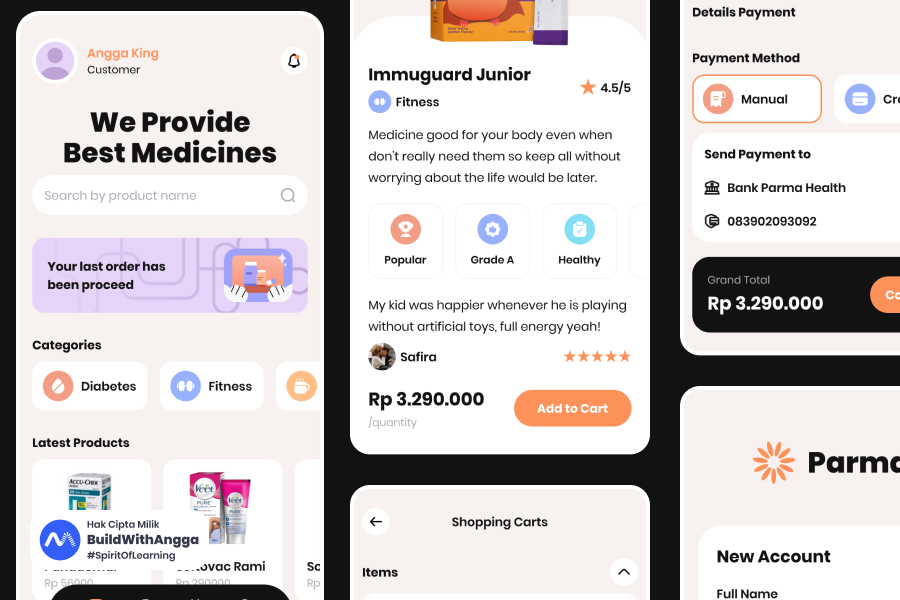
Membangun fitur authentication untuk aplikasi admin apotek online menggunakan ElysiaJS dan Better Auth adalah pilihan yang tepat di 2026. Tutorial ini akan memandu kamu membuat sistem auth lengkap dengan login, register, dan role-based access control untuk tiga jenis user: admin, apoteker, dan kasir. Semua dibangun dengan TypeScript yang type-safe, tanpa perlu setup rumit dari nol. Cocok untuk developer yang ingin fokus ke business logic, bukan reinvent authentication wheel.
Bagian 1: Pengantar & Setup Project Admin Apotek
Saya Angga Risky Setiawan, Founder dan CEO BuildWithAngga. Selama bertahun-tahun mengajar 900.000+ students di Indonesia, saya sering melihat developer struggle dengan authentication — entah terlalu manual pakai JWT sendiri, atau terlalu terikat dengan framework tertentu seperti NextAuth yang hanya untuk Next.js. Better Auth hadir sebagai solusi yang framework-agnostic dan langsung production-ready.
Kenapa Better Auth untuk ElysiaJS?
Kalau kamu pernah pakai @elysiajs/jwt untuk authentication, kamu tahu bahwa itu masih sangat manual. Kamu perlu handle sendiri: hashing password, session management, refresh token, role checking, dan banyak lagi. Better Auth mengambil pendekatan berbeda — batteries included.
Better Auth adalah authentication framework untuk TypeScript yang:
- Framework-agnostic — Bukan cuma Next.js, tapi juga Hono, Express, dan tentu saja ElysiaJS
- Built-in admin plugin — User management, ban/unban, impersonation sudah tersedia
- Role & permission system — RBAC out of the box
- Type-safe — Full TypeScript support dengan inference yang excellent
- Database flexible — Support PostgreSQL, MySQL, SQLite via Drizzle, Prisma, atau raw SQL
Di December 2025, Better Auth sudah mencapai versi 1.4.7 dengan fitur-fitur mature seperti stateless session, cookie chunking, dan SCIM support.
Tech Stack Project Admin Apotek
Untuk project ini, kita akan menggunakan:
| Technology | Version | Purpose |
|---|---|---|
| ElysiaJS | 1.4.19 | Backend framework |
| Better Auth | 1.4.7 | Authentication |
| Drizzle ORM | 0.38.x | Database ORM |
| PostgreSQL | 16+ | Database |
| Bun | 1.3.4 | Runtime |
Kombinasi ini memberikan developer experience yang excellent dengan type safety end-to-end.
Setup Project
Mari mulai dengan membuat project baru:
# Create ElysiaJS project
bun create elysia apotek-api
cd apotek-api

# Install dependencies
bun add better-auth drizzle-orm postgres @elysiajs/cors @elysiajs/swagger

# Install dev dependencies
bun add -d drizzle-kit @types/bun
Project Structure
Setelah setup, buat struktur folder seperti ini:
apotek-api/
├── src/
│   ├── index.ts              # Entry point
│   ├── lib/
│   │   ├── auth.ts           # Better Auth configuration
│   │   └── db.ts             # Drizzle database connection
│   ├── routes/
│   │   └── medicines.ts      # Protected API routes
│   └── middleware/
│       └── auth.ts           # Auth middleware dengan macro
├── drizzle/
│   └── schema.ts             # Database schema
├── .env                      # Environment variables
├── drizzle.config.ts         # Drizzle Kit config
└── package.json
Buat folder dan file yang diperlukan:
mkdir -p src/lib src/routes src/middleware drizzle
touch src/lib/auth.ts src/lib/db.ts src/routes/medicines.ts src/middleware/auth.ts
touch drizzle/schema.ts drizzle.config.ts .env
Environment Variables
Buat file .env dengan konfigurasi berikut:
# Database
DATABASE_URL=postgres://postgres:password@localhost:5432/apotek_db

# Better Auth
BETTER_AUTH_SECRET=your-super-secret-key-minimum-32-characters-long
BETTER_AUTH_URL=http://localhost:3000
BETTER_AUTH_SECRET adalah secret key untuk signing session. Harus minimal 32 karakter dan tetap rahasia.
💡 Tips: Generate secret yang aman dengan command: openssl rand -base64 32. Jangan pernah commit secret ke git repository.
Roles di Admin Apotek
Sebelum lanjut ke coding, mari definisikan roles yang akan kita gunakan:
| Role | Akses |
|---|---|
| admin | Full access — kelola users, obat, laporan, settings |
| apoteker | Kelola obat, validasi resep, lihat laporan |
| kasir | Update stok, transaksi penjualan, lihat daftar obat |
Setiap user yang register akan otomatis mendapat role kasir sebagai default. Admin bisa mengubah role user melalui admin API yang disediakan Better Auth.
Verify Setup
Sebelum lanjut, pastikan PostgreSQL sudah running dan database sudah dibuat:
# Buat database (jika belum ada)
createdb apotek_db

# Atau via psql
psql -U postgres -c "CREATE DATABASE apotek_db;"
Update package.json untuk menambahkan scripts:
{
  "scripts": {
    "dev": "bun --watch src/index.ts",
    "db:generate": "bunx drizzle-kit generate",
    "db:push": "bunx drizzle-kit push",
    "db:studio": "bunx drizzle-kit studio"
  }
}
Project structure sudah siap. Di bagian selanjutnya, kita akan setup Drizzle ORM, konfigurasi Better Auth dengan admin plugin, dan generate database schema.
Bagian 2: Setup Database & Better Auth Configuration
Sekarang kita akan setup koneksi database dengan Drizzle ORM dan konfigurasi Better Auth dengan admin plugin. Di akhir bagian ini, kamu akan punya authentication system yang siap digunakan.
Setup Drizzle + PostgreSQL
Pertama, buat koneksi database:
// src/lib/db.ts
import { drizzle } from 'drizzle-orm/postgres-js'
import postgres from 'postgres'
import * as schema from '../../drizzle/schema'

const connectionString = process.env.DATABASE_URL!

// Connection untuk query
const client = postgres(connectionString)

// Export Drizzle instance dengan schema
export const db = drizzle(client, { schema })
Kemudian buat konfigurasi Drizzle Kit untuk migrations:
// drizzle.config.ts
import { defineConfig } from 'drizzle-kit'

export default defineConfig({
  schema: './drizzle/schema.ts',
  out: './drizzle/migrations',
  dialect: 'postgresql',
  dbCredentials: {
    url: process.env.DATABASE_URL!
  }
})
Konfigurasi Better Auth
Ini adalah bagian paling penting — setup Better Auth dengan admin plugin:
// src/lib/auth.ts
import { betterAuth } from 'better-auth'
import { drizzleAdapter } from 'better-auth/adapters/drizzle'
import { admin } from 'better-auth/plugins'
import { db } from './db'

export const auth = betterAuth({
  // Database adapter
  database: drizzleAdapter(db, {
    provider: 'pg'
  }),

  // Enable email/password authentication
  emailAndPassword: {
    enabled: true,
    minPasswordLength: 8,
    maxPasswordLength: 128
  },

  // Session configuration
  session: {
    expiresIn: 60 * 60 * 24 * 7,    // 7 hari
    updateAge: 60 * 60 * 24,         // Update setiap 24 jam
    cookieCache: {
      enabled: true,
      maxAge: 60 * 5                  // Cache 5 menit
    }
  },

  // Plugins
  plugins: [
    admin({
      defaultRole: 'kasir',           // Role default untuk user baru
      adminRoles: ['admin', 'apoteker'] // Roles yang punya akses admin
    })
  ],

  // Custom user fields
  user: {
    additionalFields: {
      phone: {
        type: 'string',
        required: false
      },
      branch: {
        type: 'string',
        required: false
      }
    }
  }
})

// Export type untuk TypeScript
export type Session = typeof auth.$Infer.Session
export type User = typeof auth.$Infer.Session.user
Mari breakdown konfigurasi di atas:
- drizzleAdapter — Menghubungkan Better Auth dengan Drizzle ORM
- emailAndPassword — Enable authentication dengan email dan password
- session — Konfigurasi session lifetime dan caching
- admin plugin — Menambahkan role system dan admin capabilities
- additionalFields — Custom fields untuk user (phone, branch apotek)
Generate Database Schema
Better Auth menyediakan CLI untuk generate schema Drizzle secara otomatis:
bunx @better-auth/cli generate --output ./drizzle/schema.ts
CLI akan generate schema dasar. Kita perlu menambahkan custom fields dan tabel untuk apotek:
// drizzle/schema.ts
import { pgTable, text, timestamp, boolean, integer } from 'drizzle-orm/pg-core'

// ============================================
// Better Auth Tables (auto-generated)
// ============================================

export const user = pgTable('user', {
  id: text('id').primaryKey(),
  name: text('name').notNull(),
  email: text('email').notNull().unique(),
  emailVerified: boolean('email_verified').notNull().default(false),
  image: text('image'),
  createdAt: timestamp('created_at').notNull().defaultNow(),
  updatedAt: timestamp('updated_at').notNull().defaultNow(),

  // Admin plugin fields
  role: text('role').default('kasir'),
  banned: boolean('banned').default(false),
  banReason: text('ban_reason'),
  banExpires: timestamp('ban_expires'),

  // Custom fields untuk apotek
  phone: text('phone'),
  branch: text('branch')
})

export const session = pgTable('session', {
  id: text('id').primaryKey(),
  userId: text('user_id').notNull().references(() => user.id, { onDelete: 'cascade' }),
  token: text('token').notNull().unique(),
  expiresAt: timestamp('expires_at').notNull(),
  ipAddress: text('ip_address'),
  userAgent: text('user_agent'),
  createdAt: timestamp('created_at').notNull().defaultNow(),
  updatedAt: timestamp('updated_at').notNull().defaultNow()
})

export const account = pgTable('account', {
  id: text('id').primaryKey(),
  userId: text('user_id').notNull().references(() => user.id, { onDelete: 'cascade' }),
  providerId: text('provider_id').notNull(),
  accountId: text('account_id').notNull(),
  accessToken: text('access_token'),
  refreshToken: text('refresh_token'),
  accessTokenExpiresAt: timestamp('access_token_expires_at'),
  refreshTokenExpiresAt: timestamp('refresh_token_expires_at'),
  scope: text('scope'),
  idToken: text('id_token'),
  createdAt: timestamp('created_at').notNull().defaultNow(),
  updatedAt: timestamp('updated_at').notNull().defaultNow()
})

export const verification = pgTable('verification', {
  id: text('id').primaryKey(),
  identifier: text('identifier').notNull(),
  value: text('value').notNull(),
  expiresAt: timestamp('expires_at').notNull(),
  createdAt: timestamp('created_at').notNull().defaultNow(),
  updatedAt: timestamp('updated_at').notNull().defaultNow()
})

// ============================================
// Custom Tables untuk Apotek
// ============================================

export const medicine = pgTable('medicine', {
  id: text('id').primaryKey(),
  name: text('name').notNull(),
  description: text('description'),
  stock: integer('stock').notNull().default(0),
  price: integer('price').notNull(),
  unit: text('unit').notNull().default('tablet'), // tablet, kapsul, botol, dll
  category: text('category'),                      // obat bebas, obat keras, dll
  expiryDate: timestamp('expiry_date'),
  createdBy: text('created_by').references(() => user.id),
  createdAt: timestamp('created_at').notNull().defaultNow(),
  updatedAt: timestamp('updated_at').notNull().defaultNow()
})

export const transaction = pgTable('transaction', {
  id: text('id').primaryKey(),
  medicineId: text('medicine_id').notNull().references(() => medicine.id),
  quantity: integer('quantity').notNull(),
  totalPrice: integer('total_price').notNull(),
  type: text('type').notNull(), // 'sale' atau 'restock'
  cashierId: text('cashier_id').references(() => user.id),
  createdAt: timestamp('created_at').notNull().defaultNow()
})
Push Schema ke Database
Sekarang sync schema ke PostgreSQL:
# Development: langsung push (tanpa migration files)
bun run db:push
Output yang diharapkan:
[✓] Changes applied
  + user
  + session
  + account
  + verification
  + medicine
  + transaction
💡 Tips: Untuk development, gunakan db:push karena lebih cepat. Untuk production, gunakan db:generate untuk create migration files, lalu review sebelum apply.
Verifikasi Setup
Buat file entry point sederhana untuk test:
// src/index.ts
import { Elysia } from 'elysia'
import { auth } from './lib/auth'

const app = new Elysia()
  // Mount Better Auth handler
  .mount(auth.handler)

  // Health check
  .get('/', () => ({
    status: 'running',
    auth: 'mounted at /api/auth/*'
  }))

  .listen(3000)

console.log(`🦊 Apotek API running at <http://localhost>:${app.server?.port}`)
Jalankan server:
bun run dev
Test auth endpoints yang tersedia:
# Check if auth is mounted
curl <http://localhost:3000/api/auth/ok>
Response:
{
  "ok": true
}
Auth Endpoints yang Tersedia
Dengan Better Auth ter-mount, kamu otomatis mendapat endpoints berikut:
| Method | Endpoint | Description |
|---|---|---|
| POST | /api/auth/sign-up | Register user baru |
| POST | /api/auth/sign-in/email | Login dengan email/password |
| POST | /api/auth/sign-out | Logout |
| GET | /api/auth/session | Get current session |
| POST | /api/auth/forget-password | Request password reset |
| POST | /api/auth/reset-password | Reset password |
| POST | /api/auth/change-password | Change password (logged in) |
Admin endpoints (dari admin plugin):
| Method | Endpoint | Description |
|---|---|---|
| GET | /api/auth/admin/list-users | List semua users |
| POST | /api/auth/admin/set-role | Update role user |
| POST | /api/auth/admin/ban-user | Ban user |
| POST | /api/auth/admin/unban-user | Unban user |
| POST | /api/auth/admin/impersonate | Impersonate user |
Semua endpoint ini sudah siap digunakan tanpa perlu coding tambahan!
Quick Test: Register User
curl -X POST <http://localhost:3000/api/auth/sign-up> \\
  -H "Content-Type: application/json" \\
  -d '{
    "name": "Admin Apotek",
    "email": "[email protected]",
    "password": "password123"
  }'
Response:
{
  "user": {
    "id": "abc123...",
    "name": "Admin Apotek",
    "email": "[email protected]",
    "role": "kasir",
    "emailVerified": false
  },
  "session": {
    "token": "...",
    "expiresAt": "2025-12-27T..."
  }
}
Perhatikan bahwa user baru otomatis mendapat role kasir sesuai konfigurasi defaultRole di admin plugin.
Database dan Better Auth sudah configured. Di bagian selanjutnya, kita akan buat auth middleware dengan macro untuk protecting routes berdasarkan role.
Bagian 3: Mount Auth ke ElysiaJS & Auth Middleware
Sekarang kita akan mengintegrasikan Better Auth dengan ElysiaJS dan membuat middleware untuk protecting routes berdasarkan authentication dan role. ElysiaJS punya fitur macro yang membuat ini sangat clean.
Mount Better Auth Handler
Update entry point untuk mount Better Auth dengan CORS dan Swagger:
// src/index.ts
import { Elysia } from 'elysia'
import { cors } from '@elysiajs/cors'
import { swagger } from '@elysiajs/swagger'
import { auth } from './lib/auth'
import { medicineRoutes } from './routes/medicines'

const app = new Elysia()
  // Swagger documentation
  .use(swagger({
    path: '/swagger',
    documentation: {
      info: {
        title: 'Apotek API',
        version: '1.0.0',
        description: 'REST API untuk Admin Apotek Online'
      },
      tags: [
        { name: 'Auth', description: 'Authentication endpoints' },
        { name: 'Medicines', description: 'Medicine management' }
      ]
    }
  }))

  // CORS untuk frontend
  .use(cors({
    origin: ['<http://localhost:5173>', '<http://localhost:3001>'],
    credentials: true,
    allowedHeaders: ['Content-Type', 'Authorization'],
    methods: ['GET', 'POST', 'PUT', 'PATCH', 'DELETE']
  }))

  // Mount Better Auth - semua auth endpoints tersedia di /api/auth/*
  .mount(auth.handler)

  // Health check
  .get('/', () => ({
    name: 'Apotek API',
    version: '1.0.0',
    docs: '/swagger',
    auth: '/api/auth/*'
  }))

  // API Routes
  .group('/api', app => app
    .use(medicineRoutes)
  )

  // Global error handler
  .onError(({ code, error, set }) => {
    console.error(`[Error] ${code}:`, error.message)

    if (code === 'VALIDATION') {
      set.status = 400
      return { error: 'Validation Error', message: error.message }
    }

    if (code === 'NOT_FOUND') {
      set.status = 404
      return { error: 'Not Found', message: 'Endpoint tidak ditemukan' }
    }

    set.status = 500
    return { error: 'Server Error', message: 'Terjadi kesalahan server' }
  })

  .listen(3000)

console.log(`🦊 Apotek API running at <http://localhost>:${app.server?.port}`)
console.log(`📚 Swagger docs at <http://localhost>:${app.server?.port}/swagger`)
console.log(`🔐 Auth endpoints at <http://localhost>:${app.server?.port}/api/auth/*`)
Buat Auth Middleware dengan Macro
Macro adalah fitur powerful di ElysiaJS untuk membuat reusable middleware. Kita akan buat dua macro: auth untuk require login, dan role untuk require specific roles.
// src/middleware/auth.ts
import { Elysia } from 'elysia'
import { auth, type User } from '../lib/auth'

export const authMiddleware = new Elysia({ name: 'auth-middleware' })
  // Derive: Extract session dari setiap request
  .derive(async ({ request }) => {
    const session = await auth.api.getSession({
      headers: request.headers
    })

    return {
      user: session?.user as User | null,
      session: session?.session ?? null
    }
  })

  // Macro definitions
  .macro({
    // Macro 1: Require authenticated user
    auth: {
      async resolve({ user, error }) {
        if (!user) {
          return error(401, {
            error: 'Unauthorized',
            message: 'Silakan login terlebih dahulu'
          })
        }

        // Check if user is banned
        if (user.banned) {
          return error(403, {
            error: 'Forbidden',
            message: 'Akun Anda telah diblokir',
            reason: user.banReason
          })
        }

        return { user }
      }
    },

    // Macro 2: Require specific role(s)
    role: (allowedRoles: string[]) => ({
      async resolve({ user, error }) {
        if (!user) {
          return error(401, {
            error: 'Unauthorized',
            message: 'Silakan login terlebih dahulu'
          })
        }

        if (user.banned) {
          return error(403, {
            error: 'Forbidden',
            message: 'Akun Anda telah diblokir'
          })
        }

        const userRole = user.role ?? 'kasir'

        if (!allowedRoles.includes(userRole)) {
          return error(403, {
            error: 'Forbidden',
            message: `Akses ditolak. Role Anda: ${userRole}. Role yang diizinkan: ${allowedRoles.join(', ')}`
          })
        }

        return { user }
      }
    })
  })
Penjelasan:
- derive — Dijalankan di setiap request, extract session dari cookies/headers
- macro auth — Require user sudah login, check banned status
- macro role — Require user punya role tertentu
Implement Protected Routes
Sekarang gunakan middleware di routes:
// src/routes/medicines.ts
import { Elysia, t } from 'elysia'
import { eq } from 'drizzle-orm'
import { authMiddleware } from '../middleware/auth'
import { db } from '../lib/db'
import { medicine } from '../../drizzle/schema'

export const medicineRoutes = new Elysia({ prefix: '/medicines' })
  .use(authMiddleware)

  // ============================================
  // GET /api/medicines - Public (semua bisa akses)
  // ============================================
  .get('/', async () => {
    const medicines = await db.select().from(medicine)
    return {
      data: medicines,
      total: medicines.length
    }
  }, {
    detail: {
      tags: ['Medicines'],
      summary: 'Get all medicines'
    }
  })

  // ============================================
  // GET /api/medicines/:id - Public
  // ============================================
  .get('/:id', async ({ params, set }) => {
    const result = await db.select()
      .from(medicine)
      .where(eq(medicine.id, params.id))

    if (result.length === 0) {
      set.status = 404
      return { error: 'Not Found', message: 'Obat tidak ditemukan' }
    }

    return { data: result[0] }
  }, {
    params: t.Object({ id: t.String() }),
    detail: {
      tags: ['Medicines'],
      summary: 'Get medicine by ID'
    }
  })

  // ============================================
  // POST /api/medicines - Admin & Apoteker only
  // ============================================
  .post('/', async ({ body, user, set }) => {
    const newMedicine = await db.insert(medicine).values({
      id: crypto.randomUUID(),
      name: body.name,
      description: body.description,
      stock: body.stock,
      price: body.price,
      unit: body.unit,
      category: body.category,
      createdBy: user.id
    }).returning()

    set.status = 201
    return {
      message: 'Obat berhasil ditambahkan',
      data: newMedicine[0]
    }
  }, {
    role: ['admin', 'apoteker'],  // 👈 Role-based access
    body: t.Object({
      name: t.String({ minLength: 1 }),
      description: t.Optional(t.String()),
      stock: t.Number({ minimum: 0 }),
      price: t.Number({ minimum: 0 }),
      unit: t.Optional(t.String()),
      category: t.Optional(t.String())
    }),
    detail: {
      tags: ['Medicines'],
      summary: 'Create new medicine (Admin/Apoteker only)'
    }
  })

  // ============================================
  // PATCH /api/medicines/:id/stock - All authenticated
  // ============================================
  .patch('/:id/stock', async ({ params, body, user, set }) => {
    const existing = await db.select()
      .from(medicine)
      .where(eq(medicine.id, params.id))

    if (existing.length === 0) {
      set.status = 404
      return { error: 'Not Found', message: 'Obat tidak ditemukan' }
    }

    const updated = await db.update(medicine)
      .set({
        stock: body.stock,
        updatedAt: new Date()
      })
      .where(eq(medicine.id, params.id))
      .returning()

    return {
      message: 'Stok berhasil diupdate',
      data: updated[0],
      updatedBy: user.name
    }
  }, {
    auth: true,  // 👈 Just need to be logged in
    params: t.Object({ id: t.String() }),
    body: t.Object({ stock: t.Number({ minimum: 0 }) }),
    detail: {
      tags: ['Medicines'],
      summary: 'Update medicine stock (All authenticated users)'
    }
  })

  // ============================================
  // PUT /api/medicines/:id - Admin & Apoteker only
  // ============================================
  .put('/:id', async ({ params, body, set }) => {
    const updated = await db.update(medicine)
      .set({
        name: body.name,
        description: body.description,
        price: body.price,
        unit: body.unit,
        category: body.category,
        updatedAt: new Date()
      })
      .where(eq(medicine.id, params.id))
      .returning()

    if (updated.length === 0) {
      set.status = 404
      return { error: 'Not Found', message: 'Obat tidak ditemukan' }
    }

    return {
      message: 'Obat berhasil diupdate',
      data: updated[0]
    }
  }, {
    role: ['admin', 'apoteker'],
    params: t.Object({ id: t.String() }),
    body: t.Object({
      name: t.String({ minLength: 1 }),
      description: t.Optional(t.String()),
      price: t.Number({ minimum: 0 }),
      unit: t.Optional(t.String()),
      category: t.Optional(t.String())
    }),
    detail: {
      tags: ['Medicines'],
      summary: 'Update medicine details (Admin/Apoteker only)'
    }
  })

  // ============================================
  // DELETE /api/medicines/:id - Admin only
  // ============================================
  .delete('/:id', async ({ params, set }) => {
    const deleted = await db.delete(medicine)
      .where(eq(medicine.id, params.id))
      .returning()

    if (deleted.length === 0) {
      set.status = 404
      return { error: 'Not Found', message: 'Obat tidak ditemukan' }
    }

    return {
      message: 'Obat berhasil dihapus',
      data: deleted[0]
    }
  }, {
    role: ['admin'],  // 👈 Admin only
    params: t.Object({ id: t.String() }),
    detail: {
      tags: ['Medicines'],
      summary: 'Delete medicine (Admin only)'
    }
  })
Access Control Summary
| Endpoint | Method | Access |
|---|---|---|
/api/medicines | GET | Public |
/api/medicines/:id | GET | Public |
/api/medicines | POST | admin, apoteker |
/api/medicines/:id/stock | PATCH | All authenticated |
/api/medicines/:id | PUT | admin, apoteker |
/api/medicines/:id | DELETE | admin only |
💡 Tips: Pattern auth: true untuk route yang butuh login saja (semua role). Pattern role: ['admin'] untuk route yang butuh role spesifik. Ini jauh lebih clean daripada manual check di setiap handler.
Bagaimana Flow-nya Bekerja
- Request masuk ke ElysiaJS
derivedi middleware extract session dari cookies- Jika route punya
auth: trueataurole: [...], macro resolve dijalankan - Macro check: user exists? → banned? → role match?
- Jika pass, request lanjut ke handler dengan
usertersedia di context - Jika fail, return error 401/403
Flow ini memastikan handler kamu selalu punya user yang sudah ter-validate — tidak perlu check manual lagi di dalam handler.
Bagian 4: Testing Auth Flow dengan cURL
Sekarang kita akan test seluruh authentication flow — dari register, login, akses protected routes, sampai admin operations. Pastikan server sudah running dengan bun run dev.
1. Register User Baru
curl -X POST <http://localhost:3000/api/auth/sign-up> \\
  -H "Content-Type: application/json" \\
  -d '{
    "name": "Budi Kasir",
    "email": "[email protected]",
    "password": "password123"
  }' | jq
Response:
{
  "user": {
    "id": "u_abc123...",
    "name": "Budi Kasir",
    "email": "[email protected]",
    "role": "kasir",
    "emailVerified": false,
    "createdAt": "2025-12-20T10:00:00.000Z"
  },
  "session": {
    "id": "s_xyz789...",
    "token": "eyJhbGc...",
    "expiresAt": "2025-12-27T10:00:00.000Z"
  }
}
User baru otomatis mendapat role kasir.
2. Login
curl -X POST <http://localhost:3000/api/auth/sign-in/email> \\
  -H "Content-Type: application/json" \\
  -c cookies.txt \\
  -d '{
    "email": "[email protected]",
    "password": "password123"
  }' | jq
Flag -c cookies.txt menyimpan session cookie ke file untuk request selanjutnya.
3. Get Current Session
curl <http://localhost:3000/api/auth/session> \\
  -b cookies.txt | jq
Response:
{
  "session": {
    "id": "s_xyz789...",
    "userId": "u_abc123...",
    "expiresAt": "2025-12-27T10:00:00.000Z"
  },
  "user": {
    "id": "u_abc123...",
    "name": "Budi Kasir",
    "email": "[email protected]",
    "role": "kasir"
  }
}
4. Test Public Endpoint
# Tanpa auth - tetap bisa akses
curl <http://localhost:3000/api/medicines> | jq
Response:
{
  "data": [],
  "total": 0
}
5. Test Protected Endpoint Tanpa Auth
# Tanpa cookies - 401 Unauthorized
curl -X POST <http://localhost:3000/api/medicines> \\
  -H "Content-Type: application/json" \\
  -d '{"name": "Paracetamol", "stock": 100, "price": 5000}' | jq
Response:
{
  "error": "Unauthorized",
  "message": "Silakan login terlebih dahulu"
}
6. Test Protected Endpoint dengan Role Salah
# Dengan auth tapi role kasir (butuh admin/apoteker)
curl -X POST <http://localhost:3000/api/medicines> \\
  -H "Content-Type: application/json" \\
  -b cookies.txt \\
  -d '{"name": "Paracetamol", "stock": 100, "price": 5000}' | jq
Response:
{
  "error": "Forbidden",
  "message": "Akses ditolak. Role Anda: kasir. Role yang diizinkan: admin, apoteker"
}
7. Update Role via Database (Development)
Untuk testing, update role langsung via database:
# Via psql
psql -d apotek_db -c "UPDATE \\"user\\" SET role = 'admin' WHERE email = '[email protected]';"
Atau buat script seed:
// scripts/seed-admin.ts
import { db } from '../src/lib/db'
import { user } from '../drizzle/schema'
import { eq } from 'drizzle-orm'

await db.update(user)
  .set({ role: 'admin' })
  .where(eq(user.email, '[email protected]'))

console.log('✅ User updated to admin')
process.exit(0)
bun run scripts/seed-admin.ts
8. Re-login untuk Refresh Session
curl -X POST <http://localhost:3000/api/auth/sign-in/email> \\
  -H "Content-Type: application/json" \\
  -c cookies.txt \\
  -d '{
    "email": "[email protected]",
    "password": "password123"
  }' | jq
9. Test Create Medicine (Sekarang Admin)
curl -X POST <http://localhost:3000/api/medicines> \\
  -H "Content-Type: application/json" \\
  -b cookies.txt \\
  -d '{
    "name": "Paracetamol 500mg",
    "description": "Obat pereda nyeri dan demam",
    "stock": 100,
    "price": 5000,
    "unit": "tablet",
    "category": "obat bebas"
  }' | jq
Response (201 Created):
{
  "message": "Obat berhasil ditambahkan",
  "data": {
    "id": "m_123...",
    "name": "Paracetamol 500mg",
    "description": "Obat pereda nyeri dan demam",
    "stock": 100,
    "price": 5000,
    "unit": "tablet",
    "category": "obat bebas",
    "createdBy": "u_abc123...",
    "createdAt": "2025-12-20T10:30:00.000Z"
  }
}
10. Test Update Stock (Semua Authenticated)
# Simpan medicine ID
MEDICINE_ID="m_123..."

curl -X PATCH "<http://localhost:3000/api/medicines/${MEDICINE_ID}/stock>" \\
  -H "Content-Type: application/json" \\
  -b cookies.txt \\
  -d '{"stock": 95}' | jq
Response:
{
  "message": "Stok berhasil diupdate",
  "data": {
    "id": "m_123...",
    "stock": 95
  },
  "updatedBy": "Budi Kasir"
}
11. Test Delete (Admin Only)
curl -X DELETE "<http://localhost:3000/api/medicines/${MEDICINE_ID}>" \\
  -b cookies.txt | jq
Response:
{
  "message": "Obat berhasil dihapus",
  "data": {
    "id": "m_123...",
    "name": "Paracetamol 500mg"
  }
}
12. Admin Operations
Better Auth menyediakan admin endpoints:
List all users:
curl <http://localhost:3000/api/auth/admin/list-users> \\
  -b cookies.txt | jq
Set role user lain:
curl -X POST <http://localhost:3000/api/auth/admin/set-role> \\
  -H "Content-Type: application/json" \\
  -b cookies.txt \\
  -d '{
    "userId": "u_other123...",
    "role": "apoteker"
  }' | jq
Ban user:
curl -X POST <http://localhost:3000/api/auth/admin/ban-user> \\
  -H "Content-Type: application/json" \\
  -b cookies.txt \\
  -d '{
    "userId": "u_other123...",
    "banReason": "Pelanggaran kebijakan"
  }' | jq
13. Logout
curl -X POST <http://localhost:3000/api/auth/sign-out> \\
  -b cookies.txt | jq
Response:
{
  "success": true
}
💡 Tips: Untuk development, buat beberapa user dengan role berbeda untuk testing lengkap. Simpan cookies di file terpisah: cookies-admin.txt, cookies-apoteker.txt, cookies-kasir.txt.
Quick Test Script
Buat script untuk automated testing:
// test/auth-flow.test.ts
import { describe, test, expect, beforeAll } from 'bun:test'

const API = '<http://localhost:3000>'
let adminCookie: string
let kasirCookie: string
let medicineId: string

describe('Auth Flow', () => {

  test('register admin user', async () => {
    const res = await fetch(`${API}/api/auth/sign-up`, {
      method: 'POST',
      headers: { 'Content-Type': 'application/json' },
      body: JSON.stringify({
        name: 'Test Admin',
        email: `admin-${Date.now()}@test.com`,
        password: 'test12345'
      })
    })
    expect(res.status).toBe(200)
    adminCookie = res.headers.get('set-cookie') ?? ''
  })

  test('kasir cannot create medicine', async () => {
    // Register kasir
    const regRes = await fetch(`${API}/api/auth/sign-up`, {
      method: 'POST',
      headers: { 'Content-Type': 'application/json' },
      body: JSON.stringify({
        name: 'Test Kasir',
        email: `kasir-${Date.now()}@test.com`,
        password: 'test12345'
      })
    })
    kasirCookie = regRes.headers.get('set-cookie') ?? ''

    // Try create medicine
    const res = await fetch(`${API}/api/medicines`, {
      method: 'POST',
      headers: {
        'Content-Type': 'application/json',
        'Cookie': kasirCookie
      },
      body: JSON.stringify({
        name: 'Test Medicine',
        stock: 10,
        price: 1000
      })
    })
    expect(res.status).toBe(403)
  })

})
Run tests:
bun test
Semua auth flow sudah working! Di bagian terakhir, kita akan bahas tips production dan security checklist.
Bagian 5: Tips Production & Penutup
Kamu sudah punya authentication system yang working. Sekarang mari bahas tips untuk production deployment dan security best practices.
Security Checklist
Update konfigurasi Better Auth untuk production:
// src/lib/auth.ts (production-ready)
import { betterAuth } from 'better-auth'
import { drizzleAdapter } from 'better-auth/adapters/drizzle'
import { admin } from 'better-auth/plugins'
import { db } from './db'

const isProd = process.env.NODE_ENV === 'production'

export const auth = betterAuth({
  database: drizzleAdapter(db, { provider: 'pg' }),

  // Base URL - penting untuk cookies
  baseURL: process.env.BETTER_AUTH_URL,

  // Session security
  session: {
    expiresIn: 60 * 60 * 24 * 7,        // 7 hari
    updateAge: 60 * 60 * 24,             // Refresh setiap 24 jam
    cookieCache: {
      enabled: true,
      maxAge: 60 * 5                      // Cache 5 menit
    }
  },

  // Cookie settings
  advanced: {
    cookiePrefix: 'apotek',
    useSecureCookies: isProd,             // HTTPS only di production
    defaultCookieAttributes: {
      sameSite: 'lax',
      httpOnly: true,
      secure: isProd
    }
  },

  // Rate limiting
  rateLimit: {
    enabled: true,
    window: 60,                           // 1 menit window
    max: 10                               // Max 10 attempts
  },

  // Password policy
  emailAndPassword: {
    enabled: true,
    minPasswordLength: 8,
    maxPasswordLength: 128,
    requireEmailVerification: isProd      // Wajib verify di production
  },

  // Admin plugin
  plugins: [
    admin({
      defaultRole: 'kasir',
      adminRoles: ['admin', 'apoteker'],
      defaultBanReason: 'Pelanggaran kebijakan apotek',
      impersonationSessionDuration: 60 * 60  // 1 jam max
    })
  ],

  // Trusted origins
  trustedOrigins: isProd
    ? ['<https://apotek.example.com>']
    : ['<http://localhost:5173>', '<http://localhost:3001>']
})
Environment Variables Production
# .env.production
NODE_ENV=production
DATABASE_URL=postgres://user:[email protected]:5432/apotek_prod
BETTER_AUTH_SECRET=super-long-random-secret-minimum-32-characters
BETTER_AUTH_URL=https://api.apotek.example.com
CORS untuk Production
// src/index.ts
.use(cors({
  origin: process.env.NODE_ENV === 'production'
    ? ['<https://apotek.example.com>']
    : ['<http://localhost:5173>'],
  credentials: true,
  allowedHeaders: ['Content-Type', 'Authorization'],
  methods: ['GET', 'POST', 'PUT', 'PATCH', 'DELETE'],
  maxAge: 86400  // Cache preflight 24 jam
}))
Logging untuk Audit
// src/middleware/logger.ts
import { Elysia } from 'elysia'

export const logger = new Elysia({ name: 'logger' })
  .onRequest(({ request }) => {
    console.log(`[${new Date().toISOString()}] ${request.method} ${request.url}`)
  })
  .onResponse(({ request, set }) => {
    console.log(`[${new Date().toISOString()}] ${request.method} ${request.url} - ${set.status}`)
  })
Quick Reference: Auth Endpoints
| Method | Endpoint | Description |
|---|---|---|
| POST | /api/auth/sign-up | Register user baru |
| POST | /api/auth/sign-in/email | Login |
| POST | /api/auth/sign-out | Logout |
| GET | /api/auth/session | Get current session |
| POST | /api/auth/forget-password | Request reset link |
| POST | /api/auth/reset-password | Reset password |
| POST | /api/auth/change-password | Change password |
Quick Reference: Admin Endpoints
| Method | Endpoint | Description |
|---|---|---|
| GET | /api/auth/admin/list-users | List all users |
| POST | /api/auth/admin/set-role | Change user role |
| POST | /api/auth/admin/ban-user | Ban user |
| POST | /api/auth/admin/unban-user | Unban user |
| POST | /api/auth/admin/impersonate | Login sebagai user lain |
| POST | /api/auth/admin/stop-impersonating | Stop impersonation |
Roles Summary: Admin Apotek
| Role | Create Obat | Update Stok | Delete Obat | Manage Users |
|---|---|---|---|---|
| admin | ✅ | ✅ | ✅ | ✅ |
| apoteker | ✅ | ✅ | ❌ | ❌ |
| kasir | ❌ | ✅ | ❌ | ❌ |
💡 Tips: Buat script seed untuk create admin pertama saat deploy. Jangan rely pada register endpoint untuk admin — itu security risk.
Seed Admin Script
// scripts/create-admin.ts
import { auth } from '../src/lib/auth'

const adminEmail = process.env.ADMIN_EMAIL!
const adminPassword = process.env.ADMIN_PASSWORD!

// Create admin via Better Auth API
const result = await auth.api.signUpEmail({
  body: {
    name: 'Super Admin',
    email: adminEmail,
    password: adminPassword
  }
})

// Update role to admin
await auth.api.setRole({
  body: {
    userId: result.user.id,
    role: 'admin'
  }
})

console.log('✅ Admin created:', adminEmail)
Deployment Checklist
- [ ] Set
NODE_ENV=production - [ ] Generate strong
BETTER_AUTH_SECRET(32+ chars) - [ ] Enable HTTPS dan secure cookies
- [ ] Configure rate limiting
- [ ] Setup trusted origins
- [ ] Create admin user via seed script
- [ ] Test semua endpoints
- [ ] Setup monitoring dan logging
Penutup
Selamat! Kamu sekarang punya authentication system lengkap untuk admin apotek:
✅ Register & Login dengan email/password ✅ Role-based access control (admin, apoteker, kasir) ✅ Protected routes dengan macro yang clean ✅ Admin endpoints untuk manage users ✅ Production-ready security configuration
Better Auth + ElysiaJS adalah kombinasi yang powerful — kamu dapat authentication enterprise-grade tanpa harus setup dari nol.
Next Steps
Untuk melanjutkan development:
- Integrate Frontend — Connect dengan React/Vue/Svelte menggunakan Better Auth client
- Email Verification — Setup SMTP untuk verify email user baru
- Two-Factor Auth — Tambah plugin
twoFactoruntuk keamanan extra - Audit Log — Track semua aktivitas user untuk compliance
- Deploy — Railway, Fly.io, atau DigitalOcean dengan Docker
Resources
Untuk memperdalam skill backend development dengan ElysiaJS dan TypeScript, kamu bisa explore kelas gratis di BuildWithAngga. Ada berbagai track project-based — dari REST API basics sampai microservices — yang akan membantu kamu membangun portfolio yang solid dan siap kerja.
Butuh referensi UI untuk dashboard admin apotek? Download HTML template gratis di shaynakit.com. Ada berbagai template admin dashboard modern yang bisa langsung kamu customize untuk frontend project ini. Kombinasikan dengan API yang sudah kamu buat untuk hasil yang production-ready.
Official Documentation:
- ElysiaJS: elysiajs.com
- Better Auth: better-auth.com
- Drizzle ORM: orm.drizzle.team
Happy coding! 🦊💊

